1. Ürün Bittiview
The HOTT CD711 is a versatile portable CD player designed for high-quality audio playback on the go, at home, or in your car. It features a rechargeable battery, robust anti-shock protection, and broad compatibility with various disc formats.
Temel Özellikler:
- Şarj Edilebilir Pil: Built-in 1000mAh Li-ion battery provides up to 7 hours of playback on a 3-hour charge.
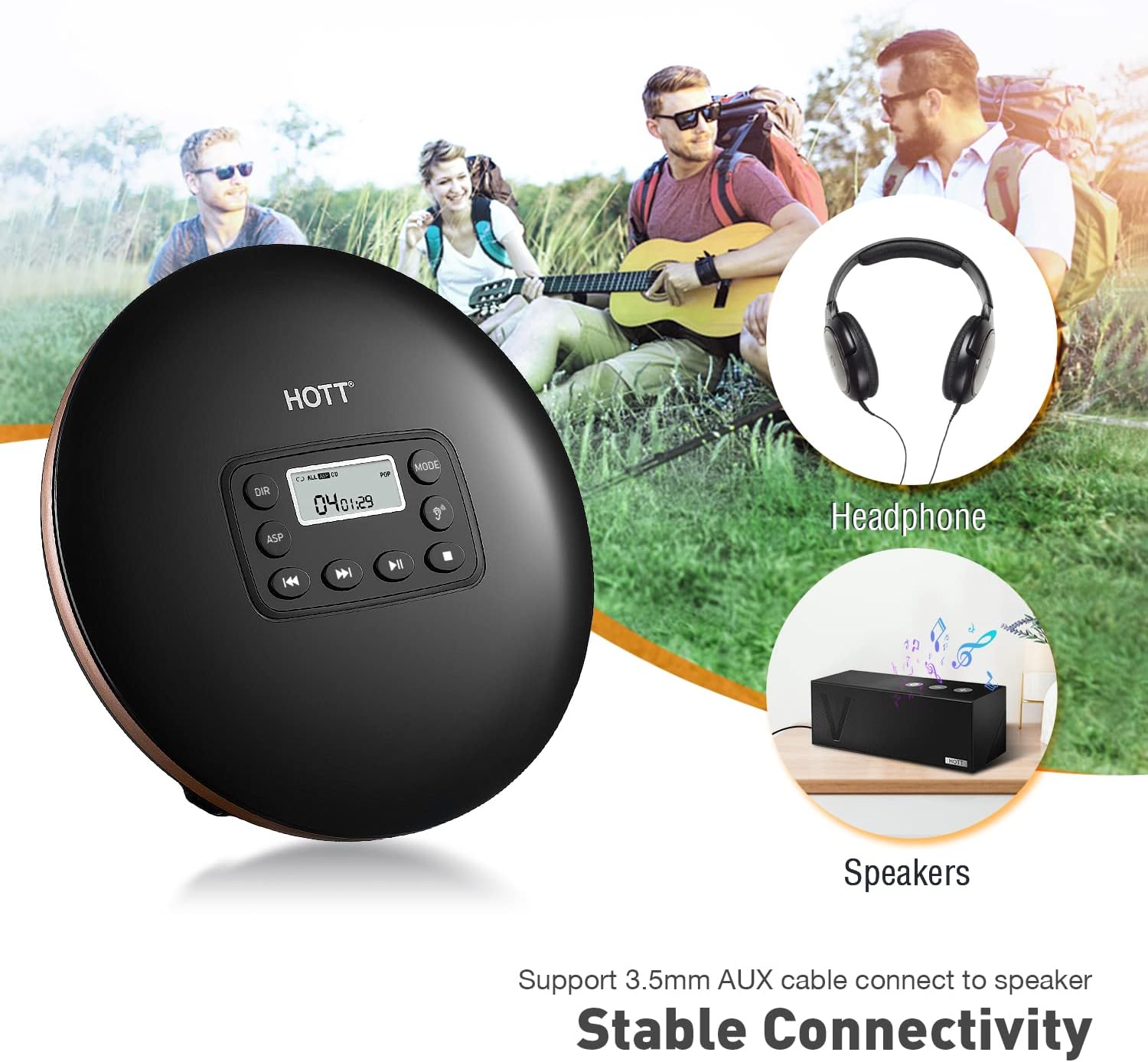
- In-Car Connectivity: AUX-output allows easy connection to car audio systems.
- Anti-Shock Protection (ASP): Ensures stable audio playback with up to 45 seconds for CD and 120 seconds for MP3 discs.
- Geniş Uyumluluk: Supports CD, MP3, CD-RW, CD-R, and WMA formats.
- Ses efektleri: Includes BBS, Pop, Jazz, Rock, and Classic sound modes.
- Resume Function: Memorizes the last playback track.

Image: The HOTT CD711 Portable CD Player, shown with included headphones, a 3.5mm AUX cable, and a USB charging cable. The player is black with a bronze-colored edge and features a central control panel with an LCD display.
2. Paket İçeriği
Lütfen pakette tüm öğelerin mevcut olduğundan emin olun:
- HOTT CD711 Portable CD Player x 1
- USB Şarj Kablosu x 1
- Kulaklık x 1
- 3.5mm AUX Kablosu x 1
- Kullanıcı Kılavuzu x 1

Image: Contents of the HOTT CD711 package, including the CD player, an orange box, a user manual, earphones, a USB charging cable, and a 3.5mm AUX cable.
3. Cihaz Düzeni ve Kontrolleri
Resim: Ayrıntılı view of the HOTT CD711 Portable CD Player's front panel and side controls. Key features are numbered and described.
- LCD Ekran: Shows track number, time, and playback mode.
- YÖN Düğmesi: Selects the next album (for MP3 format only).
- ASP Düğmesi: Toggles the Anti-Shock Protection system on/off.
- Önceki/Geri Alma Düğmesi: Short press twice to select the previous track. Long press to fast backward.
- İleri/Hızlı İleri Düğmesi: Short press to select the next track. Long press to fast forward.
- Power On/Play/Pause Button: Powers the device on, plays, or pauses playback.
- Stop/Shut Down Button: Stops playback and powers the device off.
- Ses Efekti Düğmesi: Selects different sound effects (BBS, Pop, Jazz, Rock, Classic).
- Çalma Modu Düğmesi: Selects playback modes (Sequential, Shuffle, Single Track Repeat, Repeat All, Scan).
- HOLD/UNHOLD Switch: Locks all buttons to prevent accidental presses. Set to UNHOLD to unlock.
- VOL Adjust: Ses seviyesini ayarlar.
- PHONES Earphone Jack: Kulaklık için 3.5 mm çıkış.
- DC IN 4.5V-5V Power Supply Input: USB-C port for charging and power.
4. Kurulum ve Şarj
4.1 Pilin Şarj Edilmesi
The HOTT CD711 comes with a built-in 1000mAh rechargeable Li-ion battery. Before first use, fully charge the device.
- Connect the provided USB charging cable to the DC IN 4.5V-5V port on the CD player.
- USB kablosunun diğer ucunu standart bir USB güç adaptörüne (dahil değildir) veya bir bilgisayarın USB portuna bağlayın.
- A full charge takes approximately 3 hours and provides up to 7 hours of playback at medium volume.
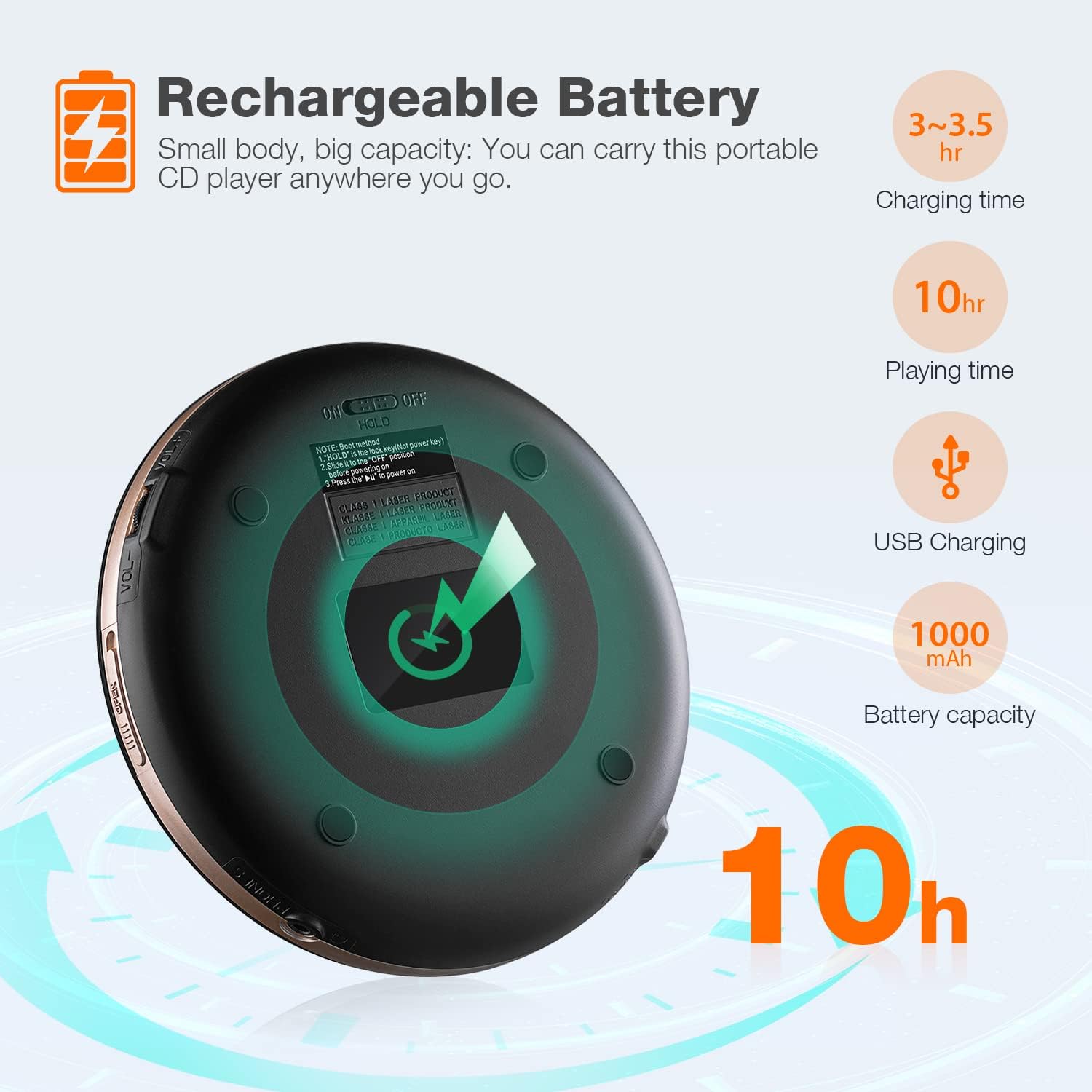
Image: Diagram illustrating the rechargeable battery features of the HOTT CD711, including 3-3.5 hours charging time, 10 hours playing time, USB charging, and 1000mAh battery capacity.
4.2 Connecting to Car Audio
To use the CD player in your car, connect it via the 3.5mm AUX output:
- Locate the 3.5mm AUX jack on your car's audio system.
- Connect one end of the provided 3.5mm AUX cable to the PHONES earphone jack on the CD player.
- Connect the other end of the AUX cable to your car's AUX input.
- Select the AUX input source on your car's audio system.

Image: Visual guide on how to connect the HOTT CD711 to a car's audio system using a 3.5mm AUX cable, highlighting the CD player interface and the car's AUX jack.
5. Kullanım Talimatları
5.1 Temel Oynatma
- Ensure the HOLD/UNHOLD switch is set to UNHOLD.
- Open the CD compartment by gently pressing the 'OPEN' button or sliding the lid.
- Etiketli tarafı yukarı bakacak şekilde bir CD yerleştirin.
- CD bölmesini tık sesi duyana kadar sıkıca kapatın.
- Basın Power On/Play/Pause oynatmayı başlatmak için düğmesine basın.
- kullanarak ses seviyesini ayarlayın. VOL Ayarı topuz.
- Duraklatmak için tuşuna basın Power On/Play/Pause button again. Press again to resume.
- Çalmayı durdurmak için Stop/Shut Down düğme.
5.2 Navigation and Modes
- Parçaları Atla: Kullanın Önceki/Geri Sar or Sonraki/Hızlı İleri Parçaları atlamak için düğmeler.
- Hızlı İleri/Geri Sarma: Uzun basın Önceki/Geri Sar or Sonraki/Hızlı İleri düğmeler.
- DIR (Directory): For MP3 discs, press the YÖN button to navigate between folders/albums.
- ASP (Anti-Shock Protection): Basın ASP button to activate or deactivate anti-shock protection. This feature helps prevent skips during movement.
- Ses efektleri: Basın Ses Efekti button repeatedly to cycle through available sound modes: BBS, Pop, Jazz, Rock, Classic.
- Oyun Modu: Basın Oyun Modu button to select different playback sequences: Sequential, Shuffle, Single Track Repeat, Repeat All, Scan (plays first 10 seconds of each track).
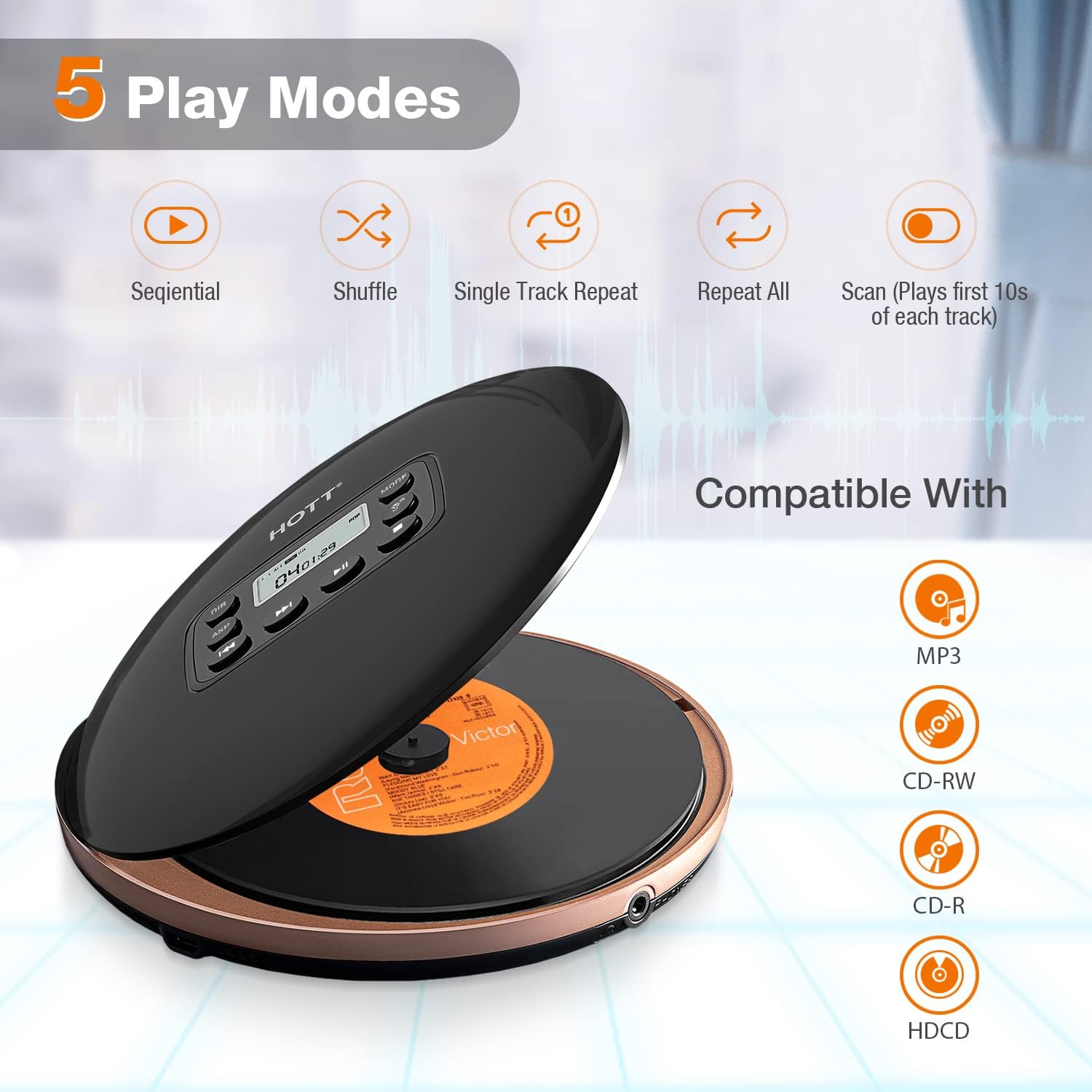
Image: Visual representation of the five play modes available on the HOTT CD711: Sequential, Shuffle, Single Track Repeat, Repeat All, and Scan. Also shows compatibility with MP3, CD-RW, CD-R, and HDCD discs.
5.3 Resume Function
The CD player features a resume function that automatically memorizes the last played track and position. When you power on the device again, it will resume playback from where it left off.

Image: A young girl using the HOTT CD711 while studying at a desk, illustrating the convenience of the resume function which remembers the last playback track.
6. Bakım ve Özen
- Keep the CD player clean by wiping it with a soft, dry cloth. Do not use liquid cleaners or abrasive materials.
- Cihazı aşırı sıcaklıklara, doğrudan güneş ışığına veya yüksek neme maruz bırakmaktan kaçının.
- Handle CDs by the edges to prevent fingerprints and scratches, which can affect playback quality.
- Store the CD player in a cool, dry place when not in use.
- Cihazı kendiniz sökmeye veya onarmaya çalışmayın. Yetkili servis personeline başvurun.
7. Sorun Giderme
| Sorun | Olası Neden | Çözüm |
|---|---|---|
| Oynatıcı açılmıyor. | Pil bitmiş. HOLD düğmesi devrede. | Pili şarj edin. Set the HOLD switch to UNHOLD. |
| Ses yok. | Ses çok düşük. Kulaklıklar düzgün bağlanmamış. AUX cable not properly connected (in car). | Sesi artırın. Ensure headphones are fully plugged into the PHONES jack. Check AUX cable connection and car's input source. |
| Disc skips or playback is unstable. | Disk kirli veya çizilmiş. ASP is off or insufficient. Aşırı titreşim. | Diski temizleyin veya başka bir disk deneyin. Ensure ASP is enabled. Reduce movement or place on a stable surface. |
| Cannot read disc. | Disk yanlış takıldı. Disc format not supported. Disc is severely damaged. | Reinsert disc with label side up. Ensure disc is CD, MP3, CD-RW, CD-R, or WMA. Farklı bir disk deneyin. |
8. Özellikler
- Modeli: CD711
- Marka: SICAK
- Desteklenen Disk Biçimleri: CD, MP3, CD-RW, CD-R, WMA
- Pil: 1000mAh Li-ion şarj edilebilir pil
- Şarj Süresi: Yaklaşık 3 saat
- Oynatma Süresi: 7 saate kadar (orta hacimde)
- Darbelere Karşı Koruma: 45 seconds for CD, 120 seconds for MP3
- Bağlantı: 3.5mm AUX output, USB for charging
- Boyutlar: 6.81 x 6.77 x 1.77 inç (Paket Boyutları)
- Ağırlık: 15.2 ons
9. Garanti ve Destek
HOTT provides comprehensive customer support for the CD711 Portable CD Player:
- İade politikasi: 30-days return policy.
- Garanti: 1-year warranty. Register through the official website to extend the warranty period to 18 months.
- Destek: Lifetime support and Toll-free call center.
For assistance, please refer to the contact information provided in your product packaging or visit the official HOTT webalan.

Image: Information about HOTT company history and customer support, including establishment in 1999, ISO9001:2000 approval, Walmart approval, USA establishment in 2013, becoming a top Amazon CD player seller in 2019, and details on US customer service, toll-free support, and free replacement for one year.


