1. Giriş
This manual provides essential information for the safe and effective use of your Twinkly Curtain LED Light Chain. This smart lighting product features 210 RGB LEDs, suitable for both indoor and outdoor use, offering customizable lighting effects via the Twinkly app and compatibility with smart home systems like Alexa and Google Home.

Image: Twinkly Curtain LED Light Chain, showing the bundled lights, controller, and power adapter.
2. Kutuda Neler Var?
- Twinkly Curtain LED Light Chain (210 RGB LEDs, 5x7 ft)
- Kontrolör
- Güç Adaptörü
- User Guide (PDF available online)
3. Kurulum
3.1 Paketten Çıkarma ve Yerleştirme
Carefully remove the Twinkly Curtain from its packaging. The lights are designed for both indoor and outdoor use, with IP44 certification for weather resistance. Choose a suitable location for installation, considering the 5x7 ft dimensions and power source proximity.

Image: Two individuals installing the Twinkly Curtain lights in an outdoor setting, demonstrating their versatility.
3.2 Güç Bağlantısı
Connect the controller to the light chain and then plug the power adapter into a standard electrical outlet. Ensure all connections are secure.
3.3 Uygulama Yükleme ve İlk Eşleştirme
Download the Twinkly app from your device's app store. The app is available for both iOS and Android. Follow the in-app instructions to pair your Twinkly Curtain. This typically involves connecting to the Twinkly device's Wi-Fi network.
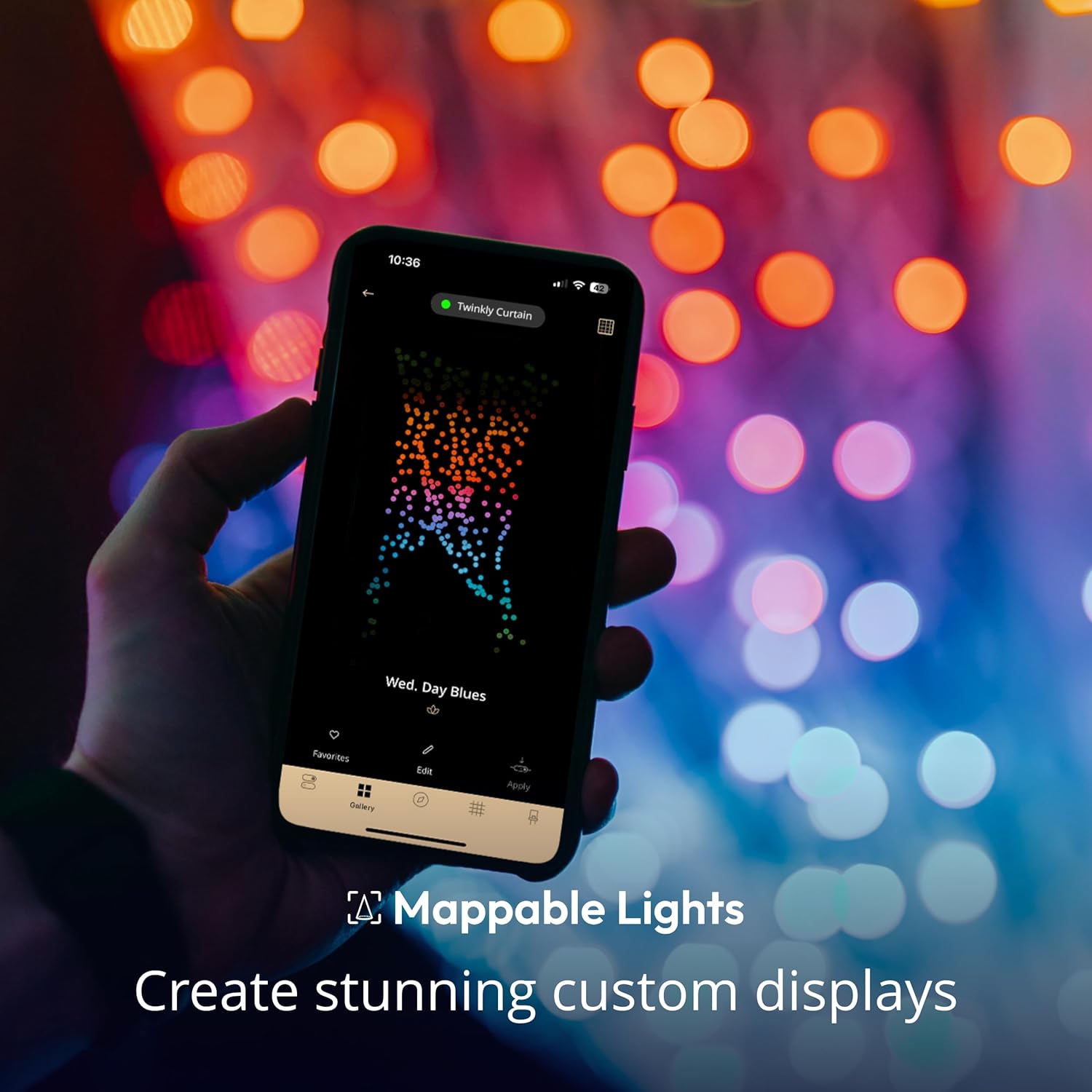
Image: A hand holding a smartphone showing the Twinkly app interface, illustrating the light mapping feature.
3.4 Light Mapping
The Twinkly app features an automatic mapping function. Position your smartphone camera to capture the entire light display. The app will then create a virtual map of each LED, allowing for precise control and custom effects.
4. Kullanım Talimatları
4.1 Using the Twinkly App
The Twinkly app is the primary interface for controlling your lights.
- Effect Gallery: Browse and apply a wide variety of pre-set lighting effects.
- Özelleştirme: Create your own unique effects using the color palette of over 16 million colors.
- Parlaklık Kontrolü: Işıkların yoğunluğunu ayarlayın.
- Zamanlayıcılar: Schedule on/off times for automated operation.
- Çalma listesi: Create sequences of effects to play automatically.

Image: A woman using the Twinkly app on her smartphone to control the vibrant light effects of the Twinkly Curtain.
4.2 Ses Kontrolü
The Twinkly Curtain is compatible with Amazon Alexa and Google Assistant. Ensure your Twinkly device firmware is updated for full compatibility, including HomeKit.
- Amazon Alexa: Enable the Twinkly skill in the Alexa app and link your account.
- Google Asistan: Link your Twinkly account through the Google Home app.

Image: People gathered outdoors with Twinkly lights in the background, featuring logos for Amazon Alexa and Google Home, indicating voice control compatibility.
4.3 Physical Controller Button
A button on the physical controller allows you to cycle through pre-set patterns without using the app.
4.4 Sync with Music (Optional Accessory)
For dynamic light shows synchronized with music, the Twinkly Music accessory (sold separately) is required.

Image: A hand interacting with a Twinkly Music device, which enables the lights to synchronize with audio.
4.5 Gaming Integration
Twinkly lights can be integrated with certain gaming setups for an immersive experience. Refer to the Twinkly app or website for compatible platforms and setup instructions.

Image: A person wearing headphones and playing video games, with Twinkly lights illuminating the background, demonstrating gaming integration.
4.6 Expanding Your Light System
Multiple Twinkly light sets of various styles can be virtually connected and grouped within the app to create larger, synchronized displays.

Image: A living room decorated for Christmas, featuring a Christmas tree and Twinkly Curtain lights, showcasing an expandable light system.
5. Bakım
The Twinkly Curtain LED Light Chain requires minimal maintenance.
- Temizlik: Lambaları yumuşak, kuru bir bezle nazikçe silin. Sert kimyasallar veya aşındırıcı temizleyiciler kullanmayın.
- Depolamak: When not in use, store the lights in their original packaging or a protective container in a cool, dry place, away from direct sunlight.
- Denetleme: Periodically inspect the wires and LEDs for any signs of damage. Do not use if damaged.
6. Sorun Giderme
| Sorun | Çözüm |
|---|---|
| Işıklar açılmıyor. |
|
| Cannot connect to the Twinkly app. |
|
| Lights are not displaying effects correctly after mapping. |
|
| Ses kontrolü çalışmıyor. |
|
Video: This video demonstrates the various color and effect capabilities of the Twinkly Curtain App-Controlled Christmas Lights. It shows the lights changing colors and patterns, highlighting their dynamic nature.
7. Özellikler
| Örnek | TWW210STP-TUS |
| Marka | Parıldayan |
| Hafif Tip | NEDEN OLMUŞ |
| LED Sayımı | 210 |
| Açık Renk | RGB (Kırmızı, Yeşil, Mavi) |
| Boyutlar | 5x7 ayak |
| İç/Dış Mekan Kullanımı | Outdoor, Indoor (IP44 Certified) |
| Güç Kaynağı | Kablolu Elektrik |
| Cilttage | 24 Volt |
| Netage | 36 watt |
| Bağlantı | Bluetooth, Wi-Fi |
| Kontrol Yöntemi | Uygulama, Sesli Asistan (Alexa, Google Asistan) |
| Ürün Ağırlığı | 1.68 pound |
8. Garanti ve Destek
For warranty information and technical support, please refer to the official Twinkly website or the documentation included with your product. You can also find additional resources and FAQs within the Twinkly app.
Kullanıcı Kılavuzu (PDF): Kullanım Kılavuzunu İndirin
Kullanım Kılavuzu (PDF): Kullanıcı Kılavuzunu İndirin


