1. Giriş
Thank you for choosing the HTC True Wireless Earbuds 1. This manual provides essential information to help you set up, operate, and maintain your earbuds for optimal performance.
Paket İçeriği
Paketinizde tüm öğelerin mevcut olduğundan emin olun:
- 1 Pair HTC True Wireless Earbuds
- 1 USB-C Şarj Kablosu
- 2 Çift Kauçuk Kulaklık Ucu (S/L)
- 1 Hızlı Kılavuz
- 1 Garanti Kartı
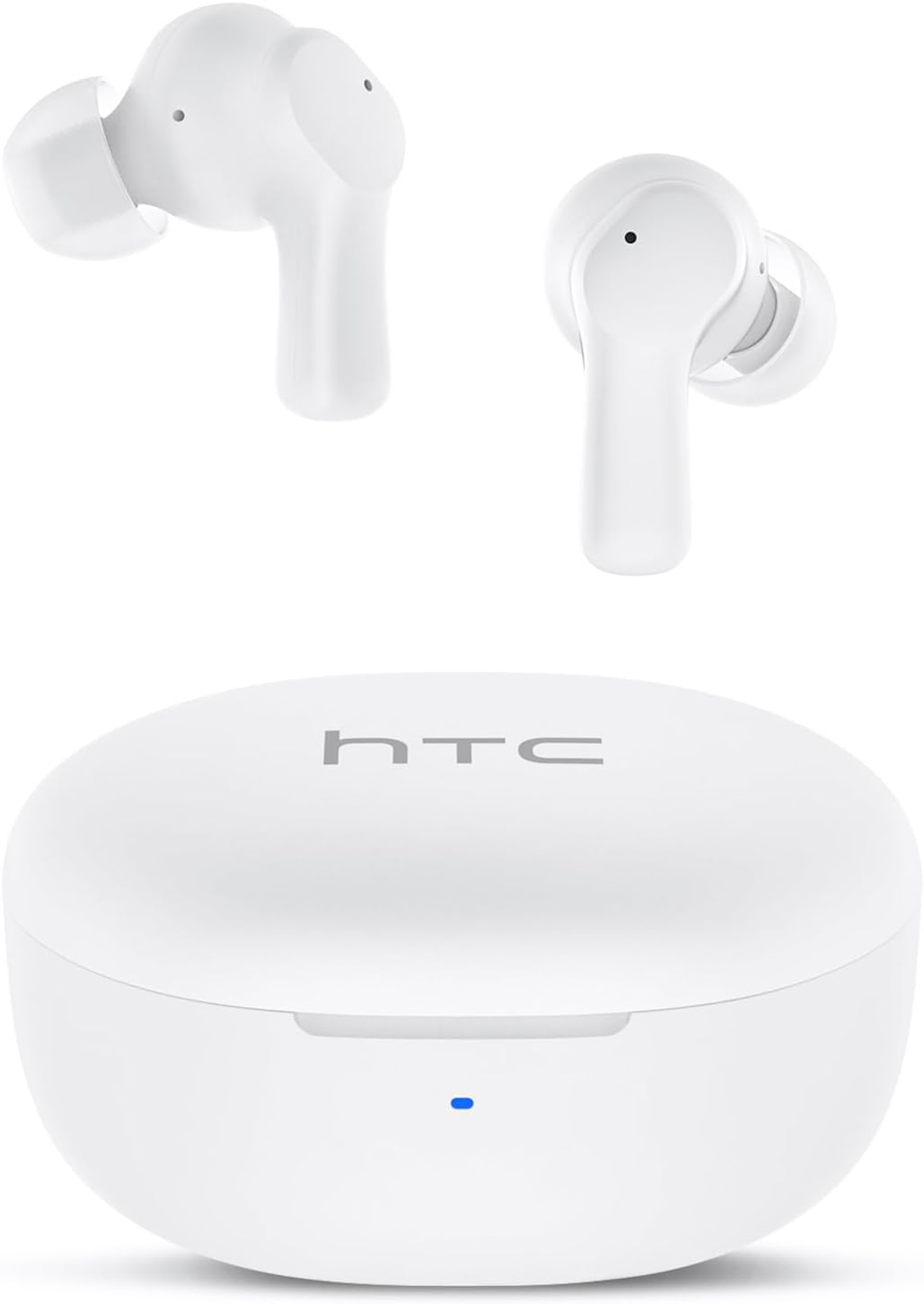
Image: HTC True Wireless Earbuds 1 and their charging case.

Image: The charging case opened, showing the two earbuds nestled inside.
2. Kurulum ve Eşleştirme
İlk Kurulum
- Koruyucu Filmi Çıkarın: Before first use, remove the protective film from the charging contacts on both earbuds.
- Şarj Edilebilir Kulaklıklar: Place the earbuds back into the charging case and close the lid. Connect the charging case to a USB power source using the provided USB-C cable. Ensure the earbuds and case are fully charged before initial use.
- Güç Açık: Şarj kutusunun kapağını açın. Kulaklıklar otomatik olarak açılacak ve eşleştirme moduna geçecektir.
Bluetooth Eşleştirme
The HTC True Wireless Earbuds 1 feature one-step auto-pairing after the initial setup.
- Bluetooth'u etkinleştirin: Cihazınızda (akıllı telefon, tablet, bilgisayar) Bluetooth’u etkinleştirin.
- Arama Cihazlar: Cihazınızın Bluetooth ayarlarında, kullanılabilir cihazları arayın.
- Select 'HTC TWS2': From the list of found devices, select 'HTC TWS2' to connect.
- Onay: Bağlantı sağlandıktan sonra sesli bir uyarı duyacaksınız ve kulaklıklarınız kullanıma hazır hale gelecektir.
After the first successful pairing, the earbuds will automatically connect to the last paired device when taken out of the charging case, provided Bluetooth is enabled on the device.

Image: Illustration of the one-step auto-pairing process, showing earbuds connecting to a smartphone.
3. Nasıl Giyilir
For optimal sound quality and comfort, it is important to wear the earbuds correctly.
- Kulak Uçlarını Seçin: Select the rubber eartips (S, M, L) that best fit your ear canal. A proper seal enhances bass response and noise isolation.
- Kulaklıkları takın: Her bir kulaklığı ilgili kulağınıza nazikçe yerleştirin (sol için L, sağ için R).
- Rotate to Lock: Rotate the earbud slightly forward or backward until it feels secure and comfortable in your ear canal.

Image: Diagram showing how to properly insert the earbuds and the available S/M/L silicone eartips.
4. Operating Instructions (Touch Control)
The HTC True Wireless Earbuds 1 feature intuitive touch controls on each earbud. The following actions can be performed:
| Aksiyon | Kontrol | İşlev |
|---|---|---|
| Müzik Çalma | Tek dokunuş (her iki kulaklıktan biri) | Oynat / Duraklat |
| Müzik Çalma | Sol kulaklığa iki kez dokunun | Önceki Şarkı |
| Müzik Çalma | Sağ kulaklığa çift dokunun | Sonraki Şarkı |
| Çağrılar | Tek dokunuş (her iki kulaklıktan biri) | Aramayı Cevapla / Bitir |
| Çağrılar | (Herhangi bir kulaklıkta) uzun süre basılı tutun. | Çağrıyı Reddet |
| Sesli asistan | Üçlü dokunuş (her iki kulaklığa da) | Sesli Asistanı (Siri, Google Asistan vb.) etkinleştirin. |
| Ses Kontrolü | Sol kulaklığa uzun süre basılı tutun. | Sesi Azalt |
| Ses Kontrolü | Sağ kulaklığa uzun süre basılı tutun. | Sesi Aç |
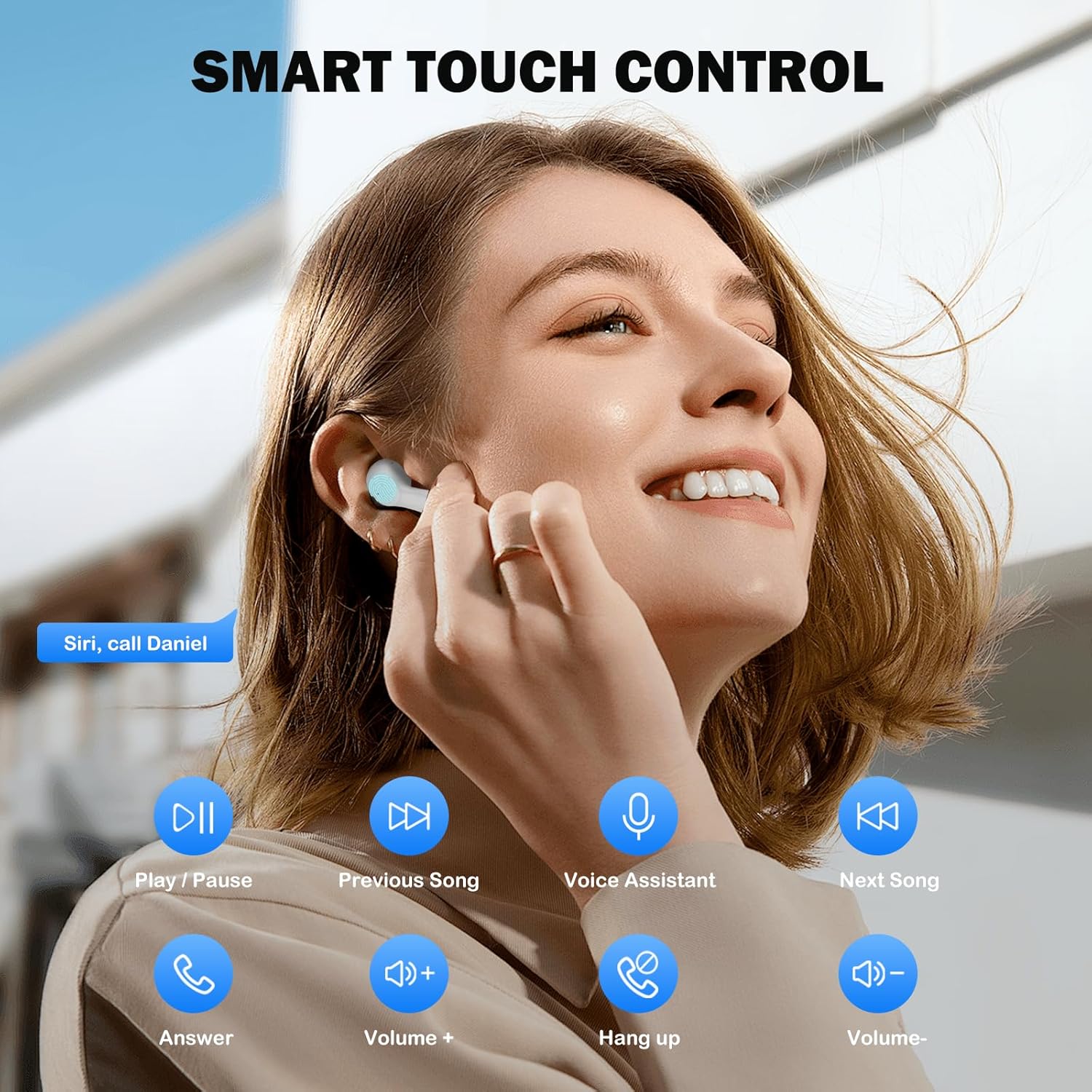
Image: Visual guide to the smart touch controls for music, calls, and voice assistant.
5. Şarj Etme
The earbuds and charging case are powered by internal rechargeable batteries.
Kulaklıkları Şarj Etme
Place the earbuds into the charging case. They will automatically begin charging. The LED indicator on the case will show charging status.
Davayı Şarj Etme
Connect the provided USB-C cable to the charging port on the case and to a USB power adapter (not included). The LED indicator on the case will show charging progress. A full charge for the earbuds takes approximately 40 minutes.
Pil Ömrü
- Kulaklık: Up to 8 hours of listening time on a single charge (at 50% volume).
- Şarj Kutusu ile: Şarj kutusundan birden fazla şarjla toplamda 40 saate kadar kullanım süresi.
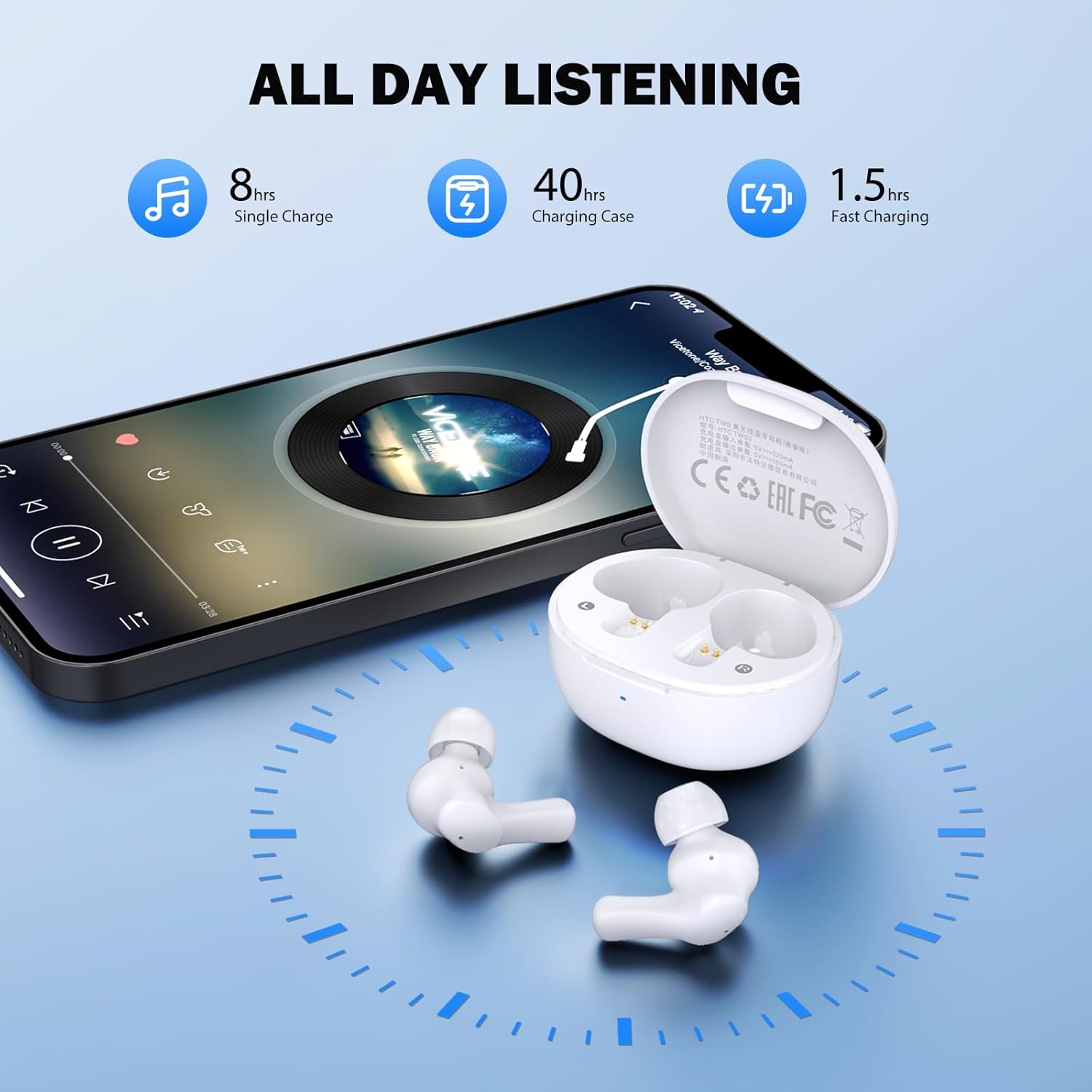
Image: Visual representation of 8 hours single charge, 40 hours with charging case, and 1.5 hours fast charging for the case.
6. Bakım ve Özen
Doğru bakım, kulaklıklarınızın uzun ömürlü olmasını ve performansını korumasını sağlar.
Temizlik
- Kulaklıklarınızı ve şarj kutusunu yumuşak, kuru ve tiftiksiz bir bezle düzenli olarak temizleyin.
- Kulak uçlarını çıkarın ve hafif sabun ve suyla temizleyin, ardından tekrar takmadan önce iyice kurulayın.
- Ensure charging contacts on both earbuds and inside the case are clean and free of debris.
Suya Dayanıklılık
Kulaklıkların derecelendirmesi şu şekildedir: IPX4 suya dayanıklı, meaning they are protected against splashing water from any direction. They are suitable for exercise and light rain, but should not be submerged in water or exposed to heavy downpours.
Depolamak
Kullanmadığınız zamanlarda kulaklıklarınızı şarj kutusunda saklayarak hem koruyun hem de şarjlı kalmasını sağlayın.
7. Sorun Giderme
Sorunlarla karşılaşırsanız aşağıdaki çözümleri deneyin:
- Ses Yok: Ensure earbuds are charged, connected to your device, and volume is up on both the earbuds and your device.
- Eşleştirme Sorunları: Cihazınızda Bluetooth'un etkinleştirildiğinden ve kulaklıkların eşleştirme modunda olduğundan emin olun. Cihazınızda Bluetooth'u kapatıp tekrar açmayı deneyin.
- Bir Kulaklık Çalışmıyor: Her iki kulaklığı da şarj kutusuna geri koyun, kapağı kapatın, birkaç saniye bekleyin, ardından tekrar çıkarın. Bu genellikle senkronizasyonu yeniden sağlar.
- Aralıklı Bağlantı: Ensure there are no obstructions between the earbuds and your device. Keep your device within the 10-meter Bluetooth range.
Fabrika Ayarlarına Sıfırlama
If problems persist, a factory reset may resolve them:
- Her iki kulakiçi de şarj kutusuna yerleştirin.
- With the earbuds in the case, quickly tap each earbud 5 times.
- The LED on the earbuds will flash red, then turn off, indicating a successful reset.
- Close the charging case lid, then open it again to re-initiate pairing.

Image: Visual instructions for initial setup, wearing the earbuds, and performing a factory reset.
8. Özellikler
| Özellik | Detay |
|---|---|
| Model Adı | HTC TWS2 |
| Bağlantı Teknolojisi | Kablosuz (Bluetooth 5.3) |
| Bluetooth Menzili | 10 metreye (33 feet) kadar |
| Ses Sürücüsü Türü | 10mm Dinamik Sürücü |
| Frekans Aralığı | 20 Hz - 20,000 Hz |
| Kulaklık Pil Ömrü | 8 saate kadar (tek şarj) |
| Toplam Oynatma Süresi (kılıflı) | 40 saate kadar |
| Kulaklık Şarj Süresi | Yaklaşık 40 dakika |
| Su Direnç Seviyesi | IPX4 (Sweatproof, Splash Resistant) |
| Kontrol Türü | Dokunmatik Kontrol |
| Mikrofon | Built-in with Call Noise Cancellation |
| Düşük Gecikme | 40 ms (Oyun Modu) |
| Kulaklık Ağırlığı | Her bir kulaklık yaklaşık 3.8 gram ağırlığında. |
| Uyumlu Cihazlar | iOS, Android, Windows cihazları |

Image: Diagram illustrating the 10mm diameter loud speaker for HiFi stereo sound.

Image: Visual representation of Bluetooth 5.3 technology benefits: low consumption, faster transmission, lower latency, and built-in microphone.
9. Garanti ve Destek
Garanti Bilgileri
Your HTC True Wireless Earbuds 1 come with a warranty. Please refer to the included Warranty Card for detailed terms and conditions, including coverage period and what is covered.
Müşteri Desteği
For any questions, technical assistance, or warranty claims, please contact HTC customer support. Refer to the contact information provided in your Quick Guide or on the official HTC webalan.


