1. Önemli Güvenlik Talimatları
Please read all instructions carefully before using the Baseus A7 Handheld Vacuum. Keep this manual for future reference.
- Elektrikli süpürgeyi su yakınında veya ıslak ortamlarda kullanmayın.
- Yanıcı veya parlayıcı maddeleri, sıcak külleri veya keskin nesneleri vakumlamayın.
- Saçınızı, bol giysilerinizi, parmaklarınızı ve vücudunuzun tüm kısımlarını açıklıklardan ve hareketli parçalardan uzak tutun.
- Lütfen yalnızca üretici tarafından sağlanan şarj kablosunu kullanın.
- Hasarlı kablo veya fişle elektrik süpürgesini çalıştırmayın.
- Kullanmadan önce filtrenin doğru şekilde takıldığından emin olun.
- Bu cihaz, fiziksel, duyusal veya zihinsel yetenekleri kısıtlı olan veya deneyim ve bilgi eksikliği bulunan kişiler (çocuklar dahil) tarafından, güvenliklerinden sorumlu bir kişi tarafından cihazın kullanımıyla ilgili olarak gözetim veya talimat sağlanmadığı sürece kullanılmak üzere tasarlanmamıştır.
- Çocukların cihazla oynamamalarını sağlamak için gözetim altında tutulmaları gerekir.
2. Paket İçeriği
Paketin içinde tüm öğelerin mevcut olduğundan emin olun:

Şekil 2.1: Dahil Edilen Bileşenler
- Baseus A7 Handheld Vacuum Cleaner
- Flagship Flexible Extender Tube
- Silicone Brush / Precision Extensions (2-in-1 Crevice Tool)
- USB-C Şarj Kablosu
- Storage Cloth Bag
- HEPA Filtre (önceden takılı veya yedek)
- Kullanıcı Kılavuzu
- Garanti Kartı
3. Ürün Bittiview
The Baseus A7 is a portable, cordless handheld vacuum designed for efficient cleaning in various environments, including cars, carpets, and other small areas. It features two suction levels and a USB-C rechargeable battery.

Figure 3.1: Suction Power and Runtime
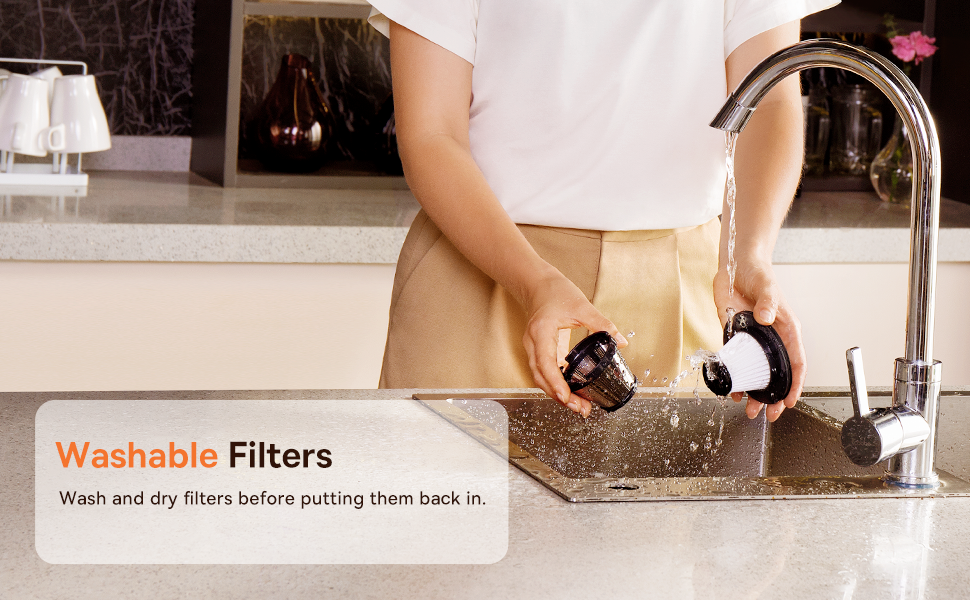
Figure 3.2: Powerful and Portable Design
Temel Özellikler:
- Kablosuz ve Taşınabilir: Designed for easy handling and use in various locations.
- İki Emiş Seviyesi: Standard (4500PA) for general cleaning and High (8000PA) for tougher debris.
- USB-C Şarj Edilebilir: Convenient charging with a modern USB-C port.
- HEPA Filtrasyonu: İnce tozları ve alerjenleri yakalar.
- 500ml Dust Box: Large capacity for extended cleaning sessions.
4. Kurulum ve Şarj
4.1 İlk Ücretlendirme
Before first use, fully charge the vacuum cleaner. The charging time is approximately 3 to 3.5 hours.
Şekil 4.1: USB-C Şarjı
- Connect the provided USB-C charging cable to the charging port on the vacuum cleaner.
- Kablo ucunu uyumlu bir USB güç adaptörüne (dahil değildir) veya bir USB bağlantı noktasına takın.
- The indicator light will show charging status (refer to the device for specific light patterns).
- Once fully charged, disconnect the vacuum from the power source.
4.2 Aksesuarların Takılması
Temizlik işiniz için uygun aparatı seçin ve elektrik süpürgesinin emme girişine sıkıca takın.
- Flexible Extender Tube: For reaching deep or awkward spaces.
- 2-in-1 Crevice Tool (Silicone Brush/Precision Extensions): Use the narrow end for tight corners and crevices, or slide the brush attachment forward for delicate surfaces.
5. Kullanım Talimatları
5.1 Power On/Off and Suction Levels
- To turn on the vacuum, press the power button. It will start in Standard suction mode (4500PA).
- Press the power button again to switch to High suction mode (8000PA).
- Elektrikli süpürgeyi kapatmak için güç düğmesine üçüncü kez basın.
5.2 Temizlik Uygulamaları
The Baseus A7 is versatile for various cleaning tasks:

Figure 5.1: Versatile Cleanups

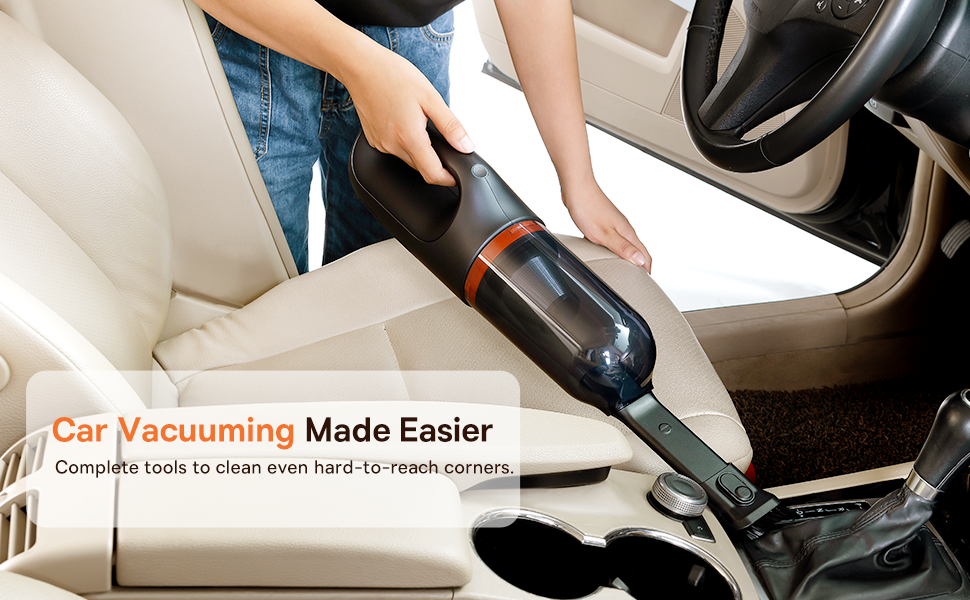
Figure 5.2: Car Vacuuming Made Easier
- Otomobil İç Mekanları: Use the crevice tool for tight spots between seats and the flexible tube for under seats.
- Household Surfaces: Effective for quick cleanups on tables, countertops, and furniture.
- Evcil Hayvan Tüyleri: Can be used for light pet hair removal on upholstery.
- Keyboards and Electronics: Use the brush attachment for delicate cleaning.
For optimal performance, ensure the dust box is not overfilled and the filter is clean.
6. Bakım
6.1 Toz Kutusunun Boşaltılması
Empty the dust box regularly to maintain suction power and prevent blockages.
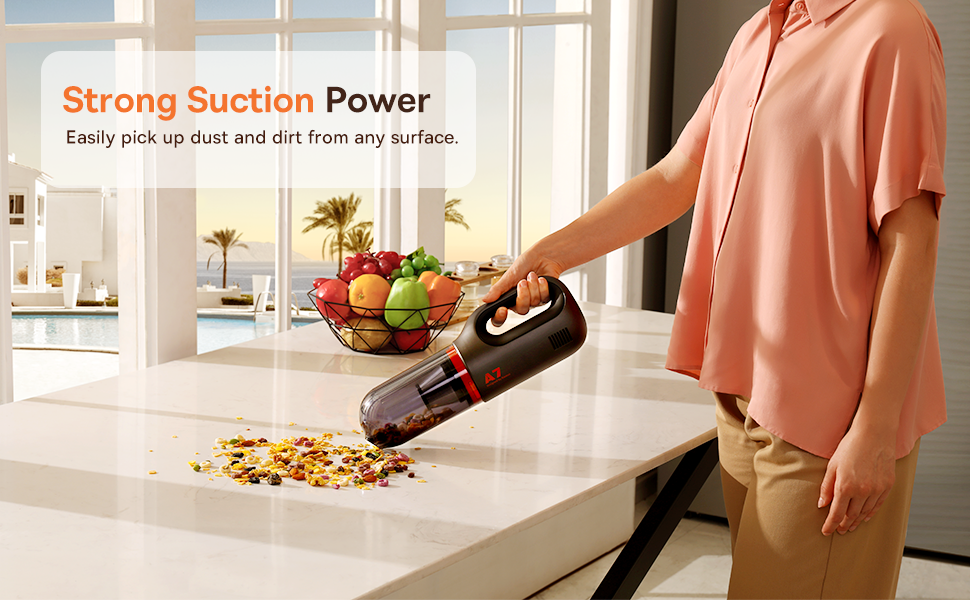
Figure 6.1: Easy to Empty Dust Box
- Vakumun kapalı olduğundan emin olun.
- Twist or unlatch the dust box from the main body of the vacuum (refer to device for specific mechanism).
- Carefully empty the collected debris into a trash receptacle.
- Toz haznesini güvenli bir şekilde tekrar takın.
6.2 Filtrenin Temizlenmesi
The HEPA filter is washable and should be cleaned periodically to ensure efficient filtration and suction.

Figure 6.2: Washing the HEPA Filter
- Remove the dust box and then carefully remove the HEPA filter.
- Rinse the filter under cool, running water until clean. Do not use detergents.
- Filtreyi tekrar süpürgeye takmadan önce en az 24 saat boyunca tamamen kurumasını bekleyin. Islak filtreyle süpürgeyi kullanmayın.
- Ensure the filter is fully dry and properly seated before reassembling the vacuum.
7. Sorun Giderme
If you encounter issues with your Baseus A7 vacuum, refer to the following common problems and solutions:
| Sorun | Olası Neden | Çözüm |
|---|---|---|
| Elektrik yok / Çalışmıyor | Pil bitmiş. | Charge the vacuum fully (approx. 3-3.5 hours). |
| Zayıf emiş gücü | Toz kutusu dolu. Filtre tıkalı. Attachment is not properly sealed. | Toz kutusunu boşaltın. HEPA filtreyi temizleyin ve kurulayın. Ensure attachments are firmly connected. |
| Vakum beklenmedik şekilde duruyor | Pil zayıf. Aşırı ısınma koruması aktif. | Pili şarj edin. Turn off the vacuum and let it cool down for 30 minutes before resuming use. |
| Şarj göstergesi çalışmıyor | Şarj kablosu veya adaptör sorunu. Şarj portu sorunu. | Try a different USB-C cable and power adapter. Ensure the cable is fully inserted. If the issue persists, contact customer support. |
Bu çözümleri denedikten sonra sorun devam ederse lütfen Baseus müşteri desteğiyle iletişime geçin.
8. Özellikler
| Özellik | Detay |
|---|---|
| Marka | Bazus |
| Model Adı | A7 |
| Özel Özellik | HEPA, Portable |
| Filtre Türü | Kartuş (HEPA) |
| Kablosuz | Evet |
| Kapasite | 500 Mililitre |
| Netage | 120 watt |
| Şarj Süresi | 3 - 3.5 Saat |
| Önerilen Kullanımlar | Car, Carpet, Household |
| Form Faktörü | Elde taşınabilir |
| Renk | Siyah |
| Ürün Boyutları | 4"U x 3"G x 13"Y |
| Pil Türü | Lityum-İyon (2 pil dahildir) |
| Gürültü Seviyesi | 75 Desibel |
| Ampöfke | 1.4 Amps |
| Hız Sayısı | 2 |
| Ürün Ağırlığı | 3.43 pound |
| Güç Kaynağı | Pil ile çalışır |
9. Garanti ve Destek
The Baseus A7 Handheld Vacuum comes with a warranty to ensure your satisfaction.
- Garanti: Includes a 1-year warranty card and a 3-year guarantee. Please refer to the warranty card included in your package for specific terms and conditions.
- Müşteri Desteği: Herhangi bir soru, teknik yardım veya garanti talebi için lütfen Baseus müşteri desteğiyle resmi aracılığıyla iletişime geçin. webLütfen web sitemizi veya garanti kartınızda belirtilen iletişim bilgilerini kullanın.
10. Ürün Videosu
Watch the official product video for a visual guide on the Baseus A7 Handheld Vacuum's features and usage.
Video 10.1: Baseus A7 Handheld Vacuum Overview and Demonstration. This video showcases the vacuum's design, suction capabilities, and how to use its various attachments for different cleaning scenarios.


