1. Giriş
This manual provides essential information for the setup, operation, and maintenance of your Google Nest Cam (Wired) - 2nd Generation security camera. Please read this manual thoroughly before using the device to ensure proper functionality and safety.
The Google Nest Cam (Wired) is an indoor security camera designed to help you monitor your home. It features 1080p HD video, night vision, and intelligent alerts that differentiate between people, animals, and vehicles. Access live view and event history through the Google Home app.

Image 1: Google Nest Cam (Wired) - 2nd Generation. This image shows the compact, fog-colored camera unit with its integrated stand and power cable.
2. Kutuda Neler Var?
Ambalajda tüm bileşenlerin mevcut olduğunu doğrulayın:
- Nest Cam Camera with base
- Güç Adaptörü
- Duvar Dübelleri ve Vidaları
3. Kurulum
Before beginning, ensure you have a stable internet connection with Wi-Fi and a Google Account. The Nest Cam (Wired) is managed exclusively through the Google Home app.
3.1. Initial Setup with Google Home App
- Google Home uygulamasını indirin: If you haven't already, download and install the Google Home app on your smartphone or tablet.
- Create/Log In to Google Account: Open the app and sign in with your Google Account. If you don't have one, create a new account.
- Cihaz Ekle: In the Google Home app, tap the '+' icon, then select 'Set up device' > 'New device'.
- QR Kodunu Tara: The app will prompt you to scan the QR code located on the back of your Nest Cam.
- Ekrandaki Talimatları İzleyin: The app will guide you through connecting the camera to your Wi-Fi network and configuring initial settings.
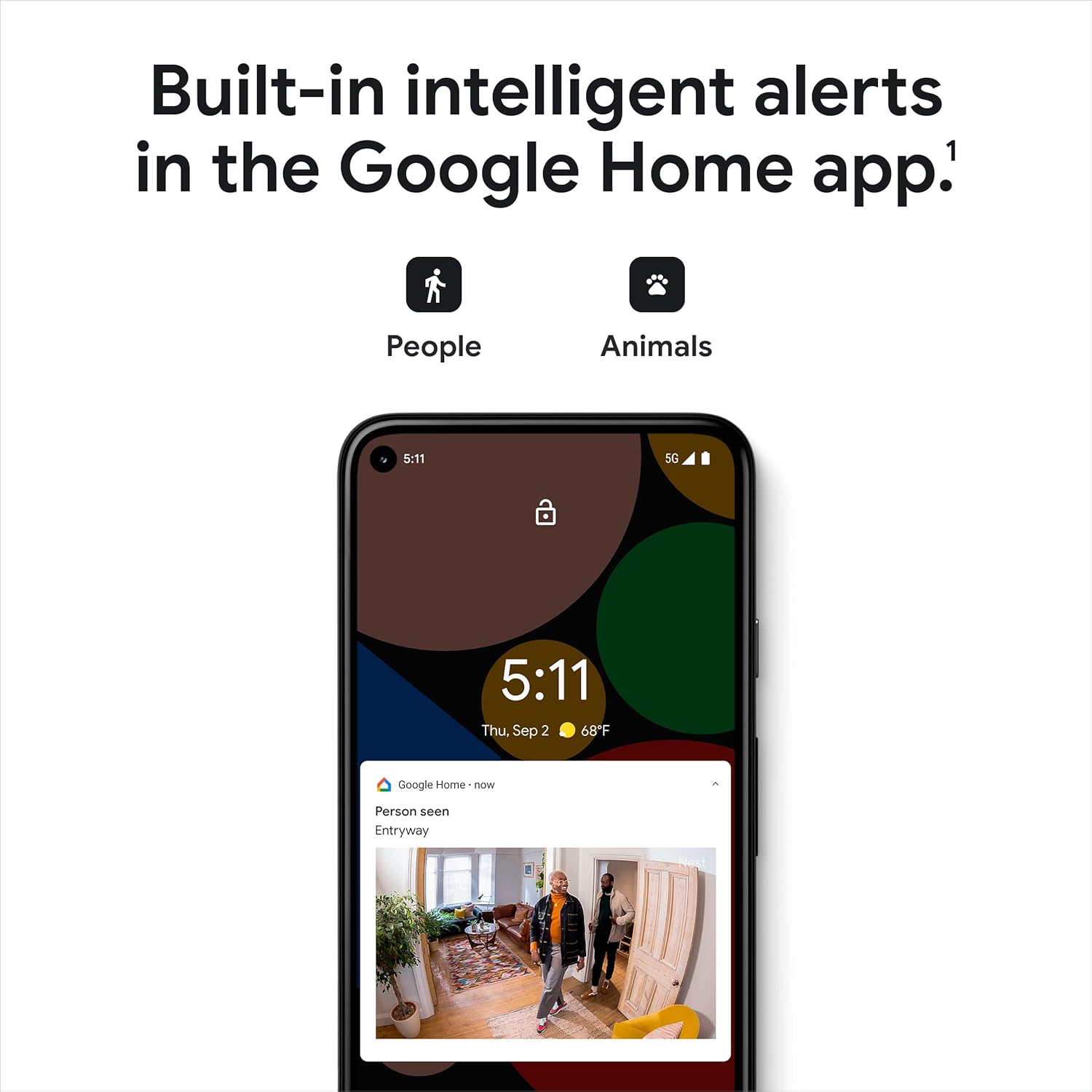
Image 2: Google Home app displaying intelligent alerts. The app interface shows notifications for detected people and animals, demonstrating the camera's built-in intelligence.
3.2. Yerleştirme ve Montaj
The Nest Cam (Wired) is designed for indoor use. Choose a location that provides the desired viewAçısal bir konumda ve elektrik prizine yakın mesafede olmalıdır.
- Yüzey Yerleşimi: The camera can be placed on any flat surface, such as a shelf or table. The integrated stand allows for angle adjustment.
- Duvara Montaj:
- Separate the camera from its base by twisting the camera head counter-clockwise.
- Use the base as a template to mark screw holes on the wall.
- Drill pilot holes and insert the provided wall anchors.
- Verilen vidaları kullanarak tabanı duvara sabitleyin.
- Route the power cable through the designated channel in the base.
- Attach the camera back to the mounted base by aligning and twisting clockwise until it clicks into place.
- Kamera açısını gerektiği gibi ayarlayın.

Image 3: A person placing the Google Nest Cam (Wired) on a shelf, illustrating its easy setup.
Optimum Yükseklik: For best performance, mount the camera 6-6.5 feet (1.8-2 meters) above the ground to capture a wide field of view.
Video 1: Official Google video demonstrating how to set up and install the Google Nest Cam (Wired). This video provides a visual guide for both initial app setup and physical mounting.
4. Operating Your Nest Cam
4.1. Canlı View and Event History
- Canlı View: Open the Google Home app and select your Nest Cam to view a live feed of your space in 1080p HD.
- Etkinlik Geçmişi: The camera provides up to 3 hours of free event video history. You can review recorded clips of detected activity within the app.
- Gece Görüşü: The camera automatically switches to night vision in low-light conditions, providing clear visibility.

Image 4: A smartphone displaying the live HD video feed from the Google Nest Cam (Wired), showing a dog in an indoor setting.

Image 5: A smartphone displaying the event video history timeline from the Google Nest Cam (Wired), allowing users to review geçmiş aktiviteler.
4.2. Intelligent Alerts and Two-Way Talk
- Person, Animal, Vehicle Detection: The camera's built-in intelligence can distinguish between different types of motion and send specific alerts to your phone.
- İki Yönlü Konuşma: Use the built-in speaker and microphone to communicate with people or pets in the camera's view directly from the Google Home app.
- Aktivite Bölgeleri: Kameranın içindeki belirli alanları özelleştirin view to receive alerts only when activity is detected in those zones.
Video 2: Official Google video introducing the Nest Cam (Wired). This video highlights its intelligent alerts for people, vehicles, and pets, and its seamless integration with the Google Home app.
5. Bakım
- Temizlik: Kamera lensini ve gövdesini yumuşak ve kuru bir bezle nazikçe silin. Sert kimyasallar veya aşındırıcı malzemeler kullanmaktan kaçının.
- Yazılım Güncellemeleri: Ensure your Google Home app and Nest Cam firmware are always up-to-date for optimal performance and security. Updates are typically managed automatically through the app.
- Bağlantı: Regularly check your Wi-Fi connection to ensure continuous operation. If Wi-Fi is lost, the camera can store up to 1 hour of recorded events locally.
6. Sorun Giderme
| Sorun | Olası Neden | Çözüm |
|---|---|---|
| Kamera çevrimdışı | Elektrik yok, Wi-Fi bağlantısı kesildi, yönlendirici sorunu. | Check power connection. Restart router. Verify Wi-Fi signal strength. |
| Video kalitesi zayıf | Low bandwidth, dirty lens, poor lighting. | Check internet speed. Clean lens. Ensure adequate lighting or rely on night vision. |
| No alerts received | App notification settings, activity zones not configured. | Check Google Home app notification settings. Review activity zone configurations. |
| Fotoğraf makinesi dokunulduğunda sıcaktır. | Normal operation, especially during active recording or processing. | This is generally normal. Ensure adequate ventilation around the camera. If excessively hot or malfunctioning, contact support. |
7. Özellikler
- Modeli: GJQ9T
- İç/Dış Mekan Kullanımı: Sadece iç mekan
- Video Yakalama Çözünürlüğü: 1080p HD
- Kare Hızı: 30 kare/saniye
- Bağlantı Teknolojisi: 802.11a/b/g/n/ac (2.4GHz/5GHz) Wi-Fi, Bluetooth
- Güç Kaynağı: Corded Electric (1 watt)
- Boyutlar (U x G x Y): 2.24 x 2.52 x 3.88 inç
- Ürün Ağırlığı: 14.1 ons
- Düşük Işık Teknolojisi: Gece Rengi
- Uyarı tipi: Motion Only (with intelligent person, animal, vehicle detection)
- Dahil Bileşenler: Nest Cam Camera with base, Power Adapter, Wall Anchors and Screws
8. Garanti ve Destek
For warranty information and technical support, please visit the official Google Nest support webSiteyi ziyaret edin veya Google müşteri hizmetleriyle iletişime geçin. Garanti talepleri için satın alma belgenizi saklayın.
Çevrimiçi destek: destek.google.com/yuva


