1. Giriş
This manual provides detailed instructions for the safe and efficient operation of your NIIMBOT D101 Label Maker Machine. Please read this manual thoroughly before using the device and retain it for future reference.
The NIIMBOT D101 is a portable, wireless label printer designed for various labeling needs in home and office environments. It utilizes thermal printing technology, eliminating the need for ink or toner.

Figure 1: NIIMBOT D101 Label Maker Machine
2. Paket İçeriği
Paketin içinde tüm öğelerin mevcut olduğundan emin olun:
- 1x NIIMBOT D101 Label Maker Machine
- 1x Kullanım Kılavuzu
- 1x USB Kablosu
- 1x Roll of 0.6*1.6 inch (160pcs) Label Tape (pre-installed or included separately)
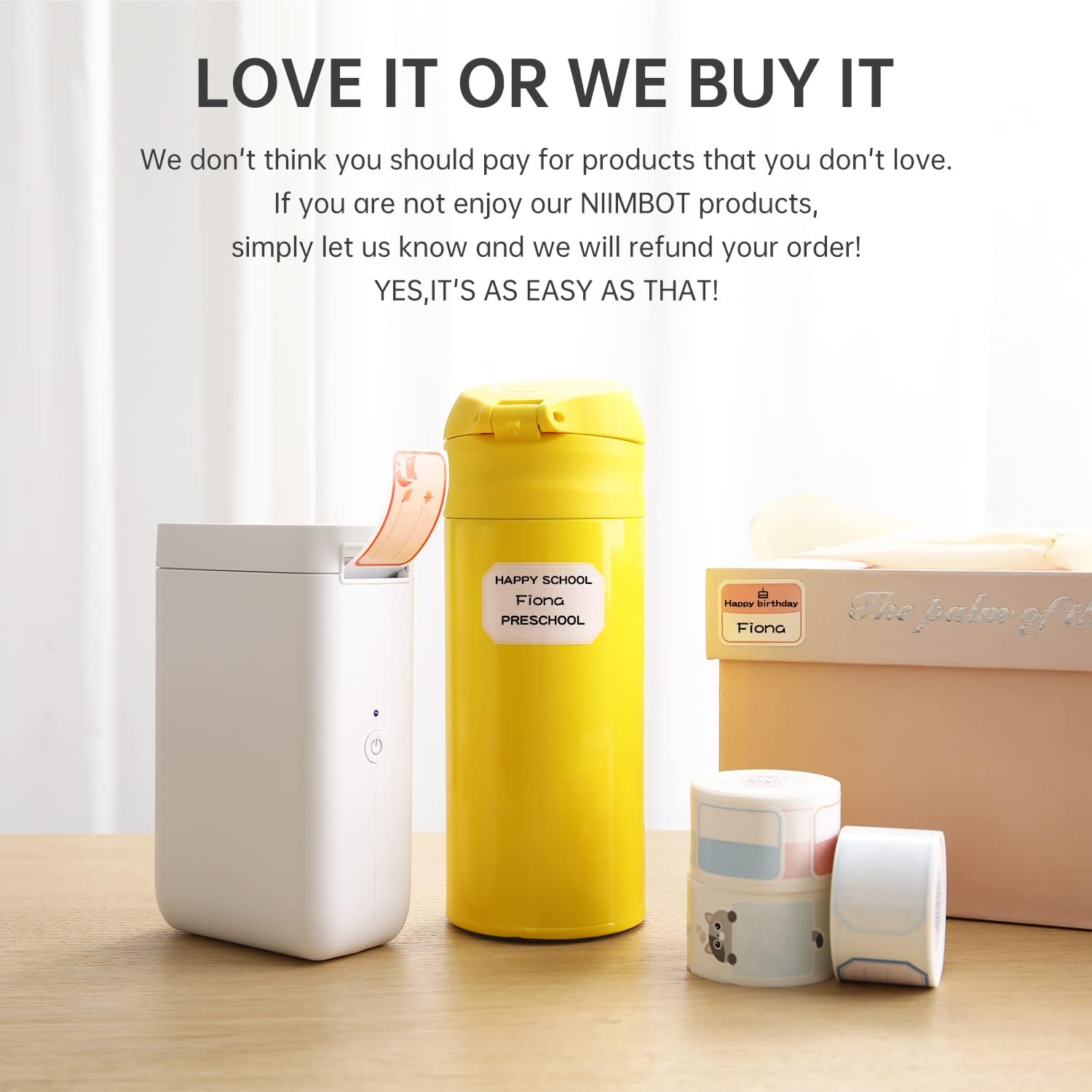
Şekil 2: Paket İçeriği
3. Kurulum
3.1 Cihazı Şarj Etme
The NIIMBOT D101 is equipped with a rechargeable battery. Before first use, fully charge the device using the provided USB cable. Connect the USB cable to the charging port on the label maker and to a standard USB power adapter (not included) or computer USB port.
- Tam şarj genellikle yaklaşık 2-3 saat sürer.
- Gösterge ışığı şarj durumunu gösterecektir (örneğin, şarj oluyorsa kırmızı, tamamen şarj olduysa yeşil).
3.2 Etiket Kağıdının Takılması
- Etiket bölmesinin kapağını açın.
- Insert the label roll with the printing surface facing upwards, ensuring it aligns correctly within the compartment.
- Etiket kağıdının küçük bir bölümünü baskı yuvasından dışarı çekin.
- Etiket bölmesinin kapağını sıkıca kapatın.

Figure 3: Installing Label Paper
The D101 supports both 0.5-inch and 1-inch label tapes. For 0.5-inch labels, keep the separator in place. For 1-inch labels, the separator can be removed flexibly.

Figure 4: Label Width Adjustment
3.3 Uygulama Kurulumu ve Bağlantısı
- Download the "NIIMBOT" app from your device's app store (App Store for iOS, Google Play for Android).
- Akıllı telefonunuzda Bluetooth'un etkinleştirildiğinden emin olun.
- Turn on the NIIMBOT D101 label maker by pressing and holding the power button. The indicator light will illuminate.
- Open the NIIMBOT app. The app will automatically search for nearby devices. Select your D101 from the list to connect. The device ID is typically found on the product packaging or device itself (e.g., D101-QC0300908).

Figure 5: NIIMBOT App Download

Figure 6: Connecting via Bluetooth
4. Kullanım Talimatları
4.1 Etiket Oluşturma ve Düzenleme
Once connected, use the NIIMBOT app to design your labels. The app offers various features:
- Metin Girişi: Enter text, numbers, and symbols.
- Şablonlar: Utilize pre-designed templates for common labeling tasks.
- Yazı Tipleri ve Stiller: Choose from multiple fonts, sizes, and styles.
- Graphics & Icons: Add various graphics, logos, barcodes, and QR codes.
- Voice & Picture Recognition: The app supports intelligent recognition for easier input.

Figure 7: Label Editing Interface
4.2 Etiket Yazdırma
After designing your label in the app:
- Review the label design on your smartphone screen.
- Uygulama içindeki "Yazdır" düğmesine dokunun.
- Etiket yazıcısı etiketi basacaktır.
- Carefully tear off the printed label along the serrated edge.

Figure 8: Printing a Label
5. Bakım
5.1 Baskı Kafasının Temizlenmesi
En iyi baskı kalitesini sağlamak için baskı kafasını düzenli olarak temizleyin. Yumuşak, tüy bırakmayan bir bez kullanarak hafifçe silin.ampened with isopropyl alcohol. Gently wipe the print head surface. Do not use abrasive materials or sharp objects.
5.2 Pil Bakımı
- Pil sağlığını korumak için, sık kullanmasanız bile cihazınızı düzenli olarak şarj edin.
- Cihazı aşırı sıcaklıklara maruz bırakmaktan kaçının.
- Cihaz uzun süre kullanılmayacaksa, saklamadan önce yaklaşık %50 oranında şarj edin.
6. Sorun Giderme
| Sorun | Olası Neden | Çözüm |
|---|---|---|
| Cihaz açılmıyor. | Pil zayıf. | Cihazı USB kablosu kullanarak şarj edin. |
| Bluetooth üzerinden bağlantı kurulamıyor. | Telefonun Bluetooth'u kapalı; cihaz menzil dışında; uygulama sorunu. | Ensure Bluetooth is enabled. Move phone closer to device. Restart the app and device. |
| Kötü baskı kalitesi. | Print head dirty; incorrect label roll installation; low battery. | Clean the print head. Reinstall the label roll correctly. Charge the device. |
| Labels not feeding correctly. | Label roll jammed or improperly installed. | Open the compartment, clear any jams, and reinstall the label roll. |
7. Özellikler
| Özellik | Detay |
|---|---|
| Örnek | D101 |
| Boyutlar | 1.8"D x 2.1"G x 4.6"Y |
| Ağırlık | 8.3 ons (0.24 Kilogram) |
| Bağlantı | Bluetooth, USB |
| Baskı Teknolojisi | Termal |
| Baskı Çözünürlüğü | 203 dpi (203 x 203 DPI) |
| Maksimum Baskı Hızı (Siyah Beyaz) | 20 ppm |
| Compatible Label Widths | 0.5" and 1" (12-25mm) |
| Pil | 1 Lithium Ion battery (1200 mAh) |
| Uyumlu Cihazlar | Akıllı telefonlar (Android, iOS) |
8. Garanti Bilgileri
The NIIMBOT D101 Label Maker Machine comes with a limited warranty. For specific terms and conditions, please refer to the warranty card included in your package or visit the official NIIMBOT webSite. Satın alma fişinizi, garanti talepleriniz için satın alma belgeniz olarak saklayın.
Garanti Türü: Sınırlı Garanti
9. Müşteri Desteği
For further assistance, technical support, or inquiries regarding your NIIMBOT D101 Label Maker Machine, please contact NIIMBOT customer service. Contact information can typically be found on the official NIIMBOT websitede veya ürün ambalajında yer almamaktadır.
You can also visit the official NIIMBOT store on Amazon for product information and support: NIIMBOT Amazon Store


