giriiş
The GamaKay K66 is a compact 66-key mechanical gaming keyboard designed for performance and customization. It features a wired USB Type-C connection, hot-swappable Gateron switches, and customizable RGB backlighting. This manual provides instructions for setting up, operating, maintaining, and troubleshooting your K66 keyboard.
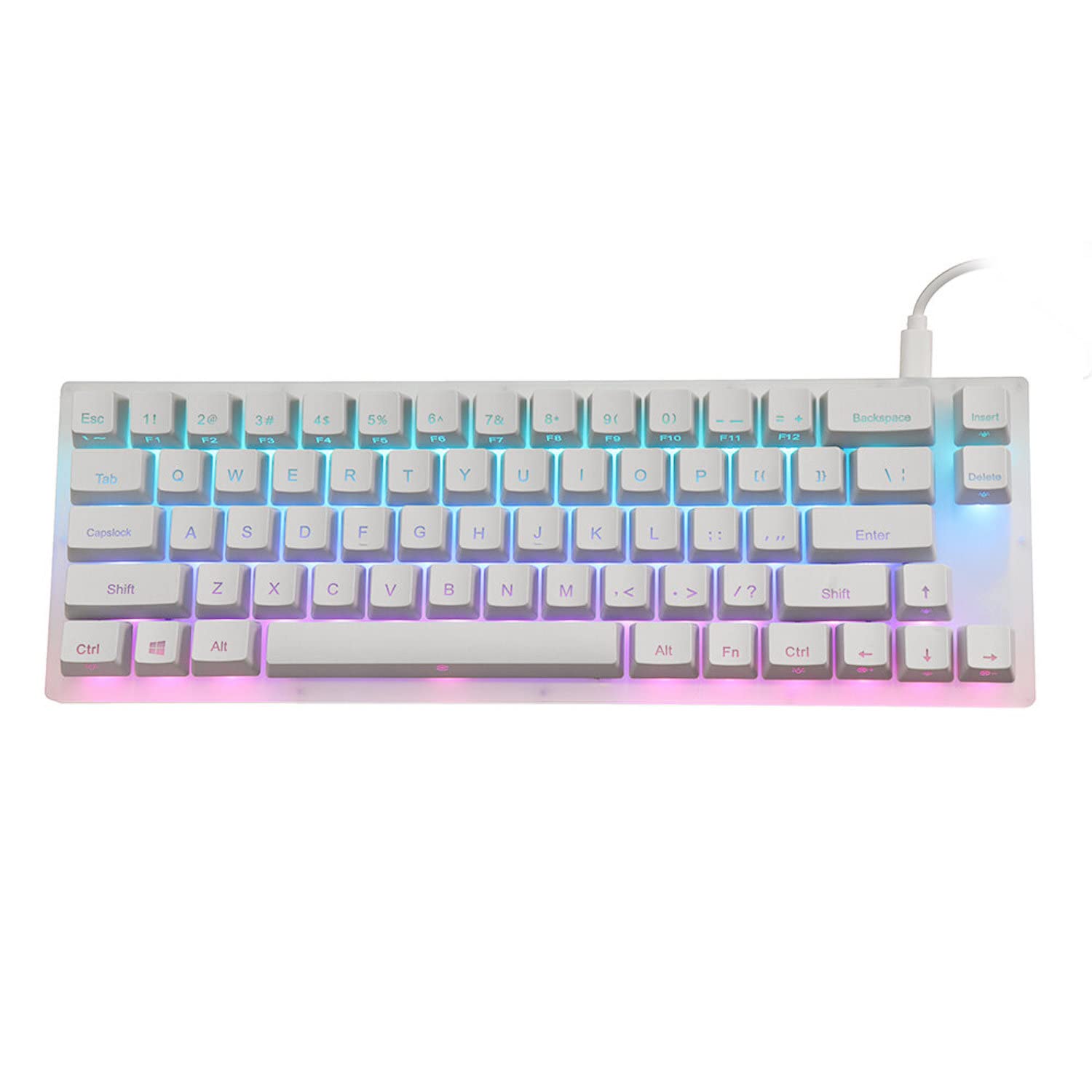
Image: The GamaKay K66 mechanical keyboard, showcasinkompakt tasarımı ve RGB arka aydınlatması ile.
Paket İçeriği
- 1 x GamaKay K66 Mechanical Keyboard
- 1 x USB Type-C Kablosu

Image: The included USB Type-C to USB-A cable for connecting the keyboard.
Kurulum Talimatları
- Kabloyu bağlayın: Verilen kablonun USB Type-C ucunu klavyedeki bağlantı noktasına takın.
- Bilgisayara Bağlan: Plug the USB Type-A end of the cable into an available USB port on your computer.
- Otomatik Tanıma: The keyboard is plug-and-play and should be automatically recognized by your operating system without requiring additional drivers.
- İlk Test: Open a text editor or any application to verify that the keyboard is functioning correctly by typing.
Kullanım Talimatları
Temel Anahtar Fonksiyonları
The GamaKay K66 features a 66-key layout. Standard alphanumeric keys, modifiers, and dedicated arrow keys are present.
Fonksiyon (FN) Tuş Kombinasyonları
The FN key allows access to secondary functions printed on certain keycaps.
- FN + F1-F12: Access multimedia controls and system functions (e.g., volume, play/pause). Specific functions are indicated by icons on the keycaps.
- FN + Right Shift: Adjust keyboard backlight effects.
- FN + Sağ Ctrl: Adjust keyboard backlight colors.
- FN + Ok Tuşları: Control backlight brightness and speed.
- FN + Diğer Tuşlar: Refer to the keycap legends for additional functions, such as base lighting control.

Resim: Yukarıdan aşağıya view of the GamaKay K66 keyboard, showing the key layout and FN key.
Bakım
Temizlik
- Temizlemeden önce klavyeyi bilgisayarınızdan ayırın.
- Klavyenin yüzeyini silmek için yumuşak ve kuru bir bez kullanın.
- Tuş başlıkları arasındaki toz ve kalıntıları temizlemek için basınçlı hava kullanın.
- İnatçı lekeler için hafifçeampen a cloth with water or a mild cleaning solution (avoid harsh chemicals).
Anahtar Değişimi (Çalışırken Değiştirilebilir)
The GamaKay K66 features hot-swappable Gateron switches, allowing you to change switches without soldering.
- Gently pull the keycap off using a keycap puller (not included).
- Use a switch puller (not included) to carefully remove the switch from the PCB.
- Yeni anahtarın pimlerini PCB üzerindeki deliklerle hizalayın ve yerine oturana kadar sıkıca bastırın.
- Tuş başlığını değiştirin.
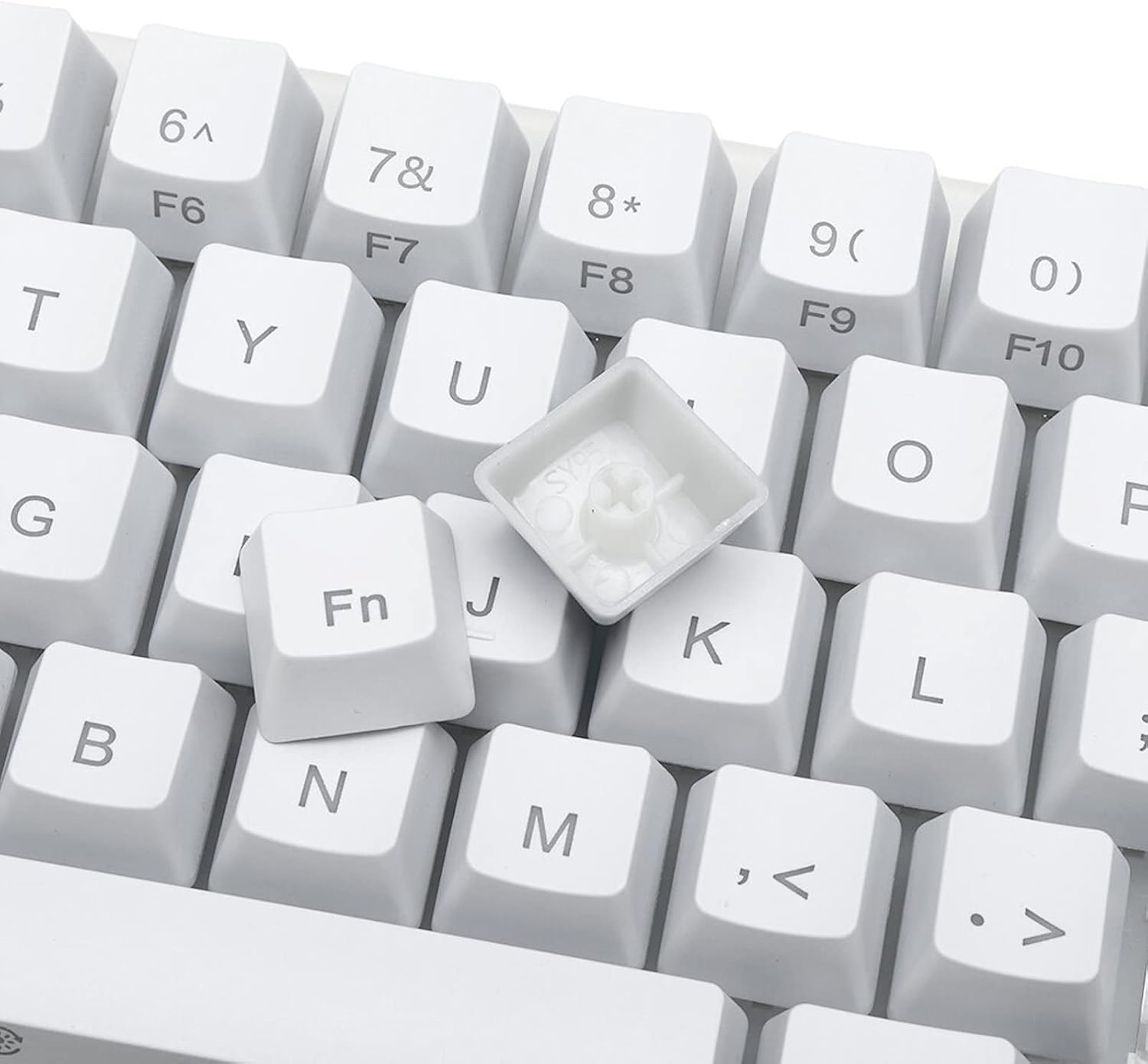
Resim: Yakın çekim view of a keycap removed, illustrating the hot-swappable mechanical switch underneath.
Sorun giderme
- Klavye Yanıt Vermiyor:
- USB kablosunun hem klavyeye hem de bilgisayara güvenli bir şekilde bağlandığından emin olun.
- Klavyeyi bilgisayarınızdaki farklı bir USB bağlantı noktasına takmayı deneyin.
- Bilgisayarınızı yeniden başlatın.
- Sistemle ilgili sorunları elemek için klavyeyi başka bir bilgisayarda deneyin.
- RGB Aydınlatma Çalışmıyor/Yanlış:
- Check FN key combinations for lighting control (FN + Right Shift, FN + Right Ctrl, FN + Arrow Keys).
- Ensure no software is overriding the keyboard's built-in lighting settings.
- Tuşlar Kayıt Olmuyor:
- If a specific key is not working, carefully remove the keycap and check for any obstructions or debris around the switch.
- If you have replacement switches, try swapping the faulty switch with a known working one (refer to "Switch Replacement" section).
Özellikler
| Marka | GK GAMAKAY |
| Örnek | K66 |
| Anahtar Sayısı | 66 Anahtarlar |
| Anahtar Türü | Gateron Mechanical (Red Switch variant) |
| Bağlantı | Wired, USB Type-C |
| Anket Oranı | 1000Hz |
| Arka aydınlatma | Double zone RGB / Lower lamplight layout |
| Malzeme | PMMA Acrylic Casting Body |
| Boyutlar | 320 mm x 110 mm x 30 mm (32 x 11 x 3 cm) |
| Uyumlu Cihazlar | PC, Oyun Konsolu |
Garanti ve Destek
For warranty information and technical support, please refer to the official GK GAMAKAY webGaranti talepleri için satın alma fişinizi saklayın veya web sitesini ziyaret edin ya da satıcınızla iletişime geçin.


