VTech CS2051 Cordless Phone User Manual
Model: CS2051 | Marka: VTech
giriiş
This user manual provides comprehensive instructions for the setup, operation, maintenance, and troubleshooting of your VTech CS2051 Cordless Phone system. Please read this manual thoroughly before using your new phone to ensure proper functionality and to take full advantage özelliklerinden.
The VTech CS2051 is a DECT cordless phone system designed for home and office use, featuring two handsets and an integrated answering machine. It offers advanced features such as call blocking, ECO mode for energy efficiency, and a clear backlit display.
Kurmak
Paket İçeriği
Paketin içerisinde tüm ürünlerin mevcut olduğundan emin olun:
- 1 x Temel Ünite
- 2 x Kablosuz Telefon
- 2 adet Telefon Şarj Cihazı (ek telefonlar için)
- 2 x NiMH Şarj Edilebilir Pil
- 1 x Ana Ünite için Güç Adaptörü
- 1 x Telefon Hattı Kablosu
- Kullanım Kılavuzu (bu belge)

Image: The VTech CS2051 cordless phone system, showing the main base unit with one handset docked, and a second standalone handset with its charger.
Pil Kurulumu
- Her bir telefonun arkasındaki pil bölmesi kapağını açın.
- Insert the supplied NiMH rechargeable battery, observing the correct polarity (+ and -).
- Pil bölmesinin kapağını kapatın.
Temel Ünitenin Bağlanması
- Telefon hattı kablosunun bir ucunu ana ünitedeki TEL LINE girişine bağlayın.
- Telefon hattı kablosunun diğer ucunu telefon duvar prizinize takın.
- Connect the small end of the power adapter to the POWER jack on the base unit.
- Güç adaptörünün büyük ucunu standart bir elektrik prizine takın.
- Place the main handset on the base unit to charge.
Connecting Additional Handset Chargers
- Connect the power adapter for each additional charger to the POWER jack on the charger.
- Güç adaptörünü standart bir elektrik prizine takın.
- Place the additional handset(s) on their respective chargers to charge.
Allow the handsets to charge for at least 16 hours before initial use to ensure optimal battery performance.
Kullanım Talimatları
Çağrı Yapma ve Alma
- Telefon çağrısı yapmak: Telefonu alın, numarayı çevirin ve tuşuna basın. Arama düğme.
- Bir Çağrı Almak İçin: Telefon çaldığında, tuşuna basın Arama düğme.
- Hands-Free (Speakerphone): Bir arama sırasında tuşuna basın. Konuşmacı Hoparlörü etkinleştirmek için düğme.

Image: A VTech CS2051 handset with a speech bubble indicating hands-free communication, demonstrating the ease of making or receiving calls without holding the handset.
Adjusting Volume and Ringtones
You can adjust the handset's earpiece volume during a call using the navigation buttons. Ringtone volume and melody can be customized through the handset's menu settings.

Image: A VTech CS2051 handset on its base, with a visual representation of sound waves emanating from it, indicating adjustable ringtone volume and melody settings.
Çağrı Engelleme
The VTech CS2051 allows you to block unwanted and intimidating calls. You can block up to 30 numbers by adding them to a blacklist. Refer to the handset menu for instructions on adding numbers to the call block list.
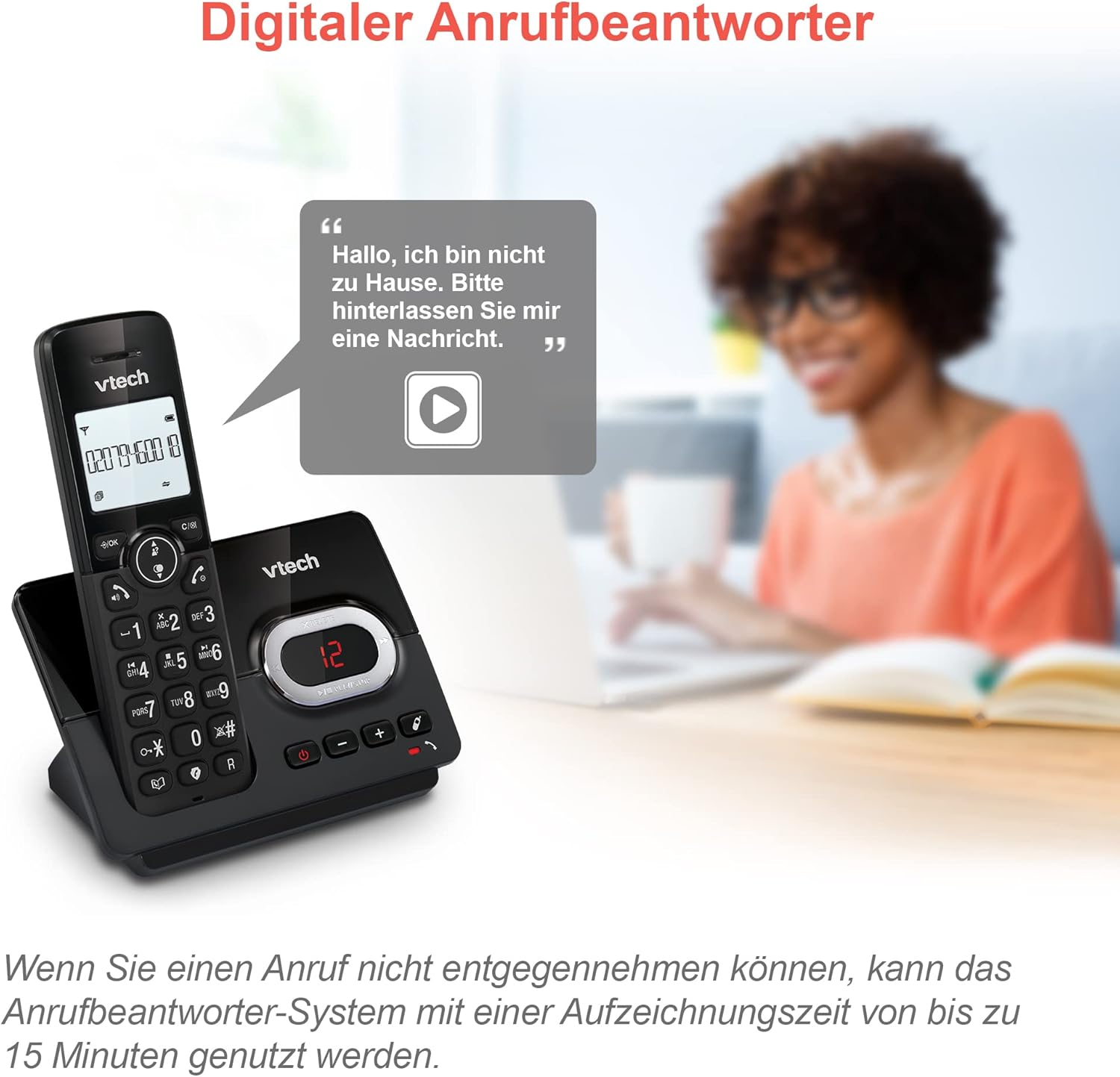
Image: A VTech CS2051 handset next to a television screen, with a "No Entry" symbol over a phone icon, illustrating the call blocking feature for unwanted and unknown calls.
Telesekreter
The integrated answering machine offers up to 15 minutes of recording time. It will automatically answer calls when you are unavailable. The digital message counter on the base unit indicates the number of new messages.
- Mesajları Oynat: Basın OYNAT/DURDUR Ana ünitedeki düğme.
- Giden Mesajın Kaydedilmesi: Access the answering machine settings via the handset menu.

Image: A VTech CS2051 handset on its base, with a speech bubble showing a voicemail message, highlighting the digital answering machine function with up to 15 minutes of recording time.
Phonebook and Redial
- Telefon Defteri: Store up to 30 names and numbers in the integrated phonebook for quick dialing.
- Tekrar arama: Easily redial the last 10 numbers called by pressing the Redial button.
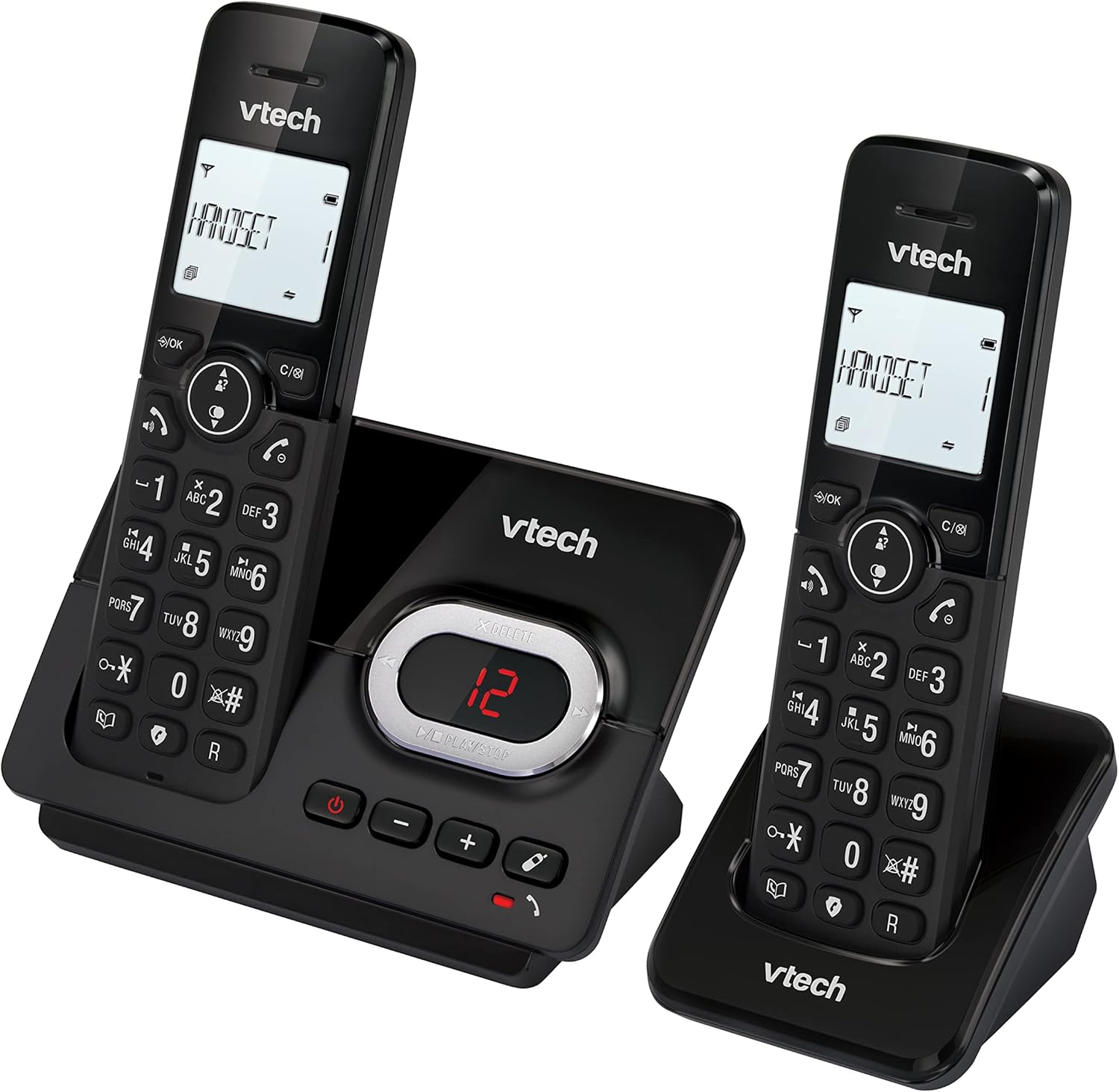
Image: A VTech CS2051 handset on its base, with an overlay showing a phonebook interface, indicating the ability to store up to 30 names and numbers.
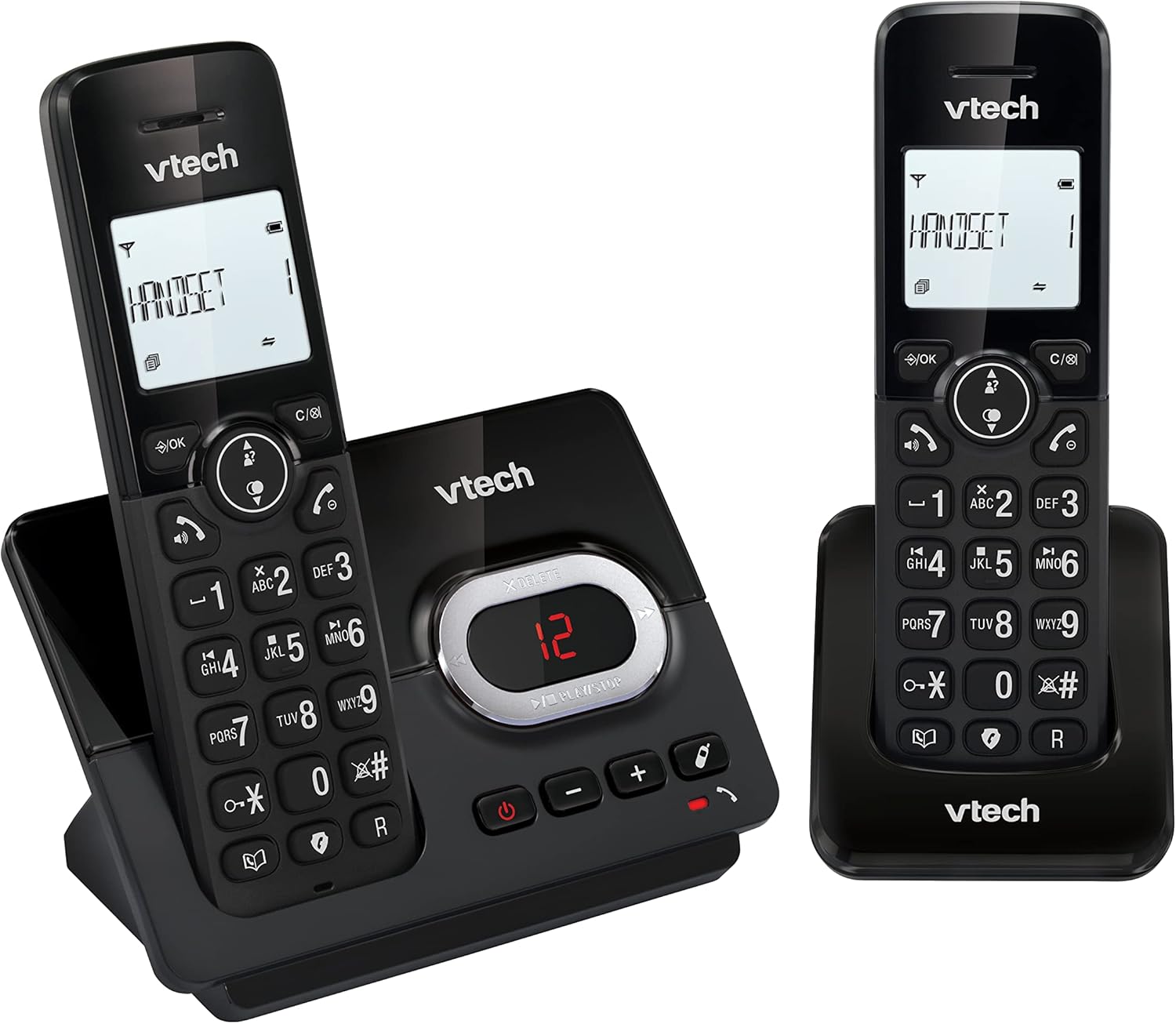
Image: A close-up of the VTech CS2051 handset's navigation buttons, with a circle highlighting the redial button, indicating the ability to redial the last 10 numbers.
Arayanın Kimliği ve Çağrı Bekletme
With Caller ID and Call Waiting features, you can see who is calling before you answer. The handset display shows the caller's name, number, time, and date of incoming calls.

Image: A VTech CS2051 handset on its base, with the screen displaying caller information, illustrating the Caller ID and Call Waiting features that show who is calling.
ECO Modu
The handset automatically adjusts the radio frequency power based on its distance from the base unit. In full ECO mode, there is no transmission power in standby mode, contributing to energy saving.
Bakım
- Temizlik: Telefonu ve taban ünitesini yumuşak bir bezle temizleyin.amp Bez kullanın. Temizlik spreyleri veya sert kimyasallar kullanmayın.
- Pil Bakım: Use only the supplied rechargeable NiMH batteries. If the phone will not be used for an extended period, remove the batteries from the handsets.
- Atama: Place the base unit and chargers in a dry, stable location away from direct sunlight, heat sources, and moisture. Ensure adequate ventilation.
Sorun giderme
| Sorun | Olası Neden / Çözüm |
|---|---|
| Çevir sesi yok |
|
| Telefon şarj olmuyor |
|
| Zayıf çağrı kalitesi / Statik |
|
| Sesli yanıt makinesi kayıt yapmıyor. |
|
Özellikler
- Modeli: CS2051
- Teknoloji: DECT6.0
- Görüntülemek: 1.8 inç Arkadan Aydınlatmalı LCD
- Cevaplama makinesi: Dijital, 15 dakikaya kadar kayıt süresi
- Telefon Rehberi Kapasitesi: 30 kayıt (isim ve numara)
- Çağrı Engelleme Kapasitesi: 30 numaraya kadar
- Arayanın Kimliği Belleği: Stores last 20 calls
- Pil Tipi: NiMH rechargeable battery (included)
- Menzil: 300 metreye kadar (açık alan)
- Renk: Siyah
- Ağırlık: 660 Grams (approximate, for the system)
- Uyumlu Cihazlar: Analog telephone networks, router with analog connection
Garanti ve Destek
VTech products are manufactured to high quality standards. For warranty information, please refer to the warranty card included in your product packaging or visit the official VTech webBölgenizdeki siteye gidin. Satın alma belgeniz olarak satın alma fişinizi saklayın.
For technical support or service inquiries, please contact VTech customer support. Contact details can typically be found on the VTech webSitede veya ürün ambalajında.
Çevrimiçi Kaynaklar: For the latest information, FAQs, and support, please visit the official VTech support webalan.


