1. Giriş
Satın aldığınız için teşekkür ederizasing the Final UX3000 Bluetooth Wireless Headphones. These headphones are designed to deliver premium Hi-Fi sound quality with hybrid noise-cancelling technology, ensuring an immersive audio experience. With long battery life and versatile connectivity options, the UX3000 is ideal for music listening, movies, and gaming.
Please read this manual thoroughly before using the product to ensure proper operation and to maximize your listening enjoyment.

Image: The Final UX3000 headphones in black, showcasinşık tasarımlarıyla dikkat çekiyor.
2. Paket İçeriği
Lütfen paketinizin aşağıdaki tüm öğeleri içerdiğinden emin olun:
- Final UX3000 Headphone
- USB-C Şarj Kablosu
- Yumuşak Taşıma Çantası
- 3.5mm Cable for Wired Connection
- Kullanım Kılavuzu (bu belge)
Note: A USB charger is not included in the package.
3. Ürün Bittiview
3.1 Kulaklık Bileşenleri
Familiarize yourself with the various parts and controls of your Final UX3000 headphones.

Resim: Ayrıntılı view of the control buttons located on the ear cup.
Kontroller ve Göstergeler:
- Güç Düğmesi: Kulaklığı açıp kapatmak ve Bluetooth eşleştirmesini başlatmak için kullanılır.
- Volume + / - Buttons: Ses seviyesini ayarlar.
- Çok Fonksiyonlu Düğme: Controls playback (play/pause), call management (answer/end calls), and activates voice assistant.
- ANC Düğmesi: Toggles Active Noise Cancelling on/off.
- Bluetooth / ANC Status Indicator: LED light indicating power, pairing status, and ANC status.
- USB-C Şarj Portu: Kulaklıkları şarj etmek için.
- 3.5 mm Ses Jakı: Kablolu bağlantı için.

Image: Diagram showing the Power Button and Status Indicator.

Image: Diagram showing the Volume Up and Volume Down buttons.
4. Kurulum
4.1 Kulaklıkların Şarj Edilmesi
Before first use, fully charge your UX3000 headphones. Connect the supplied USB-C charging cable to the headphone's USB-C port and the other end to a USB power source (e.g., computer USB port, USB wall adapter). The LED indicator will show charging status and turn off when fully charged.
- Şarj Süresi: Tam şarj için yaklaşık 2.5 saat.
- Pil Ömrü: 35 saate kadar müzik çalma süresi.
4.2 Bluetooth Eşleştirme
Kulaklığınızı kablosuz olarak bir cihaza bağlamak için:
- Kulaklıkların kapalı olduğundan emin olun.
- Güç düğmesini yaklaşık 5 saniye basılı tutun; LED göstergesi mavi ve kırmızı yanıp sönmeye başlayacak ve eşleştirme moduna geçecektir.
- Cihazınızda (akıllı telefon, tablet, bilgisayar) Bluetooth'u etkinleştirin ve kullanılabilir cihazları arayın.
- Select "Final UX3000" from the list of found devices.
- Once connected, the LED indicator will flash blue slowly. A voice prompt will confirm "Device Connected".

Image: The UX3000 headphones positioned beside a smartphone displaying its Bluetooth connection settings.
Çok Noktalı Bağlantı:
The UX3000 supports multipoint connection, allowing you to connect to two Bluetooth devices simultaneously. For example, you can be connected to your smartphone and your laptop at the same time, seamlessly switching audio sources.
4.3 Kablolu Bağlantı
For a wired audio experience or when the battery is depleted, use the supplied 3.5mm audio cable.
- Connect one end of the 3.5mm cable to the audio jack on the headphones.
- Kabloyu diğer ucundan cihazınızın 3.5 mm ses çıkışına bağlayın.
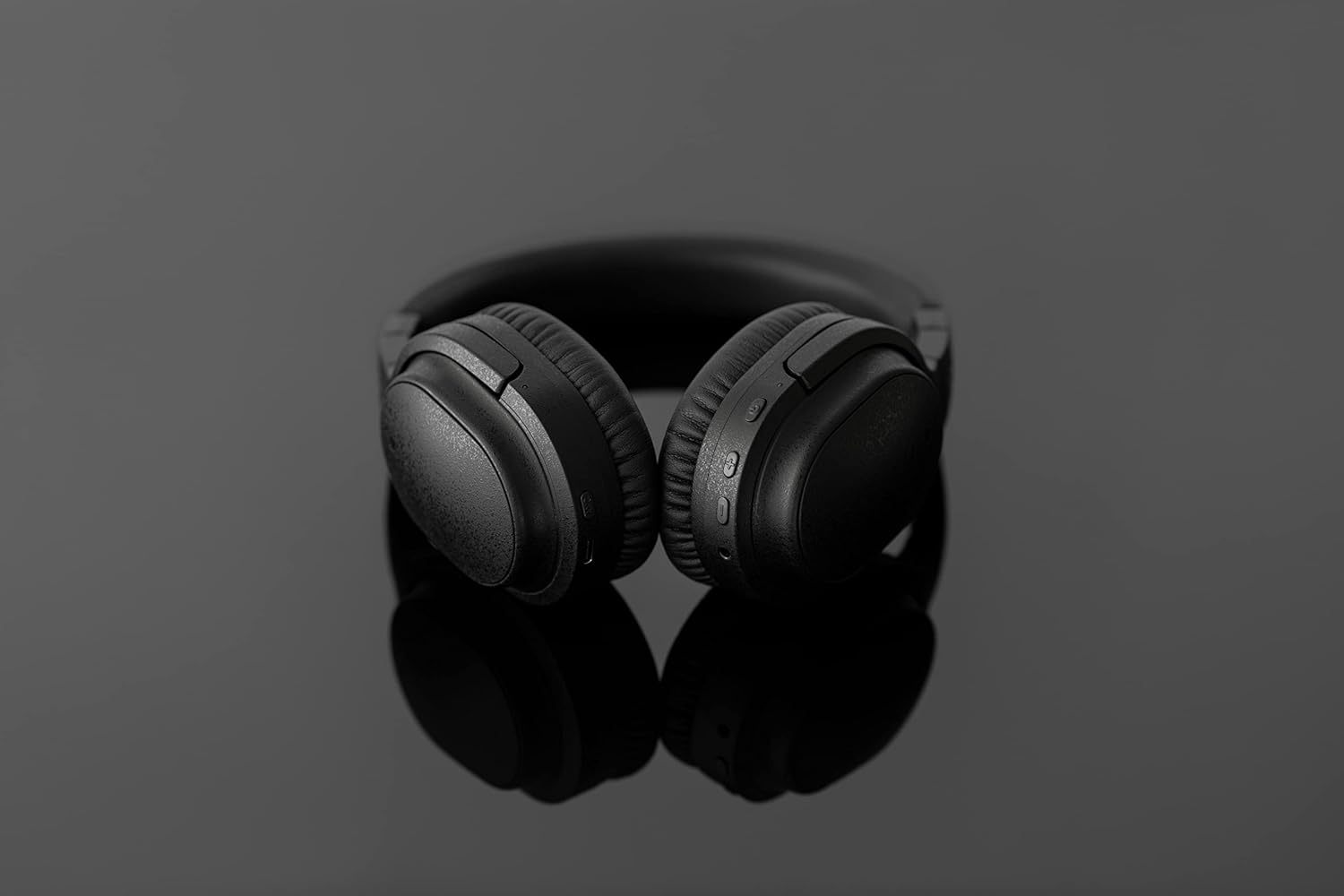
Image: The UX3000 headphones connected to a digital audio player using the 3.5mm audio cable.
5. Kullanım Talimatları
5.1 Güç Açma/Kapatma
- Güç Açık: Güç düğmesine 2 saniye boyunca basılı tutun. LED göstergesi mavi renkte yanıp sönecektir.
- Kapat: Güç düğmesini 3 saniye basılı tutun. LED göstergesi sönecektir.
5.2 Müzik Oynatma
- Oynat/Duraklat: Çok işlevli düğmeye bir kez basın.
- Sonraki Parça: Ses açma (+) düğmesine 2 saniye boyunca basılı tutun.
- Önceki parça: Ses açma (-) düğmesine 2 saniye boyunca basılı tutun.
- Sesi aç: Press the Volume + button briefly.
- Sesi kıs: Press the Volume - button briefly.
5.3 Hybrid Noise Cancelling (ANC)
The UX3000 features Hybrid Active Noise Cancelling, utilizing two microphones per ear cup to effectively reduce ambient noise. One microphone collects external noise, and the other collects sound from the driver unit, allowing for highly accurate anti-noise signal generation.
- ANC'yi Etkinleştir/Devre Dışı Bırak: Press the ANC button once. A voice prompt will confirm the status.

Image: A schematic diagram explaining how the Hybrid Noise Cancelling technology works with external and internal microphones.
5.4 aptX Low Latency Support
The UX3000 supports aptX Low Latency, which minimizes audio delay and ensures proper synchronization with visuals. This feature provides an optimal experience for watching movies and playing games, preventing noticeable lag between audio and video.

Image: A user wearing the UX3000 headphones, engaged with a laptop, highlighting their suitability for media and communication.
5.5 Arama İşlevleri
- Çağrıyı Cevapla/Sonlandır: Çok işlevli düğmeye bir kez basın.
- Çağrıyı Reddet: Çok işlevli düğmeyi 2 saniye basılı tutun.
- Voice Assistant'ı etkinleştirin: Çok işlevli düğmeye iki kez basın.
6. Bakım
To ensure the longevity and optimal performance of your Final UX3000 headphones, follow these maintenance guidelines:
- Temizlik: Wipe the headphones with a soft, dry cloth. Do not use abrasive cleaners, solvents, or strong chemicals.
- Depolamak: When not in use, store the headphones in the provided soft carrying pouch to protect them from dust and scratches. The headphones are foldable for compact storage.
- Nemden Kaçının: Keep the headphones away from water, humidity, and extreme temperatures.
- Şarj: Do not leave the headphones connected to a charger for extended periods after they are fully charged.

Image: The UX3000 headphones shown in their folded configuration, ready for compact storage or travel.
7. Sorun Giderme
If you encounter issues with your Final UX3000 headphones, refer to the following common problems and solutions:
| Sorun | Olası Neden | Çözüm |
|---|---|---|
| Kulaklık açılmıyor. | Pil zayıf. | Kulaklığı tam şarj edin. |
| Cihazla eşleştirilemiyor. | Headphones not in pairing mode; device's Bluetooth is off; too many paired devices. | Ensure headphones are in pairing mode (flashing red/blue). Turn on Bluetooth on your device. Forget previous pairings on your device and try again. |
| Ses yok veya ses seviyesi düşük. | Ses çok düşük; kulaklık bağlı değil; cihazda yanlış ses çıkışı seçilmiş. | Hem kulaklıklarınızın hem de cihazınızın ses seviyesini artırın. Kulaklıklarınızı yeniden bağlayın. Cihazınızdaki ses çıkışı ayarlarını kontrol edin. |
| Gürültü engelleme etkili değil. | ANC not activated; environmental noise too high for full cancellation. | Ensure ANC is activated. ANC is most effective for low-frequency, constant noises. |
| Voice prompts (e.g., "Battery Low") occur frequently even when charged. | Potential firmware issue or specific device interaction. | Ensure headphones are fully charged. If issue persists, contact customer support. |
8. Özellikler
| Özellik | Detay |
|---|---|
| Model Adı | UX3000 BLK |
| Bağlantı Teknolojisi | Kablosuz (Bluetooth), Kablolu (3.5 mm Jak) |
| Kablosuz İletişim Teknolojisi | Bluetooth 5.0 |
| Bluetooth Menzili | 10 Metre |
| Gürültü Kontrolü | Hibrit Gürültü Engelleme |
| Ses Sürücüsü Türü | Dinamik Sürücü |
| Frekans Aralığı | 20Hz-20kHz |
| Pil Ömrü | 35 Saate Kadar |
| Şarj Süresi | 2.5 Saat |
| Ürün Ağırlığı | 260 Gram (9.2 ons) |
| Kulak Yerleşimi | Kulak Üstü |
| Form Faktörü | Kulak Üstü |
| Uyumlu Cihazlar | Bluetooth-enabled devices supporting HFP, HSP, A2DP, and AVRCP profiles, and specifically compatible with SBC, AAC, aptX, and aptX low latency codecs |
| Ürünün Belirli Kullanımları | Filmler ve Oyun |
| Üretici | Son Ses |
| İlk Mevcut Tarih | 14 Aralık 2021 |
9. Garanti ve Destek
The Final UX3000 headphones come with Final's 12 Month Worry-Free Warranty. This warranty covers defects in materials and workmanship under normal use for a period of 12 months from the date of original purchase.
For warranty claims, technical support, or any inquiries regarding your product, please contact Final customer service through the official Final webLütfen site üzerinden veya satın alma noktanızdan destek ekibiyle iletişime geçerken satın alma belgenizi hazır bulundurun.
Final is committed to providing friendly and responsive customer service to ensure your satisfaction.


