1. Giriş
Satın aldığınız için teşekkür ederizasing the BUFFBEE Digital Alarm Clock FM Radio with Wireless Charging. This device combines a digital alarm clock, FM radio, 10W fast wireless charger, and a USB charging port into a single unit. It features five distinct wake-up sounds, adjustable volume control, and a full brightness dimmer for optimal comfort in your bedroom environment. Please read this manual carefully to ensure proper setup and operation.

Figure 1.1: BUFFBEE Digital Alarm Clock with a smartphone wirelessly charging on top.
2. Kurulum
2.1 Güç Bağlantısı
- Connect the provided power adapter to the DC 9V port on the back of the alarm clock.
- Güç adaptörünü standart bir elektrik prizine takın. Saat ekranı yanacaktır.
- Not: The internal battery backup is for saving time and alarm settings only. The device requires a continuous power connection to function.
2.2 Saati Ayarlama
- Basılı tutun ZAMAN button located on the top panel. The hour digits will begin to flash.
- Kullanın UP (▲) veya AŞAĞI (▼) buttons to adjust the hour.
- Basın ZAMAN button again to confirm the hour and proceed to set the minutes. The minute digits will flash.
- Kullanın UP (▲) veya AŞAĞI (▼) buttons to adjust the minutes.
- Basın ZAMAN button one more time to save the time setting.
2.3 Alarmı Ayarlama
- Basılı tutun ALARM Düğmeye basın. Alarm saati rakamları yanıp sönmeye başlayacaktır.
- Kullanın UP (▲) veya AŞAĞI (▼) buttons to adjust the alarm hour.
- Basın ALARM button again to confirm the hour and proceed to set the alarm minutes. The minute digits will flash.
- Kullanın UP (▲) veya AŞAĞI (▼) buttons to adjust the alarm minutes.
- Basın ALARM button one more time to save the alarm time.
- To activate or deactivate the alarm, briefly press the ALARM Düğmeye basın. Etkinleştirildiğinde ekranda bir alarm simgesi görünecektir.

Figure 2.1: Rear panel with power and USB connections.
3. Kullanım Talimatları
3.1 Kablosuz Şarj
The top surface of the alarm clock features a 10W fast wireless charging pad. This is compatible with 5W, 7.5W, and 10W wireless-enabled phones.
- Place your wireless-enabled smartphone directly on the charging pad located on the top of the clock.
- En iyi bağlantı için telefonun şarj pedinin ortasına yerleştirildiğinden emin olun.
- A lightning icon will appear on the clock's display to indicate that your phone is charging.

Şekil 3.1: Kablosuz şarj işlemi devam ediyor.
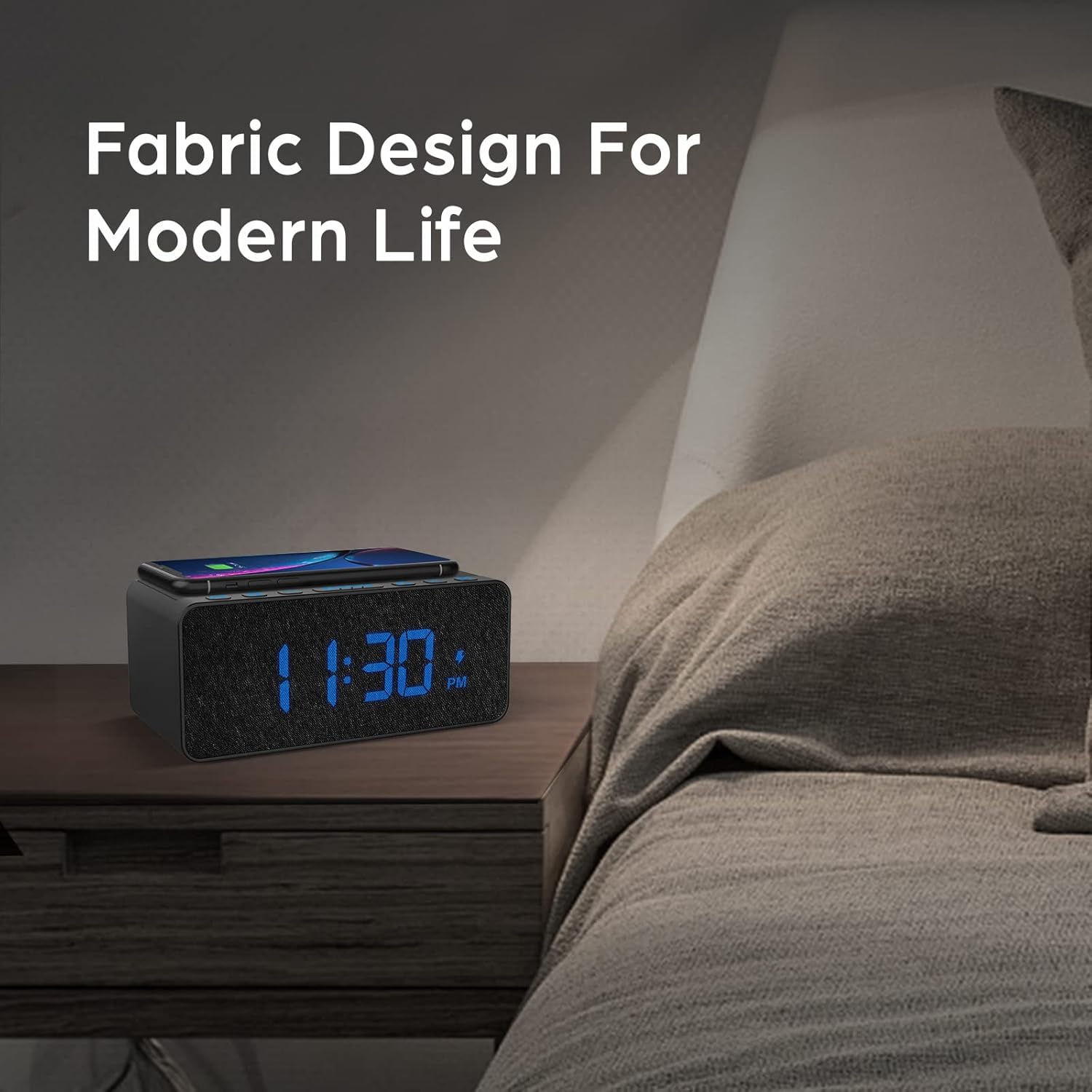
Şekil 3.2: Kablosuz şarj uyumluluğu.
3.2 USB Şarj Portu
An additional USB port is located on the back of the unit for charging other devices, such as smartwatches or non-wireless charging phones.
- Cihazınızın USB şarj kablosunu çalar saatin arkasındaki USB bağlantı noktasına bağlayın.
- Kablonun diğer ucunu cihazınıza bağlayın.

Figure 3.3: Simultaneous wireless and USB charging.
3.3 FM Radyo Çalışması
The alarm clock includes an FM radio with a frequency range of 87.5-108.0 MHz.
- To turn on the FM radio, press the RADYO düğme.
- To scan for stations, press and hold the UP (▲) veya AŞAĞI (▼) buttons. The radio will automatically tune to the next available station.
- Manuel olarak ayarlamak için, kısa süre basın. UP (▲) veya AŞAĞI (▼) tuşlarına basın.
- To save a preset station, press and hold the RADYO button until the preset number flashes, then use the UP (▲) veya AŞAĞI (▼) buttons to select a preset slot. Press RADYO Tekrar onaylamak için.
- Önceden ayarlanmış bir istasyonu geri çağırmak için, düğmeye kısa süre basın. RADYO Kaydedilmiş ön ayarlar arasında geçiş yapmak için kullanılan düğme.
- Adjust the radio volume using the volume control dial or buttons (if present, otherwise use general volume controls).
- To improve FM reception, ensure the radio antenna on the back of the unit is fully extended.
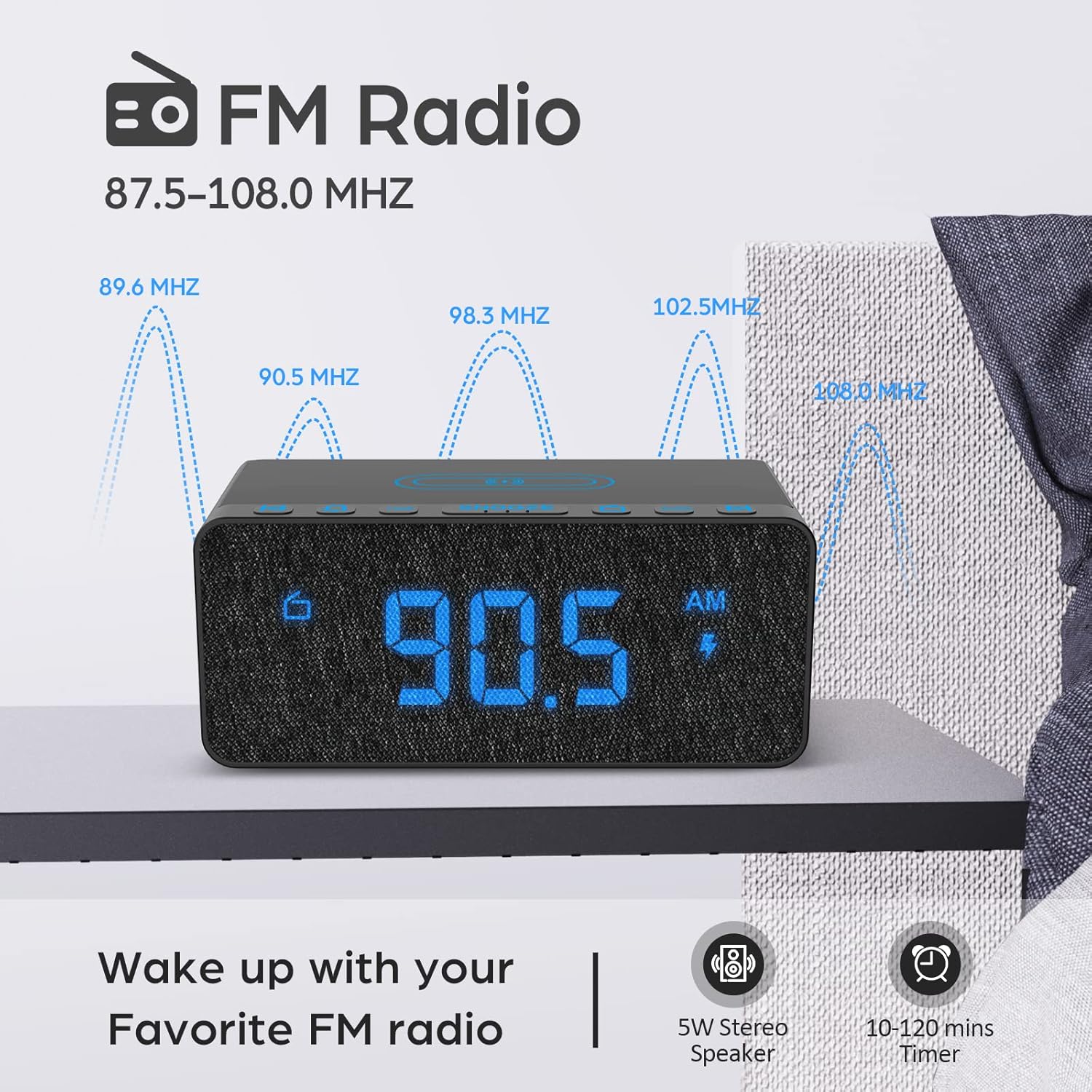
Figure 3.4: FM Radio display.
3.4 Alarm Sounds and Volume
The alarm clock offers 5 distinct wake-up sounds and adjustable alarm volume (0-15 levels).
- When setting the alarm, after setting the time, you can select the alarm sound.
- Basın ALARM SESLERİ button to cycle through the available sounds: Beep, Bird Sound, Bells, Piano Sound, or FM Radio.
- To adjust the alarm volume, use the dedicated volume buttons or dial on the unit.

Figure 3.5: Available alarm sounds.
3.5 Ekran Karartıcı
The display brightness can be adjusted from 0% to 100% to suit your preference.
- Bulun EKRAN DIMMER switch or dial, typically on the back or side of the unit.
- Adjust the switch/dial to increase or decrease the display brightness.

Figure 3.6: Display brightness adjustment.
3.6 Kontrollerview
For a visual guide to the top panel controls, please refer to the video below.
Video 3.1: Bittiview of BUFFBEE Digital Alarm Clock features and top panel controls, including time setting, alarm, radio, and snooze functions.
4. Bakım
4.1 Temizlik
- Cihazı temizlemek için yumuşak, kuru bir bez kullanın.
- Do not use liquid cleaners, abrasive cleaners, or chemical sprays, as these may damage the surface or internal components.
- Temizlemeden önce cihazın fişinin çekili olduğundan emin olun.
4.2 Genel Bakım
- Cihazı aşırı sıcaklıklara, doğrudan güneş ışığına veya yüksek neme maruz bırakmaktan kaçının.
- Do not disassemble the unit. Any repairs should be performed by qualified personnel.
- Cihazı su veya diğer sıvılardan uzak tutun.
5. Sorun Giderme
- S: Fişi taktıktan sonra ekran neden boş görünüyor?
- A: Please check if the DISPLAY DIMMER switch on the back of the unit is set to the HIGH position. If it is set to a very low position, the display may appear blank in bright environments.
- Q: How can I tell if my phone is wirelessly charging?
- A: A lightning icon will appear on the alarm clock's display when a compatible phone is correctly placed on the wireless charging pad and is actively charging.
- Q: Does the battery backup allow the clock to work without a power cord?
- A: No, the battery backup is solely for saving the time and alarm settings during a power outage. The device requires the power cord to be plugged in for full functionality (display, radio, charging, alarm sound).
- Q: Which phones are supported by wireless charging?
- A: The wireless charger is compatible with most Qi-enabled smartphones, including but not limited to: iPhone 13/13 Pro/13 Pro Max/13 Mini/12/12 Pro/12 Pro Max/12 Mini/11/11 Pro/11 Pro Max/X/XS/XS Max/XR/8/8+/SE; Samsung S21/S21+/21 Ultra/S20/S20+/S20 Ultra/S10/S10+/S10E/S9/S9+/S8/S8+/S7/S7+/S6/S6E; Note 20/20 Ultra/Note 10/10 Pro/Note 9/8/5; Google Nexus 4/5/6, and other wireless-enabled phones.
6. Özellikler
| Marka | BFFBEE |
| Örnek | B09LCCJZ3H |
| Görüntü Türü | Dijital |
| Stil | Modern |
| Özel Özellikler | Adjustable Brightness, Charging Port, Music |
| Ürün Boyutları | 6.9"G x 2.8"Y |
| Güç Kaynağı | Kablolu Elektrik |
| Oda Tipi | Yatak odası |
| İç/Dış Mekan Kullanımı | Kapalı |
| Çerçeve Malzemesi | Akrilonitril Bütadien Stiren |
| Piller Dahil | No (for operation, backup only) |
| Çalar saat | Evet |
| Öğe Sayısı | 1 |
| Çalışma Modu | Elektrik |
| Ürün Ağırlığı | 14.9 ons |
| UPC | 766891334623 |
7. Garanti Bilgileri
BUFFBEE products are designed and manufactured to the highest quality standards. This product is covered by a limited warranty against defects in materials and workmanship for a period of one (1) year from the original date of purchase. This warranty does not cover damage caused by accident, misuse, abuse, improper installation or operation, or unauthorized repairs. Please retain your proof of purchase for warranty claims.
8. Müşteri Desteği
If you have any questions, concerns, or require assistance with your BUFFBEE Digital Alarm Clock, please contact our customer support team. For the most up-to-date contact information, please visit the official BUFFBEE website or refer to the packaging of your product.
Çevrimiçi destek: Visit the BUFFBEE Store on Amazon


