1. Giriş
This manual provides essential information for setting up, operating, maintaining, and troubleshooting your Google Pixel 6 Pro smartphone. The Pixel 6 Pro is a powerful 5G Android device featuring the custom Google Tensor processor, an advanced camera system, and enhanced security features, designed to deliver a smart and fast mobile experience.
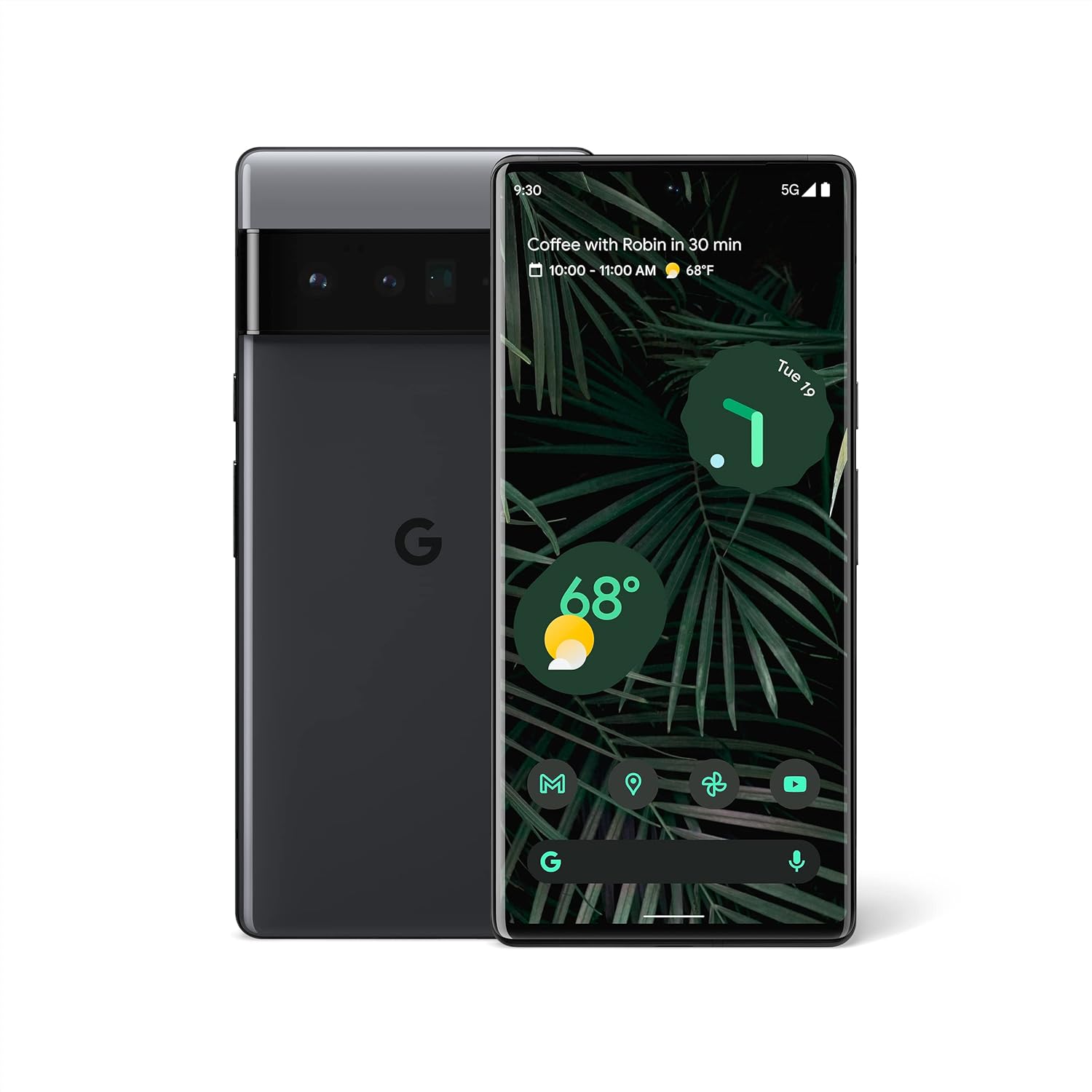
Şekil 1.1: Ön ve arka view of the Google Pixel 6 Pro in Stormy Black. The front displays the home screen with time, weather, and app icons, while the back shows the distinctive camera bar and Google logo.
2. Kurulum Kılavuzu
2.1 Kutudan Çıkarma ve İlk İnceleme
Paketi açtığınızda tüm bileşenlerin mevcut olduğundan emin olun:
- Google Pixel 6 Pro Cell Phone
- USB-C'den USB-C'ye Kablo
İşleme başlamadan önce cihazda herhangi bir fiziksel hasar olup olmadığını kontrol edin.
2.2 SIM Kartın Takılması
- Locate the SIM card tray on the side of your Pixel 6 Pro.
- Insert the SIM ejector tool (or a small paperclip) into the small hole on the tray and push gently until the tray pops out.
- Place your Nano-SIM card into the tray with the gold contacts facing down and the notched corner aligned.
- Tepsiyi yerine oturana kadar dikkatlice itin.
2.3 Açma ve İlk Yapılandırma
- Press and hold the Power button (located on the right side) until the Google logo appears on the screen.
- Ekranda beliren yönergeleri izleyerek dilinizi seçin, bir Wi-Fi ağına bağlanın ve Google Hesabınızla oturum açın.
- Parmak iziyle kilit açma ve ekran kilidi gibi güvenlik özelliklerinin nasıl kurulacağı konusunda size rehberlik edilecektir.
2.4 Transferring Data from Your Old Phone
The Pixel 6 Pro offers a seamless way to transfer your messages, contacts, photos, and other data from your previous device during the initial setup process. Use the provided USB-C cable and follow the on-screen instructions.

Figure 2.1: A Google Pixel 6 Pro connected via USB-C cable to another smartphone, illustrating the data transfer process. The Pixel's screen shows options to copy messages, contacts, photos, and other data.
3. Pixel 6 Pro'nuzu Kullanma
3.1 Ekran Özellikleri
The Pixel 6 Pro features a 6.7-inch LTPO QHD+ Smooth Display with a resolution of 1080 x 2340 pixels and a 120Hz refresh rate for fluid scrolling and responsiveness. The display is protected by Corning Gorilla Glass Victus for enhanced durability.
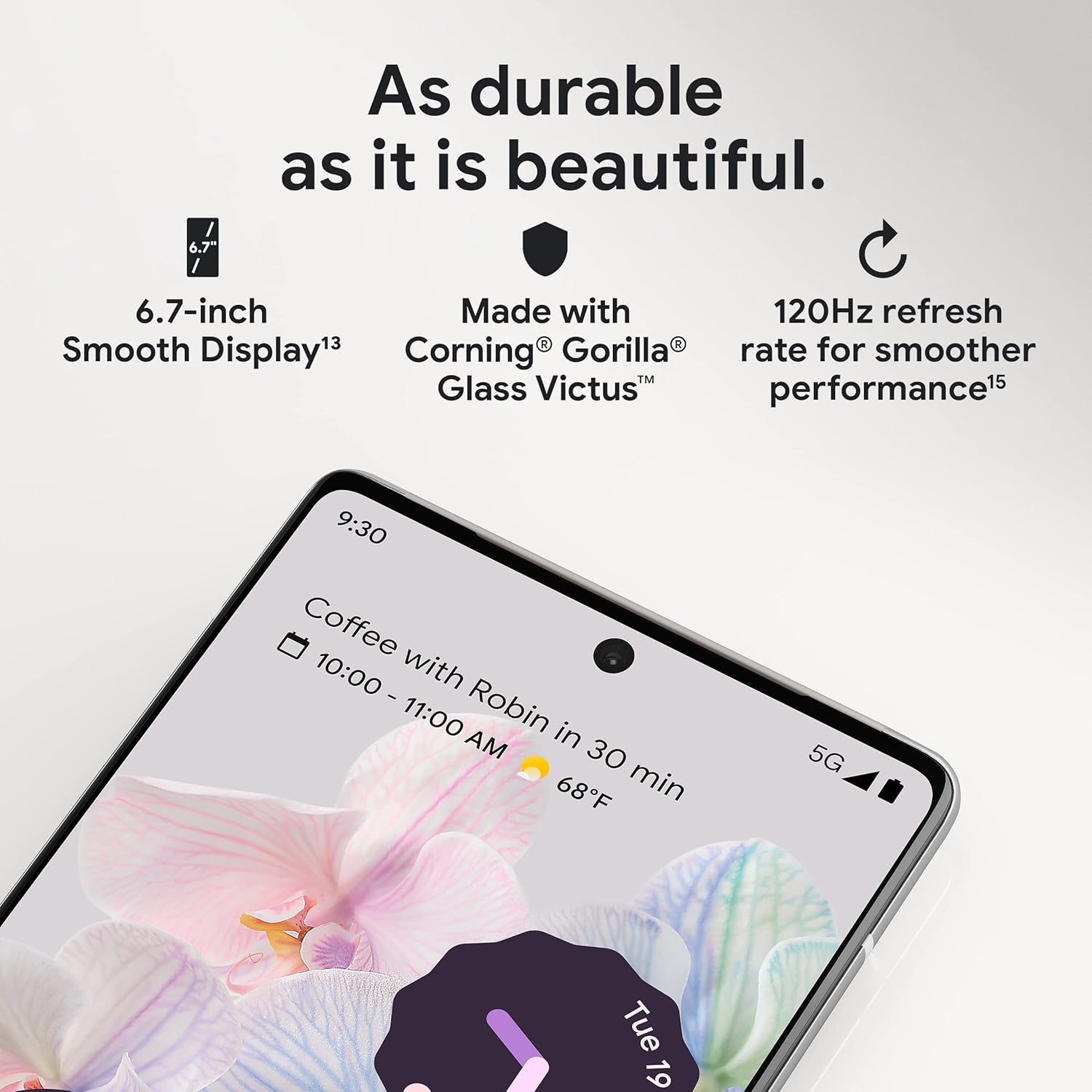
Şekil 3.1: Yakın çekim view of the Pixel 6 Pro's display, highlighting its durability with Corning Gorilla Glass Victus and the smooth performance enabled by its 120Hz refresh rate.
3.2 Kamera Sistemi
The Pixel 6 Pro is equipped with an advanced camera system:
- 50 MP Wide Camera: Captures 150% more light for detailed photos.
- 48 MP Telephoto Camera: Offers 4x optical zoom for distant subjects.
- 12 MP Ultrawide Camera: For expansive landscape and group shots.
- Ön Kamera: Yüksek kaliteli özçekimler ve görüntülü görüşmeler için.
Kameranın temel özellikleri şunlardır:
- Sihirli Silgi: Removes unwanted objects or people from your photos.
- Hareket Modu: Creates dynamic long-exposure shots.
- Portre modu: Artfully blurs backgrounds for professional-looking portraits.

Şekil 3.2: Dahili view of the Pixel 6 Pro's camera array, detailing the 50 MP wide camera, 48 MP telephoto camera with 4x optical zoom, and 12 MP ultrawide camera.

Figure 3.3: Visual demonstrations of the Pixel 6 Pro's advanced camera tools: Magic Eraser removing background elements, Motion Mode capturing light trails, and Portrait Mode creating a blurred background effect.
3.3 Performans
The Pixel 6 Pro is powered by the custom-built Google Tensor processor, which provides a significant boost in performance compared to previous Pixel models. This chip enables advanced on-device AI capabilities and contributes to maximum battery efficiency.
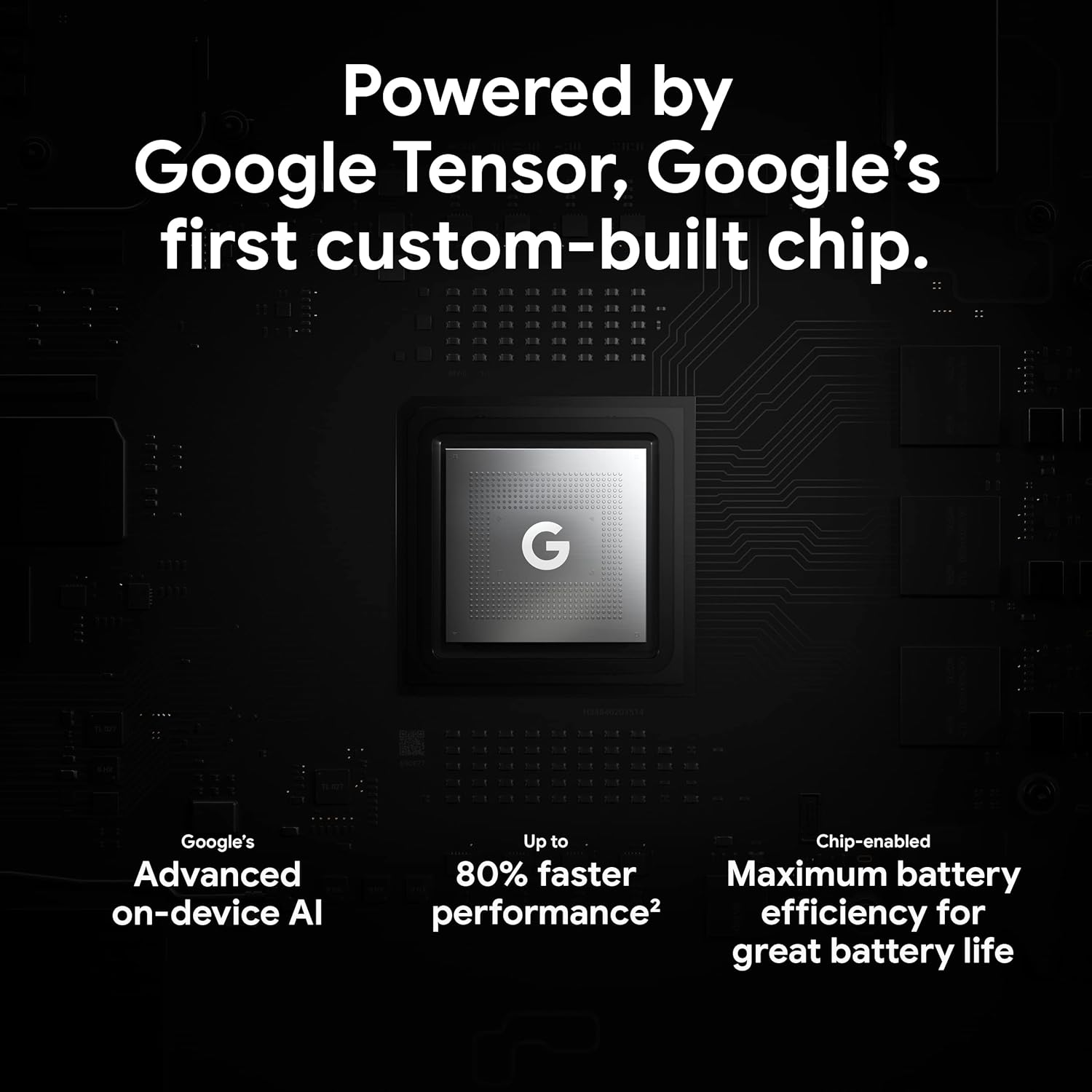
Figure 3.4: An illustration of the Google Tensor chip, highlighting its role in providing advanced on-device AI and up to 80% faster performance for improved battery efficiency.
3.4 Güvenlik Özellikleri
Your Pixel 6 Pro is built with robust security:
- Titan M2™ chip: Provides next-generation hardware security.
- Güvenlik Güncellemeleri: Guaranteed 5 years of security updates to protect against threats.
- IP68 Water and Dust Protection: Offers resistance against water and dust ingress.
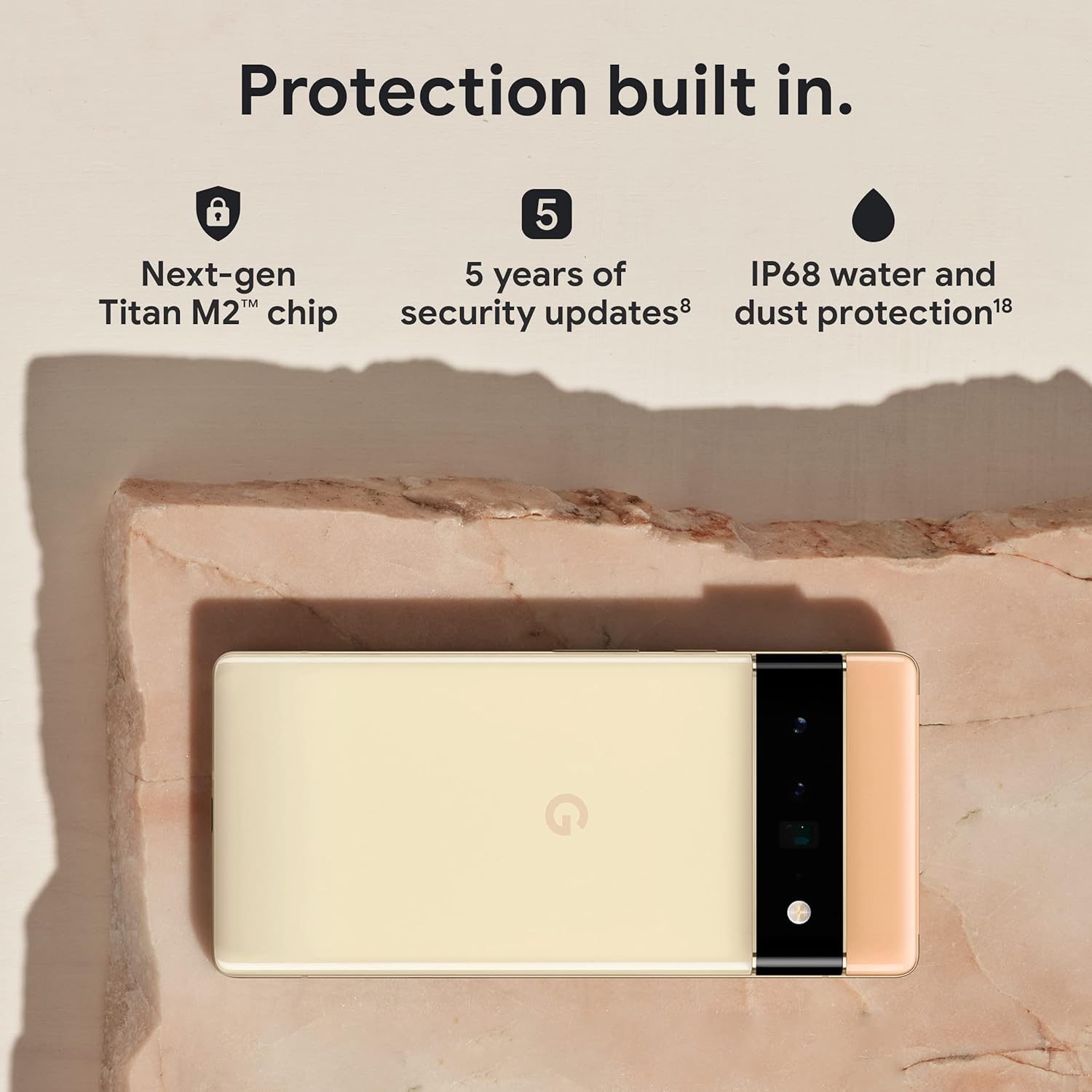
Figure 3.5: The Pixel 6 Pro shown alongside icons representing its built-in security features: the Titan M2 chip, 5 years of security updates, and IP68 water and dust protection.
3.5 Pil ve Şarj Etme
The device is equipped with a large 5003 mAh battery. It supports fast wired charging (with a compatible 30W USB-C charger, sold separately) and adapts to your usage patterns to save power for frequently used applications, extending battery life beyond 24 hours.

Şekil 3.6: Bir üstten görünüm view of a person using the Pixel 6 Pro, with icons illustrating the phone's battery capabilities: super-fast charging, power saving for frequently used apps, and extended battery life.
3.6 Yazılım ve Kullanıcı Arayüzü
The Pixel 6 Pro runs on the Android 12 operating system, offering a modern and intuitive user interface. It includes features like Material You for personalized themes and enhanced privacy controls.
3.7 Translation Capabilities
The device comes with Google Translate pre-installed, allowing you to translate private chats, messages, and live video captions in up to 55 languages directly on your phone.
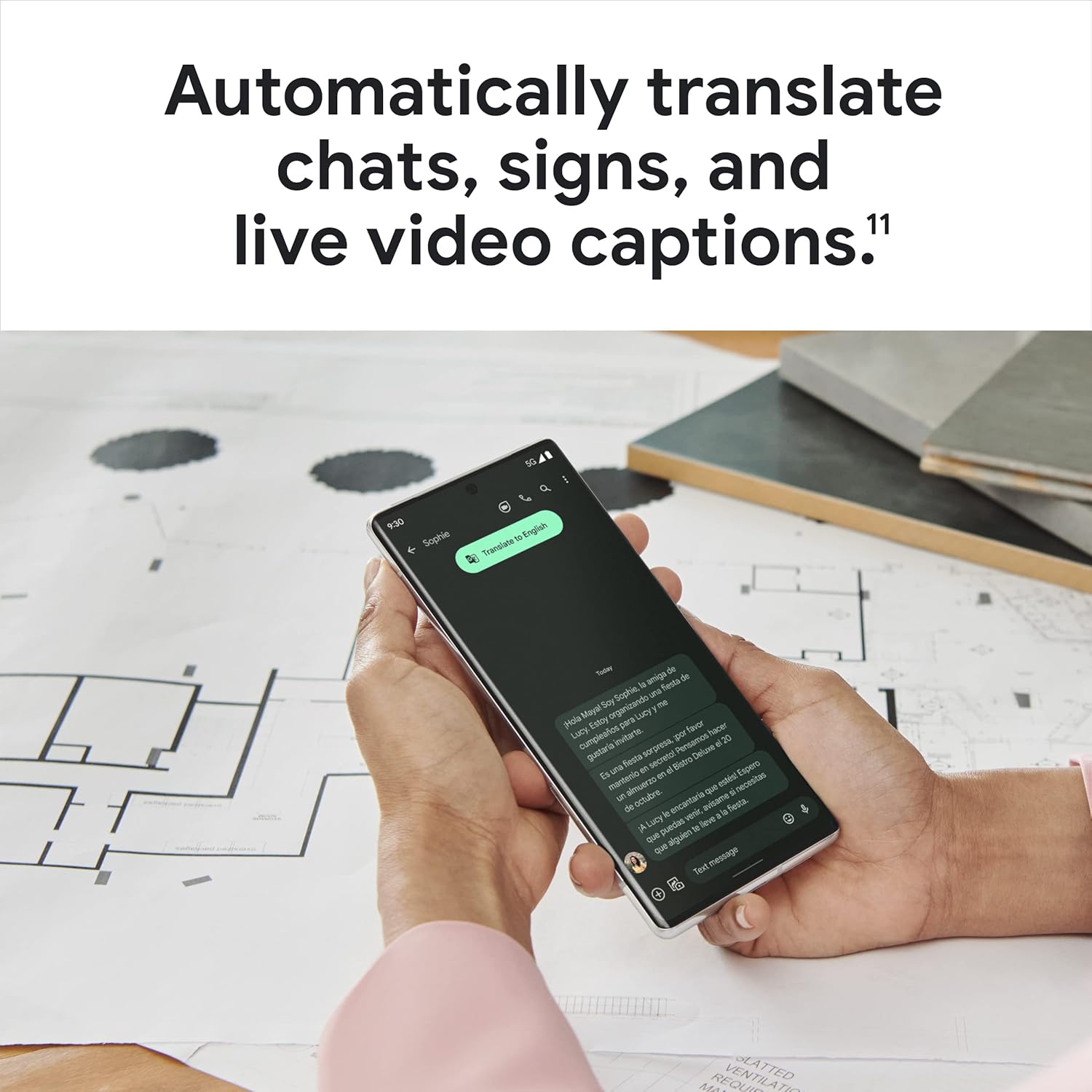
Figure 3.7: A user holding the Pixel 6 Pro, which displays a live translation of text on its screen, demonstrating the device's automatic translation capabilities for chats, signs, and live video captions.
3.8 Bağlantı
The Pixel 6 Pro supports various connectivity options for seamless integration with other devices and services:
- USB BAĞLANTI: Şarj ve veri aktarımı için.
- Wifi: Kablosuz internet erişimi için.
- Bluetooth: Kablosuz aksesuarları bağlamak için.
- NFC: Temassız ödeme ve hızlı eşleştirme için.
4. Bakım
4.1 Genel Bakım
- Keep your device away from extreme temperatures, direct sunlight, and excessive moisture.
- Avoid dropping the phone or exposing it to strong impacts.
- Use a screen protector and a protective case to minimize damage from drops and scratches.
4.2 Cihazınızı Temizleme
To clean your Pixel 6 Pro:
- Temizlemeden önce cihazı kapatın.
- Ekranı ve gövdeyi yumuşak, tiftiksiz bir bezle (örneğin mikrofiber bez) nazikçe silin.
- İnatçı lekeler için hafifçeampBezi suyla veya elektronik cihazlar için özel olarak tasarlanmış bir ekran temizleyiciyle silin. Sert kimyasallardan veya aşındırıcı malzemelerden kaçının.
4.3 Yazılım Güncellemeleri
Regularly check for and install software updates. These updates often include performance improvements, new features, and critical security patches that keep your device running optimally and securely.
5. Sorun Giderme
5.1 Cihaz Açılmıyor
- Pili Kontrol Edin: Ensure the battery is charged. Connect the phone to a charger for at least 15-30 minutes.
- Yeniden Başlatmayı Zorla: Güç düğmesini yaklaşık 30 saniye basılı tutun.
- Check Charger/Cable: Try a different charger and USB-C cable to rule out faulty accessories.
5.2 Ağ Bağlantı Sorunları
- Telefonu Yeniden Başlat: Basit bir yeniden başlatma, geçici ağ sorunlarını genellikle çözebilir.
- Uçak Modunu Aç/Kapat: Uçak modunu birkaç saniye açın, sonra kapatın.
- SIM Kartı Kontrol Edin: SIM kartın doğru şekilde takıldığından emin olun.
- Ağ Ayarları Sıfırlama: Go to Settings > System > Reset options > Reset Wi-Fi, mobile & Bluetooth. Note: This will erase saved Wi-Fi passwords.
5.3 Uygulamaların Çökmesi veya Donması
- Force Close App: Swipe up from the bottom of the screen, find the problematic app, and swipe it away to close.
- Clear Cache/Data: Go to Settings > Apps > See all apps, select the app, then Storage & cache > Clear cache. If the issue persists, try Clear storage (this will delete app data).
- Uygulamayı Güncelle: Uygulamanın Google Play Store'dan en son sürüme güncellendiğinden emin olun.
- Telefonu Yeniden Başlat: A full device restart can often resolve app-related issues.
5.4 Pilin Hızlı Bitmesi
- Identify Usage: Go to Settings > Battery > Battery usage to see which apps are consuming the most power.
- Ekran Parlaklığını Ayarla: Ekran parlaklığını azaltın veya uyarlanabilir parlaklığı etkinleştirin.
- Kullanılmayan Özellikleri Devre Dışı Bırak: Turn off Wi-Fi, Bluetooth, GPS, or NFC when not in use.
- Arkaplanda uygulama yenile: Limit apps running in the background.
6. Özellikler
| Özellik | Şartname |
|---|---|
| Ürün Boyutları | 6.45 x 2.98 x 0.35 inç |
| Ürün Ağırlığı | 7.4 ons |
| Ürün Model Numarası | GA03149 |
| İşletim Sistemi | Android 12.0 |
| Veri deposu | 12 GB |
| Bellek Depolama Kapasitesi | 128 GB |
| Ekran Boyutu | 6.7 inç |
| Çözünürlük | 1080x2340 |
| Yenileme Hızı | 120 Hz |
| Pil Kapasitesi | 5003 mAh |
| Telefon Konuşma Süresi | 25.5 Saat |
| Şarj Süresi | 119 minutes (with compatible 30W charger) |
| Kablosuz İletişim Teknolojileri | Bluetooth, NFC, Wi-Fi |
| Bağlantı Teknolojileri | Bluetooth, NFC, USB, Wi-Fi |
| Özel Özellikler | High-Refresh-Rate Screen, Wireless Charging, Fast Charging, Powerful Camera System with Magic Eraser and Deblurring, Custom Google Tensor Processor |
| Renk | Stormy Black |
| Kutunun içinde ne var? | Cell Phone, USB Cable |
7. Garanti ve Destek
For detailed warranty information and customer support, please refer to the official Google support website or the warranty card included with your purchase. Google provides comprehensive support resources, including FAQs, troubleshooting guides, and contact options for technical assistance.
Visit the official Google Support page: destek.google.com/pixelphone


