Google Nest Kamera (Dış Mekan veya İç Mekan, Pilli) Kullanım Kılavuzu
Model: GA02411-US | Marka: Google
giriiş
The Google Nest Cam (Outdoor or Indoor, Battery) is a versatile security camera designed for both indoor and outdoor use. It offers advanced features to help you monitor your home effectively. This manual provides detailed instructions for setting up, operating, and maintaining your Nest Cam.
Temel Özellikler
- Akıllı Uyarılar: Differentiates between people, animals, and vehicles.
- Wire-Free & Weather Resistant: Flexible placement indoors or outdoors.
- 1080p HDR Video with Night Vision: Clear video day and night.
- 3 Hours Free Event Video History: Review recent activity without a subscription.
- İki Yönlü Konuşma: Communicate with visitors or deter unwanted guests.
- Yerel Depolama: Stores up to an hour of recorded events during outagee.
- Google Home App Integration: Control and manage your camera from one app.
Neler Dahil?
Your Google Nest Cam package includes the following items:
- 2 Nest Cam Cameras
- Magnetic and Wall Plates
- Duvar Dübelleri ve Vidaları
- Şarj Kablosu
- Güç Adaptörü

Figure 1: Two Google Nest Cams included in the package.
Kurulum ve Yükleme
Setting up your Nest Cam is designed to be straightforward. Follow the instructions in the Google Home app for a guided installation process.
Uygulama Gereksinimi
The Nest Cam requires the Google Home app and a free Google Account. It is not compatible with the older Nest app or Nest webalan.
Wire-Free Installation
The battery-powered design allows for wire-free installation, making it easy to place almost anywhere.

Figure 2: Wire-free installation is as simple as hanging a picture frame.
Güç Seçenekleri
Your Nest Cam is primarily battery-powered. For continuous power and 24/7 video recording (with Nest Aware Plus subscription), you can add a weatherproof power cable or an indoor stand with a power cable (both sold separately).

Figure 3: Nest Cam with optional weatherproof power cable for continuous operation.
Operating Your Nest Cam
The Google Home app is your central hub for controlling and monitoring your Nest Cam.
Akıllı Uyarılar
The Nest Cam has built-in intelligence to detect and differentiate between people, animals, and vehicles, sending specific alerts to your phone.
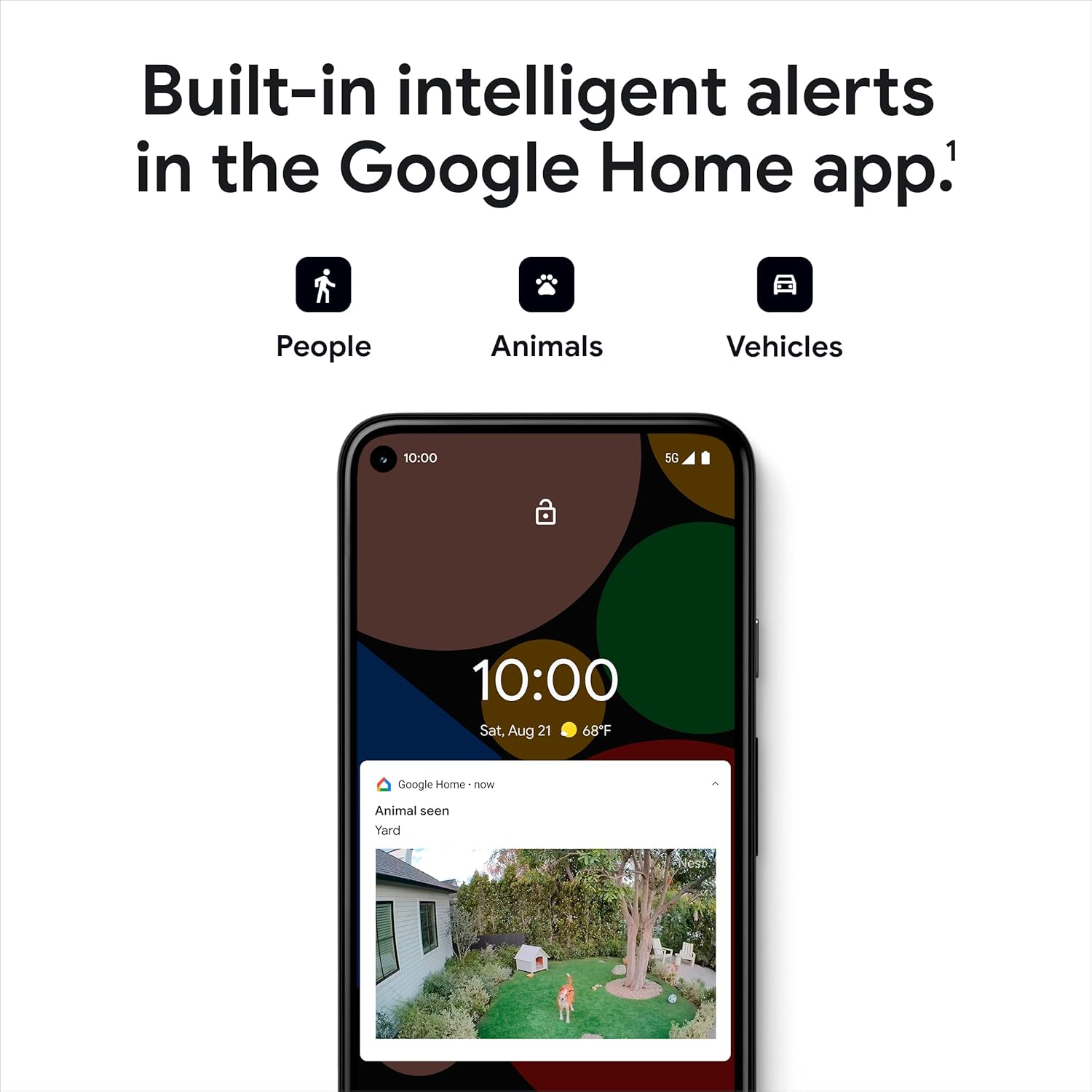
Figure 4: Intelligent alerts for people, animals, and vehicles.
Canlı View and Video History
Access a live 1080p HDR video feed from anywhere, 24/7. The camera also provides night vision for clear viewing in low-light conditions. You get 3 hours of free event video history, with options to extend up to 60 days with a Nest Aware subscription (sold separately).
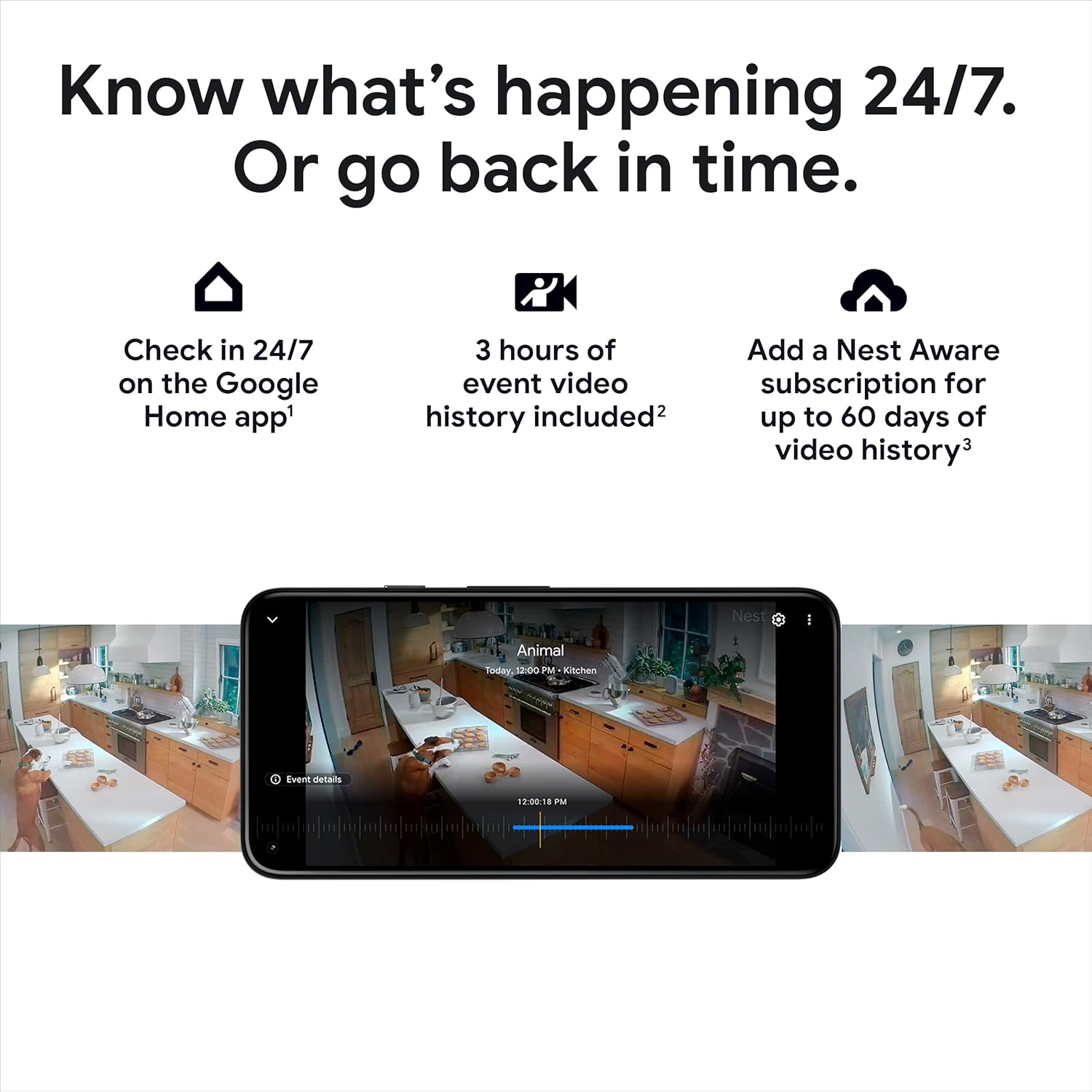
Şekil 5: Yenidenviewing video history in the Google Home app.

Şekil 6: Canlı view of your home through the Nest Cam.

Figure 7: Night vision provides clear images in the dark.
Çift Yönlü Konuşma
Use the built-in speaker and microphone to talk to visitors or communicate with family members through the camera.

Figure 8: Two-way talk and emergency service calling from the app.

Figure 9: Activating two-way talk via the Google Home app.
Faaliyet Alanları
Kameranın görüş alanı içinde belirli alanları tanımlayın view as Activity Zones to receive notifications only when activity is detected in those critical areas.

Figure 10: Customizing Activity Zones for targeted alerts.
Çevrimdışı Depolama
Wi-Fi bağlantınız kesilirse veya elektrik kesintisi olursatage, the Nest Cam will store up to an hour of recorded events locally, so you don't miss important moments.

Figure 11: Nest Cam continues to record during outagee.
Bakım
To ensure optimal performance of your Nest Cam, consider the following maintenance aspects:
Pil Şarjı
As a battery-powered device, the Nest Cam will require periodic recharging. The Google Home app will notify you when the battery is low.
Continuous Power Options
For uninterrupted operation and 24/7 video recording (with Nest Aware Plus), consider purchasing a weatherproof power cable for outdoor use or an indoor stand with a power cable for indoor use.
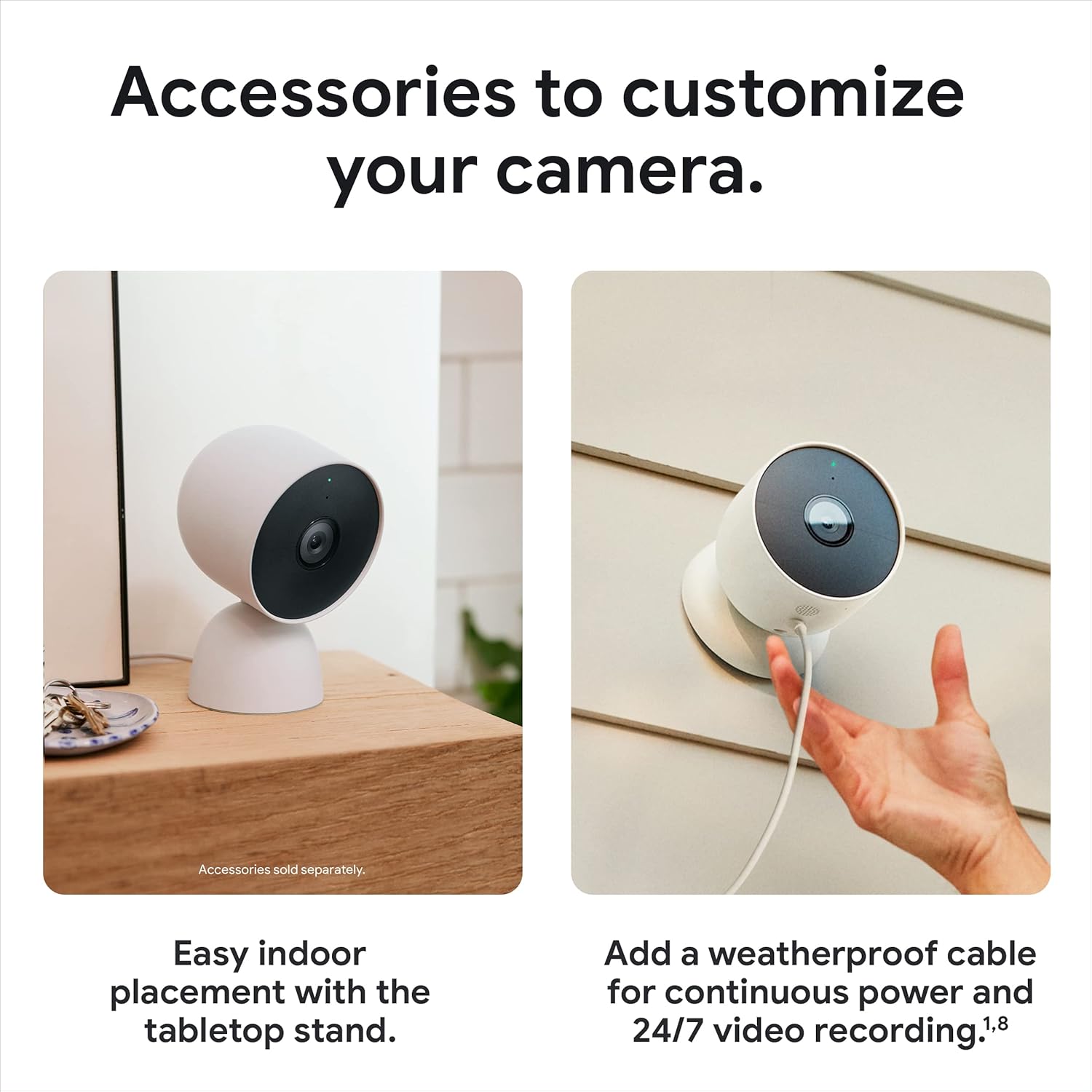
Figure 12: Optional accessories for enhanced power and placement.
Sorun giderme
If you encounter issues with your Nest Cam, try the following steps:
Bağlantı Sorunları
If your camera shows as 'offline' or is not connecting to your Wi-Fi network, ensure your Wi-Fi is stable. Remember that the camera stores up to an hour of events during outages. If reconnection fails, you may need to reset the camera. Locate the reset button (refer to the device diagram in the app) and press it for 15 seconds to perform a factory reset, then repeat the connection process.
Uygulama Uyumluluğu
Ensure you are using the Google Home app. The Nest Cam is not compatible with the older Nest app.
Özellikler
| Özellik | Detay |
|---|---|
| İç/Dış Mekan Kullanımı | Açık Hava, Kapalı Alan |
| Güç Kaynağı | Pil ile çalışır |
| Bağlantı Protokolü | Bluetooth, Wi-Fi (802.11a/b/g/n 2.4GHz/5GHz) |
| Video Yakalama Çözünürlüğü | 1080p |
| Alanı View | 130 Derece |
| Düşük Işık Teknolojisi | Gece Rengi |
| Uyarı Tipi | Motion Only (Intelligent alerts for person, animal, vehicle) |
| Uluslararası Koruma Derecelendirmesi | IP65 (Hava Koşullarına Dayanıklı) |
| Ürün Boyutları (U x G x Y) | 3.27 x 3.27 x 3.27 inç |
| Ürün Ağırlığı | 1.76 pound (28.08 ons) |
| Piller | 4 Lityum İyon pil gereklidir (dahil) |
| Uyumlu Cihazlar | Amazon Alexa, Google Asistan |
Garanti ve Destek
For warranty information and technical support, please refer to the official Google support channels. You can also visit the Amazon'da Google Mağazası ek kaynaklar ve ürün bilgileri için.


