MARKLIFE Label Maker Machine User Manual
Model: P50 | Marka: MARKLIFE
Ürün Bittiview
The MARKLIFE P50 Label Maker is a mini portable Bluetooth thermal label printer designed for various labeling needs in homes, offices, and small businesses. It utilizes thermal printing technology, eliminating the need for ink or toner, and supports black and white printing.
Temel özellikler şunlardır:
- Geniş Uygulama: Supports label widths from 0.59'' to 2.24'', suitable for address, clothing, price, cable, jewelry, and ingredient labels.
- Kablosuz ve Taşınabilir: Lightweight design with Bluetooth 4.0 connectivity for convenient, smooth, and fast printing from smartphones (Android & iOS) within 33 feet.
- Smart Printing Features: Offers voice and image recognition, barcode generation from scans, PDF batch printing, and the ability to print photos on labels. USB connection and online software are available for Windows PC.
- Dayanıklı Etiketler: Labels are designed to be tear-proof, watertight, and oil-proof, ensuring longevity.
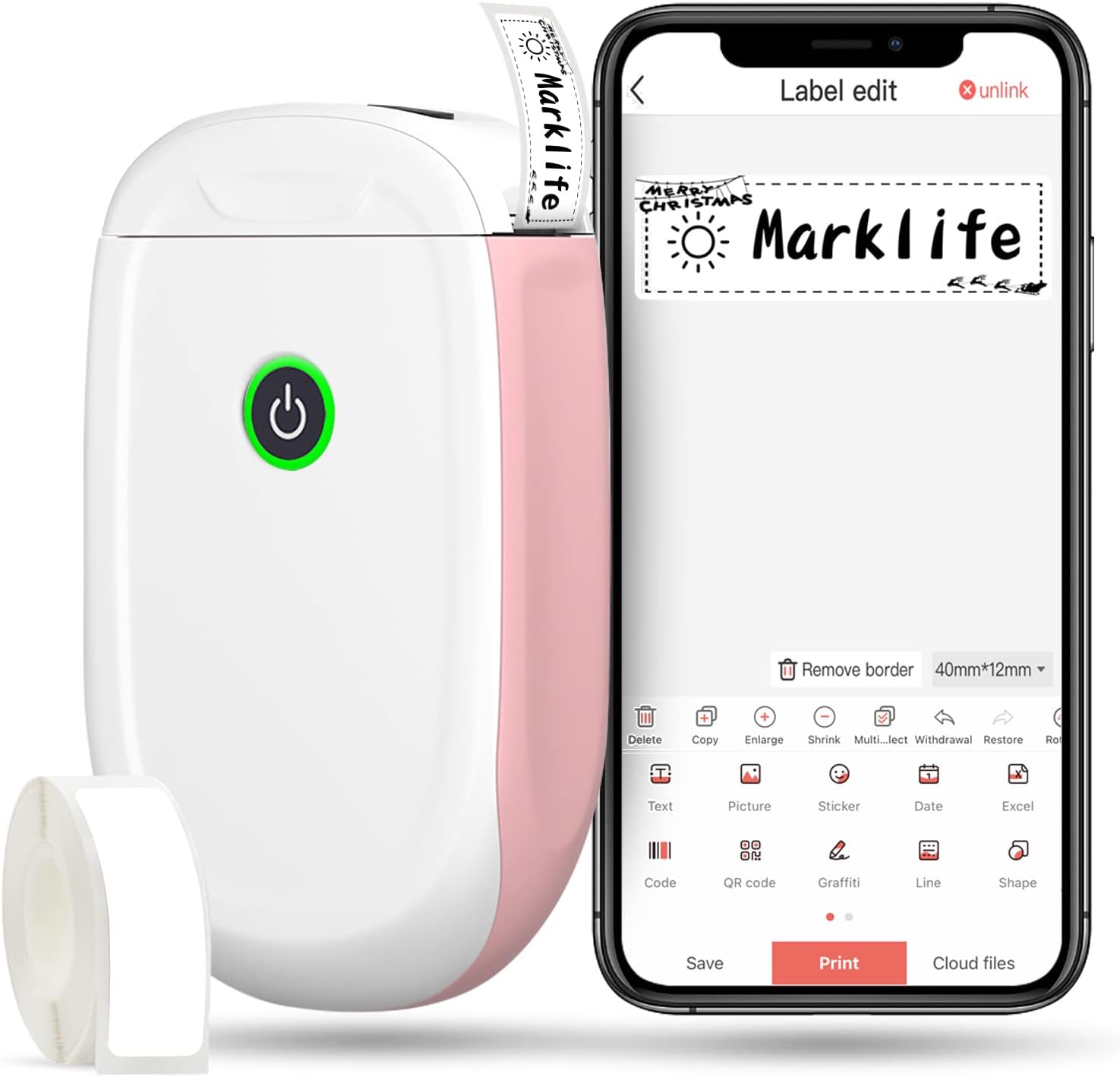
Figure 1: MARKLIFE P50 Label Maker and companion app.
Kurulum Kılavuzu
Follow these steps to set up your MARKLIFE P50 Label Maker:
- Load Label Paper: Open the cover and insert the label roll with the printing side facing up. Close the cover securely.
- Uygulamayı indirin: Arama "Marklife" in your smartphone's app store (available for Android and iOS) and install it.
- Bluetooth'u açın: Akıllı telefonunuzda Bluetooth’u etkinleştirin.
- Cihaza Bağlan: Open the Marklife app, turn on the labeler, and connect to the device via Bluetooth. The device name will typically start with "P11" or "P50".

Figure 2: Quick setup guide for the Marklife P50.
Video 1: Demonstrates the setup and basic usage of the Marklife P11 (similar to P50) label maker, including loading paper, connecting via Bluetooth, and printing a label.
Kullanım Talimatları
Once connected, you can begin creating and printing labels:
- Choose a Template: In the Marklife app, select from various pre-designed templates or start a new blank label.
- Edit Label Content: Double-click on the label area to input text. You can customize font, size, alignment, and add elements like images, icons, dates, or barcodes.
- Önview ve Yazdır: Yazdırmadan önce önview your label to ensure it looks as desired. Then, tap the "Print" button to send the design to the label maker.
- Gelişmiş Özellikler:
- Barcode/QR Code: Generate barcodes or QR codes directly from the app. Exampbarkod: 46745875478655
- Image Recognition (OCR): Use your phone's camera as an OCR scanner within the app to convert text from images into editable label content.
- Toplu Baskı: Print multiple labels from a PDF or a list for efficiency.
- Özelleştirme: Access over 600 combinations of templates, 9 languages, 600+ symbols, 27+ frames, and 15+ fonts.

Figure 3: Customize your own labels with various design elements.

Figure 4: Many designing items available in the app.
Bakım
To ensure the longevity and optimal performance of your MARKLIFE P50 Label Maker, follow these maintenance guidelines:
- Temizlik: Regularly wipe the exterior of the device with a soft, dry cloth. For the print head, use a cotton swab lightly dampened with rubbing alcohol, ensuring the device is off and disconnected from power. Allow it to dry completely before use.
- Depolamak: Etiketleme cihazını serin, kuru ve doğrudan güneş ışığından ve aşırı sıcaklıklardan uzak bir yerde saklayın.
- Etiket Rulosu Bakımı: Keep unused label rolls in their original packaging to protect them from dust and moisture.
- Pil Bakım: For optimal battery life, charge the device regularly, even if not in frequent use. Avoid completely draining the battery for extended periods.

Figure 5: Thermal printing technology requires no ink, simplifying maintenance.

Figure 6: Labels are designed for durability and resistance to water and oil.
Sorun giderme
If you encounter issues with your MARKLIFE P50 Label Maker, try the following solutions:
| Sorun | Olası Neden | Çözüm |
|---|---|---|
| Cihaz açılmıyor. | Pil zayıf. | Sağlanan USB kablosunu kullanarak cihazı şarj edin. |
| Bluetooth üzerinden bağlantı kurulamıyor. | Bluetooth is off on phone/device, or device is out of range. | Ensure Bluetooth is enabled on your phone and the label maker is within 33 feet. Restart both devices. |
| Baskı kalitesi düşük veya etiketler boş. | Incorrect label paper loading, dirty print head, or low battery. | Re-load label paper correctly. Clean the print head. Charge the device. |
| Uygulama çöküyor veya donuyor. | Software glitch or outdated app version. | Restart the app. Check for app updates in your app store. Reinstall the app if necessary. |
| Labels not feeding correctly. | Paper jam or incorrect paper type. | Open the cover and clear any jammed paper. Ensure you are using compatible Marklife label rolls. |
Özellikler
| Özellik | Detay |
|---|---|
| Model Adı | P50 |
| Marka | MARKLIFE |
| Baskı Teknolojisi | Termal |
| Bağlantı Teknolojisi | Bluetooth |
| Yazıcı Çıktısı | Monochrome (Black ink) |
| Maksimum Baskı Hızı (Siyah Beyaz) | 30 ppm |
| Maksimum Medya Boyutu | 3 x 5 inç |
| Etiket Genişliği Aralığı | 0.59'' - 2.24'' |
| Ürün Ağırlığı | 9.6 ons (272 Gram) |
| Ürün Boyutları | 3.14 x 5.5 x 1.18 inç (yaklaşık 7.5 x 13.6 x 2.8 cm) |
| Uyumlu Cihazlar | Android & iOS mobile devices, Windows PC (via USB) |
| Dahil Bileşenler | Label Maker, Label Tape |
Uygulamalar
The MARKLIFE P50 Label Maker is versatile and can be used in various scenarios:
- Ev Organizasyonu: Labeling spice jars, storage containers, baby items, and personal belongings.
- Ofis kullanımı: Organize etmek files, marking cables, labeling office tools, and creating name tags. Eskiampbarkod: 6953124066961
- Küçük İşletme: Fiyat oluşturma tags, product labels, barcode labels, and shipping labels for retail, clothing, and jewelry.
- Kişisel Kullanım: Labeling gifts, creating custom stickers, and marking food expiration dates.
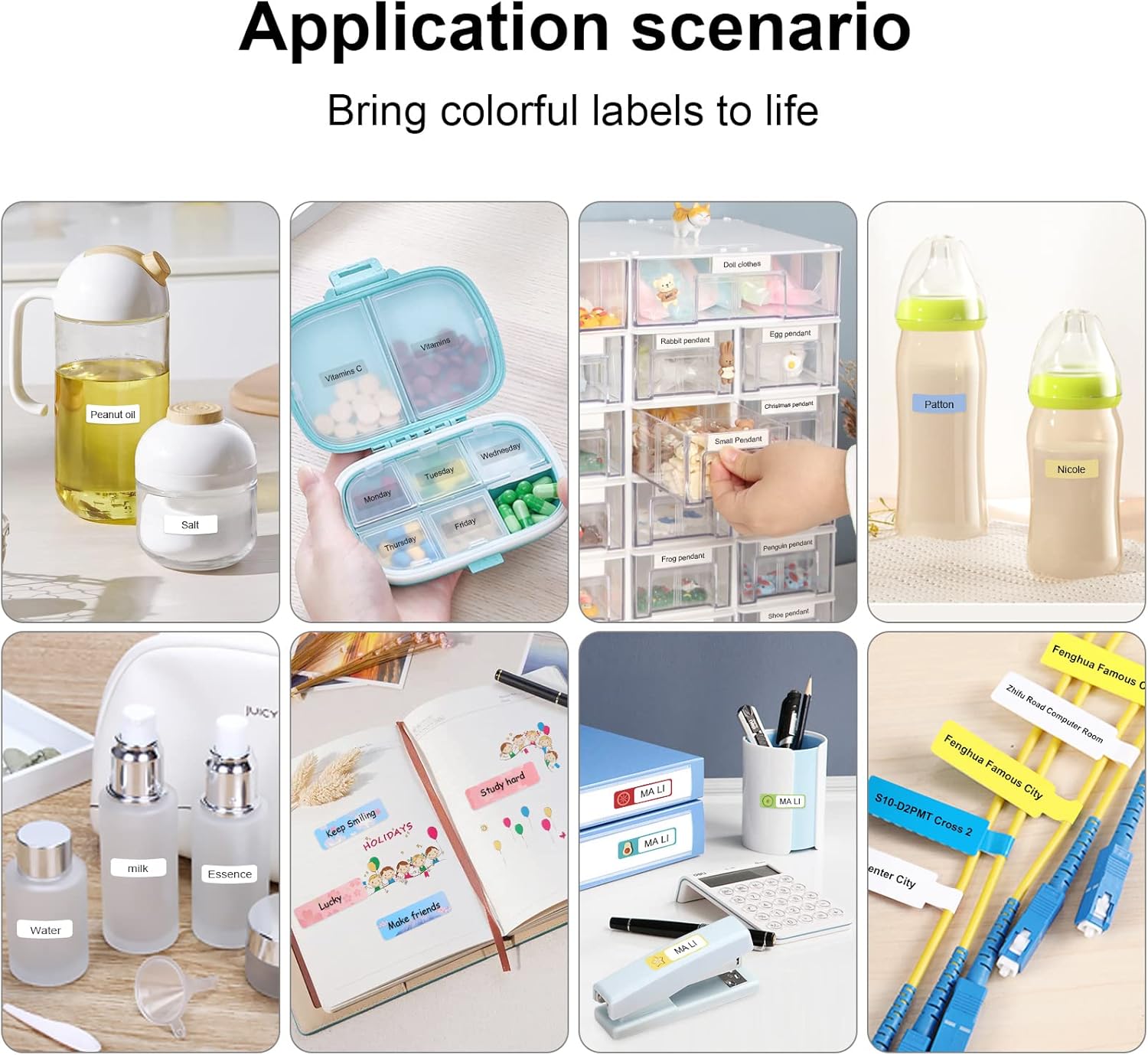
Figure 7: Diverse application scenarios for home and personal use.
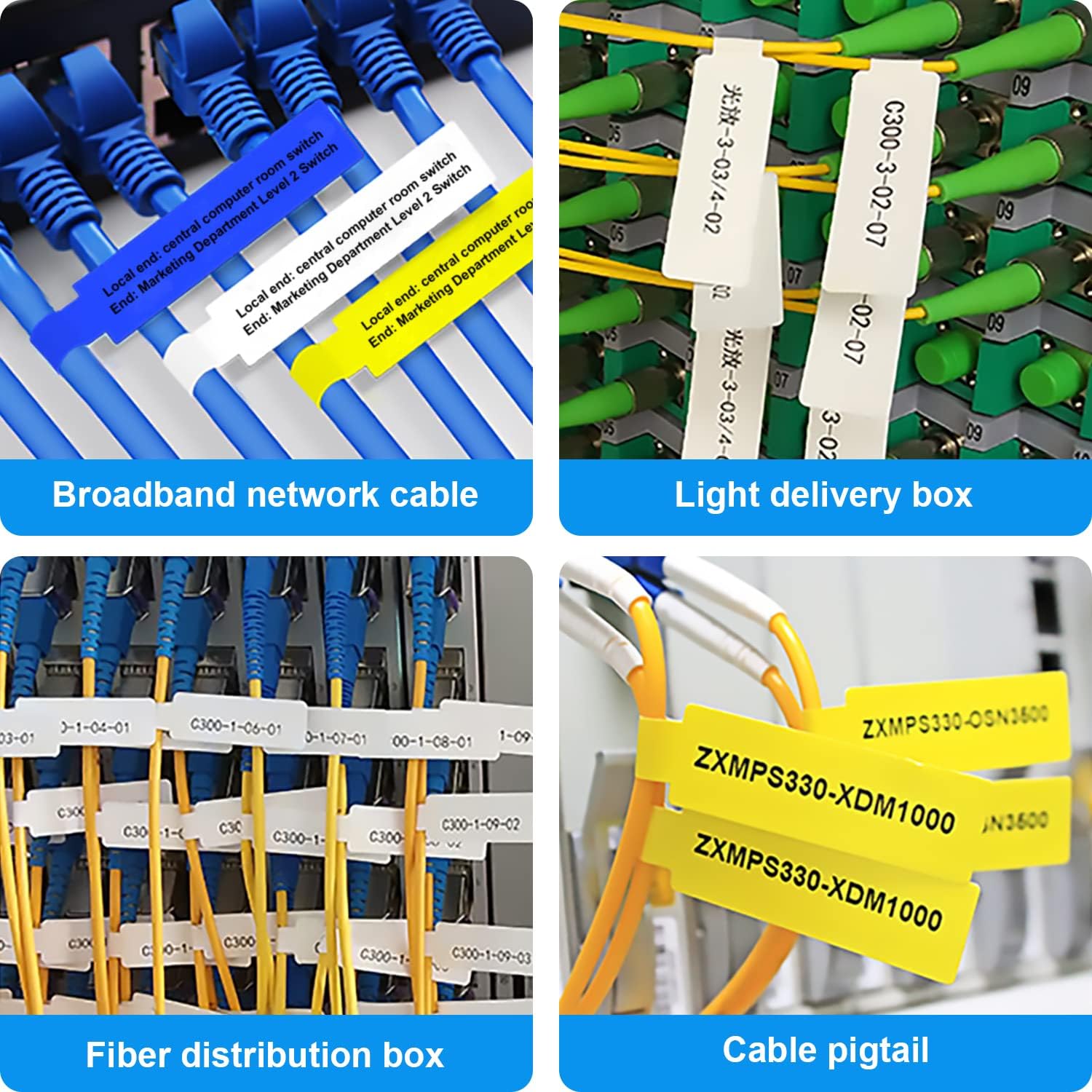
Figure 8: Labeling solutions for various types of cables and wiring.

Figure 9: Practical applications for office organization.

Figure 10: Creative uses for gift labeling.
Garanti ve Destek
MARKLIFE products are designed for reliability and performance. For specific warranty information and support, please refer to the warranty card included with your product or visit the official MARKLIFE website. For common inquiries, please consult the troubleshooting section of this manual or the FAQ section within the Marklife app.
You can also visit the official MARKLIFE store on Amazon for more information and product updates: MARKLIFE Store.


