Crosscall CORE-M5 User Manual
Modeli: 1001011101114
giriiş
This manual provides comprehensive instructions for the setup, operation, maintenance, and troubleshooting of your Crosscall CORE-M5 rugged smartphone. Designed for durability and performance in challenging environments, the CORE-M5 is built to withstand various conditions while providing essential communication and smart device functionalities.
Cihazınızın düzgün çalışmasını sağlamak ve kullanım ömrünü uzatmak için lütfen kullanmadan önce bu kılavuzu dikkatlice okuyun.
Paket İçeriği
Paketi açtığınızda, tüm öğelerin mevcut olduğundan emin olun:
- Crosscall CORE-M5 Device
- USB Şarj Kablosu
- Hızlı Başlangıç Kılavuzu
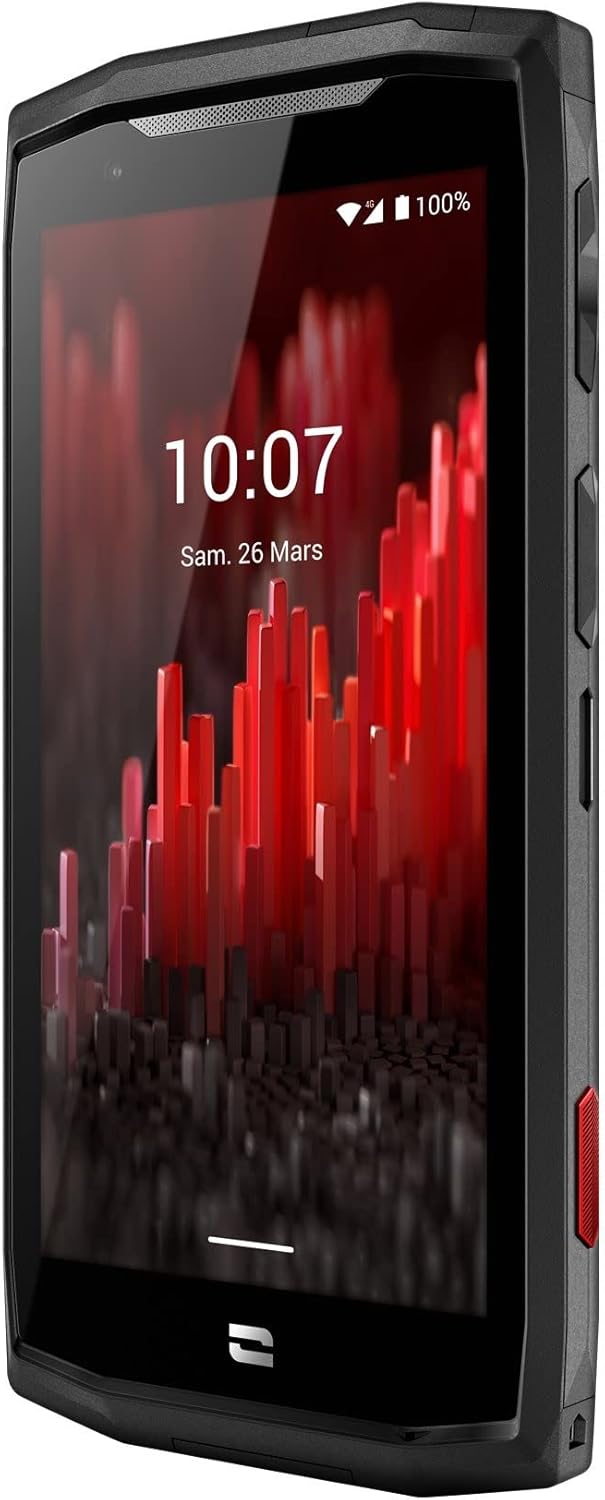
Resim: Ön açılı view of the Crosscall CORE-M5 device, highlighting its robust design and display.
Kurmak
1. Inserting the SIM Card and Memory Card
The CORE-M5 supports SIM cards for cellular connectivity and an optional memory card for expanded storage. Locate the SIM/memory card tray on the side of the device.
- Cihazı tamamen kapatın.
- Use the provided SIM ejector tool (or a small paperclip) to open the SIM/memory card tray.
- Carefully place your SIM card(s) and/or memory card into the designated slots on the tray, ensuring correct orientation as indicated on the tray.
- Tepsiyi yerine oturana kadar yavaşça cihazın içine doğru itin.

Image: A user demonstrating the insertion of a SIM card into the device's slot.
2. İlk Şarj
Before first use, it is recommended to fully charge your CORE-M5.
- USB şarj kablosunu cihazın şarj portuna bağlayın.
- Connect the other end of the cable to a compatible USB power adapter or a computer's USB port.
- The charging indicator on the screen will show the charging status. Allow the device to charge until the battery icon indicates a full charge.
3. Güç Açma ve İlk Yapılandırma
- Press and hold the Power button (usually located on the side) until the Crosscall logo appears.
- Dil seçimi, Wi-Fi bağlantısı, Google hesabı kurulumu ve güvenlik ayarları dahil olmak üzere ilk kurulumu tamamlamak için ekrandaki talimatları izleyin.
Operating the CORE-M5
Temel Gezinme
- Dokunmatik ekran: Navigate the device using taps, swipes, and pinch gestures on the 4.95-inch touchscreen display.
- Güç Düğmesi: Press to turn the screen on/off, or press and hold to power off/restart the device.
- Ses Düğmeleri: Medya sesini, arama sesini veya zil sesi seviyesini ayarlayın.
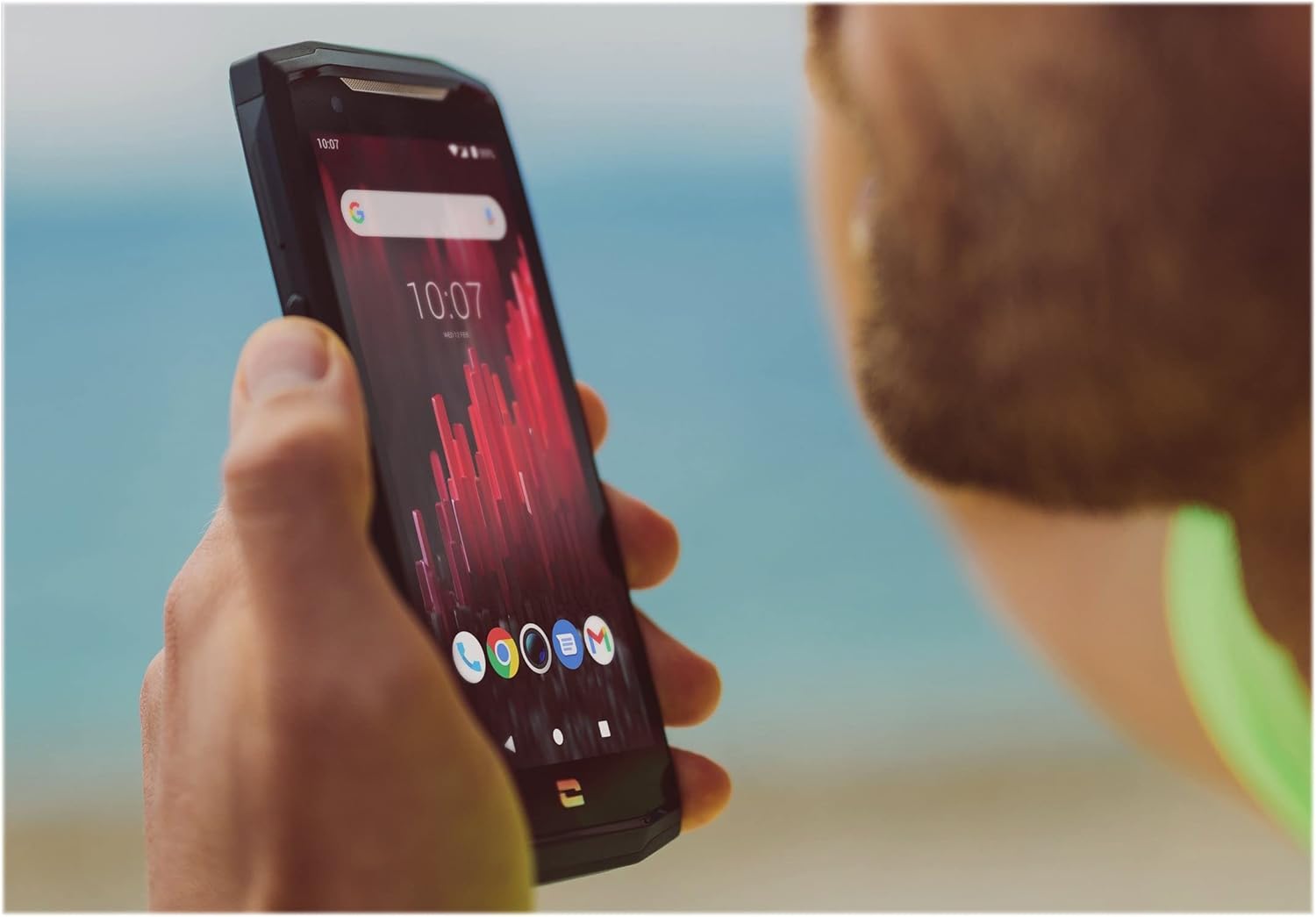
Image: The CORE-M5 in use, demonstrating its compact size and clear display for outdoor visibility.
Bağlantı
- Wifi: Kablosuz ağlara bağlanmak için Hızlı Ayarlar panelinden veya Ayarlar uygulamasından Wi-Fi ayarlarına erişin.
- Bluetooth: Pair with Bluetooth devices such as headphones, speakers, or other smartphones via the Bluetooth settings.
- USB BAĞLANTI: Connect the device to a computer using the USB cable for data transfer or charging.
- Hücresel Veri: Enable or disable mobile data from the Quick Settings or Network & Internet settings. Supports 2G and 3G cellular technologies.
Kamera İşlevselliği
The CORE-M5 features both front and rear cameras for capturing photos and videos.
- Ana ekrandan veya uygulama çekmecesinden Kamera uygulamasını açın.
- Tap the shutter button to take a photo or switch to video mode to record.
- Ekrandaki kontrolleri kullanarak ön ve arka kameralar arasında geçiş yapabilir, yakınlaştırmayı ayarlayabilir veya filtre uygulayabilirsiniz.
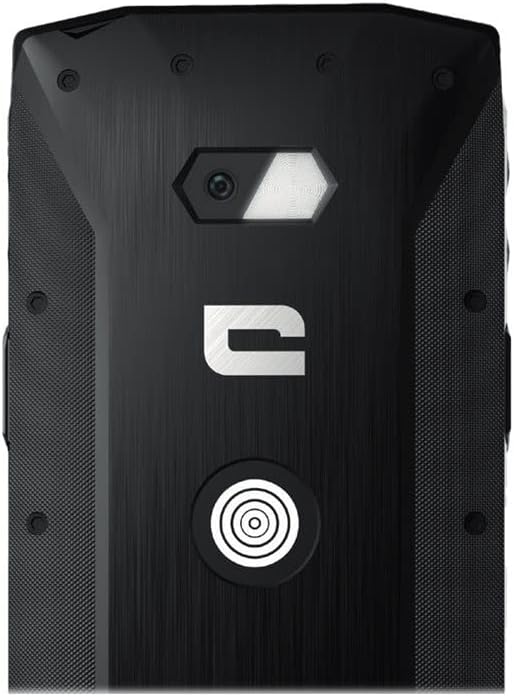
Resim: Ayrıntılı view of the CORE-M5's rear, highlighting the camera module and the X-Link magnetic connection system.
X-Link System
The CORE-M5 is equipped with Crosscall's X-Link magnetic connection system on the back, allowing for easy attachment of compatible accessories such as chargers, mounts, and external batteries.
- Align the X-Link accessory with the magnetic connector on the back of your CORE-M5.
- The magnets will guide the accessory into place, ensuring a secure connection.

Image: The CORE-M5 securely mounted in a vehicle, demonstrating the utility of the X-Link system for hands-free use.
Bakım
- Temizlik: Yumuşak bir d kullanınamp cloth to clean the device. Avoid harsh chemicals or abrasive materials. Ensure all ports are closed before cleaning if exposed to water.
- Su ve Toz Direnci: The CORE-M5 is designed to be rugged. However, ensure all port covers are securely closed to maintain water and dust resistance. Avoid prolonged submersion beyond specified limits.
- Pil Bakım: To prolong battery life, avoid extreme temperatures. Do not allow the battery to fully discharge frequently.
- Yazılım Güncellemeleri: En iyi performansı ve güvenliği sağlamak için sistem güncellemelerini düzenli olarak kontrol edin ve yükleyin.
Sorun giderme
| Sorun | Olası Neden | Çözüm |
|---|---|---|
| Cihaz açılmıyor | Düşük pil; yazılım çökmesi | Cihazı en az 30 dakika şarj edin. Güç düğmesini 10-15 saniye basılı tutarak zorunlu yeniden başlatma işlemini gerçekleştirin. |
| Ekran tepkisiz | Geçici yazılım hatası | Cihazı yeniden başlatın. Yanıt vermezse, zorunlu yeniden başlatma işlemi gerçekleştirin. |
| Poor call quality / No network | Weak signal; incorrect SIM insertion; network issue | Move to an area with better signal. Reinsert the SIM card. Contact your network provider. |
| Uygulamalar çöküyor veya donuyor | Insufficient memory; app conflict; outdated software | Close background apps. Clear app cache/data. Update apps and system software. Free up storage space. |
Özellikler
| Özellik | Detay |
|---|---|
| Model Adı | 1001011101114 |
| Marka | Çapraz çağrı |
| İşletim Sistemi | Android |
| CPU Modeli | Korteks |
| Ekran Boyutu | 4.95 inç |
| Çözünürlük | 1026x513 |
| Veri deposu | 3 GB |
| Bellek Depolama Kapasitesi | 32 GB |
| Pil Kapasitesi | 4000 mAh |
| Telefon Konuşma Süresi | 24 Saat |
| Bağlantı | Bluetooth, Wi-Fi, USB |
| Hücresel Teknoloji | 2G, 3G |
| Kablosuz Taşıyıcı | Kilidi Açıldı |
| Kameralar | Arka ön |
| Renk | Siyah |
| Ürün Boyutları | 4.25 x 0.79 x 4.25 inç |
| Ürün Ağırlığı | 8 ons (226.6 Gram) |
| İlk Mevcut | 21 Eylül 2021 |
Garanti ve Destek
Crosscall products are known for their durability and come with a manufacturer's warranty. For specific warranty terms and conditions, please refer to the warranty card included with your product or visit the official Crosscall webalan.
For technical support, troubleshooting assistance, or service requests, please contact Crosscall Customer Service through their official channels. Have your product model number (1001011101114) and purchase information ready when contacting support.
Official Crosscall Webalan: www.crosscall.com


