giriiş
This manual provides detailed instructions for the setup, operation, maintenance, and troubleshooting of your ECHTPower Wireless Bluetooth Ergonomic Vertical Mouse. Please read this manual thoroughly before using the device to ensure proper functionality and longevity.

Image: The ECHTPower Wireless Bluetooth Ergonomic Vertical Mouse, showing its vertical design and the included USB receiver.
Ürün Özellikleri
- Ergonomik Dikey Tasarım: Designed to reduce wrist and forearm strain, promoting a natural hand posture.
- Üç Modlu Bağlantı: Supports dual Bluetooth 5.0 connections and a 2.4GHz wireless USB connection, allowing control of up to three devices.
- Ayarlanabilir DPI: Switch between 1000, 1600, and 2400 DPI settings for precise cursor control.
- Şarj Edilebilir Pil: Built-in 700mAh battery provides up to 150 hours of continuous use on a 2-hour charge via Type-C port.
- Sessiz Tıklama Düğmeleri: Main left and right click buttons are designed for quiet operation, reducing noise by 90% compared to traditional mice.
- 7 Düğme: Includes left click, right click, scroll wheel, DPI switch, forward, back, and device switch buttons.

Image: Comparison showing the natural wrist posture with the ergonomic vertical mouse versus the bent wrist posture with a traditional mouse.

Image: The mouse demonstrating its ability to connect to three different devices simultaneously via 2.4G and dual Bluetooth modes.
Paket İçeriği
- ECHTPower Wireless Bluetooth Ergonomic Vertical Mouse
- USB Receiver (stored in the mouse's bottom compartment)
- USB-C Şarj Kablosu
- Kullanım Kılavuzu (bu belge)
Kurulum Kılavuzu
1. Fareyi Şarj Etme
Before first use, it is recommended to fully charge the mouse. Connect the provided USB-C charging cable to the Type-C port on the front of the mouse and the other end to a USB power source (e.g., computer USB port, USB wall adapter).
- The LED light will indicate charging status.
- Tam şarj yaklaşık 2 saat sürüyor.
- The mouse can be used for up to 150 hours on a full charge (with lights off state).
- If the battery is low, the indicator light will blink.

Image: The mouse being charged via its Type-C port, highlighting the 700mAh battery capacity and 2-hour charging time.
2. Fareyi Bağlama
The ECHTPower mouse supports three connection modes: 2.4GHz Wireless USB and two Bluetooth 5.0 channels (BT1 and BT2).
- Güç Açık: Farenin altındaki güç düğmesini bulun ve "AÇIK" konumuna getirin.
- Bağlantı Modunu Seçin: Press the "Device Switch Button" on the bottom of the mouse to cycle through the modes:
- 2.4 GHz Modu: The indicator light will show a specific color (refer to troubleshooting if not). Insert the USB receiver into an available USB port on your computer. The mouse should connect automatically.
- Bluetooth 1 (BT1) Mode: The indicator light will show a specific color. Press and hold the device switch button for 3-5 seconds until the indicator light flashes rapidly, indicating pairing mode.
- Bluetooth 2 (BT2) Mode: The indicator light will show a specific color. Press and hold the device switch button for 3-5 seconds until the indicator light flashes rapidly, indicating pairing mode.
- Pairing via Bluetooth (for BT1/BT2 modes):
- On your device (PC, Laptop, Mac, Tablet), go to Bluetooth settings.
- Arama yeni cihazlar.
- Select "ECHTPower Mouse" (or similar name) from the list of available devices.
- Confirm pairing. The indicator light on the mouse will stop flashing and remain solid once connected.
To switch between connected devices, simply press the "Device Switch Button" on the bottom of the mouse.

Resim: Ayrıntılı view of the mouse's underside, indicating the location of the power switch, device switch button, optical lens, and the compartment for the USB receiver.
Kullanım Talimatları
Düğme Fonksiyonları
| Düğme | İşlev |
|---|---|
| Sol Tıklama Düğmesi | Standard left mouse click. Silent operation. |
| Sağ Tıklama Düğmesi | Standard right mouse click. Silent operation. |
| Kaydırma Tekerleği | Yukarı/aşağı kaydırma, orta tıklama. |
| DPI Anahtarı Düğmesi | Cycles through DPI settings: 1000, 1600, 2400. |
| İleri Düğmesi | İleriye doğru gezinir web tarayıcılar veya file kaşifler. |
| Geri Düğmesi | Geriye doğru gezinir web tarayıcılar veya file kaşifler. |
| Device Switch Button (bottom) | Switches between 2.4GHz, Bluetooth 1, and Bluetooth 2 modes. Long press to enter Bluetooth pairing mode. |

Resim: Ön ve yan views of the mouse with labels for the DPI switch button, roller, left button, right button, forward button, back button, and LED light.
DPI'yı ayarlama
Press the DPI switch button located on the top of the mouse, behind the scroll wheel, to cycle through the available DPI settings: 1000, 1600, and 2400. Each press will change the cursor sensitivity, allowing you to select the speed that best suits your needs.

Image: A visual representation of the DPI adjustment feature, indicating the three selectable DPI levels.
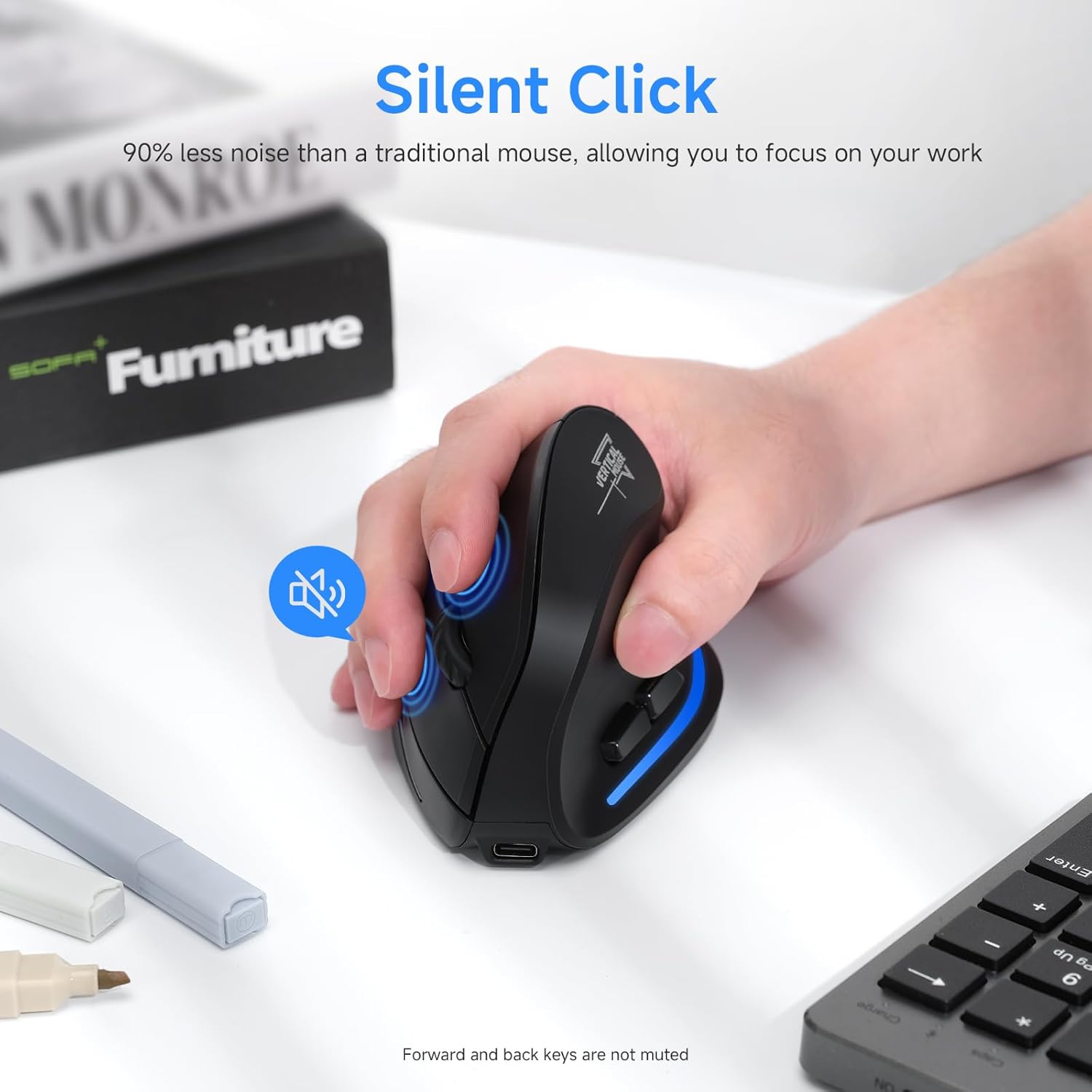
Image: A user's hand on the mouse, highlighting the silent click functionality of the main buttons. Note that forward and back keys are not muted.
Bakım
- Temizlik: Fareyi temizlemek için yumuşak ve kuru bir bez kullanın. İnatçı kirler için hafifçe kurulayın.amp bez kullanılabilir, ancak cihazın içine nem girmemesine dikkat edin. Sert kimyasallar veya aşındırıcı temizleyiciler kullanmayın.
- Depolamak: Uzun süre kullanılmadığında fareyi serin ve kuru bir yerde saklayın. Pil ömrünü korumak için fareyi kapatmanız önerilir.
- Pil Bakım: To prolong battery life, avoid fully discharging the mouse frequently. Charge it when the low battery indicator blinks.
- USB Alıcı: When transporting the mouse, store the USB receiver in its designated compartment on the bottom of the mouse to prevent loss.
Sorun giderme
| Sorun | Olası Neden | Çözüm |
|---|---|---|
| Fare yanıt vermiyor | Low battery; Mouse is off; Incorrect connection mode; USB receiver not properly inserted (2.4GHz mode); Bluetooth not paired (BT mode). | Charge the mouse; Turn on the mouse; Switch to the correct connection mode (2.4GHz, BT1, BT2); Re-insert USB receiver; Re-pair Bluetooth. |
| İmleç hareketi düzensiz veya yavaş | Low battery; Dirty optical sensor; Surface not suitable for optical mouse; DPI setting too low. | Charge the mouse; Clean the optical sensor with a soft cloth; Use a mouse pad or a non-reflective, opaque surface; Increase DPI setting. |
| Bluetooth üzerinden bağlanılamıyor | Mouse not in pairing mode; Bluetooth on device is off; Interference; Already connected to another device. | Ensure mouse is in BT pairing mode (flashing light); Turn on Bluetooth on your device; Move closer to the device; Disconnect from other devices. |
| Düğmeler çalışmıyor | Software conflict; Mouse malfunction. | Restart your computer; Try the mouse on another device; If problem persists, contact customer support. |
Özellikler
- Modeli: SB-F35B
- Bağlantı: 2.4GHz Wireless, Bluetooth 5.0 (BT1, BT2)
- DPI Ayarları: 1000 / 1600 / 2400
- Pil Kapasitesi: 700mAh Şarj Edilebilir Lityum Pil
- Şarj Süresi: Yaklaşık 2 saat
- Çalışma Süresi: Up to 150 hours (with lights off)
- Düğme Sayısı: 7 (Left, Right, Scroll Wheel, DPI, Forward, Back, Device Switch)
- El Yönelimi: Left (Note: Product images depict a right-handed mouse design.)
- Ürün Ağırlığı: 6.2 ons
- Boyutlar (UxGxY): Yaklaşık 4.33 x 2.83 x 2.95 inç (110 mm x 72 mm x 75 mm)
- Uyumluluk: PC, Laptop, Mac, Windows (and other Bluetooth-enabled devices)
Resim: Ayrıntılı view of the mouse's underside, indicating the location of the power switch, device switch button, optical lens, and the compartment for the USB receiver.
Resim: Ön ve yan views of the mouse with labels for the DPI switch button, roller, left button, right button, forward button, back button, and LED light, along with dimensions.
Garanti ve Destek
ECHTPower products are designed for reliability and performance. For warranty information and technical support, please refer to the official ECHTPower websiteye gidin veya doğrudan müşteri hizmetleriyle iletişime geçin.
İletişim Bilgileri:
- Webalan: Amazon'daki ECHTPower Mağazasını ziyaret edin.
- For further assistance, please consult the product listing page or contact the seller directly through Amazon's messaging system.


