giriiş
Thank you for choosing Soundcore Life A3i Noise Cancelling Wireless Earbuds. This manual provides essential information for setting up, operating, and maintaining your earbuds to ensure optimal performance and longevity.
The Soundcore Life A3i earbuds are designed to deliver a superior audio experience with advanced features:
- Güçlü Ses: Equipped with 10mm oversized drivers and BassUp technology for deep, thumping bass.
- Hibrit Aktif Gürültü Önleme (ANC): Reduces external noise by up to 35dB, allowing for immersive listening.
- Şeffaflık Modu: Sesin keyfini çıkarırken çevrenize dikkat edin.
- Yapay Zeka Destekli Aramalar: Six dedicated microphones and an AI algorithm ensure clear calls even in noisy environments.
- Uzatılmış Çalma Süresi: Up to 10 hours on a single charge, and a total of 40 hours with the compact charging case (ANC off).
- Hızlı Şarj: 10 minutes of charge provides 2 hours of playback.
- Soundcore Uygulaması Özelleştirme: Access 22 preset EQ settings and personalize your sound profile.
- Çift Bağlantılar: Eşleştirilmiş iki cihaz arasında sorunsuz bir şekilde geçiş yapın.
- Su geçirmez: IPX5-rated protection against sweat, rain, and water splashes.
Kutuda Neler Var?
Your Soundcore Life A3i package includes the following items:
- Soundcore Life A3i Gürültü Önleyici Kulaklıklar
- Şarj Kutusu
- S/M/L Ear Tips (one set pre-installed)
- USB-C Kablosu
- Hızlı Başlangıç Kılavuzu (QSG)
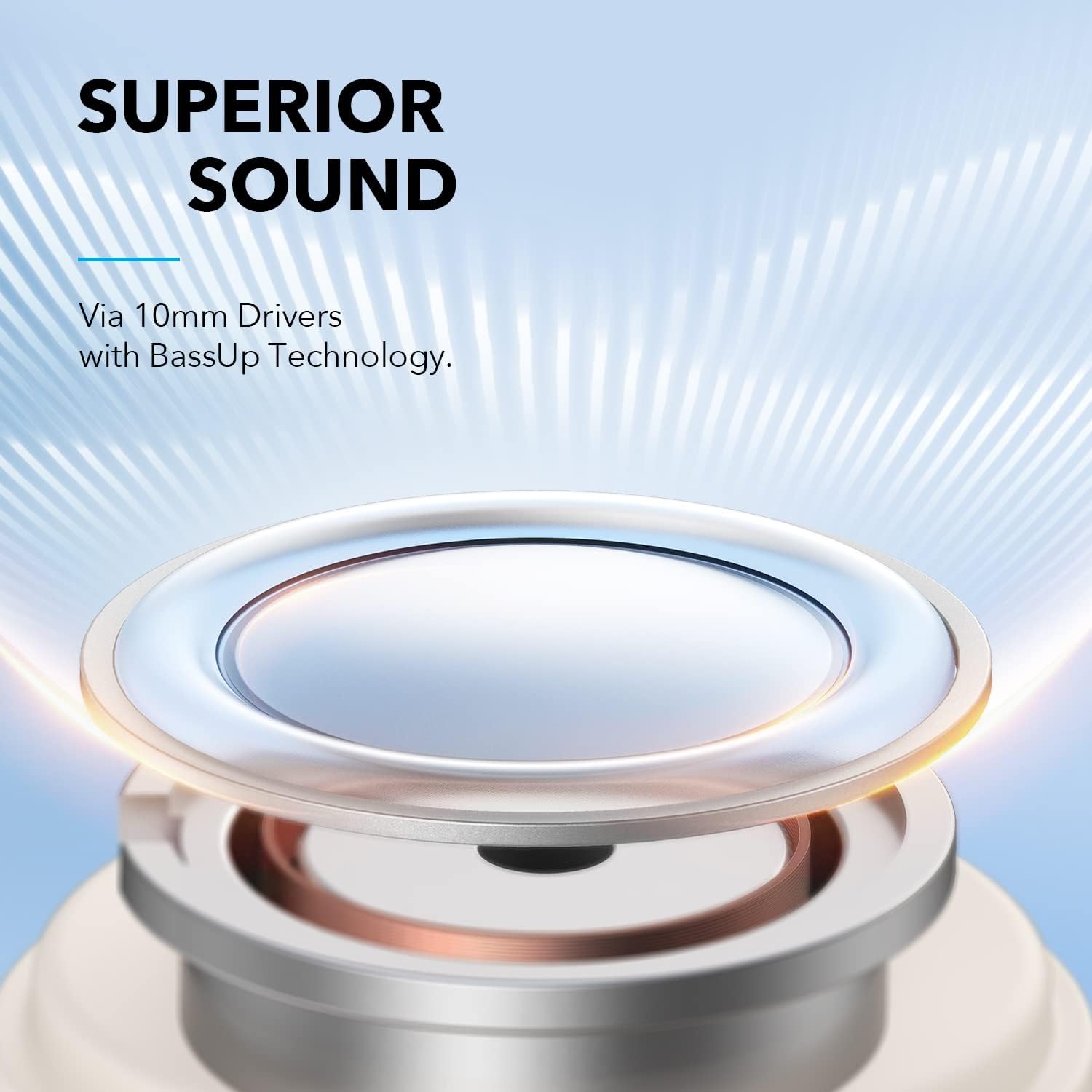
Image: The Soundcore Life A3i earbuds in their charging case, alongside the USB-C charging cable and extra ear tips.
Kurmak
1. İlk Ücret
Before first use, ensure your earbuds and charging case are fully charged. Connect the provided USB-C cable to the charging port on the case and a power source. The LED indicators on the case will show charging status.

Image: The Soundcore Life A3i charging case with its lid open, showing the earbuds inside and LED indicator lights on the front of the case.
2. Koruyucu Filmi Çıkarın
Upon unboxing, remove the protective film from the charging contacts on both earbuds. Place the earbuds back into the charging case and close the lid to activate them.
3. Cihazınızla Eşleştirme
- Şarj kutusunu açın. Kulaklıklar, yanıp sönen LED ışıklarla gösterilen eşleştirme moduna otomatik olarak geçecektir.
- Cihazınızda (akıllı telefon, tablet, dizüstü bilgisayar) Bluetooth ayarlarına gidin.
- Select "Soundcore Life A3i" from the list of available devices.
- Once connected, the LED indicators on the earbuds will turn solid blue.
Image: A hand holding the Soundcore Life A3i charging case open, next to a smartphone screen showing "Soundcore Life A3i Connected" in the Bluetooth settings.
4. Nasıl Giyilir
Choose the ear tips that provide the best fit for optimal noise cancelling performance and comfort. Gently insert the earbuds into your ears and rotate them until they fit snugly and securely.
Image: A diagram illustrating the correct way to insert the earbud into the ear canal for a secure fit and the incorrect way, which can affect noise reduction.
Kullanım Talimatları
Kontroller
The Soundcore Life A3i offers physical buttons for control. Customize these controls via the Soundcore App.
Image: A diagram detailing the button functions for the left and right earbuds, including actions for pressing once, pressing twice, and pressing and holding for 2 seconds.
- Oynat/Duraklat: Kulaklıklardan birine bir kez basın.
- Sonraki Parça: Press the right earbud twice.
- Önceki parça: Press the left earbud twice.
- Sesi aç: Press the right earbud once.
- Sesi kıs: Press the left earbud once.
- Çağrıyı Cevapla/Sonlandır: Kulaklıklardan birine bir kez basın.
- Çağrıyı Reddet: Kulaklıklardan birine 2 saniye basın.
- Voice Assistant'ı etkinleştirin: Press either earbud for 2 seconds (customizable).
Dinleme Modları
The Soundcore Life A3i offers multiple listening modes to suit your environment:
- Hibrit Aktif Gürültü Önleme (ANC): Press and hold either earbud for 2 seconds to toggle between ANC and Normal mode. This mode significantly reduces ambient noise.
- Normal Mod: No active noise cancellation or transparency.
- Şeffaflık Modu: This mode allows you to hear your surroundings clearly. To activate Transparency Mode, use the Soundcore App.

Image: A person wearing the Soundcore Life A3i earbuds, illustrating the Hybrid Active Noise Cancelling feature in an urban environment.
Soundcore Uygulaması
Download the Soundcore App from your device's app store to unlock full customization options, including:
- Selecting from 22 preset EQ settings or creating custom sound profiles.
- Switching between ANC, Normal, and Transparency modes.
- Customizing earbud button controls.
- Donanım yazılımı güncelleniyor.

Image: A smartphone displaying the Soundcore App interface, highlighting the 22 EQ presets available for sound customization.
Bakım
Proper maintenance ensures the longevity and performance of your Soundcore Life A3i earbuds.
- Temizlik: Regularly clean the earbuds and charging case with a soft, dry, lint-free cloth. Use a cotton swab to gently clean the ear tips and charging contacts.
- Suya Dayanıklılık: Kulaklıklar IPX5 su geçirmezlik derecesine sahiptir, yani ter ve hafif su sıçramalarına karşı dayanıklıdırlar. Suya batırmayın veya şiddetli yağmura maruz bırakmayın. Şarj kutusuna geri koymadan önce tamamen kuruduklarından emin olun.
- Depolamak: Kullanmadığınız zamanlarda kulaklıklarınızı şarj kutusunda saklayarak hem koruyun hem de şarjlı kalmasını sağlayın.
- Aşırı Sıcaklıklardan Kaçının: Do not expose the earbuds or case to extreme temperatures (hot or cold) as this can damage the battery and internal components.
Sorun giderme
If you encounter issues with your earbuds, try the following troubleshooting steps:
- Kulaklıklar eşleşmiyor:
- Ensure the protective film is removed from the charging contacts.
- Place earbuds back in the case, close the lid, then open to re-enter pairing mode.
- Forget "Soundcore Life A3i" from your device's Bluetooth list and try pairing again.
- Bir kulaklıktan ses gelmiyor:
- Place both earbuds back in the charging case and close the lid. Open it again after a few seconds.
- Check the earbud's charging contacts for any debris.
- Kötü ses kalitesi:
- Ensure ear tips provide a secure seal in your ear. Try different sizes.
- Kulaklık uçlarını ve hoparlör ızgaralarını temizleyin.
- Adjust EQ settings in the Soundcore App.
- Noise Cancelling not effective:
- Ensure earbuds are worn correctly and snugly.
- Verify ANC is activated via the Soundcore App or earbud controls.
- Daha iyi bir sızdırma sağlamak için farklı boyutlarda kulaklık uçları deneyin.
- Kulaklıklar şarj olmuyor:
- Şarj kablosunun hem kılıfa hem de güç kaynağına güvenli bir şekilde bağlı olduğundan emin olun.
- Her iki kulaklığın ve kutunun içindeki şarj kontaklarını temizleyin.
- Farklı bir USB-C kablosu ve güç adaptörü deneyin.
Özellikler
| Model Adı | Hayat A3i |
| Model Numarası | A3992021 |
| Sürücü Boyutu | 10 mm x 2 |
| Frekans Tepkisi | 20 Hz - 20 kHz |
| Empedans | 16 Ω |
| Bluetooth Sürümü | 5.2 |
| Bluetooth Menzili | 10 m / 33 ft |
| Çalma Süresi (Kulaklık) | 10 saate kadar (ANC kapalı) |
| Toplam Oynanma Süresi (Kılıflı) | 40 saate kadar (ANC kapalı) |
| Suya Dayanıklılık Derecesi | IPX5 |
| Şarj Portu | USB-C |
| Ürün Ağırlığı | 2.08 ons |
| Ürün Boyutları | 4.53 x 3.54 x 2.76 inç |
Garanti ve Destek
Soundcore şunları sağlar: 18 ay garanti for the Life A3i Noise Cancelling Wireless Earbuds.
For technical support, warranty claims, or additional information, please visit the official Soundcore website or contact their customer service. You can also refer to the Quick Start Guide included in your package for contact details.
For the latest updates and support resources, please visit: www.soundcore.com


