Kullanım Kılavuzu: ANBERNIC RG351M Retro El Oyun Konsolu
Model: RG351M
giriiş
The ANBERNIC RG351M is a portable retro game handheld console designed for an immersive gaming experience. Featuring a 3.5-inch IPS screen and powered by an RK3326 quad-core processor, it supports a wide range of classic game formats. This manual provides essential information for setting up, operating, maintaining, and troubleshooting your device.
Güvenlik Bilgileri
- Cihazı aşırı sıcaklıklara, doğrudan güneş ışığına veya yüksek neme maruz bırakmayın.
- Cihazı düşürmekten veya güçlü darbelere maruz bırakmaktan kaçının.
- Use only the provided USB charging cable and a compatible power adapter (maximum load 2A) for charging.
- Cihazı kendiniz sökmeye veya onarmaya çalışmayın. Yetkili servis personeline başvurun.
- Cihazınızı su ve diğer sıvılardan uzak tutunuz.
- Kullanım ve şarj sırasında uygun havalandırmayı sağlayın.
Paket İçeriği

Image: The ANBERNIC RG351M console, its retail packaging, and the included USB charging cable.
Lütfen kutuyu açtığınızda paket içeriğini kontrol ederek tüm öğelerin mevcut olduğundan emin olun:
- 1 x RG351M Game Console
- 1 x USB Kablosu
- 1 x Kullanım Kılavuzu (bu belge)
- 1 x 64GB TF Card (pre-installed with games)
Ürün Bittiview
Ön View

Resim: Ön view of the RG351M console, highlighting the 3.5-inch IPS screen, D-pad, dual analog joysticks, and action buttons (A, B, X, Y), along with SELECT and START buttons.
- 3.5 inç IPS Ekran: Net görüntüler için yüksek çözünürlüklü ekran.
- Yön Düğmesi: Directional pad for navigation and game control.
- Analog Joystickler: Dual 3D rocker sticks for precise movement.
- Eylem Düğmeleri (A, B, X, Y): Standart oyun giriş tuşları.
- SEÇ Düğmesi: Used for various in-game functions and menu navigation.
- Başlama butonu: Used for pausing games, confirming selections, and menu navigation.
Üst ve Alt Views (Bağlantı Noktaları ve Kontroller)

Image: Top edge of the console, displaying the L1, L2, R1, R2 shoulder buttons, a Type-C OTG port, a 3.5mm earphone jack, and another Type-C port labeled OTG/DC for data transfer and charging.

Image: Bottom edge of the console, showing the TF card slot for expandable storage and the recessed Reset button.
- L1/L2/R1/R2 Düğmeleri: Oyun içi ek kontroller için omuz düğmeleri.
- OTG 1 (C Tipi): USB Type-C port for data transfer.
- 3.5mm Kulaklık Jakı: Kulaklık bağlamak için.
- OTG 2 (Type-C / Charging Port): USB Type-C port for data transfer and charging.
- TF Kart Girişi: For inserting the game TF card (supports up to 256GB).
- Sıfırlama Düğmesi: A small, recessed button to restart the device if it becomes unresponsive.
- Konuşmacılar: Yüksek kaliteli çift korna stereo hoparlörler.
Geri View

Resim: Arka view of the RG351M console, displaying the ANBERNIC logo, model number (RG351M), and battery specifications (Li-Po 3500mAh).
Kurmak
1. İlk Şarj
Before first use, fully charge the console. Connect the provided USB Type-C cable to the OTG 2 (charging) port on the top of the device and the other end to a compatible USB power adapter (not included, recommended 5V/1.3A to 2A). The charging indicator light will illuminate. A full charge typically takes about 4 hours.
2. TF Kartını Takma
The console comes with a 64GB TF card pre-installed with games. If you need to remove or insert the TF card, gently push it into the TF card slot on the bottom of the device until it clicks into place. To remove, push it again until it springs out.
Kullanım Talimatları
Güç Açık/Kapalı
- Açmak İçin: Press and hold the Power button (located on the left side) for a few seconds until the screen illuminates.
- Kapatmak İçin: Press and hold the Power button until a power-off menu appears on the screen. Select "Power Off" or "Shutdown". Alternatively, a quick press of the power button will put the device into sleep mode.
Sistemde Gezinme
The RG351M runs on an open-source Linux system. Use the D-pad or analog joysticks to navigate through menus and game lists. The 'A' button typically confirms selections, and the 'B' button typically goes back.
Oyun Oynamak
Select a game from the main menu. The console supports various game formats including PSP, N64, NDS, PS1, CPS1, CPS2, FBA, NEOGEO, GBA, GBC, GB, SFC, FC, MD, SMS, GG, MSX, PCE, WSC, and transplant games. Refer to specific emulator controls within the system for optimal gameplay.
Wi-Fi Bağlantısı

Image: The RG351M console showing a game in progress, with an overlay graphic indicating fast Wi-Fi connectivity (2.4GHz 802.11b/g/n).
The RG351M supports 2.4GHz Wi-Fi (802.11b/g/n) for online features, such as game updates or online multiplayer (where supported by the game/emulator).
- Sistem ayarları menüsüne gidin.
- Select "Network" or "Wi-Fi settings".
- Wi-Fi'yi etkinleştirin ve listeden istediğiniz ağı seçin.
- İstenirse şifreyi girin.
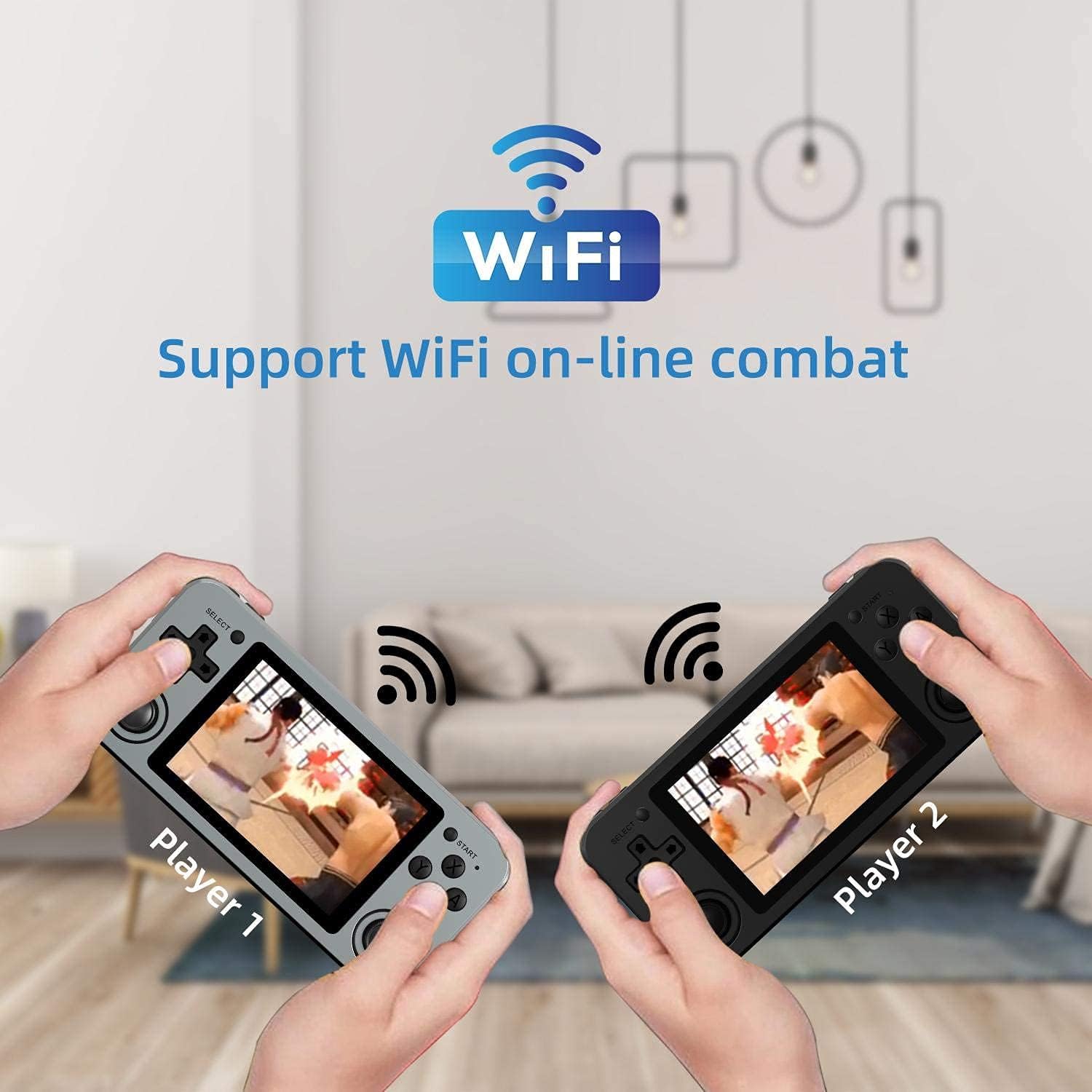
Image: Two RG351M consoles held by hands, illustrating the capability for Wi-Fi online combat between players.
Bakım
- Temizlik: Use a soft, dry cloth to clean the console's exterior. For the screen, use a microfiber cloth specifically designed for electronics. Do not use liquid cleaners directly on the screen.
- Depolamak: When not in use for extended periods, store the console in a cool, dry place, away from direct sunlight.
- Pil Bakım: Pil ömrünü uzatmak için pili sık sık tamamen boşaltmaktan kaçının. Pil sağlığını korumak için, cihaz kullanılmasa bile düzenli olarak şarj edin.
- Yazılım Güncellemeleri: Periodically check for system updates (if available through the open-source community) to ensure optimal performance and compatibility.
Sorun giderme
| Sorun | Olası Çözüm |
|---|---|
| Cihaz açılmıyor. | Pilin şarjlı olduğundan emin olun. Şarj cihazını bağlayın ve tekrar açmayı denemeden önce birkaç dakika bekleyin. |
| Ekran donmuş veya tepkisiz. | Locate the recessed Reset button on the bottom of the device and press it gently with a thin, non-metallic object (e.g., a paperclip) to restart the console. |
| Games are not loading or running slowly. | Ensure the TF card is properly inserted. Some games may require specific emulator settings or may be too demanding for the hardware. Check online communities for compatibility lists or optimization tips. |
| Hoparlörlerden veya kulaklıklardan ses gelmiyor. | Check the volume level using the volume buttons on the right side of the console. Ensure headphones are fully plugged in. Restart the device. |
| Wi-Fi bağlantı sorunları. | Ensure you are within range of a 2.4GHz Wi-Fi network. Double-check the Wi-Fi password. Restart the console and your Wi-Fi router. |
Özellikler
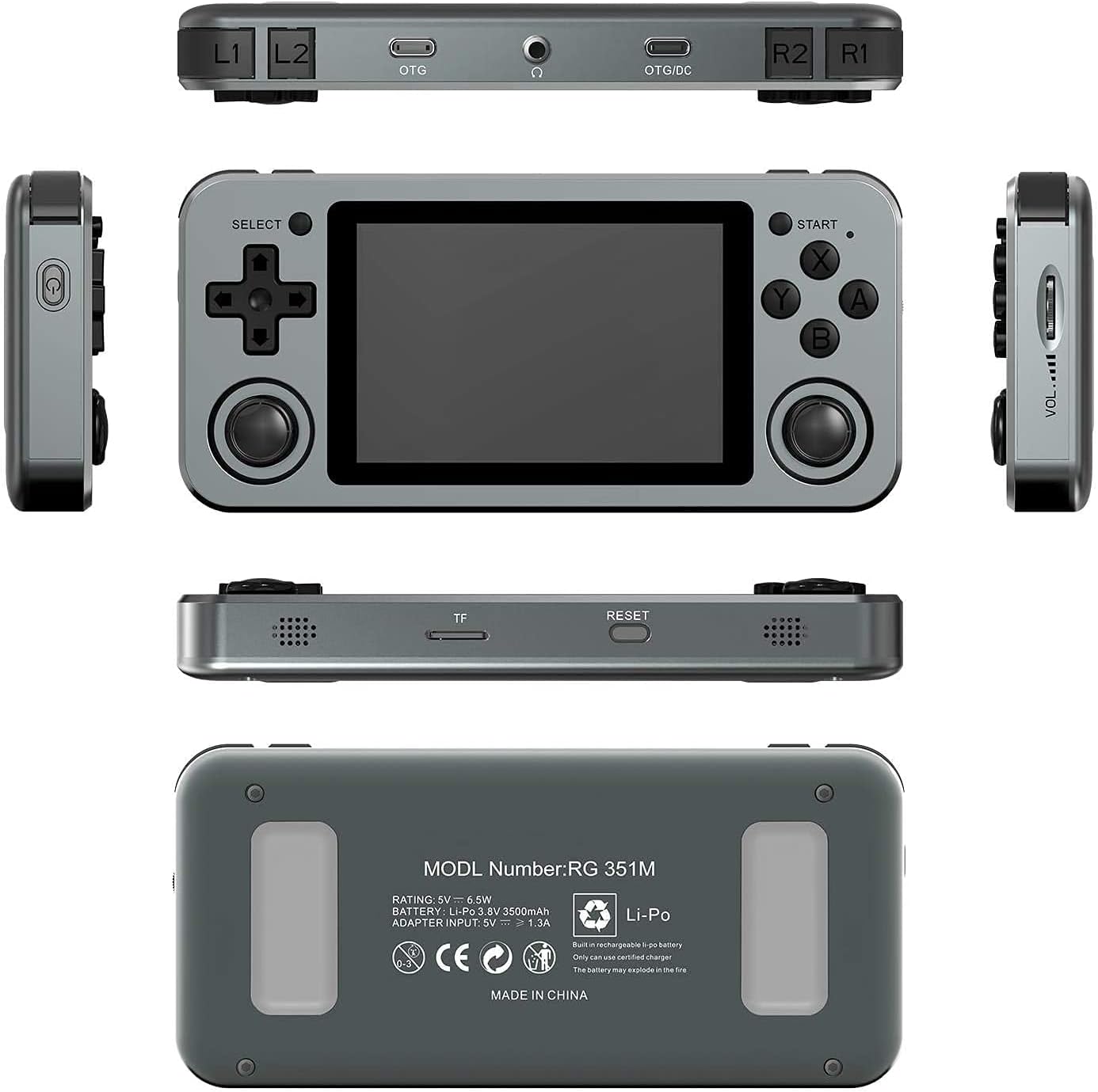
Image: A composite image showing the ANBERNIC RG351M from various angles, including front, top, bottom, sides, and back, providing a comprehensive view of its design and ports.
| Özellik | Detay |
|---|---|
| Örnek | RG351M |
| İşlemci | RK3326 dört çekirdekli 1.5 GHz |
| Grafik işlemcisi | Mali-G31 MP2 |
| Veri deposu | DDR3L 1GB |
| Hafıza | 64GB (TF Card) |
| Ekran | 3.5 inch IPS, OCA full lamination, 320*480 resolution |
| Sistem | Açık kaynak Linux sistemi |
| Pil | Li-polymer 3500 mAh, up to 8 hours battery life |
| Şarj etme | 1.3A charging, max 2A, USB Type-C, 4 hours full charge |
| TF Kart Desteği | Maksimum 256 GB |
| Arayüz | TF Card Slot, 3.5mm Earphone, OTG 1 (Type-C), OTG 2 (Type-C Data/Charging) |
| Boyutlar (Konsol) | 15.2 cm (U) x 7.1 cm (G) x 1.8 cm (Y) |
| Ağırlık (Konsol) | 0.19kg (approx. 6.7 oz) |
Garanti ve Destek
For warranty information and technical support, please refer to the retailer or the official ANBERNIC website. Keep your proof of purchase for warranty claims. This manual provides general guidance; specific software-related issues may require consulting community forums or official support channels.