1. Giriş ve Üzeriview
The XFX Speedster QICK308 Radeon RX 6600 XT is a high-performance gaming graphics card designed to deliver an exceptional visual experience. Featuring AMD's RDNA 2 architecture, 8GB of GDDR6 memory, and a robust triple-fan cooling system, this card is engineered for smooth gameplay and efficient operation. Its aerodynamic design prioritizes airflow to maintain optimal temperatures and performance during intensive use.

Şekil 1: Açısal view of the XFX Speedster QICK308 Radeon RX 6600 XT Graphics Card.
2. Kurulum ve Kurulum
2.1 Paket İçeriği
- XFX Speedster QICK308 Radeon RX 6600 XT Graphics Card
- Driver CD (Note: Latest drivers are recommended from the AMD webSite)
2.2 Kurulum Öncesi Kontrol Listesi
- Güç Kaynağı: Güç kaynağı ünitenizin (PSU) minimum watt gereksinimlerini karşıladığından emin olun.tage requirement for the RX 6600 XT (typically 500W or higher, consult your PSU manual).
- Anakart: Verify your motherboard has an available PCI Express x16 slot.
- Dava Temizliği: Check your PC case for adequate space to accommodate the card's dimensions (approximately 10.79 x 4.49 x 1.97 inches).
- Existing Drivers: Uninstall any previous graphics card drivers before installing the new hardware.
2.3 Fiziksel Kurulum Adımları
- Kapat: Shut down your computer and unplug it from the power outlet.
- Davayı Aç: Bilgisayar kasanızın yan panelini çıkarın.
- PCIe Yuvasını Bulun: Identify an available PCI Express x16 slot on your motherboard. Remove any expansion slot covers from the back of the case that correspond to the card's position.
- Grafik Kartını Takın: Carefully align the graphics card with the PCIe slot and press down firmly until it is securely seated. You should hear a click from the slot's retention clip.
- Güvenli Kart: Use screws or the case's locking mechanism to secure the graphics card to the case's expansion slot bracket.
- Gücü bağlayın: Connect the required PCIe power connectors from your PSU to the graphics card. The RX 6600 XT typically requires one 8-pin PCIe power connector.
- Davayı Kapat: Bilgisayar kasanızın yan panelini değiştirin.
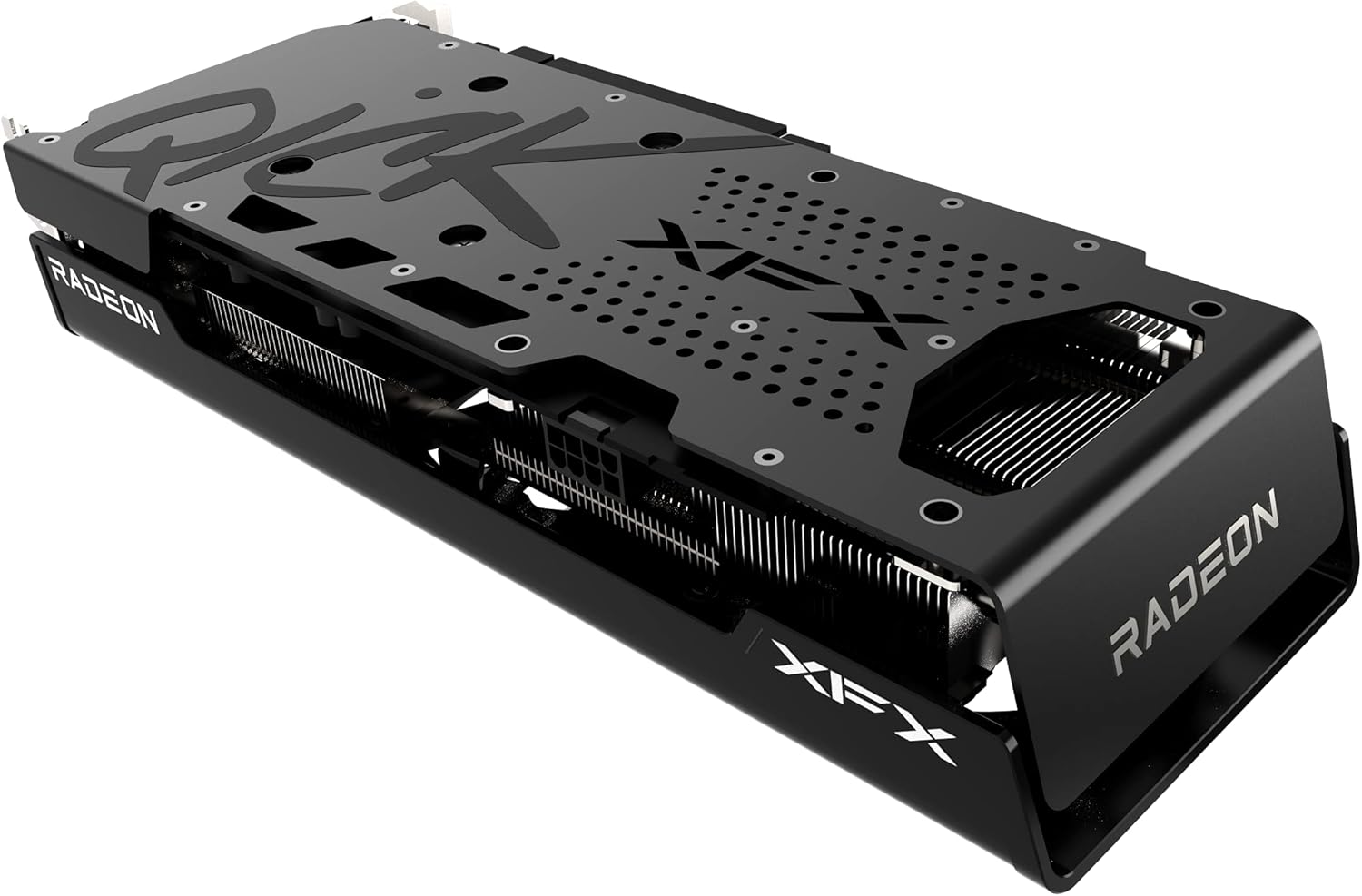
Şekil 2: Yan view illustrating the power connector and display output ports.
2.4 Sürücü Kurulumu
- Monitörü Bağla: Monitörünüzü ekran kartınızın görüntü çıkışlarından birine (HDMI veya DisplayPort) bağlayın.
- Güç Açık: Bilgisayarınızı fişe takın ve açın.
- Sürücüleri Yükle: Insert the provided Driver CD or, for the latest version, download the AMD Radeon Software from the official AMD webSiteye gidin. Sürücü kurulumunu tamamlamak için ekrandaki talimatları izleyin.
- Tekrar başlat: Sürücü kurulumu tamamlandıktan sonra bilgisayarınızı yeniden başlatın.
3. Grafik Kartının Çalıştırılması
3.1 Temel İşlemler
Once drivers are installed, your operating system should automatically detect and utilize the XFX Speedster QICK308 Radeon RX 6600 XT. You can access the AMD Radeon Software through your desktop to manage display settings, gaming profiles ve diğer özellikler.
3.2 Temel Özellikler
- AMD RDNA 2 Architecture: Provides enhanced performance and power efficiency for gaming and content creation.
- 8GB GDDR6 Memory: High-speed memory for demanding games and applications.
- Hızlandırma Saati: Up to 2607MHz for increased performance during peak loads.
- XFX Speedster QICK308 Triple Fan Cooling: Optimized cooling solution with three fans to maintain low temperatures and quiet operation.
- Ekran Çıkışları: Includes HDMI and DisplayPort connections for versatile monitor compatibility.
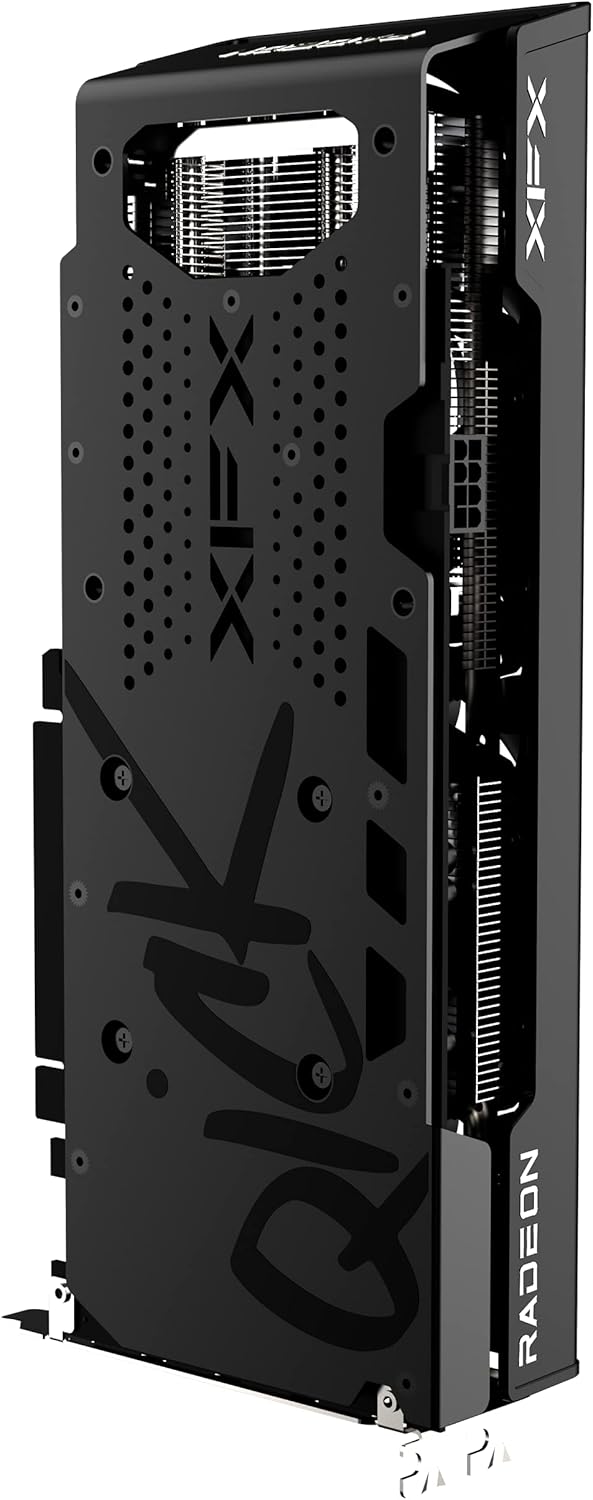
Şekil 3: Arka view of the graphics card, highlighting the protective backplate.
4. Bakım
4.1 Temizlik
Regular cleaning helps maintain optimal performance and extends the lifespan of your graphics card. Use compressed air to gently remove dust from the fans and heatsink fins. Ensure the computer is powered off and unplugged before cleaning. Avoid touching the circuit board directly.
4.2 Sürücü Güncellemeleri
Periodically check the official AMD website for the latest graphics drivers. Keeping your drivers updated ensures compatibility with new games and applications, and often includes performance improvements and bug fixes.
4.3 Sıcaklık İzleme
Utilize the AMD Radeon Software or third-party monitoring tools to keep an eye on your GPU temperatures, especially during gaming or heavy workloads. Excessive temperatures can indicate insufficient airflow in your case or a need for cleaning.
5. Sorun Giderme
5.1 Görüntü Çıkışı Yok
- Bağlantıları Kontrol Edin: Monitör kablosunun hem grafik kartına hem de monitöre güvenli bir şekilde bağlandığından emin olun.
- Güç Kabloları: Verify that all PCIe power connectors are properly seated in the graphics card.
- Monitör Girişi: Confirm your monitor is set to the correct input source (HDMI/DisplayPort).
- Yer Değiştirme Kartı: Power off and unplug the PC, then reseat the graphics card in its PCIe slot.
5.2 Poor Performance in Games
- Sürücü güncellemesi: En son grafik sürücülerinin yüklü olduğundan emin olun.
- Oyun Ayarları: Adjust in-game graphics settings. While the RX 6600 XT is powerful, some demanding titles may require optimization.
- Sıcaklık: Monitor GPU temperatures. Overheating can lead to performance throttling.
- Arka Plan Uygulamaları: Close unnecessary background applications that may consume system resources.
5.3 Fan Noise or Overheating
- Fanları/Soğutucuyu Temizleyin: Dust buildup can impede cooling. Refer to the cleaning section.
- Kasa Hava Akışı: Bilgisayar kasanızın, doğru şekilde yapılandırılmış giriş ve çıkış fanlarıyla yeterli hava akışına sahip olduğundan emin olun.
- Fan Eğrisi: Adjust the fan curve in AMD Radeon Software to a more aggressive setting if temperatures remain high.
6. Özellikler
| Özellik | Detay |
|---|---|
| Yonga seti | AMD RX 6600 XT |
| Grafik İşlemci Üreticisi | AMD |
| Mimarlık | AMD RDNA 2 |
| Hafıza | 8GB GDDR6 |
| Bellek Hızı | 16000 MHz |
| Saati Artır | Up To 2607MHz |
| Soğutma | XFX Speedster QICK308 Triple Fan |
| Maksimum Ekran Çözünürlüğü | 7680x4320 |
| Video Çıkış Arayüzü | HDMI, 3x DisplayPort |
| Ürün Model Numarası | RX-66XT8LBDQ |
| Ürün Ağırlığı | 2.81 pound |
| Ürün Boyutları (UxGxY) | 10.79 x 4.49 x 1.97 inç |
7. Garanti ve Destek
For detailed warranty information and technical support, please refer to the official XFX website. Warranty terms and conditions may vary by region and retailer. It is recommended to register your product upon purchase to facilitate any future support needs.
XFX Official Webalan: https://www.xfxforce.com/


