giriiş
The Amazon Fire HD 8 tablet is designed for portable entertainment and productivity. Featuring an 8-inch HD display and a faster hexa-core processor, it offers an enhanced experience for reading, browsing, watching videos, and listening to music. This manual provides essential information for setting up, operating, maintaining, and troubleshooting your device.

Image: The Amazon Fire HD 8 tablet, highlighting its compact and portable design.
Kurmak
Kutuda Neler Var?
- Fire HD 8 tablet
- USB-C (2.0) kablosu
- 5W güç adaptörü
- Hızlı Başlangıç Kılavuzu
İlk Ücret
Before first use, fully charge your Fire HD 8 tablet. Connect the USB-C cable to the tablet's USB-C port and the 5W power adapter to a wall outlet. A full charge takes approximately 5 hours with the included adapter. For faster charging, a 9W adapter (under 3 hours) or a 15W adapter with a USB-C to C cable (under 2.5 hours) can be purchased separately.
Açma ve İlk Kurulum
Press and hold the power button until the Amazon logo appears. Follow the on-screen prompts to select your language, connect to a Wi-Fi network, and register your device with your Amazon account. This process will guide you through setting up your device preferences.
Operating Your Fire HD 8 Tablet
Navigasyon ve Arayüz
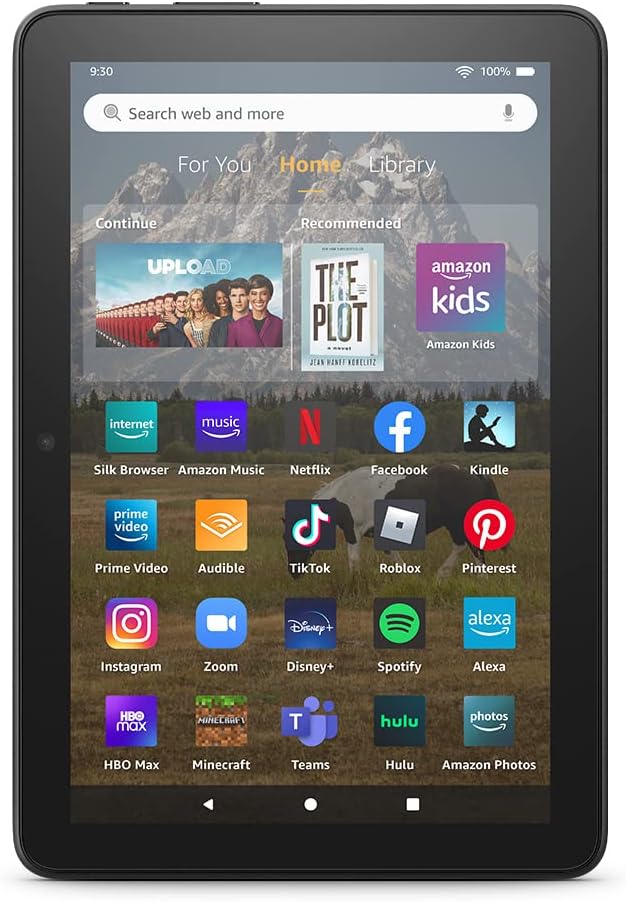
Image: The Fire HD 8 home screen, showing the intuitive Fire OS interface with quick access to apps and content.
The Fire HD 8 runs on Fire OS, providing a user-friendly interface. Swipe down from the top of the screen to access quick settings and notifications. The home screen features a "For You" section with personalized content, a "Home" tab for your apps, and a "Library" tab for quick access to recently viewed content like Kindle books or webSiteler.
Entertainment and Apps
Stream or download your favorite shows and movies from services like Prime Video, Netflix, Disney+, and HBO. Access a wide range of apps through Amazon's Appstore, including Facebook, Hulu, Instagram, and TikTok. Note that Google Play is not supported, and some apps may require a subscription.
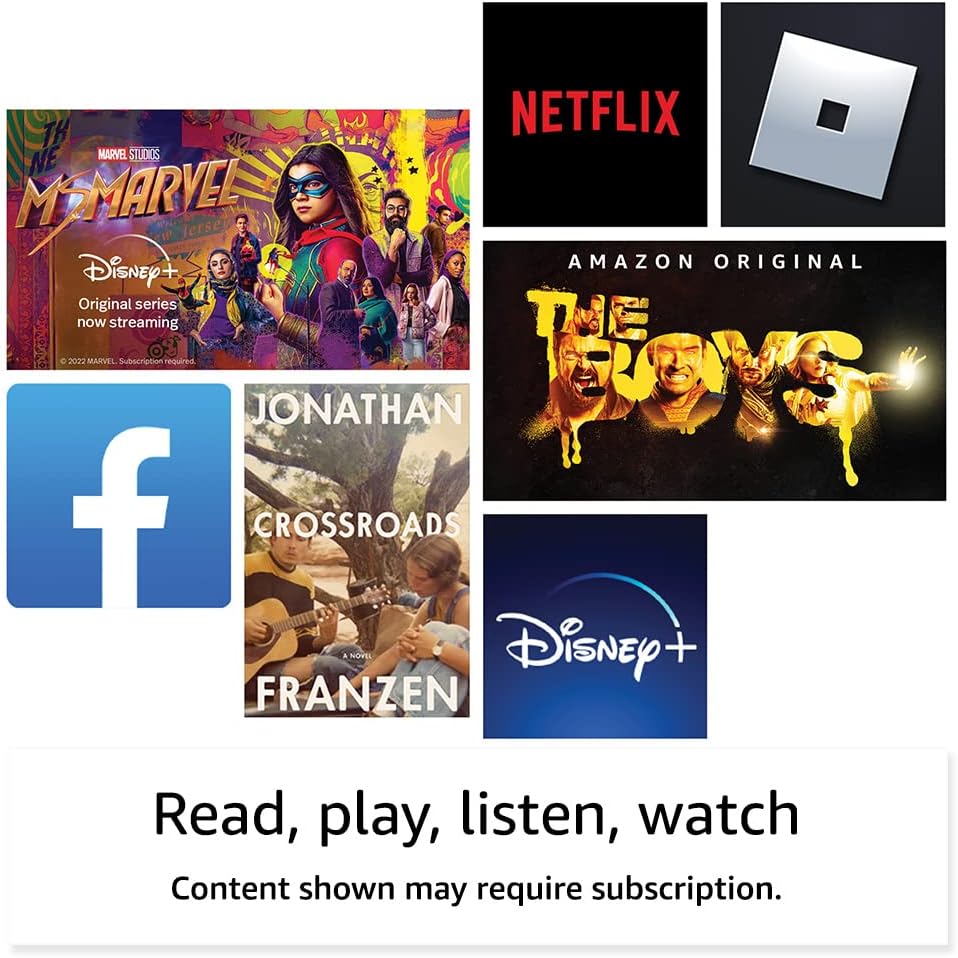
Resim: Eskiamples of popular streaming services and content accessible on the Fire HD 8 tablet.
Reading and Audio
Enjoy reading e-books with the vibrant 8-inch HD display. The tablet also features integrated speakers and a 3.5 mm stereo jack for audio. You can listen to music, podcasts, and Audible books.

Image: The Fire HD 8 tablet is ideal for reading e-books anywhere.

Image: Using Alexa to control audio playback on the Fire HD 8 tablet.
Alexa Entegrasyonu
Your Fire HD 8 tablet comes with Alexa built-in. Ask Alexa to play music, get news and weather updates, manage shopping lists, set reminders, and control smart home devices. You can also make video calls to friends and family using apps like Zoom.
Parental Controls with Amazon Kids
Amazon Kids offers easy-to-use parental controls, allowing you to manage content access and screen time. Subscribe to Amazon Kids+ for access to thousands of curated books, apps, games, videos, and Audible books suitable for children.

Image: The Fire HD 8 tablet is suitable for family use, especially with Amazon Kids features.
Bakım
Tabletinizi Temizleme
To clean your Fire HD 8 tablet, use a soft, lint-free cloth. For stubborn smudges, slightly dampBezi suyla yıkayın. Aşındırıcı temizleyiciler, çözücüler veya aerosol spreyleri doğrudan cihaza uygulamaktan kaçının.
Pil Bakımı
The tablet offers up to 13 hours of battery life for mixed use. To prolong battery lifespan, avoid extreme temperatures and fully discharging the battery frequently. Charge the device using the provided adapter or a compatible USB-C charger.
Depolama Yönetimi
Your Fire HD 8 comes with either 32 GB or 64 GB of internal storage. You can expand storage up to 1 TB using a microSD card. Regularly review ve gereksiz olanları silin files or apps to optimize performance. Some apps may require installation on internal storage.
Sorun giderme
Yaygın Sorunlar ve Çözümleri
| Sorun | Çözüm |
|---|---|
| Cihaz açılmıyor | Ensure the tablet is fully charged. Press and hold the power button for 20-30 seconds to perform a hard reset. |
| Wi-Fi bağlantı sorunları | Ayarlarda Wi-Fi'nin etkinleştirilmiş olup olmadığını kontrol edin. Yönlendiricinizi ve tabletinizi yeniden başlatın. Ağı unutun ve yeniden bağlanın. |
| Uygulamalar çöküyor veya donuyor | Close and reopen the app. Clear the app's cache in settings. Restart the tablet. Ensure sufficient storage space. |
| Yavaş performans | Close unused apps. Clear cache and data for frequently used apps. Free up internal storage. Restart the device regularly. |
For more detailed troubleshooting or persistent issues, visit the Amazon Device Support websiteyi ziyaret edin veya Amazon müşteri hizmetleriyle iletişime geçin.
Özellikler

Image: Size comparison of various Amazon Fire tablet models, including the Fire HD 8.
| Özellik | Detay |
|---|---|
| Görüntülemek | 8” high-definition touchscreen; 1280 x 800 resolution at 189 ppi, HD video playback, with IPS technology |
| Boyut | 7.94” x 5.40” x 0.37” (201.90 mm x 137.34 mm x 9.60 mm) |
| Ağırlık | 11.88 ons (337 gram) |
| CPU ve RAM | 2 GB RAM'li 2.0 GHz altı çekirdekli işlemci |
| Depolamak | 32 GB or 64 GB internal storage; microSD slot for up to 1 TB additional storage |
| Pil Ömrü | 13 saate kadar karma kullanım |
| Şarj Süresi | Under 5 hours (5W adapter); Under 3 hours (9W adapter); Under 2.5 hours (15W adapter) |
| Wi-Fi Bağlantısı | Çift bantlı 802.11a/b/g/n/ac (Wi-Fi 6 desteklenmiyor) |
| Limanlar | USB-C (2.0) connector, microSD slot |
| Ses | 3.5 mm stereo jack, integrated speakers |
| Kameralar | 2 MP front-facing, 2 MP rear-facing with 720p HD video recording |
| Bluetooth | Dahili Bluetooth 5.2 |
| Nesil | 12. nesil - 2022 sürümü |
Erişilebilirlik Özellikleri
The Fire HD 8 tablet includes various accessibility features to personalize the device for different needs. These can be found under Ayarlar → Erişilebilirlik.
- SesView ekran okuyucu: Görme engelli veya az gören kullanıcıların erişimini sağlar.
- Ekran Büyüteci: Kullanıcıların ekranda yakınlaştırma/uzaklaştırma yapmasına ve ekranı kaydırmasına olanak tanır.
- Alexa'ya dokunun: Provides access to Alexa via touch through on-screen tiles or a keyboard, including saving favorite actions.
- Geçiş Erişimi: Enables access for users with motor impairments via compatible Bluetooth devices.
- Kindle Sesli Okuma: Alexa, Kindle kitaplarınızı sesli olarak okuyabilir.
- Ek özellikler arasında altyazı ayarları, yazı tipi boyutu, ekran boyutu, yüksek kontrastlı metin, renk ters çevirme, renk düzeltme ve stereo sesi mono sese dönüştürme yer almaktadır.
Garanti ve Destek
Garanti Bilgileri
Your Fire HD 8 tablet comes with a 90-day limited warranty and service. Optional 1-year, 2-year, and 3-year extended warranties are available for U.S. customers and are sold separately. Use of the Fire HD 8 tablet is subject to Amazon's Conditions of Use and related terms.
Yazılım Güvenlik Güncellemeleri
Bu cihaz, Amazon'da sıfır olarak satışa sunulduğu tarihten itibaren en az dört yıl boyunca garantili yazılım güvenlik güncellemeleri alır. webSiteler. Cihazınıza özel bilgiler için şu adresi ziyaret edin: İçeriğinizi ve Cihazlarınızı Yönetin.
Müşteri Desteği
Daha fazla yardım için Amazon desteğini ziyaret edin website or contact Amazon customer service directly. You can find more information and support resources at amazon.com/devicesupport.


