1. Giriş
This manual provides detailed instructions for the setup, operation, and maintenance of your SKYWORTH T1 WiFi Bluetooth Projector. Please read this manual thoroughly before using the product to ensure proper function and to prevent damage.
The SKYWORTH T1 projector offers Native 1080P Full HD resolution with 4K support, 400 ANSI lumens brightness, and versatile connectivity options including WiFi and Bluetooth. It is designed for various entertainment and presentation needs.
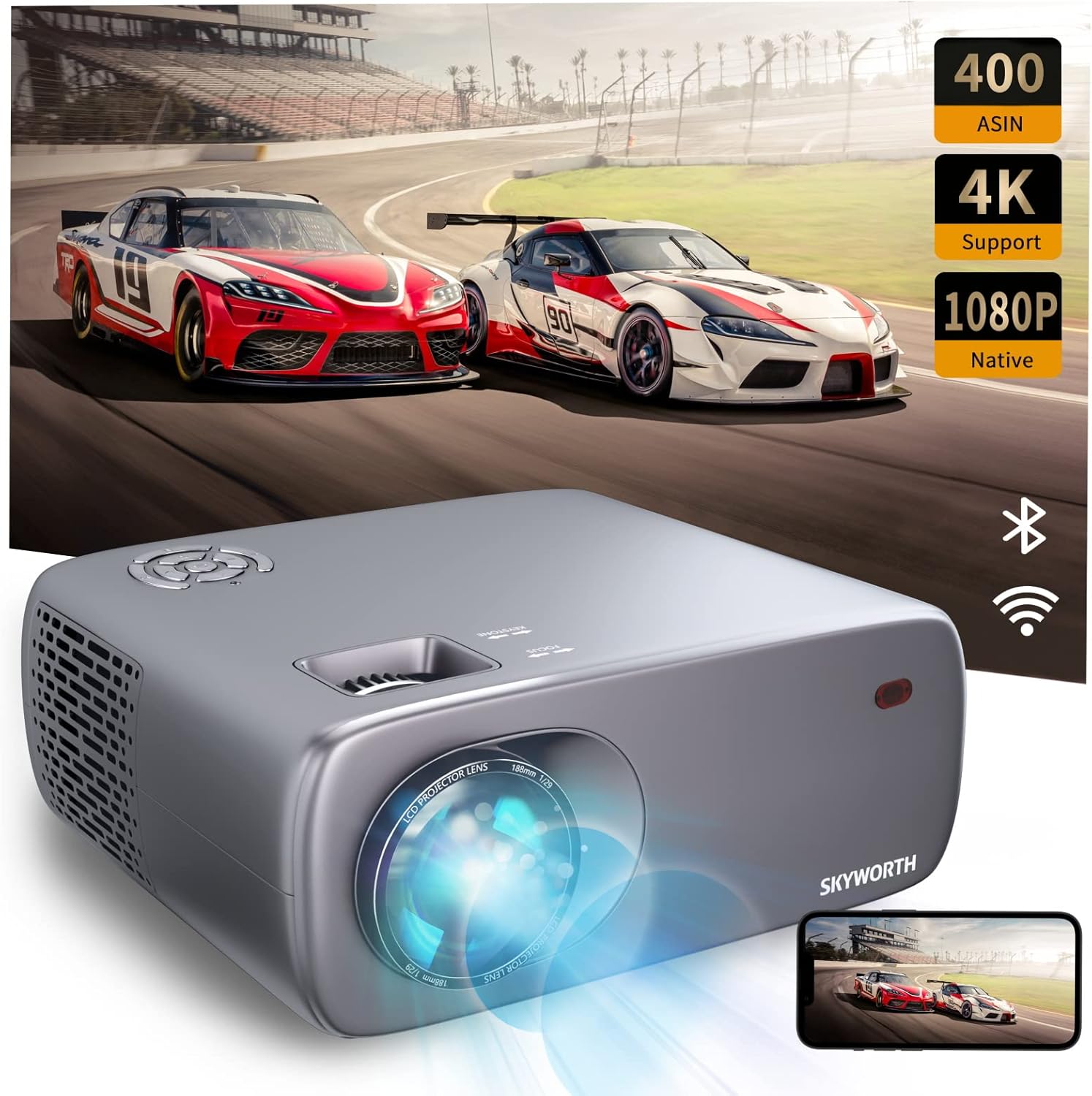
Image: The SKYWORTH T1 Projector, showcasing its capabilities with a vibrant projected image.
2. Ürün Özellikleri
2.1. Yüksek Çözünürlüklü Ekran
The T1 projector delivers a Native 1080P Full HD resolution, supporting 4K content for clear and detailed images. With 400 ANSI lumens, it provides sufficient brightness for various viewing environments. The projector also features an 80% NTSC color gamut for accurate and vivid color reproduction.

Image: High-definition projection from the SKYWORTH T1, emphasizing 1080P Full HD, 4K support, and 400 ANSI lumens.

Image: Visual representation of the projector's 80% NTSC color gamut for enhanced color accuracy.
2.2. Çok Yönlü Bağlantı
The projector supports multiple connection methods:
- Wifi: For wireless screen mirroring from compatible devices (iOS Cast, Miracast).
- Bluetooth: For connecting to external audio devices such as speakers or headphones.
- HDMI: Two HDMI 1.4 ports for connecting media players, gaming consoles, or laptops.
- USB BAĞLANTI: Two USB 2.0 ports for playing media directly from USB drives.
- AV: One AV port for connecting older devices.
- Kulaklık: One 3.5mm earphone jack for private listening.

Resim: Ayrıntılı view of the projector's input and output ports.

Image: The projector highlighting its Bluetooth connection capabilities with a remote control.
2.3. Görüntü Ayarlaması
The T1 projector includes advanced image adjustment features to ensure a perfect display:
- 4D/4P Trapez Düzeltme: Adjusts vertical and horizontal angles up to ±40° to correct distorted images from off-axis projection.
- %50 Yakınlaştırma Fonksiyonu: Allows you to reduce the screen size without moving the projector, providing flexibility in placement.

Image: Visual explanation of 4D/4P keystone correction for ideal image alignment.

Image: Diagram demonstrating the 50% zoom capability for flexible screen sizing.
2.4. Audio and Cooling
- Dahili Hoparlör: Features a 5W HIFI speaker for integrated audio.
- Düşük Ses Seviyeli Soğutma: Equipped with a low-noise radiator dual fan system to minimize operational sound.

Image: Diagram illustrating the internal 5W HIFI speaker.
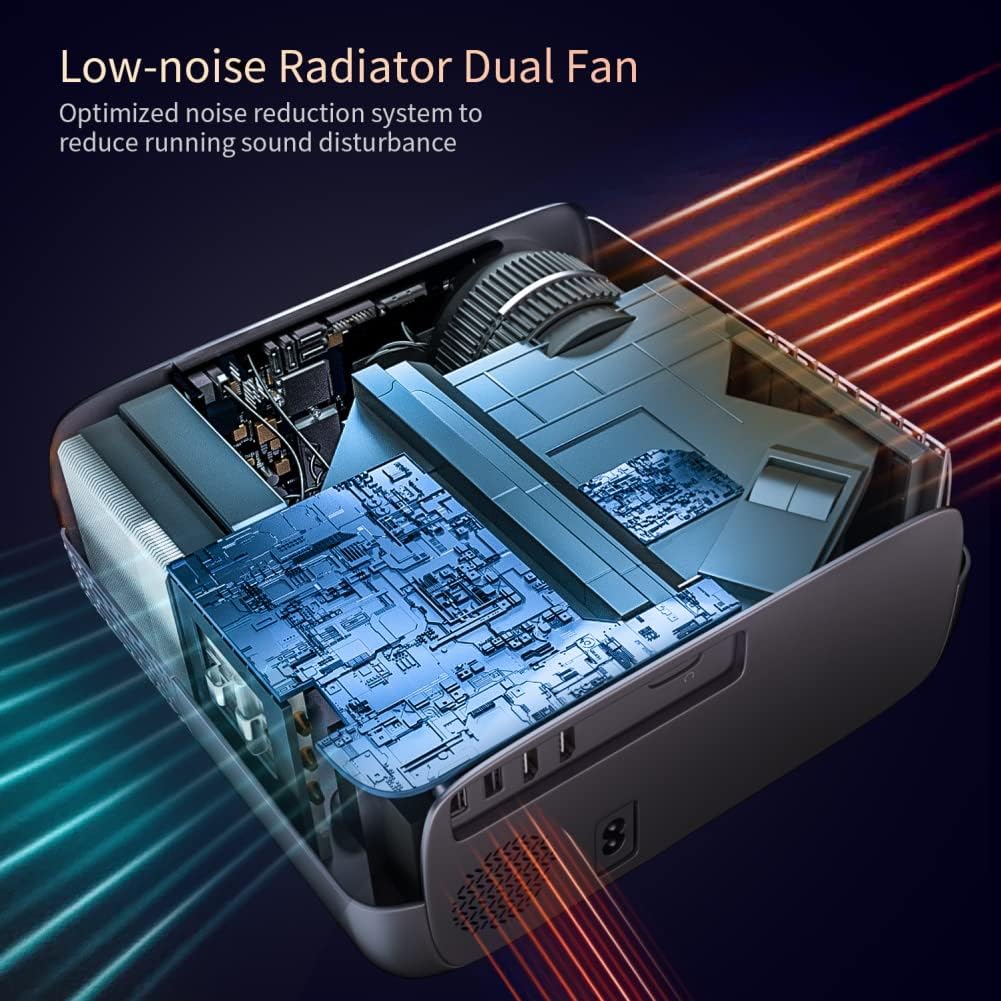
Resim: Dahili view of the projector's low-noise dual fan cooling system.
2.5. Ürün Bittiview Video
Video: Bir fazlaview of the SKYWORTH T1 400 ANSI Lumens Projector, highlighting its WiFi and Bluetooth capabilities.
3. Kurulum Kılavuzu
3.1. Paketin Açılması ve Bileşenler
Tüm bileşenleri ambalajından dikkatlice çıkarın. Aşağıdaki öğelerin mevcut olduğundan emin olun:
- SKYWORTH T1 Projector
- Uzaktan kumanda
- Güç kablosu
- AV Kablosu
- Kullanım Kılavuzu (bu belge)
3.2. Yerleşim
Projektörü sabit, düz bir yüzeye yerleştirin. En iyi sonuçlar için. viewing, ensure the projector lens is perpendicular to the projection surface (wall or screen). Refer to the projection distance chart for recommended distances based on desired screen size.

Image: Recommended projection distances for different screen sizes.
3.3. Güç Bağlantısı
- Güç kablosunu projektörün güç giriş portuna bağlayın.
- Güç kablosunun diğer ucunu elektrik prizine takın.
- Projektörü açmak için projektör üzerindeki veya uzaktan kumandadaki güç düğmesine basın.
3.4. Odak ve Trapez Düzeltme
After powering on, adjust the focus and keystone correction for a clear, rectangular image.
- Odak: Görüntü netleşene kadar projektör merceğindeki odak halkasını çevirin.
- Kilit taşı: Use the keystone adjustment controls (manual or digital via remote) to correct any trapezoidal distortion, ensuring the image is perfectly rectangular. The T1 supports 4D/4P keystone correction up to ±40°.
4. Kullanım Talimatları
4.1. Kaynak Seçimi
Use the 'Source' button on the remote control or the projector's control panel to select the desired input source (HDMI1, HDMI2, USB1, USB2, AV, or Screen Mirroring).
4.2. Kablosuz Ekran Yansıtma
Projeksiyon cihazı, iOS ve Android cihazlar için kablosuz ekran yansıtma özelliğini desteklemektedir.
- For iOS devices (iOS Cast): Select 'iOS Cast' from the main menu. Ensure your iOS device and the projector are connected to the same Wi-Fi network. On your iOS device, open Control Center and select 'Screen Mirroring', then choose the projector from the list.
- For Android devices (Miracast): Select 'Miracast' from the main menu. Ensure your Android device's wireless display feature (often called 'Smart View', 'Screen Cast', or 'Wireless Display') is enabled. Select the projector from the available devices.
Not:
- Due to copyright restrictions, streaming services like Netflix, Amazon Prime Video, and Hulu may not support direct screen mirroring from mobile devices. For these services, it is recommended to use a TV Stick (e.g., Amazon Fire Stick, Roku) connected via HDMI.
- Bluetooth only supports audio transmission, not video.
4.3. Bluetooth Ses Bağlantısı
To connect external Bluetooth speakers or headphones:
- Bluetooth ses cihazınızın eşleştirme modunda olduğundan emin olun.
- Projeksiyon cihazında Bluetooth ayarları menüsüne gidin.
- Select your device from the list of available Bluetooth devices to pair.
4.4. Uzaktan Kumanda Kullanımı
The included remote control allows you to navigate menus, adjust settings, change input sources, and control media playback. Ensure batteries are correctly inserted.
5. Bakım
5.1. Lensin Temizlenmesi
Projeksiyon merceğini nazikçe silmek için optik lensler için özel olarak tasarlanmış, yumuşak ve tüy bırakmayan bir bez kullanın. Aşındırıcı temizleyicilerden veya aşırı güç kullanmaktan kaçının, çünkü bu merceği çizebilir.
5.2. Cleaning the Vents
Regularly clean the air vents to ensure proper airflow and prevent overheating. Use a soft brush or a vacuum cleaner with a brush attachment to remove dust from the vents.
5.3. Depolama
Projeksiyon cihazını uzun süre kullanılmadığı zamanlarda, doğrudan güneş ışığından ve aşırı sıcaklıklardan uzak, serin ve kuru bir yerde saklayın. Toz birikmesini ve fiziksel hasarı önlemek için orijinal ambalajını veya koruyucu bir kılıfı kullanın.
6. Sorun Giderme
- Görüntü yok veya bulanık görüntü:
- Check the focus ring on the lens.
- Adjust keystone correction to ensure a rectangular image.
- Verify the input source is correctly selected and the external device is powered on.
- Ensure the projection distance is within the recommended range. - Ses Yok:
- Check the volume settings on both the projector and the connected source device.
- If using Bluetooth audio, ensure the device is properly paired and connected.
- If using HDMI, ensure the audio output settings on your source device are correct. - WiFi/Bluetooth'a bağlanılamıyor:
- Ensure the projector's WiFi and Bluetooth functions are enabled.
- For WiFi, verify the network password is correct and the signal is strong.
- For Bluetooth, ensure the external device is in pairing mode and within range. - Uzaktan Kumanda Yanıt Vermiyor:
- Check and replace the batteries in the remote control.
- Ensure there are no obstructions between the remote and the projector's IR receiver.
7. Teknik Özellikler
| Özellik | Şartname |
|---|---|
| Marka | Gök değerli |
| Model Numarası | T1 |
| Ürün Ağırlığı | 6.76 pound |
| Ürün Boyutları | 10.2 x 9.6 x 4.3 inç |
| Ekran Çözünürlüğü | 1920 x 1080 (Orijinal) |
| Ekran Çözünürlüğü Maksimum | 1920 x 1080 (4K girişini destekler) |
| Parlaklık | 400 ANSI Lümenleri |
| Bağlantı Teknolojisi | Bluetooth, HDMI, USB, WiFi |
| Hoparlör Tipi | Built-In, Stereo (5W HIFI) |
| Anahtar Ebatı Düzeltme | 4D/4P, ±40° |
| Yakınlaştırma İşlevi | %50 |
| Önerilen Kullanımlar | TV Stick, Home Theater, Outdoor Projection |
8. Garanti ve Destek
For warranty information, technical support, or service inquiries, please refer to the official Skyworth website or contact their customer service directly. Details are typically provided in the product packaging or on the manufacturer's official support pages.


