1. Giriş
Satın aldığınız için teşekkür ederizasing the AUKEY PC-LM3 Webcam. This manual provides detailed instructions for setting up, operating, and maintaining your webcam. Please read this manual thoroughly before use and retain it for future reference.
2. Güvenlik Bilgileri
- Tut webcam away from water, moisture, and extreme temperatures.
- Cihazı kendiniz sökmeye veya onarmaya çalışmayın. Tüm bakım işlemlerini yetkili personele yaptırın.
- Düşürmekten veya darbelere maruz bırakmaktan kaçının. webgüçlü etkilere karşı kamera.
- Clean the lens with a soft, dry cloth. Do not use liquid cleaners.
3. Paket İçeriği
Lütfen paketinizde tüm öğelerin mevcut olduğundan emin olun:
- AUKEY Bilgisayar-LM3 Webkam
- Kullanıcı Kılavuzu
- USB Kablosu (entegre)
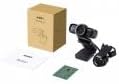
Image 1: Contents of the AUKEY PC-LM3 Webcam package, showing the webcam, manual, and packaging.
4. Ürün Bittiview
The AUKEY PC-LM3 is a 1080p USB 2.0 webcam designed for high-quality video communication and recording. It features a CMOS sensor and 5x optical zoom capability, providing clear and detailed visuals.
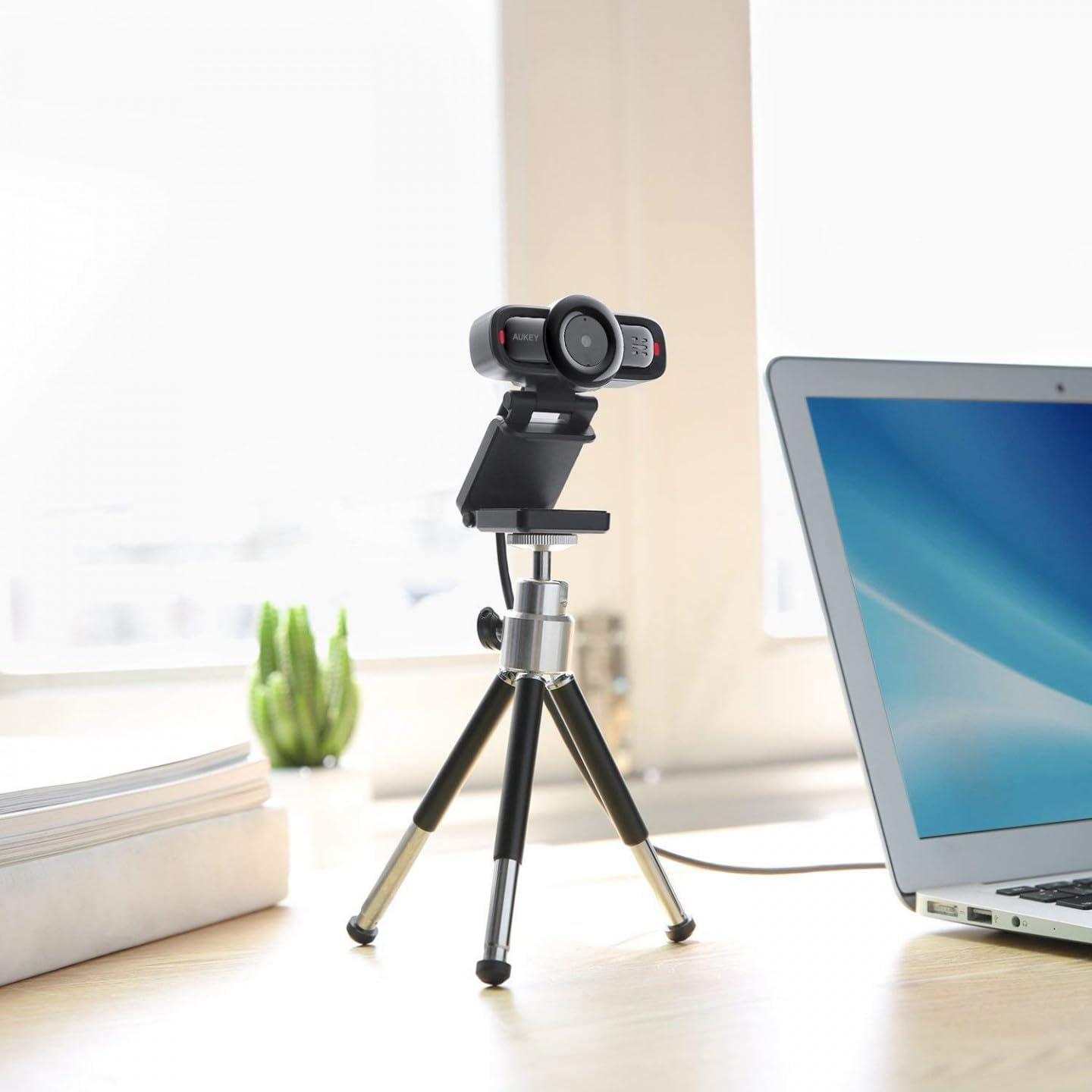
Image 2: AUKEY PC-LM3 Webcam in use, demonstrating its compact design and mounting flexibility on a tripod.
Temel Özellikler:
- Full HD 1080p video recording
- CMOS sensor for clear images
- USB 2.0 connectivity for universal compatibility
- 5x optical zoom for detailed framing
- Integrated microphone for audio capture
- Adjustable clip for versatile mounting options
5. Kurulum
5.1 Placing the Webkam
- Monitörde: Unfold the clip and place the webcam on top of your monitor or laptop screen. Adjust the clip to secure it firmly.
- Tripod üzerinde: The webcam features a standard tripod thread. Mount it onto a compatible tripod for more flexible positioning.
- Düz Bir Yüzeyde: Fold the clip to form a stable stand and place the webcam on a desk or other flat surface.
5.2 Bilgisayarınıza Bağlanma
- USB konektörünü takın webKamerayı bilgisayarınızdaki kullanılabilir bir USB 2.0 veya 3.0 bağlantı noktasına takın.
- Bilgisayarınız gerekli sürücüleri otomatik olarak algılayıp yükleyecektir. Bu işlem birkaç dakika sürebilir.
- Kurulduktan sonra, webcam will be ready for use with video conferencing software or recording applications.
Not: No additional software or drivers are typically required for Windows, macOS, or Linux operating systems.
6. Çalıştırma Webkam
6.1 Video Konferans Yazılımı ile Kullanım
To use the AUKEY PC-LM3 webcam with applications like Zoom, Skype, Microsoft Teams, or Google Meet:
- Tercih ettiğiniz video konferans uygulamasını açın.
- Navigate to the application's settings or preferences (usually found under "Audio & Video" or "Devices").
- Select "AUKEY PC-LM3" as your video input device.
- Select "AUKEY PC-LM3 Microphone" (or similar) as your audio input device, if applicable.
- Adjust any video settings such as resolution or brightness within the application if available.
6.2 Video Kaydetme
To record video using the webcam, use your computer's built-in camera application (e.g., Camera app on Windows, Photo Booth on macOS) or third-party recording software. Ensure the AUKEY PC-LM3 is selected as the video source.
6.3 Optik Zoom
The webcam features 5x optical zoom. This function is typically controlled via software. Check your video conferencing or recording application for zoom controls. If not available, third-party webcam control software may offer this functionality.
7. Bakım
7.1 Temizleme Webkam
- Sağlamak webcam is disconnected from your computer before cleaning.
- Use a soft, lint-free cloth to gently wipe the lens and body of the webkam.
- For stubborn smudges on the lens, slightly dampen the cloth with water or a lens cleaning solution, then wipe gently. Avoid excessive moisture.
- Sert kimyasallar, aşındırıcı temizleyiciler veya çözücüler kullanmayın.
7.2 Depolama
Kullanılmadığı zaman, saklayın webcam in a cool, dry place, away from direct sunlight and dust. Consider using a privacy cover (if included or purchased separately) to protect the lens and ensure privacy.
8. Sorun Giderme
| Sorun | Çözüm |
|---|---|
| WebKamera bilgisayar tarafından algılanmadı. |
|
| Video çıkışı yok. |
|
| Kötü video kalitesi. |
|
9. Özellikler
| Özellik | Detay |
|---|---|
| Örnek | PC-LM3 |
| Video Çözünürlüğü | 1920 x 1080 piksel (1080p) |
| Sensör Teknolojisi | CMOS |
| Bağlantı | USB 2.0 |
| Optik Yakınlaştırma | 5x |
| Video Yakalama Formatı | MP4, AVI |
| Desteklenen Ses Biçimi | AAC, MP3 |
| Boyutlar (U x G x Y) | 7.7x7.2x4.6 cm |
| Ağırlık | 130 gram |
| Renk | Siyah |
10. Garanti ve Müşteri Desteği
AUKEY products are covered by a limited warranty from the date of purchase. For specific warranty terms and conditions, please refer to the warranty card included with your product or visit the official AUKEY webalan.
If you encounter any issues or have questions regarding your AUKEY PC-LM3 Webcam, please contact AUKEY customer support for assistance. Contact information can typically be found on the official AUKEY websitede veya garanti belgesinde yer almaktadır.