giriiş
This manual provides comprehensive instructions for the setup, operation, and maintenance of your Onikuma G21 Gaming Keyboard and CW902 Gaming Mouse Combo. Please read this manual carefully before using the product to ensure optimal performance and longevity.
Paket İçeriği
Lütfen paketinizde tüm öğelerin mevcut olduğundan emin olun:
- Onikuma G21 Gaming Keyboard
- Onikuma CW902 Gaming Mouse
- Kullanım Kılavuzu (bu belge)
Kurulum Talimatları
Cihazları Bağlama
The Onikuma G21 Keyboard and CW902 Mouse are designed for plug-and-play functionality. No additional drivers are typically required for basic operation.
- Bilgisayarınızda veya dizüstü bilgisayarınızda kullanılabilir bir USB bağlantı noktası bulun.
- Plug the USB connector of the Onikuma G21 Gaming Keyboard into the USB port.
- Plug the USB connector of the Onikuma CW902 Gaming Mouse into another available USB port.
- Your operating system should automatically detect and install the necessary drivers. The devices will be ready for use once the installation is complete.
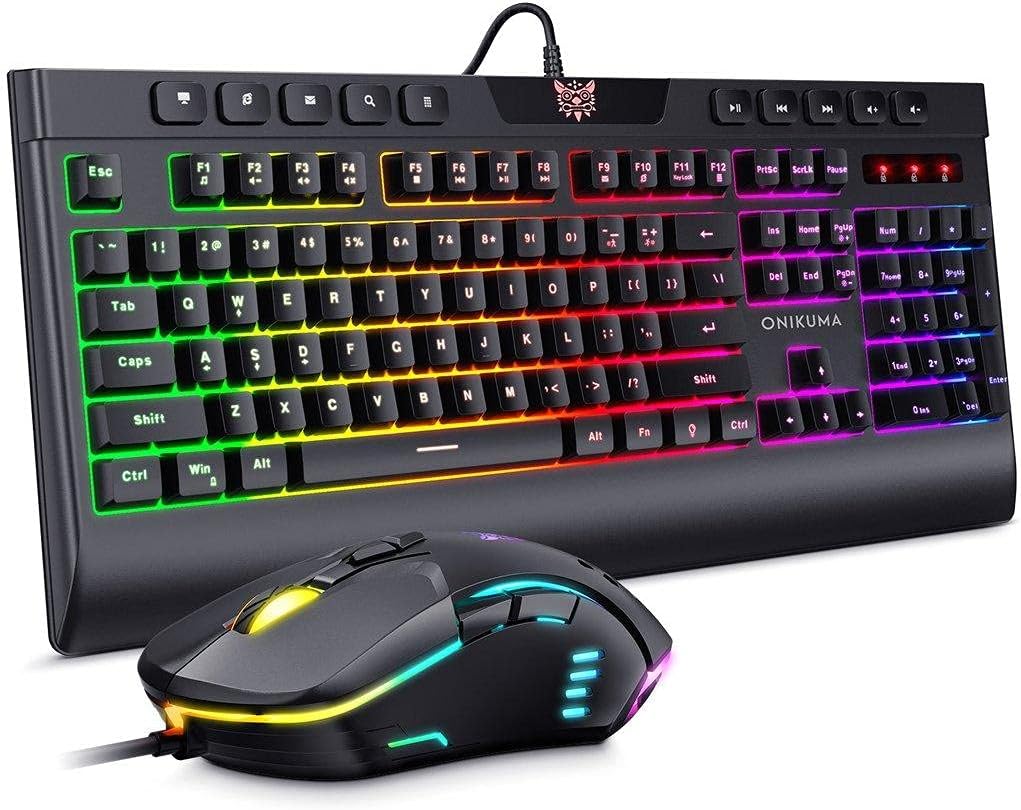
Bir üstten view of the Onikuma G21 gaming keyboard and CW902 gaming mouse, both featuring RGB backlighting. The keyboard has a full layout with multimedia keys, and the mouse has an ergonomic design with illuminated accents.
Operating the Onikuma G21 Gaming Keyboard
Temel Fonksiyonlar
The G21 keyboard functions as a standard QWERTY keyboard for typing and general computer use.
RGB Arka Aydınlatma Kontrolü
The G21 keyboard features 7 RGB luminous LED backlight modes. Specific key combinations are used to cycle through these modes or adjust brightness. Refer to the keyboard's function keys (Fn) combined with other keys (e.g., Fn + Scroll Lock, Fn + Home/End) for backlight control.
Multimedya Tuşları
Dedicated multimedia keys are located at the top of the keyboard for quick access to volume control, media playback, and other functions.
Changeable Direction Keys
The keyboard allows for switching between standard arrow keys and WASD keys for directional input, adapting to player preferences. This is typically achieved by pressing Fn + Kazanma to switch between normal operation mode and intelligent mode, which may involve swapping the functionality of the arrow keys and WASD keys.

Yakın çekim view of the Onikuma G21 gaming keyboard on a desk, highlighting its RGB lighting, ergonomic design for comfortable use, and waterproof construction. The image shows the keyboard's profile ve tuş kapakları.

Ayrıntılı view of the Onikuma G21 gaming keyboard, focusing on the keys used for switching operation modes. The image illustrates the "Fn + Win" key combination and the WASD keys, indicating how to adapt the keyboard for different player habits.
Operating the Onikuma CW902 Gaming Mouse
Temel Fonksiyonlar
The CW902 mouse provides standard left-click, right-click, and scroll wheel functionality for navigation and interaction.
DPI Ayarlaması
The CW902 mouse features adjustable DPI settings up to 6400 DPI. A dedicated DPI button, usually located near the scroll wheel, allows you to cycle through different sensitivity levels to match your preference for gaming or general use.
Programlanabilir Düğmeler
The mouse is equipped with 7 programmable buttons. While specific software for button customization is not detailed here, these buttons typically allow users to assign macros or specific functions for enhanced gaming performance. Refer to the manufacturer's website for any available customization software.
RGB Arka Aydınlatma Modları
The CW902 mouse features 7 distinct RGB backlight modes. These modes often cycle automatically or can be adjusted via a dedicated button or software, providing visual customization.
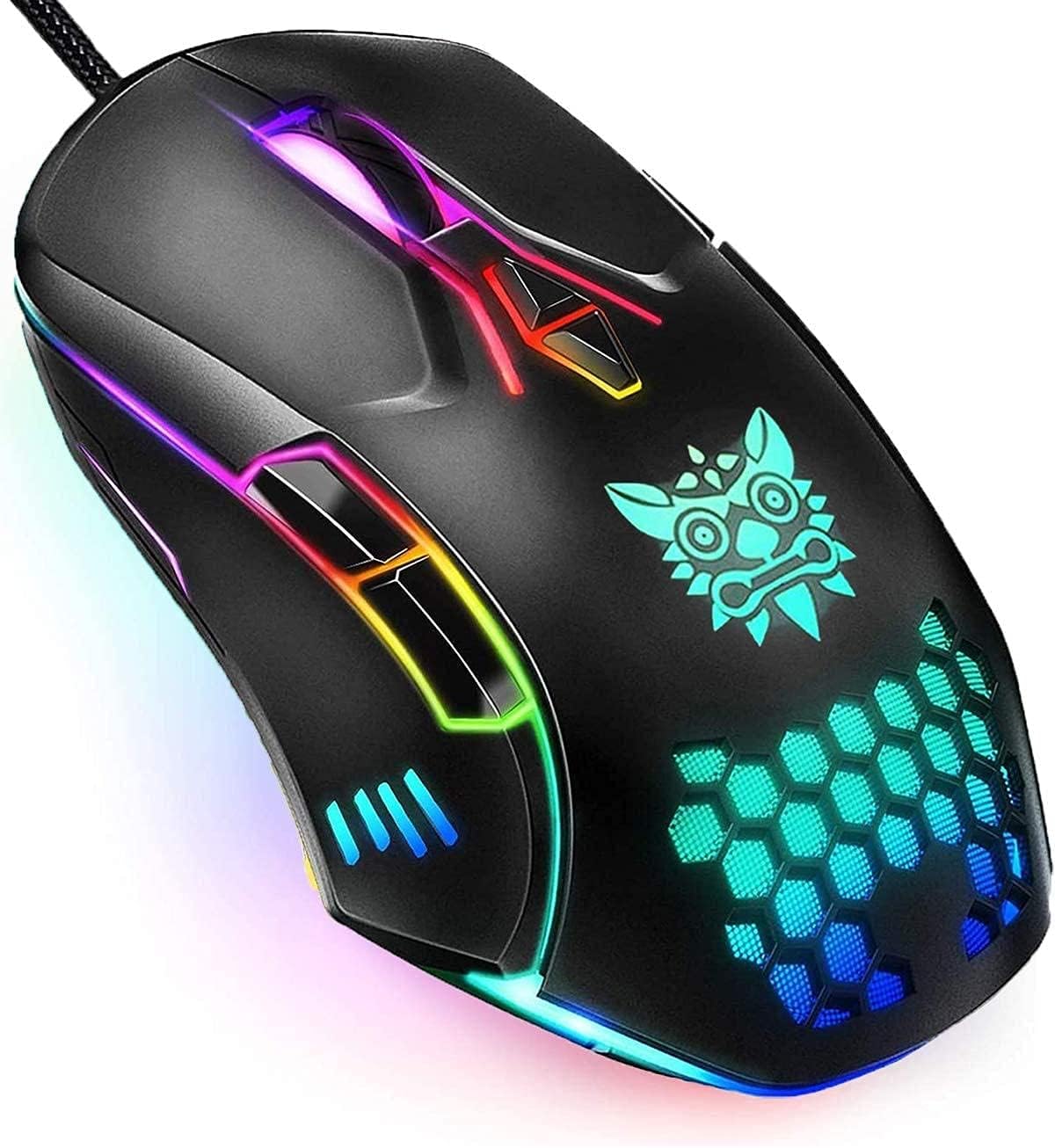
Yakın çekim, açılı view of the Onikuma CW902 gaming mouse, showcasing its ergonomic shape, textured grip, and vibrant RGB lighting elements along its body and scroll wheel. The mouse features multiple buttons.

An image displaying the Onikuma CW902 gaming mouse and its various customization options. It highlights the 7 distinct RGB backlight modes (blue, cyan-blue, green, red, purple, yellow) and indicates the 6 default adjustable DPI settings, demonstrating the mouse's versatility.
Bakım
Temizlik
- Klavye: Use a soft, dry cloth to wipe the surface. For deeper cleaning, use compressed air to remove debris from between keys. Avoid using harsh chemicals or excessive moisture.
- Fare: Yüzeyi yumuşak, hafif nemli bir bezle silin.amp cloth. Ensure no liquid enters the mouse. Clean the optical sensor area gently with a cotton swab if tracking issues occur.
Depolamak
When not in use, store the keyboard and mouse in a cool, dry place away from direct sunlight and extreme temperatures. Avoid placing heavy objects on the devices.
Sorun giderme
- Cihaz tanınmadı:
Ensure the USB cables are securely plugged into your computer. Try a different USB port. Restart your computer. - Klavye/Fare Yanıt Vermiyor:
Check cable connections. If using a USB hub, try connecting directly to the computer. Test on another computer if possible to rule out a device fault. - Arka Işık Çalışmıyor:
Ensure the backlight function is enabled (refer to operating instructions for specific key combinations). Check if the device is properly powered. - Fare İzleme Sorunları:
Clean the mouse sensor. Ensure you are using the mouse on a suitable surface (e.g., a mouse pad). Adjust DPI settings.
Özellikler
| Özellik | Şartname |
|---|---|
| Marka | Onikuma |
| Örnek | G21 + CW902 |
| Bağlantı | USB Kablolu |
| Klavye Düzeni | QWERTY, English |
| klavye Arka ışık | 7 RGB Luminous LED Backlight |
| Fare DPI'ı | 6400 DPI'a kadar (Ayarlanabilir) |
| Fare Düğmeleri | 7 Programlanabilir Düğme |
| Fare Arka Işığı | 7 RGB Arka Aydınlatma Modları |
| Uyumlu Cihazlar | PC, Dizüstü Bilgisayar |
| Ürün Ağırlığı | 1.19 Kilograms (Combo) |
| Güç Kaynağı | USB Powered (No batteries required) |
Garanti ve Destek
Onikuma products are manufactured to high-quality standards. For warranty information, technical support, or service inquiries, please refer to the warranty card included with your product or visit the official Onikuma webSite. Satın alma belgenizi garanti talepleriniz için saklayın.


