1. Giriş
The Universal UNV48110 is a cross-cut paper shredder designed for efficient and secure disposal of sensitive documents. This manual provides essential information for the safe and effective operation, maintenance, and troubleshooting of your shredder.
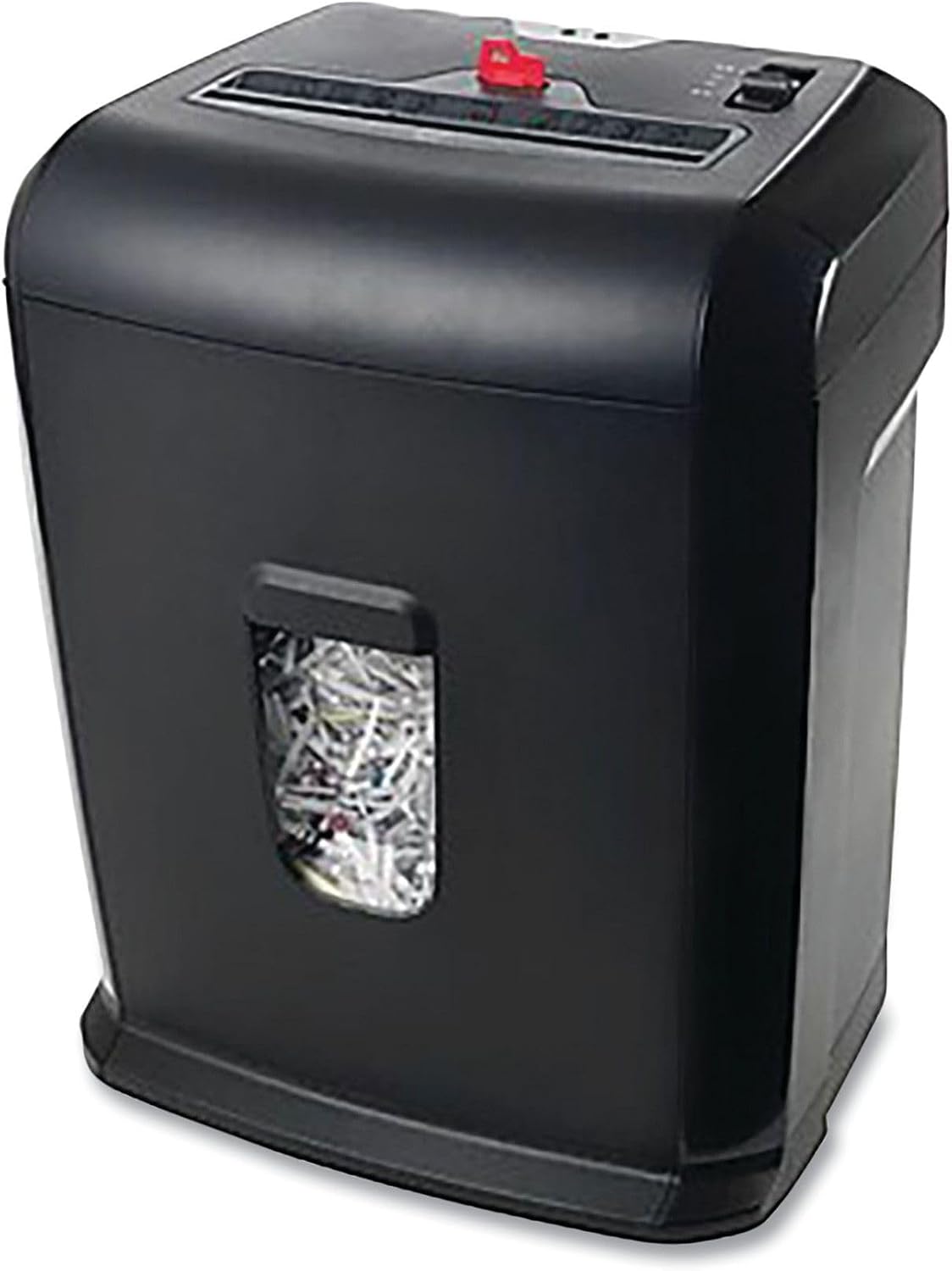
Figure 1: Universal UNV48110 10-Sheet Cross-Cut Shredder.
2. Güvenlik Bilgileri
Please read all safety instructions before using the shredder to prevent injury or damage.
- Ellerinizi uzak tutun: Never place hands near the paper entry slot.
- Hair and loose clothing: Keep long hair, ties, and loose clothing away from the paper entry.
- Çocuklar ve evcil hayvanlar: Keep children and pets away from the shredder. Use the lockout key feature when not in use to prevent accidental operation.
- Yanıcı malzemeler: Do not shred aerosols, flammable liquids, or gases.
- Overload/Overheat: Avoid overloading the shredder. The unit has built-in protection against overheating and overload. Refer to the troubleshooting section if indicator lights activate.
- Güç kaynağı: Ensure the shredder is plugged into a compatible power outlet.

Figure 2: Top panel displaying safety icons and controls.
3. Kurulum
- Paketi aç: Tüm bileşenleri dikkatlice ambalajından çıkarın.
- Montaj: Place the shredder head securely onto the wastebasket. Ensure it is properly aligned for safe operation.
- Konum: Parçalama makinesini düz ve sağlam bir yüzeye yerleştirin.
- Gücü bağlayın: Güç kablosunu standart bir elektrik prizine takın.

Şekil 3: Ön view of the shredder, showing the wastebasket window.
4. Kullanım Talimatları
The shredder features a slide switch on the top panel for various modes:
- FWD (Ön): Manually feeds items into the shredder.
- OTOMATİK (Otomatik): Kağıt yerleştirildiğinde otomatik olarak çalışmaya başlayacak ve parçalama tamamlandığında duracaktır. Bu, normal kullanım için önerilen ayardır.
- KAPALI: Turns the shredder off. Always set to OFF when not in use or when emptying the wastebasket.
- REV (Ters): Reverses the shredder blades to clear paper jams.
Shredding Documents:
- Anahtarı şuna ayarlayın: OTOMATİK.
- Insert up to 10 sheets of paper (20 lb bond) into the paper entry slot. The shredder will start automatically.
- The shredder can also destroy credit cards, small paper clips, and staples. Insert these items one at a time into the designated slot (if available) or the main paper entry.
- Once shredding is complete, the shredder will stop automatically.
Using the Lockout Key:
The lockout key, indicated in the product title, is a safety feature. When engaged, it prevents the shredder from operating, providing an extra layer of safety, especially around children or when the unit is unattended.
5. Bakım
Emptying the Wastebasket:
The shredder features a 5-gallon pull-out wastebasket. Monitor the fill level through the transparent window on the front of the unit.
- Anahtarı şuna ayarlayın: KAPALI and unplug the shredder.
- Pull the wastebasket out from the front of the shredder.
- Parçalanmış malzemeyi atın.
- Slide the wastebasket back into place until it clicks securely. The shredder will not operate if the wastebasket is not correctly inserted.

Figure 4: Wastebasket pulled out for emptying.
Temizlik:
Periodically wipe the exterior of the shredder with a soft, dry cloth. Do not use abrasive cleaners or solvents.
6. Sorun Giderme
- Evrak öğütücü çalışmıyor: Ensure the power cord is securely plugged in and the switch is set to OTOMATİK or İleri Çekiş. Check if the wastebasket is fully inserted.
- Kağıt sıkışması: If paper jams, set the switch to REV to reverse the blades and clear the paper. If necessary, remove the shredder head and manually clear the jam (with caution).
- Aşırı Yük Göstergesi: If the overload indicator light illuminates, it means too many sheets were inserted. Remove some sheets and try again.
- Aşırı Isınma Göstergesi: If the overheat indicator light illuminates, the shredder has been used continuously for too long. Turn the shredder KAPALI and allow it to cool down for approximately 30 minutes before resuming operation.
7. Özellikler
| Özellik | Şartname |
|---|---|
| Model Numarası | UNV48110 |
| Parçalama Türü | Çapraz kesim |
| Sayfa Kapasitesi | 10 Sheets (20 lb bond) |
| Wastebasket Capacity | 5 Galon |
| Ürün Boyutları | 19 x 17 x 13 inç |
| Ürün Ağırlığı | 16.27 pound |
| Renk | Siyah |
| shreds | Paper, Credit Cards, Staples, Paper Clips |
8. Garanti ve Destek
Specific warranty information for the Universal UNV48110 shredder is not provided in the product data. Please refer to the product packaging or contact Universal customer support for detailed warranty terms and conditions.
For technical assistance or support, please consult the manufacturer's website or contact their customer service department using the information provided with your product purchase.


