giriiş
Welcome to the user manual for your Infinity by Harman CLUBZ 250 Portable Waterproof Wireless Speaker. This guide provides essential information on setting up, operating, maintaining, and troubleshooting your speaker to ensure optimal performance and longevity. Please read this manual thoroughly before using your device.
Kutuda Neler Var?
Kutuyu açtığınızda lütfen aşağıdaki tüm öğelerin dahil olduğundan emin olun:
- 1 x Infinity CLUBZ 250 Speaker
- 1 x Şarj Kablosu
- 1 x Hızlı Başlangıç Kılavuzu (HIZ)
Ürün Bittiview
The Infinity CLUBZ 250 is a compact and powerful portable wireless speaker designed for robust audio performance and durability. It features intuitive controls and a rugged, waterproof design.

Resim: Ön view of the Infinity CLUBZ 250 Portable Wireless Speaker in red, showcasing its cylindrical design and top-mounted control buttons.
Kontroller ve Göstergeler
- Güç Düğmesi: Located on the top surface, used for turning the speaker on/off.
- Sesi Kısma Düğmesi (-): Ses seviyesini azaltır.
- Sesi Açma Düğmesi (+): Ses seviyesini artırır.
- Play/Pause Button (►►): Medya oynatmayı kontrol eder.
- Bluetooth Pairing Button (∞): Bluetooth eşleştirme modunu başlatır.
- LED Göstergesi: Güç ve bağlantı durumunu gösterir.
Kurmak
1. Hoparlörü Şarj Etme
Before first use, fully charge your speaker. Connect the provided charging cable to the speaker's charging port and a compatible USB power adapter (not included). The LED indicator will show charging status and turn off when fully charged.

Image: The Infinity CLUBZ 250 speaker on a beach, illustrating its portability and the '10 Hours Playtime' feature.
A full charge provides approximately 10 hours of music playtime under optimum audio settings.
2. Güç Açma/Kapatma
- Açmak İçin: LED göstergesi yanana kadar Güç düğmesini basılı tutun.
- Kapatmak İçin: LED göstergesi sönene kadar Güç düğmesini basılı tutun.
3. Bluetooth Eşleştirme
- Hoparlörün açık olduğundan emin olun.
- The speaker will automatically enter Bluetooth pairing mode if not connected to a device. The LED indicator will flash.
- Mobil cihazınızda Bluetooth'u etkinleştirin ve mevcut cihazları arayın.
- Select "Infinity CLUBZ 250" from the list of devices.
- Bağlantı kurulduktan sonra LED göstergesi sabit mavi renkte yanacaktır.
4. Dual Speaker Connect (TWS Mode)
You can pair two Infinity CLUBZ 250 speakers together for a stereo sound experience.

Image: Two Infinity CLUBZ 250 speakers wirelessly connected to a laptop, demonstrating the Dual Connect feature for stereo sound.
- Ensure both CLUBZ 250 speakers are powered on and not connected to any Bluetooth device.
- On one speaker (this will be your primary speaker), press and hold the Bluetooth pairing button (∞) for 3 seconds. It will enter TWS pairing mode.
- Birincil konuşmacı otomatik olarak ikincil konuşmacıyı arayacaktır.
- Once connected, you will hear an audible confirmation, and the LED indicators on both speakers will change to a solid color.
- Now, connect your mobile device to the primary speaker via Bluetooth as described in step 3.
Kullanım Talimatları
1. Temel Kontroller
- Oynat/Duraklat: Press the Play/Pause button (►►) once to play or pause music.
- Sesi aç: Sesi artırmak için '+' düğmesine basın.
- Sesi kıs: Sesi azaltmak için '-' düğmesine basın.
- Sonraki Parça: Double-press the Play/Pause button (►►).
- Önceki parça: Triple-press the Play/Pause button (►►).
2. Dual Equalizer Modes
The CLUBZ 250 features Dual Equalizer modes, allowing you to switch between 'Normal' and 'Deep Bass' sound profiles.
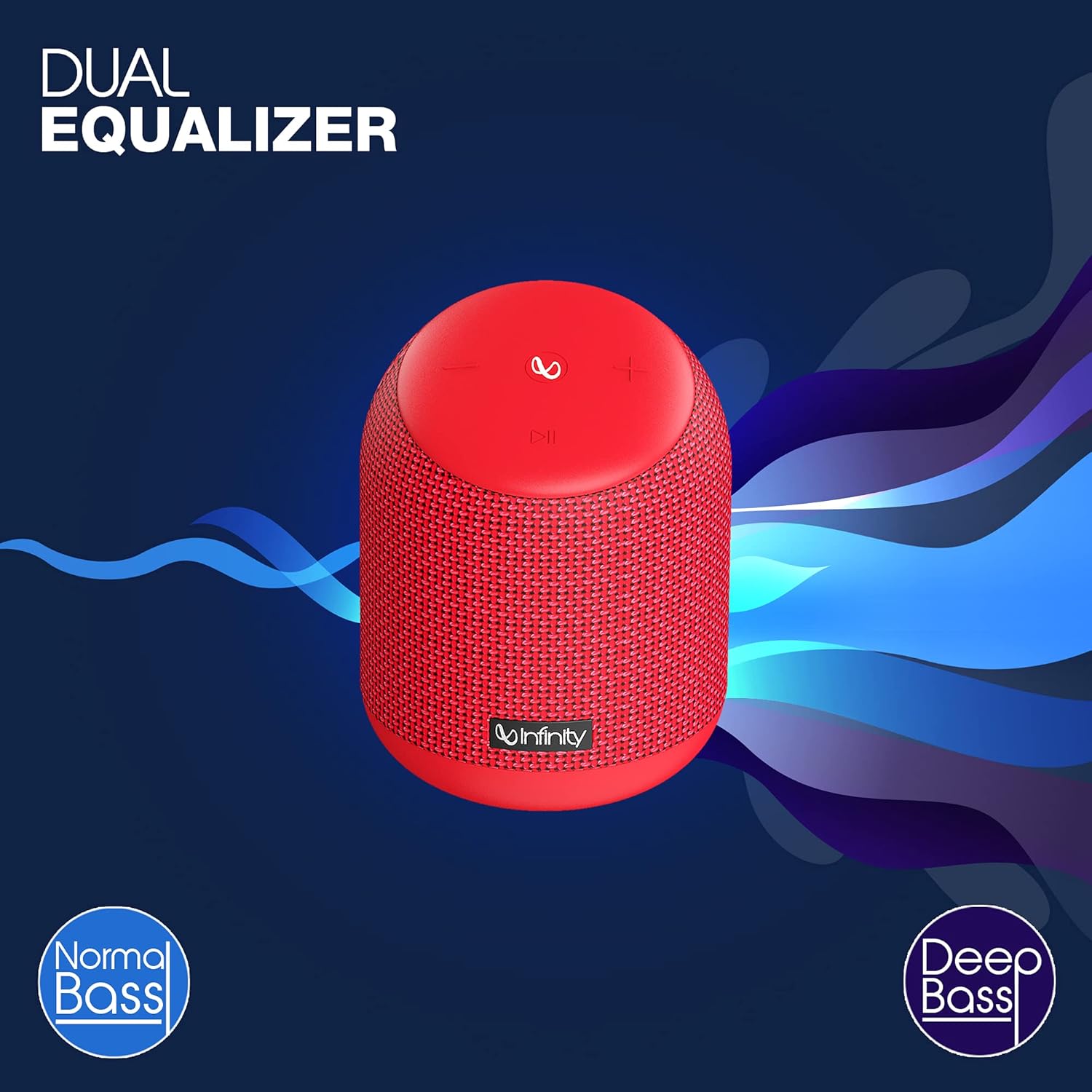
Image: The Infinity CLUBZ 250 speaker highlighting the 'Dual Equalizer' feature with options for 'Normal Bass' and 'Deep Bass'.

Image: The Infinity CLUBZ 250 speaker with a 'Deep Bass' graphic, emphasizing its enhanced bass capabilities.
To switch between modes, press the Bluetooth pairing button (∞) once. You will hear an audible cue indicating the active mode.
3. Sesli Asistan Entegrasyonu
Access your device's voice assistant (e.g., Google Assistant, Siri) directly through the speaker.

Image: A woman interacting with the Infinity CLUBZ 250 speaker, which displays a voice assistant interface on a laptop screen, demonstrating 'Voice Assistant Integration'.
To activate, press and hold the Play/Pause button (►►) for 2 seconds. The speaker will then relay your commands to your paired device's voice assistant.
4. Eller Serbest Arama
Akıllı telefonunuza bağlandığında, hoparlör eller serbest görüşme için kullanılabilir.
- Cevap Çağrısı: Press the Play/Pause button (►►) once.
- Çağrı Sonu: Press the Play/Pause button (►►) once during a call.
- Çağrıyı Reddet: Press and hold the Play/Pause button (►►) for 2 seconds.
Bakım
1. Su Geçirmezlik (IPX7)
The Infinity CLUBZ 250 is IPX7 waterproof, meaning it can be submerged in water up to 1 meter for up to 30 minutes. This makes it suitable for use near water, but it is not designed for prolonged underwater use.

Image: The Infinity CLUBZ 250 speaker with water splashing around it, indicating its 'IPX7 Waterproof' rating.
- Hoparlörü suya maruz bırakmadan önce şarj portu kapağının sıkıca kapalı olduğundan emin olun.
- Do not expose the speaker to salt water or other chemicals. If exposed, rinse with fresh water and dry thoroughly.
2. Temizlik
Hoparlörü yumuşak bir bezle temizleyin.amp Aşındırıcı temizleyiciler veya çözücüler kullanmayın, çünkü bunlar yüzeye veya iç bileşenlere zarar verebilir.
3. Depolama
Hoparlörü doğrudan güneş ışığından ve aşırı sıcaklıklardan uzak, serin ve kuru bir yerde saklayın. Uzun süre saklayacaksanız, ömrünü uzatmak için pili düzenli olarak şarj edin.
Sorun giderme
- Güç Yok: Hoparlörün şarjının dolu olduğundan emin olun. Güç kaynağına bağlayın ve tekrar açmayı deneyin.
- Ses Yok: Hem hoparlörün hem de bağlı cihazınızın ses seviyesini kontrol edin. Hoparlörün Bluetooth üzerinden doğru şekilde eşleştirildiğinden emin olun.
- Bluetooth Eşleştirme Sorunları: Make sure the speaker is in pairing mode (flashing LED). Turn off Bluetooth on other nearby devices that might be interfering. Try unpairing and re-pairing the speaker from your device's Bluetooth settings.
- Kötü Ses Kalitesi: Ensure the speaker is within the Bluetooth range of your device. Move away from sources of interference (e.g., Wi-Fi routers, microwaves).
- Dual Speaker Connect Failure: Ensure both speakers are fully charged and not connected to any other Bluetooth devices before initiating TWS pairing.
Özellikler
| Özellik | Şartname |
|---|---|
| Model Adı | KULÜP 250 |
| Çıkış Gücü | 15 Watt |
| Bağlantı | Bluetooth |
| Pil Ömrü | 10 Saate Kadar |
| Su Geçirmezlik Derecesi | IPX7 |
| Kontrol Yöntemi | Dokunmak |
| Boyutlar (UxGxY) | 11.6x11.6x17.8 cm |
| Ürün Ağırlığı | 421 Gram |
| Pil Türü | Lityum İyon (1 dahil) |
Garanti ve Destek
Your Infinity by Harman CLUBZ 250 speaker comes with a 1-year manufacturer's warranty. Please refer to the warranty card included in your packaging for detailed terms and conditions.
For technical support, service, or warranty claims, please contact Infinity customer service through their official webSite üzerinden veya Hızlı Başlangıç Kılavuzunuzda verilen iletişim bilgileri aracılığıyla iletişime geçebilirsiniz.


