1. Ürün Bittiview
The Makeid L1-A Label Maker is a portable and rechargeable wireless label printer designed for creating custom labels at home, school, or work. It connects wirelessly via Bluetooth to compatible Android and iOS devices, allowing users to design personalized labels using a dedicated mobile application. This device utilizes thermal printing technology to produce clear and lasting prints on waterproof, fade-resistant, and residue-free label tapes. It features a built-in cutter for easy label separation.
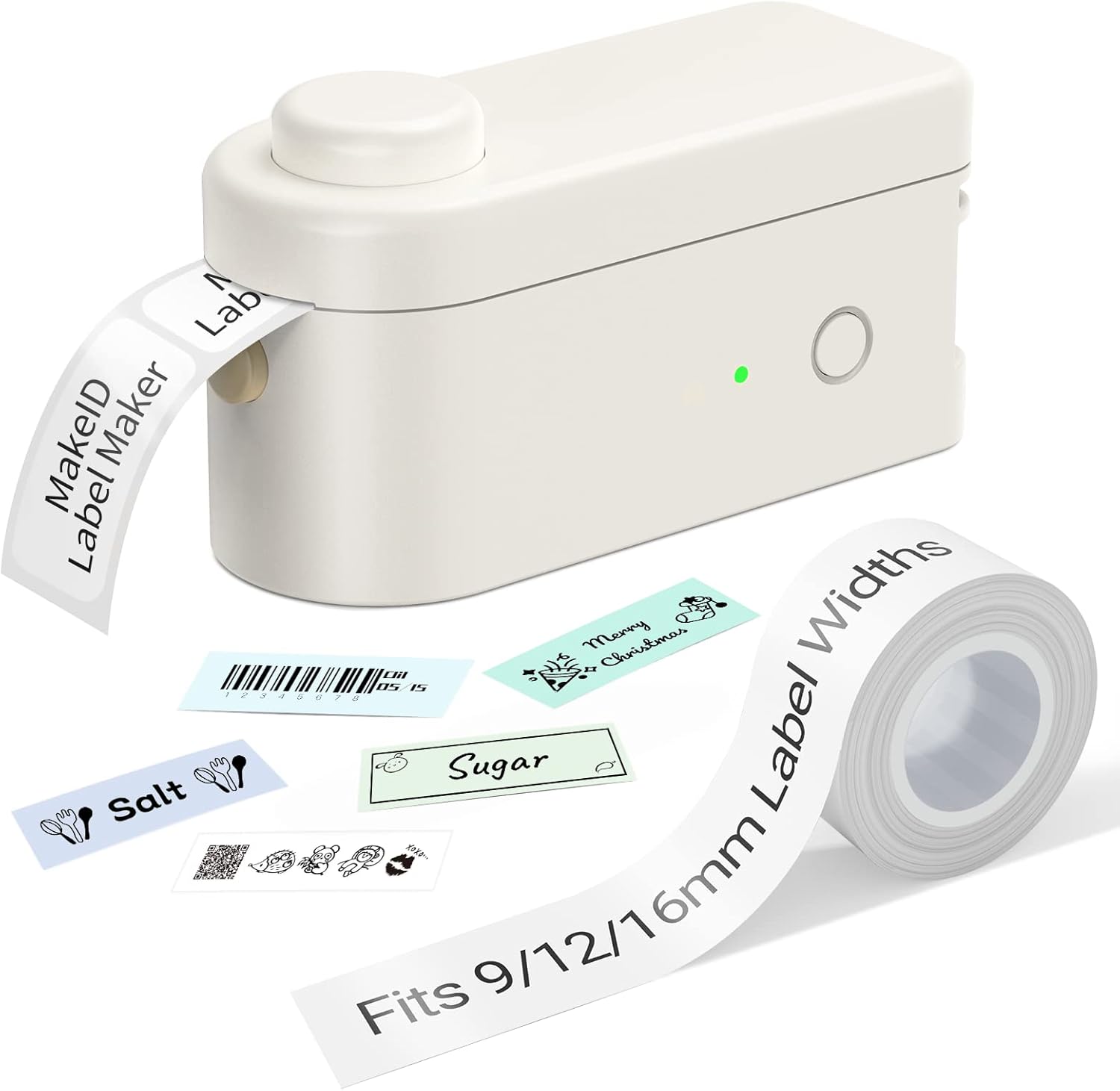
Figure 1: Makeid L1-A Label Maker with a roll of label tape and examples of printed labels, demonstrating its compact size and output capabilities.
2. Güvenlik Bilgileri
- Cihazı aşırı sıcaklıklara, doğrudan güneş ışığına veya yüksek neme maruz bırakmayın.
- Cihazınızı su ve diğer sıvılardan uzak tutunuz.
- Cihazı kendiniz sökmeye veya onarmaya çalışmayın. Yetkili servis personeline başvurun.
- Use only Makeid approved label tapes and accessories.
- Çocukların erişemeyeceği yerde saklayınız.
- Şarj sırasında uygun havalandırmayı sağlayın.
3. Kurulum Kılavuzu
3.1 Kutudan Çıkarma ve İlk Şarj
Carefully remove the label maker and any accessories from the packaging. Before first use, fully charge the device using the provided USB cable. The charging indicator light will typically change color or turn off when charging is complete.
3.2 Etiket Bandının Takılması
- Etiket yazıcısının bant bölmesinin kapağını açın.
- Insert the label tape cartridge, ensuring it clicks into place securely.
- Gently pull a small length of tape out of the cartridge, extending it slightly past the cutter.
- Kaset bölmesinin kapağını kapatın.

Figure 2: The Makeid label maker with its tape compartment open, illustrating the process of inserting a label tape cartridge.
3.3 Uygulama İndirme ve Bluetooth Bağlantısı
The Makeid label maker operates via a dedicated mobile application. Download the "MakeID-Life" app from your device's app store (Google Play for Android, App Store for iOS).

Figure 3: Step-by-step guide within the Makeid app demonstrating how to turn on Bluetooth, select the L1 model, and confirm the connection for printing.
- Akıllı telefonunuzda veya tabletinizde Bluetooth'un etkin olduğundan emin olun.
- Open the MakeID-Life app.
- Turn on the Makeid label maker by pressing the power button.
- Within the app, navigate to the device connection section (often indicated by a Bluetooth icon or "Connect Device").
- Select the "L1" model from the list of available devices.
- Confirm the connection. The app will indicate when the device is successfully paired.
4. Kullanım Talimatları
4.1 Designing Labels
The MakeID-Life app provides a versatile interface for label design. You can:
- Enter text and choose from multiple font styles.
- Add numbers, symbols, emojis, and icons.
- Create continuous labels or die-cut labels (depending on tape type).
- Adjust label length and other parameters.

Figure 4: The Makeid-Life app displaying various font choices and customization features, including the ability to add images, QR codes, and barcodes to labels.
4.2 Etiket Yazdırma
Etiket tasarımınız uygulamada tamamlandıktan sonra:
- Uygulama içindeki "Yazdır" düğmesine dokunun.
- The label maker will begin printing the label.
- After printing, wait for the label to fully emerge from the printer.
- Press the built-in cutter button to cleanly cut the label.

Şekil 5: Ör.amples of labels created with the Makeid label maker, demonstrating its versatility for continuous labels (9mm, 12mm, 16mm widths) and die-cut labels, suitable for various classification needs.

Figure 6: Demonstrations of the Makeid label maker's practical applications, including personal item identification, business product labeling, kitchen organization, and cautionary reminders.
5. Bakım
5.1 Baskı Kafasının Temizlenmesi
En iyi baskı kalitesini sağlamak için termal baskı kafasını düzenli olarak temizleyin. Yumuşak, tüy bırakmayan bir bez kullanarak hafifçe silin.ampened with isopropyl alcohol. Gently wipe the print head surface. Ensure the device is turned off and unplugged before cleaning.
5.2 Depolama
Store the label maker in a cool, dry place away from direct sunlight and extreme temperatures. Remove the label tape cartridge if the device will not be used for an extended period.
6. Sorun Giderme
| Sorun | Olası Neden | Çözüm |
|---|---|---|
| Cihaz açılmıyor | Düşük pil; Güç düğmesine doğru basılmamış | Charge the device; Press and hold the power button for a few seconds. |
| Bluetooth üzerinden bağlanılamıyor | Bluetooth off on phone/tablet; Device not in pairing mode; App issue | Ensure Bluetooth is on; Restart the label maker; Restart the app; Forget device in phone's Bluetooth settings and re-pair. |
| Poor print quality / Faded print | Print head dirty; Incorrect tape installed; Low battery | Clean the print head; Ensure correct Makeid tape is used; Charge the device. |
| Tape jam / Label not feeding | Tape not installed correctly; Obstruction in tape path | Re-install tape cartridge; Check for any debris and carefully remove. |
7. Özellikler
- Marka: Makeid
- Model Adı: L1-A
- Bağlantı Teknolojisi: Bluetooth
- Baskı Teknolojisi: Termal
- Özel Özellikler: Portable, Wireless, Built-in Cutter
- Uyumlu Bant Genişlikleri: 9mm, 12mm, 16mm
- Yazıcı Çıktısı: Tek renkli
- Maksimum Baskı Hızı: 25 ppm
- Ürün Ağırlığı: 0.28 Pound (yaklaşık 127g)
- DPI Resolutions: 203DPI, 300DPI (model dependent)
8. Garanti ve Destek
Specific warranty information is typically provided with your product packaging or on the manufacturer's official webSite. Garanti kapsamı ve şartları hakkında ayrıntılı bilgi için lütfen bu kaynaklara bakın.
For technical support, troubleshooting assistance beyond this manual, or inquiries about replacement parts and accessories, please visit the official Makeid website or contact their customer service department. Contact information can usually be found on the product packaging or the Makeid brand store page.
Note: As per the provided product data, specific warranty duration or direct support contact details are not available in this document.


