giriiş
This manual provides detailed instructions for the LOFREE Wireless Mechanical Bluetooth Keyboard. It covers setup, operation, maintenance, troubleshooting, and product specifications to ensure optimal use of your device.
This video demonstrates the LOFREE Retro Keyboard in various usage scenarios, highlighting its design and functionality.
Kurmak
Klavyeyi Şarj Etme
The keyboard is equipped with a rechargeable battery. Connect the provided USB cable to the Micro USB port on the keyboard and the other end to a power source (e.g., computer USB port, USB wall adapter).

Taraf view of the LOFREE keyboard, highlighting the Micro USB charging port and mode switches.
İlk Eşleştirme (Bluetooth)
To pair the keyboard via Bluetooth, ensure the keyboard is charged.
- Locate the Bluetooth switch on the side of the keyboard and slide it to the "ON" position.
- Cihazınızda (bilgisayar, tablet, akıllı telefon) Bluetooth'u etkinleştirin ve kullanılabilir cihazları arayın.
- Select "LOFREE Keyboard" from the list of devices to complete the pairing process.
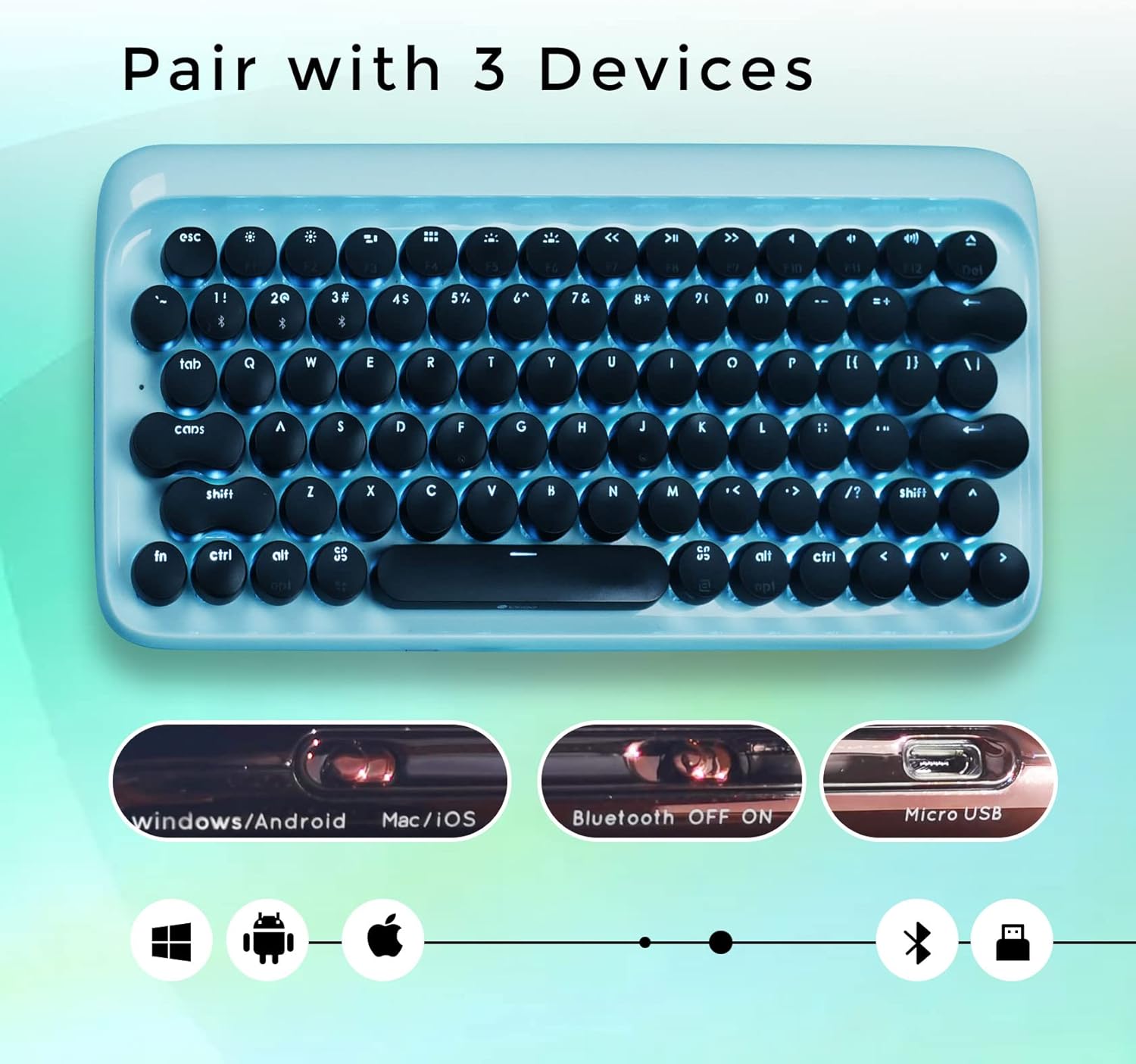
Yukarıdan aşağıya view of the LOFREE keyboard illustrating its ability to pair with up to three devices and showing the Bluetooth ON/OFF switch.
Kullanım Talimatları
Cihazlar Arasında Geçiş Yapmak
The LOFREE keyboard can connect to up to 3 different devices simultaneously. Use the quick switch on the keyboard to toggle between connected devices.
Kablolu bağlantı
For a wired connection, connect the USB cable directly from the keyboard to your computer. The keyboard will automatically switch to USB mode.

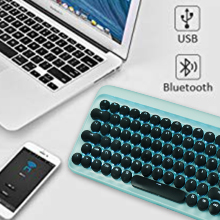
An image showing the keyboard connected via USB and Bluetooth, indicating dual connectivity options.
Arka Işık Ayarı
The keyboard features adjustable white LED backlighting with 4 brightness levels. To adjust the brightness or turn off the backlight, use the dedicated function keys. Refer to the key layout for specific controls.

Kapatmak view of the LOFREE keyboard highlighting the four adjustable backlight brightness levels.
Otomatik Uyku Modu
To conserve battery life, the keyboard automatically enters sleep mode after 10 minutes of inactivity. Press any key to wake it up.
An illustration depicting the keyboard's auto-sleep mode feature for battery conservation.
İşletim Sistemi Uyumluluğu
The keyboard is compatible with Windows, Android, Mac, and iOS operating systems. Use the OS switch on the side of the keyboard to select the appropriate mode.

An image illustrating the LOFREE keyboard's compatibility with Windows, Apple (Mac/iOS), and Android operating systems.
Bakım
Temizlik
To clean the keyboard, power it off and disconnect any cables. Use a soft, dry cloth to wipe the surface. For stubborn dirt, a slightly damp cloth can be used, ensuring no moisture enters the key switches or internal components. Avoid using harsh chemicals or abrasive materials.
Klavye Tuşunu Çıkarma
The keycaps are designed to be removable for cleaning or replacement. Gently pull the keycap upwards to remove it. Exercise caution to avoid damaging the switch mechanism.
Sorun giderme
Klavye Bağlantısı Kurmuyor
Bluetooth Bağlantı Sorunları
- Ensure Bluetooth is enabled on both the keyboard and your device.
- Check if the keyboard is in pairing mode.
- Klavyeyi cihazınızdan ayırıp tekrar eşleştirmeyi deneyin.
- Verify the keyboard battery level.
Wired Connection Issues
- USB kablosunun hem klavyeye hem de bilgisayarınıza güvenli bir şekilde bağlandığından emin olun.
- Farklı bir USB portu veya kablo deneyin.
Arka Işık Çalışmıyor
- Check the battery level. Low battery can affect backlight functionality.
- Ensure the backlight is not turned off or set to the lowest brightness level.
Tuşlar Yanıt Vermiyor
- Klavyeyi şarj edin.
- If using Bluetooth, try switching to wired mode to rule out connection issues.
- If a specific key is not responding, gently remove the keycap and check for any obstructions.
Özellikler
Genel
- Marka: LOFREE
- Modeli: B093GR97N3
- Bağlantı: Bluetooth, USB
- Anahtar Anahtarları: Mavi Mekanik Anahtarlar
- Tuş Takımları: Retro Yuvarlak Tuş Takımları
- Arka aydınlatma: Adjustable White LED
- Uyumluluk: Windows, Android, Mac, iOS
- Pil: 2 Lityum İyon pil (dahil)
- Ürün Ağırlığı: 2.74 pound
- Paket Boyutları: 14.37 x 6.61 x 1.85 inç

The LOFREE Wireless Mechanical Bluetooth Keyboard, showcasing its retro design and round keycaps.
Anahtar Anahtarları
The keyboard features Gateron Blue Mechanical Switches, known for their tactile bump and audible click, providing a satisfying typing experience reminiscent of vintage typewriters.

Ayrıntılı view of the Gateron Blue Mechanical Switches, known for their tactile and clicky feedback.
Garanti ve Destek
Garanti Bilgileri
All LOFREE products come with a 12-month warranty from the date of purchase.
Müşteri Desteği
For any questions, technical assistance, or support needs, please feel free to contact LOFREE customer service via email. We aim to respond to all inquiries within 24 hours.
Daha fazla bilgi ve ek ürünler için lütfen ziyaret edin. LOFREE Store.


