1. Ürün Bittiview
The WISCENT WTB-795 is a versatile portable cassette player recorder boombox designed for both classic audio playback and modern connectivity. It features a cassette player/recorder, AM/FM radio, Bluetooth streaming, USB playback and recording, and a built-in microphone for recording. This manual provides instructions for its safe and efficient operation.

Şekil 1: Ön view of the WISCENT WTB-795 Portable Cassette Player Recorder Boombox.
2. Paket İçeriği
Paketin içinde tüm öğelerin mevcut olduğundan emin olun:
- 1x WISCENT WTB-795 Cassette Player Boombox
- 1x AC Güç Kablosu
- 1x Kullanım Kılavuzu
3. Kurulum
3.1 Cihaza Güç Verme
The WTB-795 can be powered by either AC power or batteries.
- AC Gücü: Connect the included AC power cord to the AC input jack on the back of the unit and plug it into a standard 110V-50Hz wall outlet.
- Pil Gücü: For portable use, insert 4 x C-size batteries (not included) into the battery compartment on the back of the unit. Ensure correct polarity.
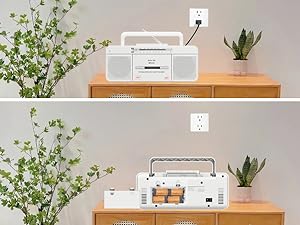
Figure 2: The boombox can be powered by AC cord or 4 C-size batteries.
3.2 Antenna Adjustment for Radio Reception
For optimal AM/FM radio reception, extend the telescopic antenna fully. Adjust its position and direction to achieve the clearest signal.
4. Kullanım Talimatları
4.1 Kaset Çalar Kullanımı
- Set the FUNCTION switch to "TAPE/OFF".
- Basın PAUSE/STOP/EJECT kaset bölmesini açmak için düğme.
- Açık kenarı yukarı bakacak şekilde kaset bandını yerleştirin.
- Close the cassette compartment firmly.
- Basın OYNAMAK Oynatmayı başlatmak için düğmesine basın.
- Kullanmak İleriye doğru (Fast Forward) or F.REW (Fast Rewind) to navigate the tape.
- Basmak DURAKLAT Oynatmayı geçici olarak durdurmak için. Devam etmek için tekrar basın.
- Basmak DUR/ÇIKAR to stop playback and open the compartment.
Video 1: Demonstrates how to use the Tape, Bluetooth, and USB functions on the WTB-795. Cassette player operation is shown from 0:18.
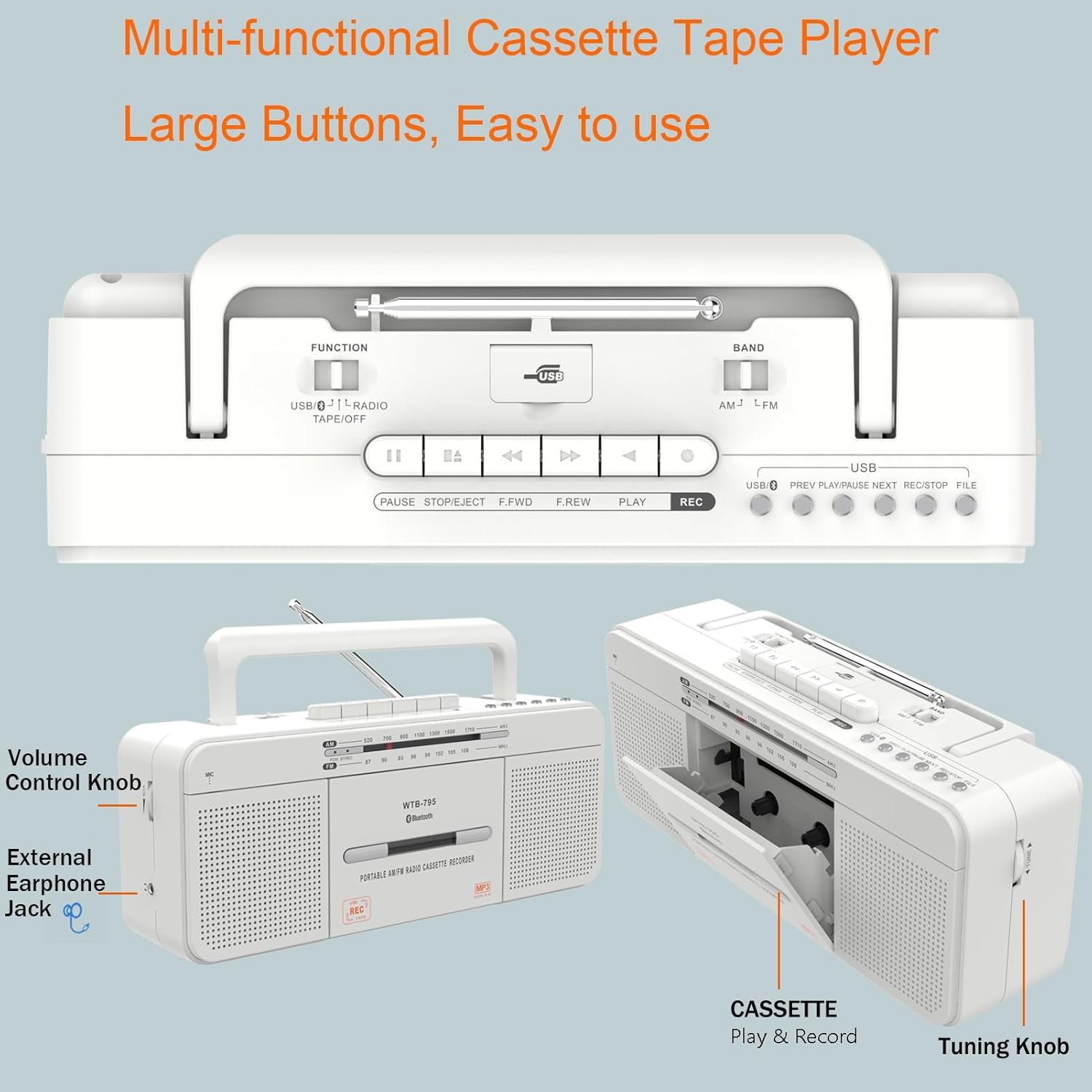
Şekil 3: Ayrıntılı view of the control buttons and cassette compartment.
4.2 Bluetooth Bağlantısı
- Set the FUNCTION switch to "USB/BT/RADIO".
- Set the BAND switch to "BT". The unit will enter Bluetooth pairing mode, indicated by a flashing blue light.
- On your mobile device, enable Bluetooth and search for "WTB-795".
- Select "WTB-795" to pair. Once connected, the blue light will stop flashing.
- Artık cihazınızdan boombox'a ses aktarımı yapabilirsiniz.
Video 2: Demonstrates Bluetooth connection on the WTB-795. Bluetooth pairing is shown from 0:29.
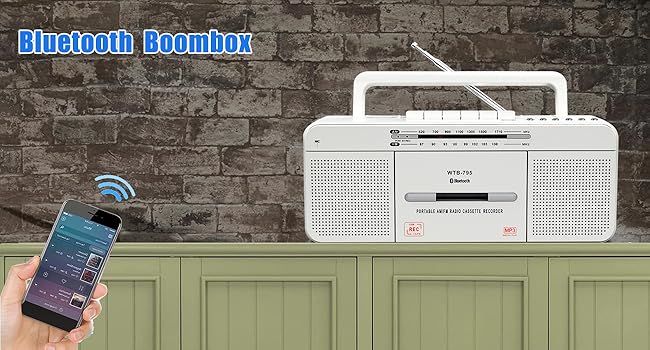
Figure 4: The boombox connected via Bluetooth to a smartphone.
4.3 USB Oynatma
- Set the FUNCTION switch to "USB/BT/RADIO".
- Insert a USB flash drive (FAT32 format recommended) into the USB port.
- Cihaz, MP3 dosyalarını otomatik olarak algılayacak ve çalmaya başlayacaktır. fileUSB belleğinden s.
- Kullanın ÖNCEKİ, OYNAT/DURDUR, Ve SONRAKİ kontrol düğmeleri.
Video 3: Demonstrates USB playback on the WTB-795. USB playback is shown from 0:41.

Figure 5: The USB port for playing MP3 files.
4.4 AM/FM Radyo Çalışması
- Set the FUNCTION switch to "USB/BT/RADIO".
- Set the BAND switch to "AM" or "FM" for the desired radio band.
- Daha iyi alım için teleskopik anteni uzatın.
- Döndür AYARLAMA Radyo istasyonlarını aramak için düğme.
- Ayarla HACİM Düğmeyi tercih ettiğiniz dinleme seviyesine ayarlayın.

Figure 6: The boombox features an AM/FM radio with an extendable antenna.
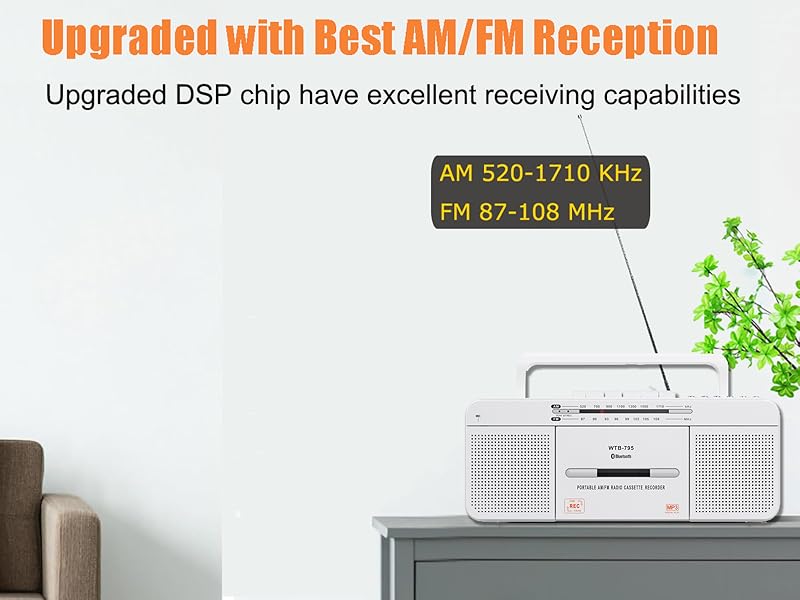
Figure 7: The telescopic antenna for improved radio reception.
4.5 Kayıt Fonksiyonları
The WTB-795 supports multiple recording methods:
- External Voice Recording to Tape: Use the built-in microphone to record external audio directly to a blank cassette tape.
- External Voice Recording to USB: Record external audio via the built-in microphone directly to a USB flash drive.
- Radio Recording to Tape: Record live AM/FM radio broadcasts to a blank cassette tape.
- Radio Recording to USB: Record live AM/FM radio broadcasts directly to a USB flash drive.
- Tape to MP3 (USB) Conversion: Convert existing cassette tapes into MP3 files bir USB flash sürücüde.
4.5.1 Recording from Tape to USB (MP3 Conversion)
- Set the FUNCTION switch to "TAPE/OFF".
- Insert the cassette tape you wish to record.
- Basın OYNAMAK button on the cassette player.
- Insert a USB flash drive (FAT32 format) into the USB port.
- Basılı tutun KAYIT button on the USB control area until the red light illuminates. This indicates recording has started.
- Kaydı durdurmak için DUR/ÇIKAR button on the cassette player. The USB recording will also stop.
- To record the other side of the tape, flip the tape and repeat the process.
- To check the recorded file, switch the FUNCTION to "USB/BT/RADIO" and the BAND to "USB". Use the ÖNCEKİ/SONRAKİ buttons to navigate.
Video 4: Detailed instructions on how to record cassette tapes to USB with the WTB-795.
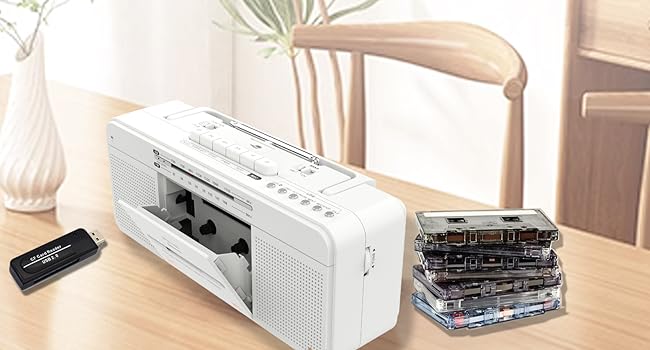
Figure 8: Visual representation of the tape to USB MP3 conversion process.
4.5.2 Recording via Built-in Microphone
- To record to tape: Set FUNCTION to "TAPE/OFF". Insert a blank cassette. Press KAYIT on the cassette controls.
- To record to USB: Set FUNCTION to "USB/BT/RADIO". Insert a USB flash drive. Press and hold KAYIT on the USB control area until the red light illuminates.
- Speak clearly into the built-in microphone (labeled "MIC").
- Basmak DUR/ÇIKAR (for tape) or release KAYIT (for USB) to end recording.

Figure 9: The built-in microphone allows for direct voice recording.
4.6 Kulaklık Kullanımı
Connect 3.5mm headphones to the headphone jack on the side of the unit for private listening. The internal speakers will be muted automatically.
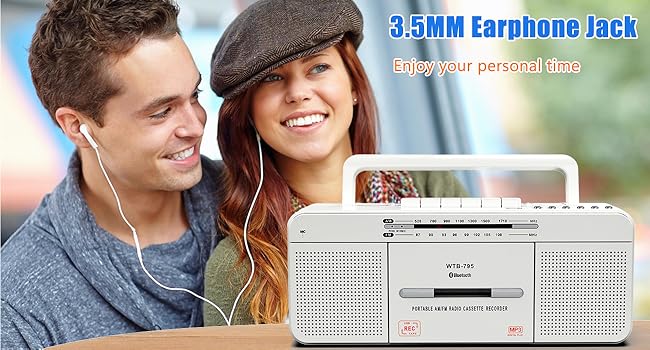
Figure 10: The 3.5mm headphone jack for personal audio experience.
5. Bakım
To ensure the longevity and optimal performance of your WISCENT WTB-795, follow these maintenance guidelines:
- Temizlik: Use a soft, dry cloth to clean the exterior of the unit. Do not use abrasive cleaners or solvents. For the cassette head and pinch roller, use a specialized tape head cleaning kit periodically.
- Depolamak: When not in use for extended periods, store the unit in a cool, dry place away from direct sunlight and extreme temperatures. Remove batteries if storing for a long time to prevent leakage.
- Kaset Bakımı: Avoid exposing cassette tapes to direct sunlight, heat, or strong magnetic fields. Store tapes in their cases to prevent dust accumulation.
6. Sorun Giderme
If you encounter issues with your WTB-795, refer to the following common problems and solutions:
| Sorun | Olası Neden | Çözüm |
|---|---|---|
| Güç yok | AC cord not connected, batteries depleted/incorrectly inserted. | Check AC connection, replace batteries, ensure correct polarity. |
| Zayıf radyo alımı | Antenna not extended/adjusted, weak signal area. | Extend and adjust the telescopic antenna. Try moving the unit to a different location. |
| Kaset çalmıyor/ses kalitesi düşük | Tape incorrectly inserted, tape damaged, dirty tape head. | Ensure tape is inserted correctly. Try a different tape. Clean the tape head and pinch roller. |
| Bluetooth bağlanmıyor | Unit not in pairing mode, device too far, incorrect pairing. | Ensure unit is in BT mode and flashing. Keep devices close. Re-pair the device. |
| USB oynatma çalışmıyor | USB drive not FAT32, no MP3 files, USB drive damaged. | Ensure USB is FAT32 format. Verify MP3 files are present. Try a different USB drive. |
| Kayıt çalışmıyor | No blank tape/USB, REC button not held long enough (for USB). | Ensure a blank tape or formatted USB is inserted. Hold the REC button until the indicator light comes on. |
7. Özellikler
| Özellik | Detay |
|---|---|
| Marka | WISCENT |
| Model Numarası | WTB-795W |
| Ürün Boyutları (U x G x Y) | 11.4 x 3.35 x 4.53 inç (290 x 85 x 115 mm) |
| Ürün Ağırlığı | 2.53 pound (1.15 kg) |
| Bağlantı Teknolojisi | Bluetooth, USB |
| Hoparlör Tipi | Stereo (Dual 3W speakers) |
| Radyo Bantları | AM 520-1710 KHz, FM 87-108 MHz |
| Güç Kaynağı | AC 110V-50Hz or 4 x C-size batteries (not included) |
| Kayıt Yöntemleri | 5-way recording (Mic to Tape/USB, Radio to Tape/USB, Tape to USB) |
8. Garanti ve Destek
For warranty information and customer support, please refer to the documentation included with your purchase or contact WISCENT customer service directly. Keep your purchase receipt as proof of purchase for warranty claims.


