1. Giriş
This manual provides essential instructions for setting up, operating, and maintaining your ENHANCE Colmi V23 Smart Watch. Please read this manual thoroughly before using the device to ensure proper function and longevity.

Figure 1.1: ENHANCE Colmi V23 Smart Watch
2. Güvenlik Bilgileri
Disclaimer: This device is not a medical device and is not intended to replace a Sphygmomanometer (an instrument for measuring blood pressure). Individuals with hypertension or other medical conditions should consult their doctor before using this device for health monitoring purposes.
3. Kutuda Neler Var?
- 1x ENHANCE Colmi V23 Smart Watch
- 1x Şarj Kablosu
- 1x Kullanım Kılavuzu
4. Kurulum
4.1 Akıllı Saati Şarj Etme
Before initial use, fully charge your smart watch. Connect the magnetic charging cable to the charging points on the back of the watch and plug the USB end into a power adapter (not included) or a computer's USB port. A full charge typically takes approximately 2 hours.

Şekil 4.1: Akıllı Saatin Şarj Edilmesi
4.2 Uygulama Kurulumu ve Eşleştirme
- İndir "Da Fit" application from your device's app store (compatible with iOS 9.0 and above, Android 4.0 and above). You can also scan the QR code provided in the included manual to download the app.
- Akıllı telefonunuzda Da Fit uygulamasını açın.
- Follow the in-app instructions to add a new device. Select the V23 Smart Watch from the list of available devices to pair.
- Eşleştirme işlemi sırasında akıllı telefonunuzda Bluetooth'un etkinleştirildiğinden emin olun.
5. Akıllı Saatin Kullanımı
5.1 Dokunmatik Ekran Navigasyonu
The ENHANCE Colmi V23 features a 1.3-inch HD color full touch screen for easy operation. Swipe left, right, up, or down to navigate through menus and functions. Tap to select options.

Figure 5.1: Touch Screen Interface Overview
5.2 Saat Yüzlerini Özelleştirme
Personalize your smart watch with over 100 watch faces available through the Da Fit application. You can also create custom watch faces using your own photos.
- Akıllı telefonunuzda Da Fit uygulamasını açın.
- Navigate to "Add a Device" > "WATCH FACES".
- Select an existing watch face or choose "Edit" to customize with a picture.
- Select your desired picture, adjust its position, and save.
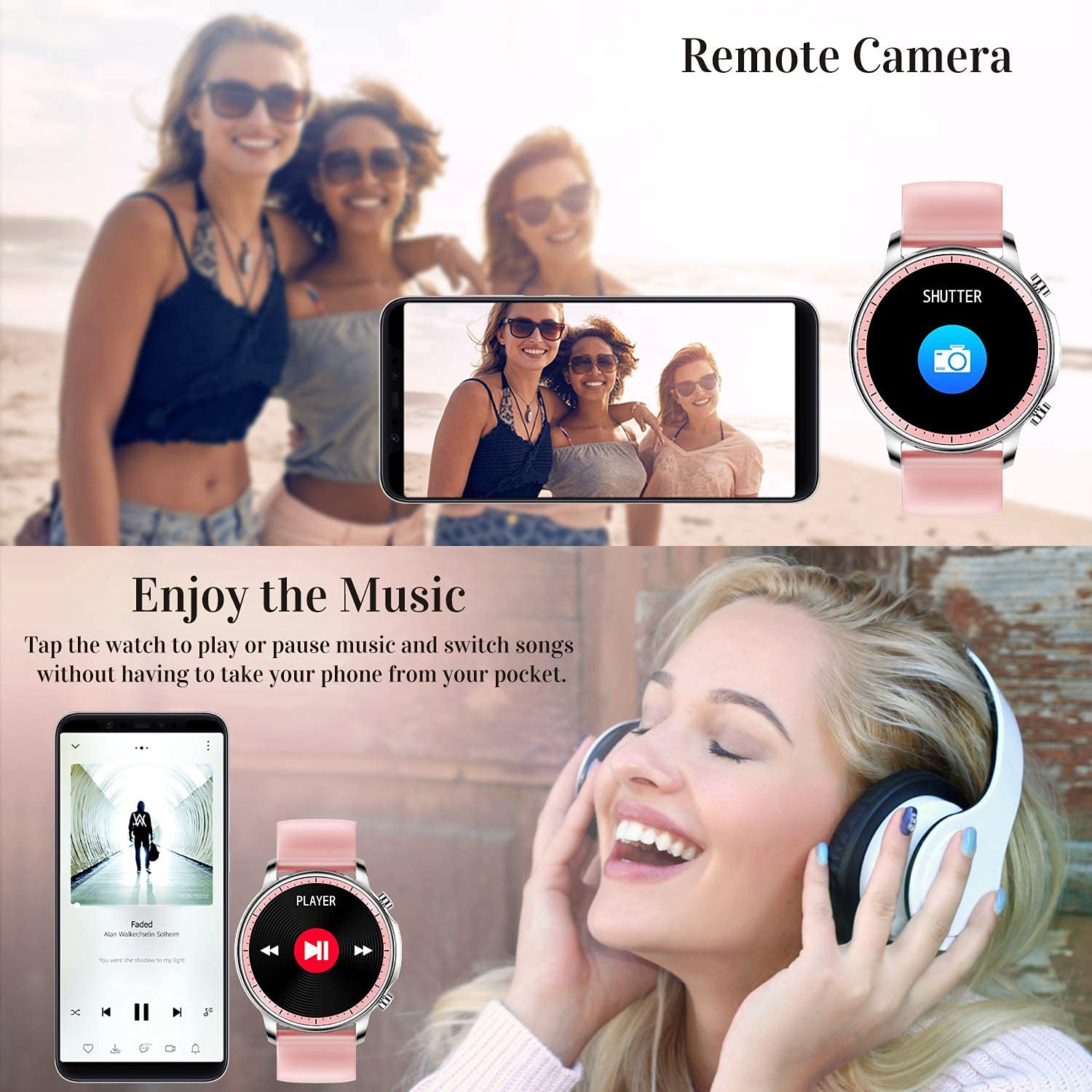
Figure 5.2: Customizing Watch Faces
5.3 Bildirimler
Receive call, message, email, and app notifications directly on your smart watch. (Note: The watch cannot answer or make calls.)

Figure 5.3: Call and Message Reminders
5.4 Müzik Kontrolü
Control music playback on your smartphone directly from your watch. Tap to play/pause or switch songs without needing to access your phone.
5.5 Uzak Kamera
Use your smart watch as a remote shutter for your smartphone camera. This feature allows you to take photos from a distance.

Figure 5.4: Remote Camera and Music Control
6. Özellikler
6.1 Sağlık İzleme
- Heart Rate (HR) Monitor: Gün boyunca kalp atış hızınızı sürekli olarak izler.
- Blood Pressure (BP) Monitor: Provides blood pressure readings. (Refer to safety disclaimer in Section 2).
- Kan Oksijen (SpO2) Monitörü: Kan oksijen saturasyon seviyelerini ölçer.
- Uyku Takipçisi: Records sleep information, including deep sleep, light sleep, and awake time, to help you understand your sleep patterns.
- Kadın Sağlığı Takibi: Offers features for tracking female health cycles.

Figure 6.1: Heart Rate and Blood Pressure Monitoring

Figure 6.2: Smart Sleep Monitoring
6.2 Etkinlik Takibi
The smart watch offers 7 data record modes to track various sports activities:
- Yürüme
- Koşma
- Bisikletçilik
- Basketbol
- Futbol
- Badminton
- Atlama
This feature helps you monitor your exercise data and gain insights into your fitness levels.

Figure 6.3: Smart Watch Functions Overview
6.3 Akıllı Hatırlatıcılar
- Hareketsizliğe Dikkat: Reminds you to move and stay active after periods of inactivity.
- Çalar Saat: Alarmlarınızı doğrudan saatiniz üzerinden ayarlayın.
6.4 Diğer Fonksiyonlar
- Kronometre
- Fun Game
7. Bakım
7.1 Suya Dayanıklılık
The ENHANCE Colmi V23 Smart Watch is IP68 waterproof, making it resistant to daily wet conditions such as hand washing or light rain. Avoid prolonged submersion in water, hot water, or steam, and do not operate buttons underwater.
7.2 Temizlik
Saati ve kayışını düzenli olarak yumuşak, kuru bir bezle silin. Gerekirse, biraz daha yumuşak bir bez kullanın.amp Önce bir bezle silin ve ardından iyice kurulayın. Sert kimyasallar veya aşındırıcı malzemeler kullanmaktan kaçının.
7.3 Pil Bakımı
Pil ömrünü uzatmak için pili sık sık tamamen boşaltmaktan kaçının. Pil seviyesi düşükken saati şarj edin. Uzun süre kullanılmayacaksa saati serin ve kuru bir yerde saklayın.
8. Sorun Giderme
- Saat açılmıyor: Saatinizin tam şarjlı olduğundan emin olun. Saatinizi en az 30 dakika şarj cihazına takın.
- Saat telefonunuzla eşleşmiyor: Telefonunuzda Bluetooth'un etkinleştirildiğinden ve saatin menzil içinde olduğundan emin olun. Hem saati hem de telefonunuzu yeniden başlatın, ardından Da Fit uygulaması üzerinden tekrar eşleştirmeyi deneyin.
- Yanlış sağlık verileri: Ensure the watch is worn snugly on your wrist, not too tight or too loose. Clean the sensor on the back of the watch. Remember, this device is not a medical instrument.
- Bildirimler görünmüyor: Check notification settings in the Da Fit app and your phone's system settings to ensure permissions are granted for the app to display notifications.
9. Özellikler
| Marka | GENİŞLETMEK |
| Örnek | V23 Smart watch |
| Ürün Boyutları | 1.03x2x4.15 cm |
| Ürün Ağırlığı | 42 gr |
| Ekran Boyutu | 1.3 inç |
| Çözünürlük | 240x230 |
| Görüntü Türü | Dijital lcd |
| Pil Kapasitesi | 200 mAh (Lityum Polimer) |
| Şarj Yöntemi | Magnetic Wire Charging |
| Kablosuz Tip | Bluetooth |
| Uyumlu Cihazlar | Mobile Phone (Android 4.0+ & iOS 9.0+) |
| İşletim Sistemi | Android ve iOS |
| Suya Dayanıklılık | IP68 |
| Malzeme | Plastik |
10. Garanti ve Destek
For warranty information and customer support, please refer to the documentation included with your product or contact ENHANCE customer service. The included user manual contains details regarding warranty terms and contact information.


