1. Giriş
This manual provides instructions for the setup, operation, and maintenance of your Nixplay 10.1 inch Smart Digital Photo Frame (Model W10J). Please read this manual thoroughly before using your device to ensure proper functionality and longevity.
2. Ürün Bittiview
The Nixplay Smart Digital Photo Frame allows you to display photos and videos from your connected accounts or directly uploaded content. It features Wi-Fi connectivity for easy content management.
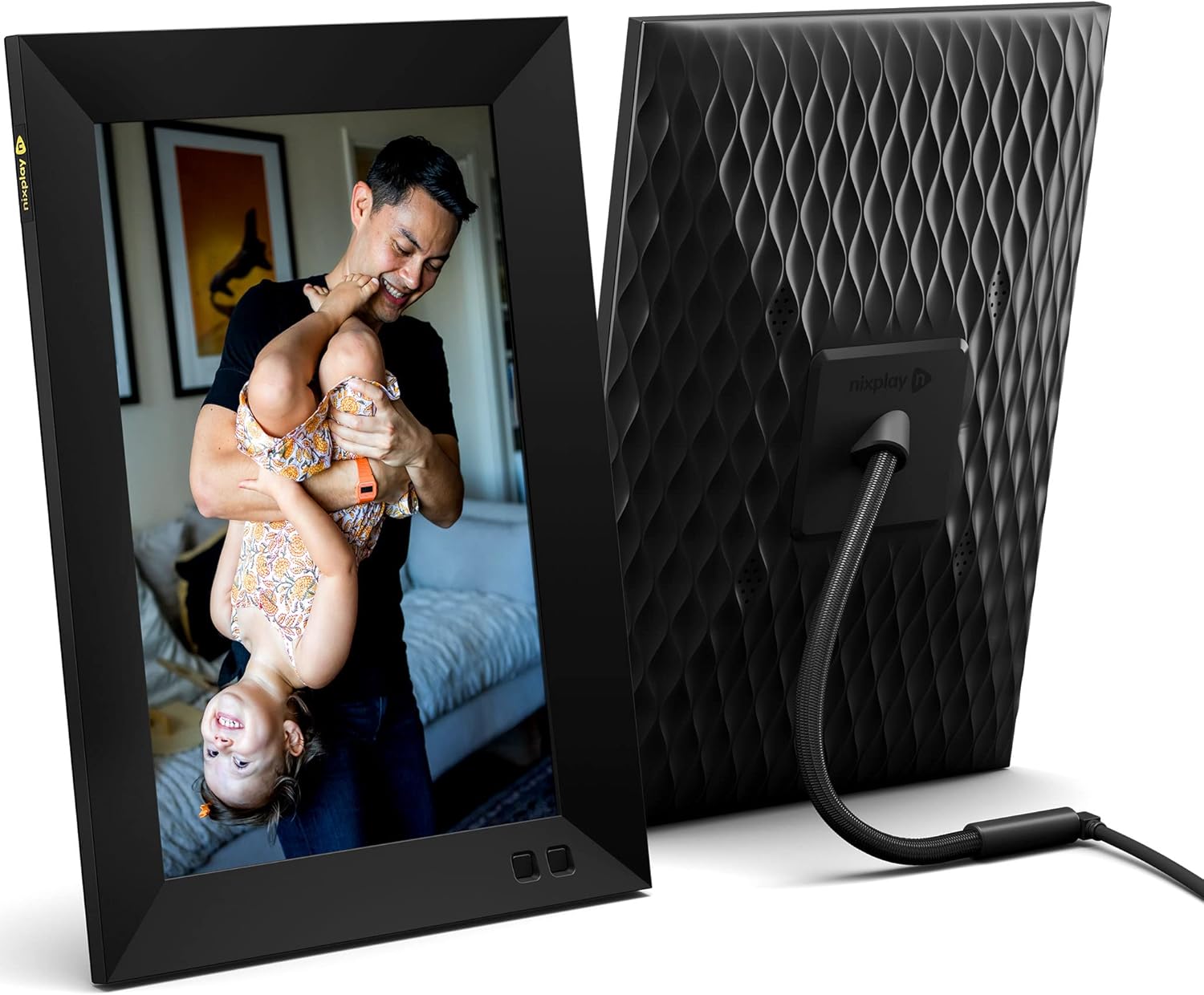
Şekil 2.1: Ön ve arka view of the Nixplay 10.1 inch Smart Digital Photo Frame. The front displays an image of a person holding a child, while the rear shows the textured back panel and power cable connection.
2.1 Paket İçeriği

Şekil 2.2: Contents of the Nixplay Smart Digital Photo Frame package. Includes the frame, power adapter, remote control, wall mounting guide, screws, and a brief guide.
Kutuyu açtıktan sonra tüm parçaların eksiksiz olduğundan emin olun:
- Nixplay 10.1 inch Smart Digital Photo Frame
- Güç Adaptörü
- Uzaktan kumanda
- Wall Mounting Guide and Hardware
- Hızlı Başlangıç Kılavuzu
3. Kurulum
3.1 Çerçeveyi Açma
- Güç adaptörünü çerçevenin güç girişine bağlayın.
- Güç adaptörünü duvar prizine takın.
- The frame will automatically power on and display the Nixplay logo.
3.2 Initial Wi-Fi and Account Setup
Follow the on-screen prompts to connect your frame to a Wi-Fi network and create or log in to your Nixplay account. This process typically involves:
- Wi-Fi ağınızı seçin ve şifreyi girin.
- Downloading the Nixplay app on your smartphone or tablet.
- Pairing your frame with your Nixplay account using the app.

Şekil 3.1: The Nixplay app displayed on a smartphone, illustrating how to share photos and videos instantly. The digital frame is shown displaying a family photo.
4. Kullanım Talimatları
4.1 Managing Content with the Nixplay App
The Nixplay app is the primary tool for managing your frame's content. It allows you to upload photos and videos, create playlists, and invite others to share content.
- Fotoğraf/Video Yükleme: Use the app to select media from your device or linked cloud services (e.g., Google Photos, Dropbox) and upload them to your Nixplay account.
- Creating Playlists: Organize your uploaded media into playlists. You can assign specific playlists to your frame.
- Paylaşım: Invite family and friends to contribute photos and videos to your frame via email or the Nixplay app.

Şekil 4.1: The Nixplay app interface displaying various playlists, including "Google Photos family," "Christmas Playlist," and "Wedding." This demonstrates the app's content organization features.
4.2 Uzaktan Kumandanın Kullanımı
The included remote control allows for basic navigation and settings adjustments directly on the frame. Functions typically include:
- Navigating through menus.
- Adjusting volume (for videos).
- Pausing/playing slideshows.
- Accessing frame settings.
4.3 Hareket Sensörü İşlevselliği
The frame features a motion sensor that can be configured to turn the display on when motion is detected and off after a period of inactivity, conserving energy.
5. Bakım
5.1 Çerçevenin Temizlenmesi
- Use a soft, dry, lint-free cloth to clean the screen and frame exterior.
- Avoid using abrasive cleaners, solvents, or aerosol sprays, as these can damage the surface.
- Ekrandaki inatçı lekeler için hafifçe silinampen the cloth with water, then wipe gently.
5.2 Yazılım Güncellemeleri
Ensure your frame's software is up to date for optimal performance and new features. The frame typically updates automatically when connected to Wi-Fi, or you may be prompted to install updates via the Nixplay app.
6. Sorun Giderme
| Sorun | Olası Çözüm |
|---|---|
| Çerçeve açılmıyor. | Güç adaptörünün hem çerçeveye hem de çalışan bir elektrik prizine güvenli bir şekilde bağlı olduğundan emin olun. Farklı bir priz deneyin. |
| Wi-Fi'ye bağlanılamıyor. | Verify the Wi-Fi password. Ensure the frame is within range of your router. Restart your router and the frame. |
| Fotoğraflar çerçevede görünmüyor. | Check your Nixplay app to confirm photos are uploaded and assigned to the correct playlist for your frame. Ensure the frame is connected to Wi-Fi. |
| Uzaktan kumanda çalışmıyor. | Ensure there are no obstructions between the remote and the frame. Replace the remote control battery if necessary. |
7. Özellikler
- Model Numarası: W10J
- Ekran Boyutu: 10.1 inç
- Çözünürlük: 1280x800
- Renk: Siyah
- Ürün Ölçüleri: 8.54 x 35 x 0.99 inç
- Ürün Ağırlığı: 2.86 pound
- Uyumlu Cihazlar: Akıllı telefon, Tablet
- Piller: 1 adet Lityum Metal pil (dahil, uzaktan kumanda için)
- Üretici: Nixplay
- ASIN: B09364Y1QJ
8. Garanti ve Destek
For warranty information and technical support, please refer to the documentation included with your product or visit the official Nixplay support webÜreticinin web sitesinde genellikle müşteri hizmetlerine ilişkin iletişim bilgileri bulunur. webalan.


