giriiş
This manual provides detailed instructions for the operation and maintenance of the LAUNCH X431 PRO3S+ V5.0 automotive diagnostic tool. It covers essential information to help users effectively utilize the device's advanced diagnostic capabilities, bi-directional control, and extensive service functions.
The LAUNCH X431 PRO3S+ V5.0 is designed for professional automotive technicians, offering OE-level diagnostic features, broad vehicle coverage, and support for various specialized functions.
Temel Özellikler
- OE Seviyesinde Tam Sistem Teşhisleri: Comprehensive scanning of all available vehicle systems.
- Çift Yönlü Kontrol (Aktif Test): Perform active tests on various vehicle components to verify functionality.
- Gelişmiş ECU Kodlama: Customize vehicle settings, perform online coding, and flash hidden features.
- 37+ Reset and Service Functions: Includes Oil Reset, EPB, SAS, BMS, DPF, TPMS, IMMO, ABS Bleeding, Injector Coding, Gearbox Matching, and more.
- Rehberli Fonksiyonlar: Step-by-step instructions for complex procedures, compatible with VAG vehicles (VW/Audi/Skoda/Seat).
- FCA SGW için Otomatik Kimlik Doğrulama: Secure gateway access for Chrysler, Alfa Romeo, and Fiat vehicles (2017 and newer).
- Kapsamlı Araç Sigortası: Supports over 10,000 vehicle models and 160+ brands.
- Uzaktan Teşhis: Facilitates remote technical assistance.
- Topoloji Eşlemesi: Visual representation of vehicle communication networks for efficient troubleshooting.
- Support for Extension Modules: Compatible with optional modules like Videoscop, X431 TSGUN, X-PROG3, and ADAS calibration tools (sold separately).
Kurmak
1. Paketin Açılması ve İlk Muayene
Carefully unpack all components from the packaging. Verify that all items listed in the packing list are present and undamaged. Report any missing or damaged items to your vendor immediately.

Image: Contents of the LAUNCH X431 PRO3S+ V5.0 package, including the diagnostic tablet, various connectors, and accessories.
2. Güç Açma ve İlk Yapılandırma
- Cihazı açmak için güç düğmesine basın ve basılı tutun.
- Ekranda gösterilen yönergeleri izleyerek tercih ettiğiniz dili seçin. Cihaz 24 dili desteklemektedir.
- Connect to a Wi-Fi network for software updates and online functions.
- Register your device and create a user account as prompted.

Image: The main user interface of the LAUNCH X431 PRO3S+ V5.0 diagnostic tool, showing various diagnostic and service options.
3. Araca Bağlantı
- Locate the vehicle's OBD-II diagnostic port, typically under the dashboard on the driver's side.
- Connect the diagnostic cable from the LAUNCH X431 PRO3S+ V5.0 to the vehicle's OBD-II port.
- Aracın kontak anahtarını AÇIK konumuna getirin (motoru kapatın).
- Cihaz, araçla otomatik olarak iletişim kuracaktır.
Kullanım Talimatları
1. Tanısal Fonksiyonlar
- Akıllı Teşhis: Automatically identifies vehicle VIN and performs a full system scan.
- Yerel Teşhis: Manually select vehicle make, model, and year to perform specific diagnostic tests.
- DTC'leri Oku/Temizle: Retrieve and erase Diagnostic Trouble Codes from all control modules.
- Canlı Veri Akışı: View real-time sensor data in text, graph, or gauge format. Supports 12-in-1 live data graphing for detailed analysis.
- Topoloji Eşlemesi: Access a visual map of the vehicle's communication network to quickly identify problematic modules.

Image: The full system diagnostic interface of the LAUNCH X431 PRO3S+ V5.0, showing a vehicle's system status.

Image: The intuitive topology mapping feature on the LAUNCH X431 PRO3S+ V5.0, displaying vehicle module connections.
2. Özel Fonksiyonlar ve Hizmetler
- ECU Kodlaması: Modify vehicle parameters, activate hidden functions, and perform component matching.
- Çift Yönlü Kontrol (Aktif Test): Send commands to vehicle systems to test their operational status. ExampBunlar şunları içerir:
- Turning on/off radiator fan
- Modulating throttle
- Operating windows and mirrors
- Testing injector buzz
- Activating interior/exterior lights and horn
- Kapı kilitlerinin test edilmesi
- Reset Services: Access over 37 common maintenance and reset functions. Navigate to the "Reset" menu and select the required service.

Image: A display of the 37+ reset and service functions available on the LAUNCH X431 PRO3S+ V5.0, including ABS bleeding, oil reset, and IMMO services.
3. Remote Diagnosis and Reporting
- Uzaktan Teşhis: Initiate a remote diagnostic session to receive assistance from a technician.
- Sağlık Raporu: Generate and print comprehensive diagnostic reports for record-keeping or client presentation.
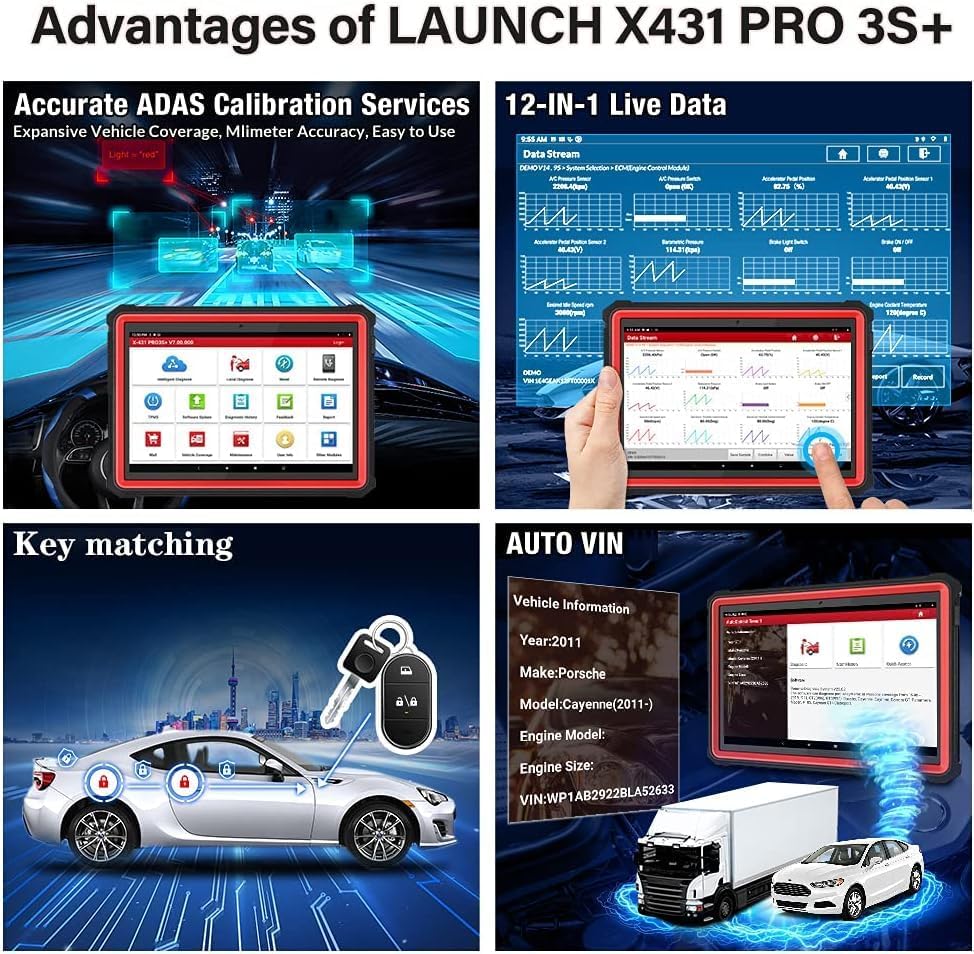
Image: Screenshots illustrating the remote diagnosis and health report generation capabilities of the LAUNCH X431 PRO3S+ V5.0.
Bakım
1. Yazılım Güncellemeleri
Regularly update the diagnostic software to ensure compatibility with the latest vehicle models and access new features. Connect the device to a stable Wi-Fi network and navigate to the "Software Update" section on the main menu.
2. Pil Bakımı
The device is equipped with a 6300mAh Lithium-ion battery. To prolong battery life:
- Aşırı sıcaklıklardan kaçının.
- Cihazı düzenli olarak şarj edin, ancak uzun süre aşırı şarj etmekten kaçının.
- If storing the device for a long time, ensure the battery is charged to approximately 50-70%.
3. Temizleme ve Saklama
Cihazı yumuşak bir bezle temizleyin.amp cloth. Avoid using abrasive cleaners or solvents. Store the device in its protective case in a dry, cool environment when not in use.
Sorun giderme
If you encounter issues with your LAUNCH X431 PRO3S+ V5.0, refer to the following common troubleshooting steps:
- Cihaz Açılmıyor: Pilinin dolu olduğundan emin olun. Cihazı güç adaptörüne bağlayın ve tekrar deneyin.
- Araçla İletişim Yok:
- Teşhis kablosunun hem cihaza hem de aracın OBD-II portuna güvenli bir şekilde bağlı olduğundan emin olun.
- Aracın kontak anahtarının AÇIK konumda olduğundan emin olun.
- Aracın aküsünün yeterince şarjlı olup olmadığını kontrol edin.
- Try a different vehicle to rule out vehicle-specific issues.
- Software Freezes or Slow Performance:
- Cihazı yeniden başlatın.
- Yazılımın güncel olduğundan emin olun.
- Clear cache or free up storage space if necessary.
- Yanlış Okumalar: Ensure the correct vehicle information (make, model, year) is selected. Perform a software update.
For persistent issues, consult the "Feedback" section on the device or contact technical support.
Özellikler
| Özellik | Şartname |
|---|---|
| Model Numarası | X431-005 |
| İşletim Sistemi | Android 10.0 |
| İşlemci | Sekiz Çekirdekli |
| Dahili Depolama | 64 GB (128 GB'a kadar genişletilebilir) |
| Ekran Boyutu | 10.1 inç |
| Pil | 6300 mAh Lityum İyon |
| Bağlantı | Dual-band Wi-Fi (2.4 & 5 GHz), Bluetooth |
| Boyutlar (U x G x Y) | 60x44x19 cm |
| Ağırlık | 7.65 Kilogram |
| Desteklenen Diller | 24 dil |
| Desteklenen Protokoller | CAN FD & DOIP Protocols |

Image: An illustration highlighting the high-configuration hardware of the LAUNCH X431 PRO3S+ V5.0, including its Octa-Core processor, 6300mAh battery, 64GB ROM, 10.1-inch touchscreen, Wi-Fi, and Bluetooth capabilities.

Image: A visual representation of the 24 supported languages on the LAUNCH X431 PRO3S+ V5.0 diagnostic tool.
Garanti ve Destek
- Garanti: The LAUNCH X431 PRO3S+ V5.0 comes with a 24-month maintenance warranty.
- Teknik Destek: 7 days a week, 24 hours a day, 365 days a year technical support is available.
- İade politikasi: A 60-day refund or return policy is applicable.
For technical assistance or warranty claims, please contact your vendor or LAUNCH customer service.


