giriiş
This user manual provides detailed instructions for the operation and maintenance of your HOTT MP3 Player, model HA09. Please read this manual thoroughly before using the device to ensure proper functionality and to prevent damage.
Güvenlik Bilgileri
- Cihazı aşırı sıcaklıklara, doğrudan güneş ışığına veya yüksek neme maruz bırakmayın.
- Cihazı düşürmekten veya güçlü darbelere maruz bırakmaktan kaçının.
- Do not disassemble or attempt to repair the device yourself. Contact qualified service personnel for assistance.
- Cihazınızı su ve diğer sıvılardan uzak tutunuz.
- Sadece belirtilen şarj aksesuarlarını kullanın.
Paket İçeriği
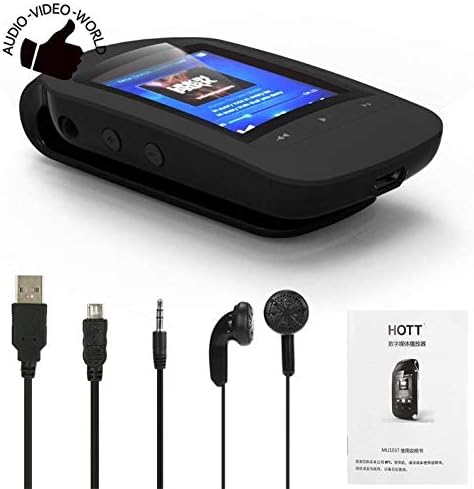
Lütfen paketi aşağıdaki öğeler açısından kontrol edin:
- HOTT MP3 Player (HA09)
- USB Şarj Kablosu
- Kulaklıklar
- Kullanım Kılavuzu (bu belge)
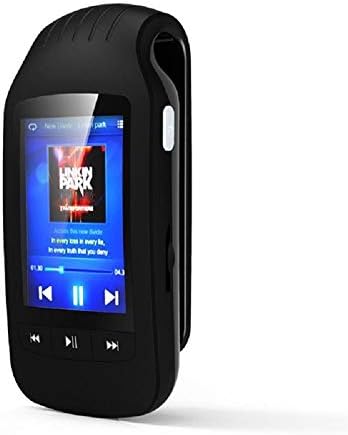
Figure 1: HOTT MP3 Player HA09 with its standard accessories, including charging cables and earphones.
Ürün Bittiview
The HOTT MP3 Player HA09 features a compact design with a 1.8-inch screen and intuitive controls for easy navigation.
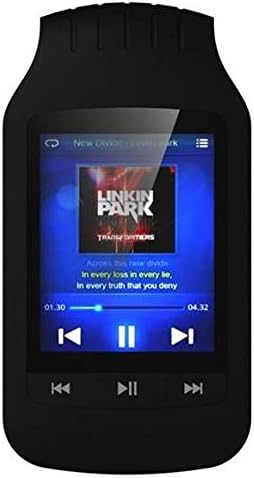
Şekil 2: Ön view of the HOTT MP3 Player HA09, showing the display and control buttons.
Şekil 3: Yan view of the HOTT MP3 Player HA09, illustrating its clip design for portability.
Temel Bileşenler:
- 1.8 inç Ekran: For navigating menus, viewing track information, e-books, and images.
- Kontrol Düğmeleri: Play/Pause, Next/Previous Track, Volume Up/Down, Menu, Back.
- USB Bağlantı Noktası: Şarj ve veri aktarımı için.
- Kulaklık girişi: Kulaklık bağlamak için.
- Entegre Klips: Allows for easy attachment to clothing or bags.
Kurmak
Cihazı Şarj Etme:
- Connect the small end of the USB charging cable to the USB port on the MP3 player.
- USB kablosunun diğer ucunu bir USB güç adaptörüne (dahil değildir) veya bir bilgisayarın USB portuna bağlayın.
- Ekrandaki pil göstergesi şarj durumunu gösterecektir. Tam şarj genellikle yaklaşık 2-3 saat sürer.
Açma/Kapatma:
- To power on, press and hold the Power button until the screen lights up.
- To power off, press and hold the Power button until the "Power Off" prompt appears, then confirm.
Transfer ediliyor Files:
- MP3 çaları USB kablosu kullanarak bilgisayarınıza bağlayın.
- Aygıt bilgisayarınızda çıkarılabilir disk sürücüsü olarak görünecektir.
- İstediğiniz sesi sürükleyip bırakın. files (MP3, WMA, WAV, APE, FLAC), e-books (TXT), or images into the appropriate folders on the device.
- USB kablosunu çıkarmadan önce cihazı bilgisayarınızdan güvenli bir şekilde çıkarın.
Kullanım Talimatları
Müzik Çalma:
Navigate to the "Music" menu to browse and play your audio files. The player supports MP3, WMA, WAV, APE, and FLAC formats.
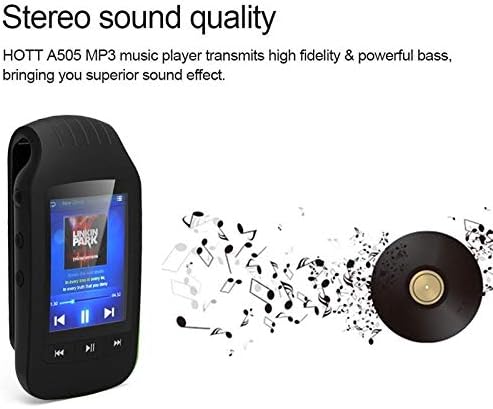
Figure 4: The HOTT MP3 Player HA09 delivers high-fidelity stereo sound for an enhanced listening experience.
- Use the navigation buttons to select a song or album.
- Oynatmayı başlatmak veya duraklatmak için Oynat/Duraklat düğmesine basın.
- Parçalar arasında geçiş yapmak için İleri/Geri düğmelerini kullanın.
- Adjust volume using the dedicated volume buttons.
Bluetooth Bağlantısı:
The device supports Bluetooth for wireless audio streaming to compatible headphones or speakers.
- Go to the "Bluetooth" menu in the settings.
- Bluetooth’u açın.
- Arama available devices and select your Bluetooth headphones/speaker to pair.
FM Radyo:
Connect your earphones (which act as an antenna) to use the built-in FM radio.
- Access the "FM Radio" option from the main menu.
- Mevcut istasyonları bulmak ve kaydetmek için otomatik tarama işlevini kullanın.
- Manually tune to specific frequencies if desired.
Ses Kaydedici:
Record audio using the integrated microphone. Recordings are saved in MP3 or WAV format.
- Select "Recorder" from the main menu.
- Kaydı başlatmak için kayıt düğmesine basın.
- Press the stop button to end and save the recording.
E-kitap Okuyucu:
View TXT format e-books directly on the device.
- Transfer TXT files to the "E-book" folder on the device.
- Open the "E-book" application and select your desired book.
Pedometer and Stopwatch:
Track your steps and exercise duration with the built-in pedometer and stopwatch functions.
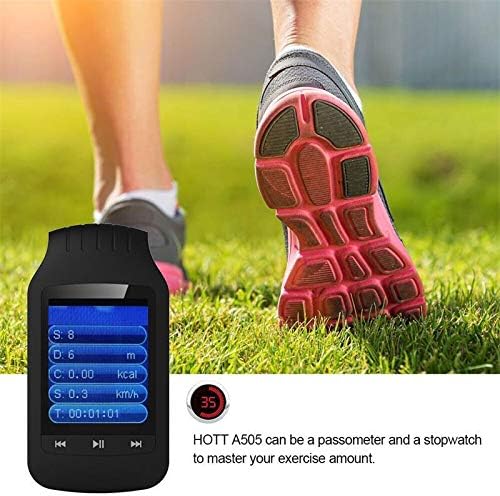
Figure 5: The HOTT MP3 Player HA09 functions as a pedometer and stopwatch, helping users monitor their exercise.
- Bu özelliklere ana menüden erişebilirsiniz.
- Follow on-screen prompts to start, pause, and reset tracking.
Resim Viewee:
View images stored on the device.
- Transfer image files to the "Pictures" folder.
- Open the "Image Viewer" application to browse your photos.
Bakım
- Temizlik: Cihazı temizlemek için yumuşak ve kuru bir bez kullanın. Sıvı temizleyiciler veya aerosoller kullanmayın.
- Depolamak: Cihazı serin, kuru ve doğrudan güneş ışığından ve aşırı sıcaklıklardan uzak bir yerde saklayın.
- Pil Bakım: Pil ömrünü uzatmak için, pili sık sık tamamen boşaltmaktan kaçının. Cihazı uzun süre kullanmasanız bile düzenli olarak şarj edin.
Sorun giderme
| Sorun | Olası Neden | Çözüm |
|---|---|---|
| Cihaz açılmıyor. | Pil bitmiş. | Cihazı en az 30 dakika şarj edin. |
| Aktarılamıyor files. | Yanlış USB bağlantısı veya sürücü sorunu. | USB kablosunun güvenli bir şekilde bağlı olduğundan emin olun. Farklı bir USB bağlantı noktası veya bilgisayar deneyin. |
| Kulaklıklardan ses gelmiyor. | Earphones not properly connected or volume too low. | Check earphone connection. Increase volume. Test with different earphones. |
| Bluetooth cihazı eşleştirilemiyor. | Cihaz eşleştirme modunda değil veya çok uzakta. | Ensure the Bluetooth device is in pairing mode and within range. Restart both devices. |
Özellikler
| Özellik | Detay |
|---|---|
| Model Numarası | HA09 |
| Marka | SICAK |
| Ekran Boyutu | 1.8 inç |
| Dahili Depolama | 8 GB |
| Harici Depolama Desteği | 64 GB'a kadar (MicroSD kart, dahil değildir) |
| Gövde Malzemesi | Plastik |
| Ses Biçimleri | MP3, WMA, WAV, APE, FLAC |
| Kaydedici Formatları | MP3, WAV |
| E-kitap Formatı | TXT |
| Sinyal-Gürültü Oranı | ≥89dB |
| Bağlantı | Bluetooth, USB |
| Ek Fonksiyonlar | FM Radio, Stopwatch, Pedometer, Image Viewer |
| Desteklenen Diller | 24 languages (e.g., English, German, French, Italian, Dutch, Portuguese, Spanish, Russian) |
| Renk | Siyah |
Garanti ve Destek
For warranty information and technical support, please refer to the warranty card included with your product or visit the official HOTT webSite. Satın alma fişinizi, garanti talepleriniz için satın alma belgeniz olarak saklayın.
Not: Garanti şartları ve koşulları bölgeye göre değişiklik gösterebilir.


