giriiş
Thank you for choosing the Casio CSN 316 Calculator. This manual provides essential information to help you get the most out of your device, including setup instructions, operational guidance, maintenance tips, and troubleshooting solutions. Please read this manual thoroughly before using the calculator and keep it for future reference.
Ürün Bittiview
The Casio CSN 316 is a reliable 12-digit calculator designed for everyday use. It features dual power sources, ensuring consistent performance in various environments. Its clear LCD display makes calculations easy to read.
Temel Özellikler:
- 12-digit display capacity
- Dual power (Solar and Battery)
- LCD ekranı temizle
- Standard arithmetic functions
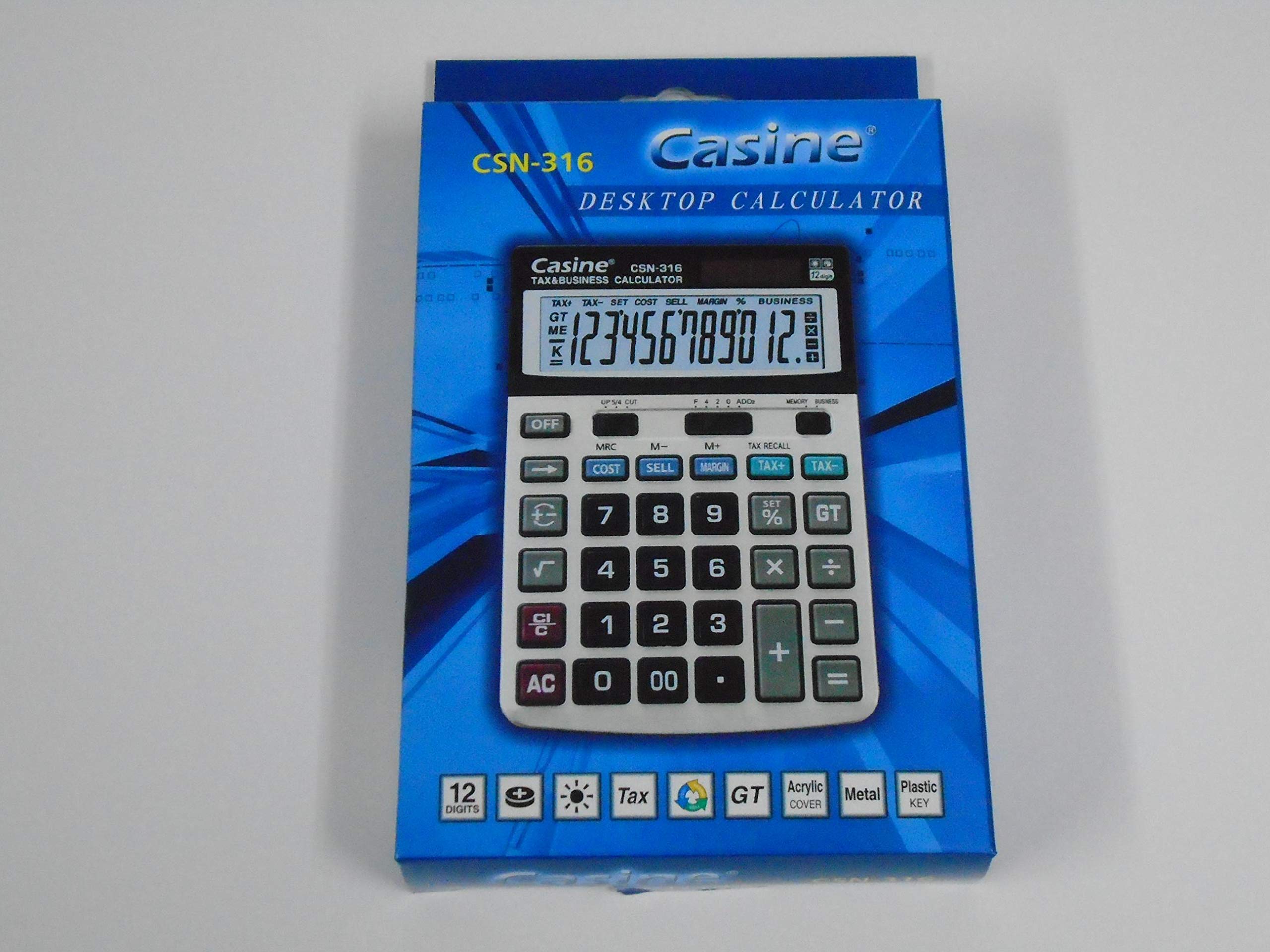
Şekil 1: Ön view of the Casio CSN 316 Calculator, showing the 12-digit LCD display and key layout.
Kurmak
1. Güç Kaynağı
The Casio CSN 316 calculator operates on dual power: solar power and battery power. Under sufficient lighting, the calculator will primarily use solar power. In low light conditions, it will automatically switch to battery power.
2. Pilin Takılması/Değiştirilmesi
- Hesap makinesinin kapalı olduğundan emin olun.
- Hesap makinesinin arkasındaki pil bölmesi kapağını bulun.
- Using a small screwdriver, carefully remove the screw(s) securing the battery compartment cover.
- Kapağı çıkarın.
- Insert a new battery (type specified in Specifications section) with the correct polarity (+/-) as indicated inside the compartment.
- Pil bölmesi kapağını yerine takın ve vida(lar) ile sabitleyin.
Not: Kullanılmış pilleri yerel düzenlemelere göre atın.
Kullanım Talimatları
Temel Hesaplamalar
- Toplama (+): İlk rakamı girin, ardından tuşa basın. +İkinci rakamı girin, ardından basın. =.
- Çıkarma (-): İlk rakamı girin, ardından tuşa basın. -İkinci rakamı girin, ardından basın. =.
- Çarpma (×): İlk rakamı girin, ardından tuşa basın. ×İkinci rakamı girin, ardından basın. =.
- Bölme (÷): İlk rakamı girin, ardından tuşa basın. ÷İkinci rakamı girin, ardından basın. =.
Clearing Entries
- Basmak AC (All Clear) to clear all entries and reset the calculator.
- Basmak CE (Clear Entry) to clear the last entered number without affecting previous calculations.
Hafıza Fonksiyonları
- M+Görüntülenen değeri belleğe ekler.
- M-Görüntülenen değeri bellekten çıkarır.
- MR: Recalls the value stored in memory to the display.
- MCHafızayı temizler.
Bakım
Temizlik
To clean your calculator, wipe it gently with a soft, dry cloth. Do not use abrasive cleaners, solvents, or spray directly onto the calculator, as this may damage the display or internal components.
Depolamak
Store the calculator in a cool, dry place away from direct sunlight and extreme temperatures. Avoid placing heavy objects on top of the calculator.
Sorun giderme
| Sorun | Olası Neden | Çözüm |
|---|---|---|
| Ekran boş veya karanlık. | Güneş enerjisi için yeterli ışık yok veya pil seviyesi düşük. | Move to a brighter area or replace the battery. |
| Yanlış hesaplama sonucu. | Incorrect key input or previous calculation not cleared. | Basmak AC to clear all and re-enter the calculation carefully. |
| Tuşlar tepkisiz. | Calculator may be frozen or battery is completely drained. | Replace the battery. If problem persists, contact customer support. |
Özellikler
- Marka: Casio
- Model Adı: CSN316
- Görüntüleme Türü: LCD
- Basamak sayısı: 12
- Güç Kaynağı: Dual Power (Solar and Battery Powered)
- Üretici Parça Numarası: 2724633395248.0
- ASIN: B091BPDPC4
- İlk Kullanılabilirlik Tarihi: 30 Mart 2021
Garanti ve Destek
For detailed warranty information, please refer to the warranty card included with your product packaging or visit the official Casio website. If you require further assistance or have questions not covered in this manual, please contact Casio customer support through their official channels.
Destek iletişim bilgilerini genellikle üreticinin web sitesinde bulabilirsiniz. webalan: www.casio.com