1. Giriş
Thank you for choosing the KALINCO P96 Smartwatch. This device is designed to help you monitor your health, track your fitness activities, and stay connected. This manual provides essential information for setting up, operating, and maintaining your smartwatch to ensure optimal performance and longevity.
2. Ürün Bittiview
The KALINCO P96 Smartwatch features a 1.69-inch TFT display and offers a wide range of functionalities:
- Sağlık Takibi: Continuous monitoring of heart rate, blood oxygen (SpO2), blood pressure, and sleep patterns. Includes a menstrual cycle tracking function for women.
- Özelleştirme: Split-screen mode for quick access to frequently used functions and over 100 stylish watch faces available via the GloryFit app. You can also upload personal photos as watch faces.
- Spor Modları: Over 100 sports modes (running, cycling, rope skipping, dancing, yoga, etc.) with activity tracking for steps, calories burned, distance, heart rate, and blood oxygen during exercise.
- Akıllı bildirimler: Receive text messages and notifications from apps like WhatsApp, Messenger, Facebook, and Instagram directly on your watch. Notifications can be individually deleted from the watch.
- Durability & Battery Life: IP67 water resistance for daily use (hand washing, rain). Equipped with a 260 mAh battery, providing 5-7 days of active use and 15-20 days of standby time with a 2-hour charge.
- Ek Fonksiyonlar: Features include phone/watch finder, screen brightness adjustment, breathing training, remote photography, music control, sedentary reminder, alarm clock, timer, stopwatch, and weather forecasts.

Image: The KALINCO P96 Smartwatch displaying its 1.69-inch screen with multiple customizable watch faces and user interface elements.
3. Kurulum
3.1. Akıllı Saati Şarj Etme
Before initial use, fully charge your smartwatch. Connect the magnetic charging cable to the charging contacts on the back of the watch and plug the USB end into a standard USB power adapter (not included). A full charge typically takes approximately 2 hours.
3.2. Uygulamayı İndirme ve Yükleme
The KALINCO P96 Smartwatch requires the GloryFit Tam işlevsellik ve veri senkronizasyonu için uygulama. Uygulamayı şu adresten indirebilirsiniz:
- The Apple App Store (for iOS devices)
- Google Play Store (Android cihazlar için)
- Scan the QR code provided in the quick start guide (if available).
The GloryFit app is compatible with smartphones running Android 5.0 or iOS 9.0 and above.
3.3. Akıllı Telefonunuzla Eşleştirme
- Akıllı telefonunuzun Bluetooth özelliğinin etkin olduğundan emin olun.
- Open the GloryFit app on your smartphone.
- Follow the in-app instructions to search for and connect to your KALINCO P96 Smartwatch. The watch will typically appear as 'P96' or a similar device name.
- İstenirse hem akıllı telefonunuzda hem de akıllı saatinizde eşleştirme isteğini onaylayın.
Eşleştirme işlemi tamamlandıktan sonra saatiniz telefonunuzla zamanı ve verileri senkronize edecektir.
4. Kullanım Talimatları
4.1. Temel Gezinme
- Yukarı/Aşağı Kaydırma: Menüler ve bildirimler arasında gezinin.
- Sola/Sağa Kaydır: Hızlı işlevlere veya farklı veri ekranlarına erişin.
- Musluk: Bir öğeyi seçin veya bir eylemi onaylayın.
- Yan Düğme: Ekranı uyandırmak, ana ekrana dönmek veya ana menüye erişmek için basın.
4.2. Sağlık İzleme
Akıllı saat, çeşitli sağlık ölçümlerini sürekli olarak izler:
- Kalp Atış Hızı: Provides 24-hour heart rate monitoring. View real-time data on the watch or detailed trends in the GloryFit app.
- Kan Oksijeni (SpO2): Monitors blood oxygen levels using infrared technology. Access readings on the watch or app.
- Tansiyon: Measures blood pressure. For accurate readings, ensure the watch is worn correctly and remain still during measurement. Consult a medical professional for precise medical data.
- Uyku Takibi: Derin uyku, hafif uyku ve uyanık kalma süreleri de dahil olmak üzere uyku düzeninizi otomatik olarak takip eder.view your sleep quality analysis in the GloryFit app.
- Adet Döngüsü Takibi: A dedicated feature for women to record and track menstrual cycles within the GloryFit app.

Image: The smartwatch interface showing health monitoring features such as blood oxygen, blood pressure, heart rate, and a visual representation of sleep tracking data.
4.3. Spor Modları ve Aktivite Takibi
The P96 Smartwatch supports over 100 sports modes. To use:
- Navigate to the 'Sports' section on your watch.
- İstediğiniz aktiviteyi seçin (örneğin, koşu, bisiklet, yoga).
- Start the activity. The watch will track metrics like steps, calories, distance, and heart rate.
- End the activity to save your data. Detailed reports are available in the GloryFit app.

Image: A visual representation of the smartwatch's 100+ sports modes icons and a smartphone screen displaying detailed daily activity tracking data including steps, distance, and calories.
4.4. Akıllı Bildirimler
Once paired with your phone, the watch can display notifications:
- Ensure app notifications are enabled in the GloryFit app settings.
- Incoming calls, text messages, and app alerts will vibrate the watch and display content on the screen.
- You can dismiss or delete notifications directly from the watch.

Image: The smartwatch showing icons for various smart notifications (calls, Facebook, Line, Instagram, etc.) and illustrations of vibration reminders for calls, sedentary alerts, and alarms.
4.5. Özelleştirme
- Yüzleri İzle: In the GloryFit app, browse and select from over 100 watch faces. You can also upload your own photos to personalize the watch face.
- Bölünmüş Ekran Modu: Swipe right on the main screen to access the split-screen area, allowing quick selection of frequently used functions.
4.6. Ek İşlevler
Explore other useful features:
- Kronometre: Etkinliklerin süresini ölçmek için dahili kronometreyi kullanın.
- Hava Durumu tahmini: View current weather conditions and forecasts (requires app synchronization).
- Müzik Kontrolü: Akıllı telefonunuzda müzik çalmayı kontrol edin (oynat, durdur, parçaları atla).
- Parlaklık Ayarı: Farklı aydınlatma koşullarında en iyi görünürlüğü sağlamak için ekran parlaklığını ayarlayın.
- Telefonunuzu/Saatinizi Bulun: Kaybolması durumunda eşleştirilmiş telefonunuzu veya saatinizi bulun.
- Nefes Eğitimi: Rahatlama için rehberli nefes egzersizleri.
- Uzaktan Fotoğrafçılık: Saatinizi telefonunuzun kamerası için uzaktan kumanda olarak kullanın.
- Hareketsizliğe Dikkat: Uzun süre hareketsiz kaldığınızda hareket etmeniz için uyarı alın.
- Çalar Saat ve Zamanlayıcı: Set alarms and timers directly from your watch.
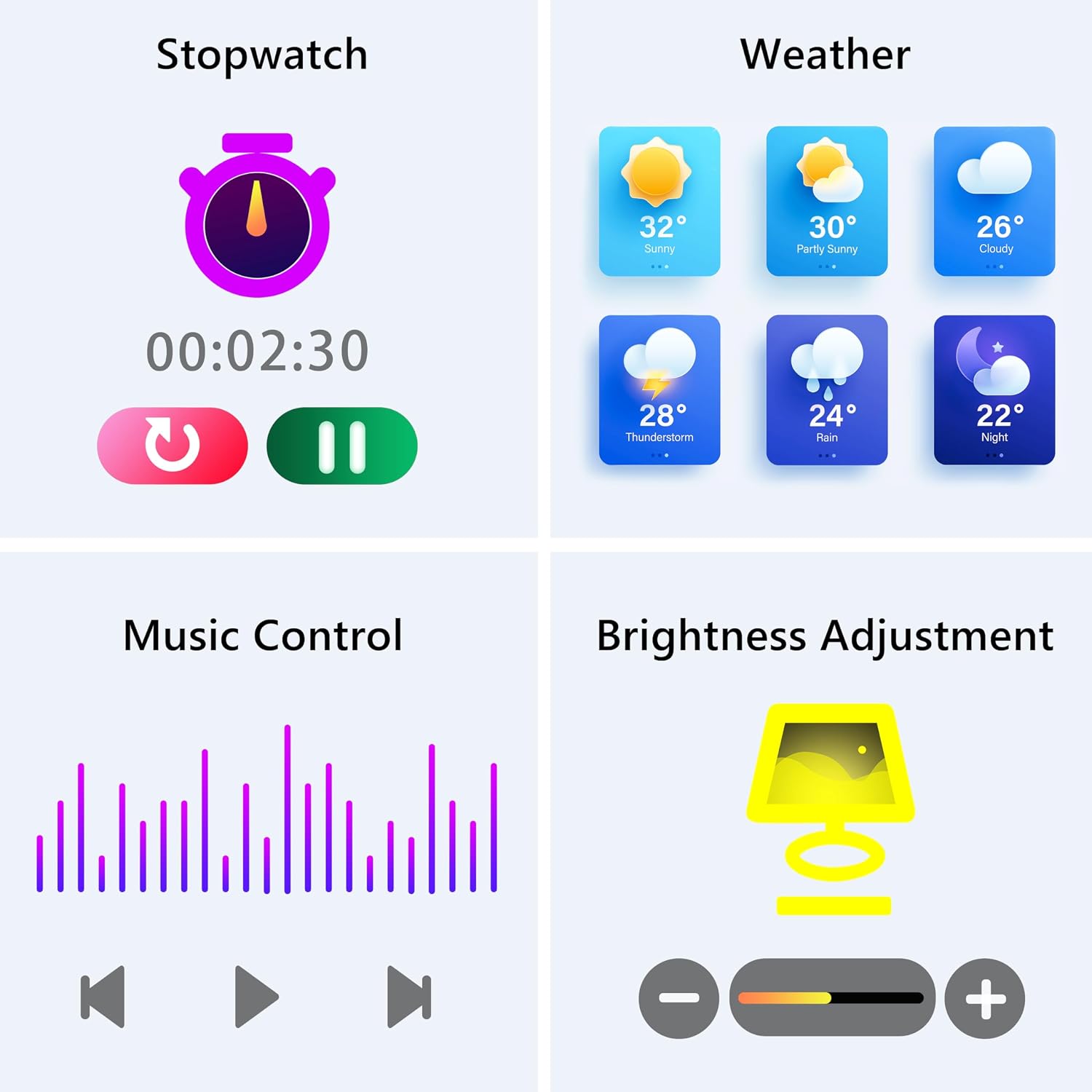
Image: The smartwatch screen showing various utility functions including a stopwatch, weather forecast, music control interface, and brightness adjustment slider.
5. Bakım
- Temizlik: Regularly clean your smartwatch and strap with a soft, dry cloth. Avoid using harsh chemicals or abrasive materials.
- Suya Dayanıklılık (IP67): The watch is IP67 water-resistant, meaning it can withstand splashes, hand washing, and rain. It is Olumsuz suitable for swimming, showering with hot water, or diving. Avoid prolonged exposure to water.
- Pil Bakım: Charge the battery fully when indicated. Avoid completely draining the battery frequently to prolong its lifespan. Store the watch in a cool, dry place when not in use for extended periods.
- Yazılım Güncellemeleri: Keep the GloryFit app updated to ensure your smartwatch has the latest features and performance improvements.
6. Sorun Giderme
If you encounter issues with your KALINCO P96 Smartwatch, try the following solutions:
- Saat açılmıyor: Ensure the watch is fully charged. Connect it to the charger for at least 10-15 minutes.
- Telefonla eşleştirilemiyor:
- Telefonunuzda Bluetooth'un etkin olduğundan emin olun.
- Saatin Bluetooth menzili içinde olduğundan emin olun (genellikle 10 metre).
- Hem telefonunuzu hem de akıllı saatinizi yeniden başlatın.
- GloryFit uygulamasının en son sürüme güncellenmiş olup olmadığını kontrol edin.
- If previously paired, try unpairing and re-pairing the device through the GloryFit app.
- Alınmayan bildirimler:
- Verify that notifications are enabled for specific apps in the GloryFit app settings.
- Ensure your phone's notification settings allow the GloryFit app to display alerts.
- Check if the watch is properly connected via Bluetooth.
- Yanlış sağlık verileri:
- Saatin bileğinize tam oturduğundan, çok sıkı veya çok gevşek olmadığından emin olun.
- For blood pressure readings, remain still and follow instructions. Note that smartwatch blood pressure measurements are for reference only and should not replace professional medical equipment.
- Saatin arkasındaki sensörü temizleyin.
- Kısa pil ömrü:
- Ekran parlaklığını azaltın.
- 24 saat kesintisiz kalp atışı izleme gerekmediğinde bu özelliği devre dışı bırakın.
- Saate bildirim gönderen uygulama sayısını sınırlayın.
Sorunlar devam ederse, iletişim bilgileri için lütfen destek bölümüne bakın.
7. Özellikler
| Özellik | Detay |
|---|---|
| Marka | KALINCO |
| Model Numarası | P96 |
| Ekran Boyutu | 1.69 inç |
| İşletim Sistemi | Multiple Versions of Both iOS and Android |
| Bağlantı Teknolojisi | Bluetooth 4.0 |
| Pil Kapasitesi | 260 mAh (Lityum-polimer) |
| Suya Dayanıklılık | IP67 |
| Uyumlu Cihazlar | Smartphone (Android 5.0+ / iOS 9.0+) |
| Özel Özellikler | Text Messaging, Notification, Health Monitoring |
| Küresel Konumlama Sistemi | Akıllı telefon üzerinden GPS |
8. Garanti ve Destek
KALINCO is committed to providing exceptional products. Your KALINCO P96 Smartwatch comes with a 12 ay garanti satın alma tarihinden itibaren.
If you encounter any problems, have suggestions, or require assistance, please do not hesitate to contact KALINCO customer support. We are dedicated to providing you with satisfactory solutions at all times.
For support, please refer to the contact information provided with your product packaging or visit the official KALINCO webalan.


