giriiş
Satın aldığınız için teşekkür ederizasing the DELTACO GAMING Chair, Model GAM-080. This ergonomic gaming chair is designed to provide comfort and support during long gaming sessions, featuring adjustable components and integrated RGB lighting. Please read this manual carefully before assembly and use to ensure proper operation and longevity of your chair.
Güvenlik Bilgileri
- Kullanmadan önce tüm bileşenlerin güvenli bir şekilde sabitlendiğinden emin olun.
- Sandalyenin üzerine çıkmayın.
- Herhangi bir parçası hasarlı veya eksik ise sandalyeyi kullanmayın.
- Ayarlama işlemi sırasında ellerinizi ve parmaklarınızı hareketli parçalardan uzak tutun.
- This chair is designed for a maximum weight of 120 kg (264 lbs). Exceeding this limit may cause damage or injury.
- The RGB lighting requires a USB power source. Ensure the cable is not pinched or damaged.
Paket İçeriği
Montaj işlemine başlamadan önce, tüm parçaların eksiksiz ve hasarsız olduğundan emin olun. Herhangi bir parça eksik veya hasarlıysa, lütfen müşteri hizmetleriyle iletişime geçin.
- arkalık
- Koltuk Tabanı
- Kolçaklar (2)
- Yıldız Tabanı
- Tekerlekler (5)
- Gaz Kaldırma Silindiri
- Gaz Kaldırma Kapağı
- Mekanizma Plakası
- Bel yastığı
- Kafalık Yastığı
- Montaj Donanımı (vidalar, rondelalar, Allen anahtarı)
- RGB Uzaktan Kumanda
- USB Power Cable for RGB
Kurulum ve Montaj
Please follow these steps carefully for proper assembly. It is recommended to assemble the chair on a soft, clean surface to prevent damage.
- Yıldız tabanına tekerlekleri takın: Yıldız tabanının ucundaki deliklere beş tekerleğin her birini yerine oturana kadar yerleştirin.
- Gazlı Asansörü Takın: Gaz kaldırma silindirini yıldız tabanın orta deliğine yerleştirin. Üzerini gaz kaldırma kapağıyla kapatın.
- Mekanizma plakasını koltuk tabanına takın: Align the mechanism plate with the pre-drilled holes on the underside of the seat base. Ensure the front of the mechanism plate faces the front of the seat. Secure with screws.
- Kolçakları koltuk tabanına takın: Secure the armrests to the sides of the seat base using the provided screws. Ensure they are firmly attached.
- Sırtlığı oturma tabanına takın: Align the backrest with the mounting brackets on the seat base. Secure with screws.
- Koltuğu Gazlı Kaldırma Mekanizmasına Bağlayın: Birleştirilmiş koltuğu ve sırtlığı dikkatlice gazlı kaldırma silindirinin üzerine yerleştirin, ortalanmış ve sabit olduğundan emin olun.
- Baş desteği ve bel desteği yastıklarını takın: Secure the headrest pillow and lumbar cushion to the chair using their respective straps.

Image: The DELTACO GAMING Chair fully assembled, showcasing its ergonomic design and RGB lighting strips along the edges.
Kullanım Talimatları
Yükseklik Ayarı
To adjust the chair's height, pull the lever located on the right side of the seat upwards. While seated, lift your weight off the chair to raise it, or remain seated to lower it. Release the lever to lock the height.
Sırt Yaslanma
The backrest can be reclined between 90 and 180 degrees. Pull the recline lever, typically located on the right side of the chair, and lean back or forward to achieve your desired angle. Release the lever to lock the backrest in position.

Image: An illustration demonstrating the chair's ability to recline from an upright position to a nearly flat position, indicated by an orange arrow.
RGB Lighting Operation
The chair features integrated RGB lighting with 332 LED modes. To activate the lighting, connect the chair's USB cable to a 5V USB power source (e.g., a power bank, computer USB port, or USB wall adapter). Use the included remote control to change colors, modes, and brightness.
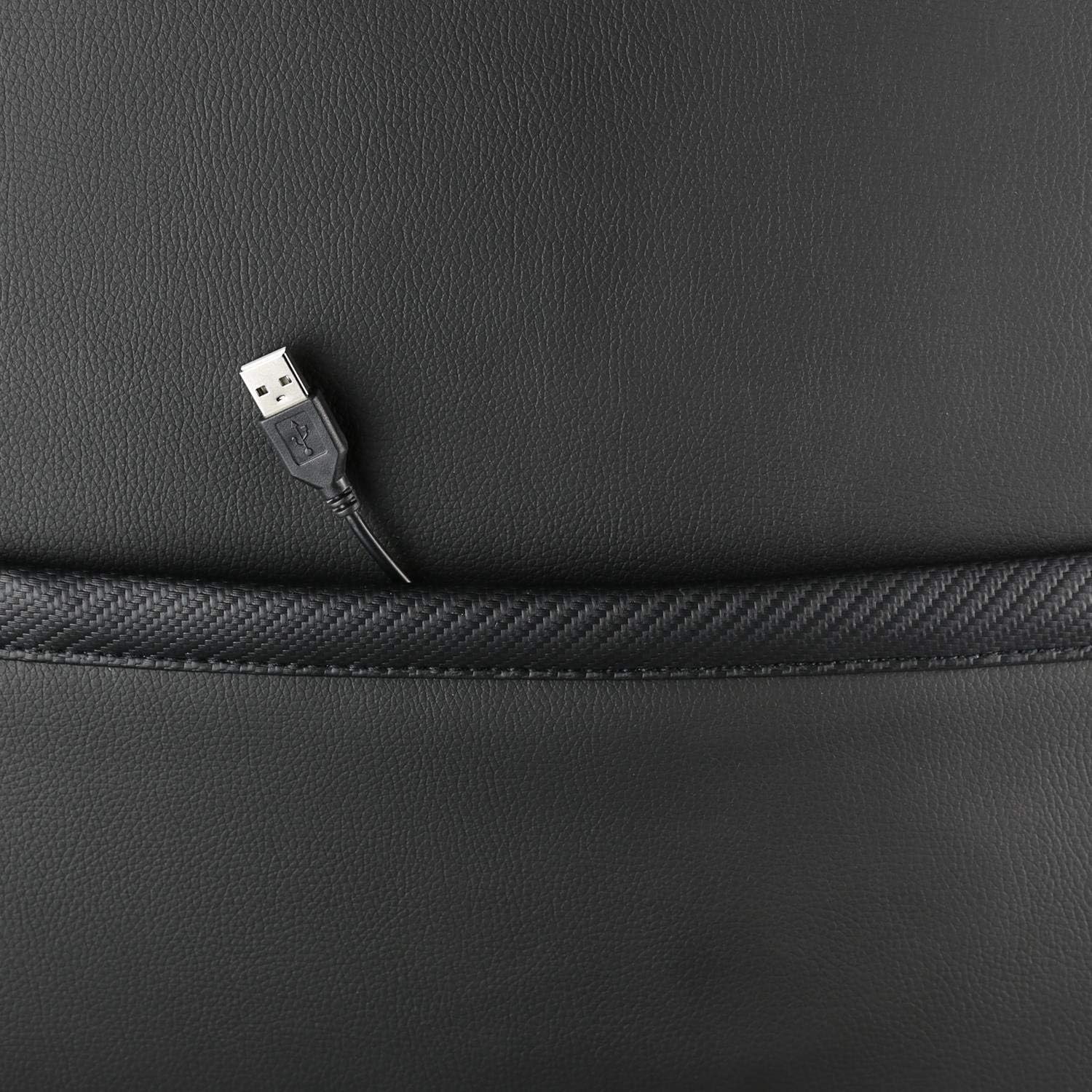
Resim: Yakın çekim view showing the USB power cable emerging from a pocket on the chair, used to power the RGB lighting.

Resim: Bir overview image of the DELTACO GAMING RGB Gaming Chair highlighting features such as remote control for RGB lights, adjustable headrest, included lumbar cushion, and adjustable backrest from 90-180 degrees, along with 332 LED modes.
Bakım ve Özen
- Temizlik: Reklamla temizleyinamp cloth. Do not use harsh chemicals or abrasive cleaners, as this may damage the faux leather.
- Denetleme: Tüm vida ve cıvataların sıkılığını düzenli olarak kontrol edin. Gerekirse tekrar sıkın.
- Depolamak: Store the chair in a cool, dry place away from direct sunlight to prevent material degradation.
- USB kablosu: Ensure the USB power cable for the RGB lighting is not kinked or damaged.
Sorun giderme
| Sorun | Olası Neden | Çözüm |
|---|---|---|
| Sandalyenin yüksekliği ayarlanmıyor. | Gazlı kaldırma silindirinde arıza veya kolun devreye girmemesi. | Yükseklik ayar kolunun tamamen çekildiğinden emin olun. Sorun devam ederse, gazlı kaldırma mekanizmasının değiştirilmesi gerekebilir. |
| Sırtlık geriye doğru yatırılamaz veya kilitlenemez. | Yatırma mekanizması sıkışmış veya kol devreye girmemiş. | Yatırma mekanizmasının çevresinde herhangi bir engel olup olmadığını kontrol edin. Yatırma kolunun tamamen yerine oturduğundan emin olun. |
| RGB aydınlatma çalışmıyor. | USB power not connected, cable damaged, or remote control battery low. | Verify the USB cable is securely connected to a working 5V power source. Check the cable for damage. Replace remote control battery if necessary. |
| Sandalye sallanıyor. | Loose screws or casters not fully inserted. | Tighten all assembly screws. Ensure all casters are fully inserted into the star base. |
Özellikler
| Özellik | Detay |
|---|---|
| Model Adı | GAM-080 |
| Marka | DELTAKO OYUN |
| Renk | Siyah |
| Malzeme | Faux leather, Foam |
| Maksimum Ağırlık Önerisi | 120 Kilogram (264 lbs) |
| Ürün Boyutları (U x G x Y) | 22.44 x 26.77 x 57.87 inç |
| Ürün Ağırlığı | 46.2 pound |
| Özel Özellikler | RGB Lighting, Adjustable Backrest (90-180°), Adjustable Height, Lumbar Cushion, Headrest Pillow |
| Power Source for RGB | USB 5V |
Garanti ve Destek
This DELTACO GAMING Chair (Model GAM-080) comes with a 1-year spare part availability duration within the EU, as per manufacturer specifications.
For technical support, warranty claims, or inquiries regarding spare parts, please contact DELTACO GAMING customer support. Refer to your purchase documentation for specific contact details or visit the official DELTACO GAMING webalan.
Note: Proof of purchase may be required for warranty services.


