giriiş
This user manual provides detailed instructions for the setup, operation, maintenance, and troubleshooting of your iFFALCON 43K71 4K Ultra HD Smart Android LED TV. Please read this manual thoroughly before using the television and retain it for future reference.

Resim: Ön view of the iFFALCON 43K71 4K Ultra HD Smart Android LED TV, showcasinİnce tasarımı ve canlı ekranıyla öne çıkıyor.
Güvenlik Bilgileri
Yangın, elektrik çarpması veya yaralanmayı önlemek için her zaman aşağıdaki güvenlik önlemlerine uyun:
- TV'yi yağmura veya neme maruz bırakmayın.
- Havalandırmanın yeterli olduğundan emin olun; havalandırma açıklıklarını kapatmayın.
- Lütfen yalnızca televizyonla birlikte verilen güç kablosunu kullanın.
- Do not open the TV cabinet; refer all servicing to qualified personnel.
- Televizyonunuzu doğrudan güneş ışığından, ısı kaynaklarından ve güçlü manyetik alanlardan uzak tutun.
- Televizyonu sağlam, düz bir yüzeye yerleştirin veya duvara güvenli bir şekilde monte edin.
Kutuda Neler Var?
Paketi açtığınızda tüm bileşenlerin mevcut olduğundan emin olun:
- 1 x iFFALCON 43K71 LED TV
- 1 x Uzaktan Kumanda (2 adet AAA pil ile birlikte)
- 2 x Table Stand components
- 1 x Kullanım Kılavuzu
- 1 x Garanti Kartı
- 1 x Ses Kablosu
Kurmak
1. Fiziksel Kurulum
You can install your TV using the included table stands or by wall-mounting (wall mount bracket sold separately).
Masa Standı Kurulumu:
- Ekranın hasar görmesini önlemek için televizyonu dikkatlice yumuşak ve düz bir yüzeye, yüzü aşağı bakacak şekilde yerleştirin.
- Attach the two table stand components to the designated slots on the bottom of the TV using the provided screws. Ensure they are securely fastened.
- Televizyonu dikkatlice kaldırıp düz ve sağlam bir yüzeye dik konumda yerleştirin.
Duvara Montaj Kurulumu:
For wall mounting, consult a professional installer. Ensure the wall mount bracket is compatible with the TV's VESA mounting pattern and can support the TV's weight (approximately 6.9 kg).

Resim: Üst view of the iFFALCON 43K71 TV, showing its slim profile ve stand bağlantı noktaları.
2. İlk Güç Açma ve Ağ Bağlantısı
- Güç kablosunu televizyona ve ardından elektrik prizine bağlayın.
- Televizyonu açmak için televizyondaki veya uzaktan kumandadaki güç düğmesine basın.
- Follow the on-screen instructions to complete the initial setup, including language selection, country, and network connection (Wi-Fi or Ethernet).
- Sign in with your Google account to access Android TV features and download apps.
TV'yi çalıştırma
Uzaktan kumanda
The supplied remote control allows you to navigate the TV's interface and access various functions.
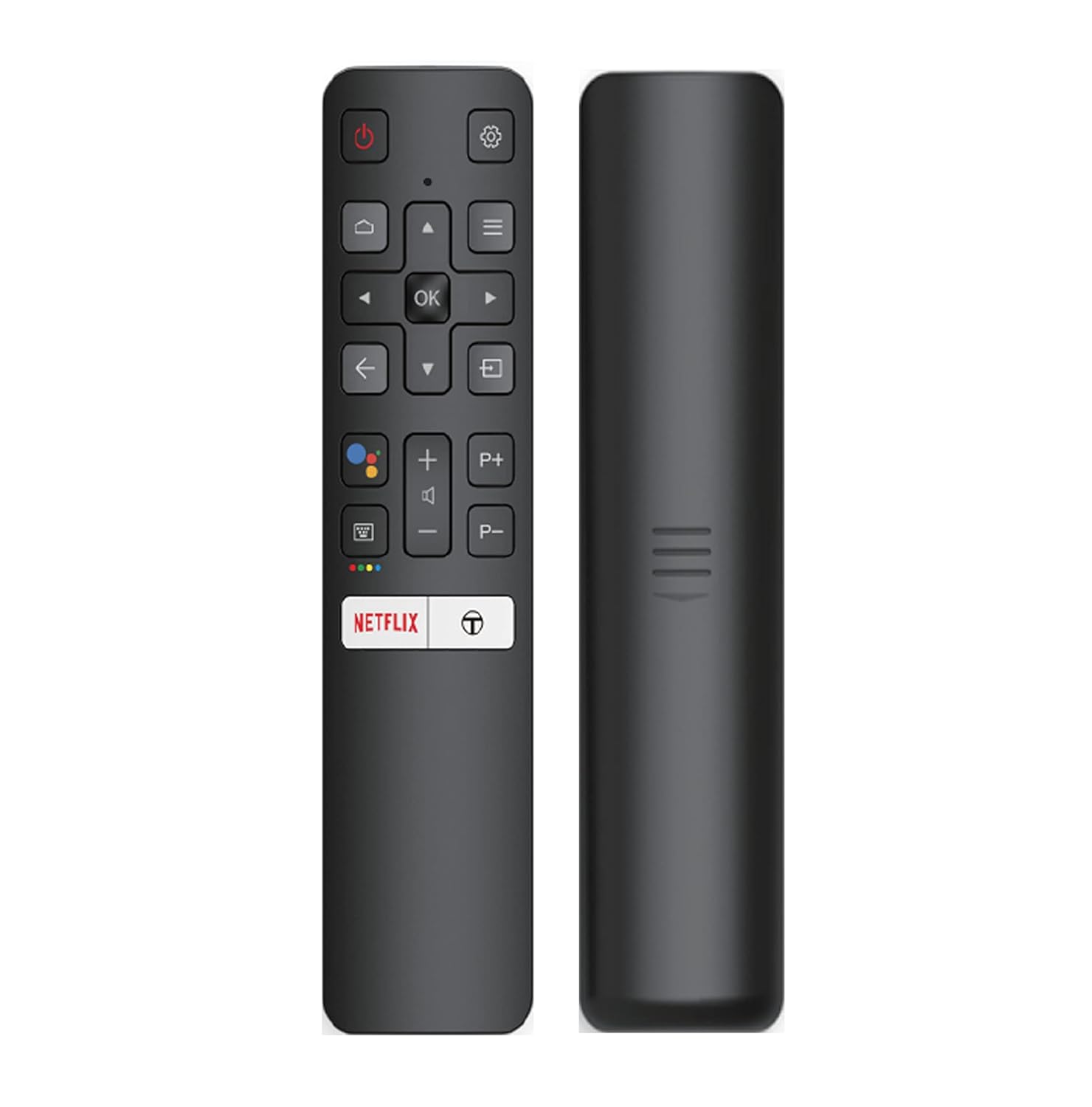
Image: The iFFALCON 43K71 remote control, featuring dedicated buttons for Netflix, Amazon Prime Video, Zee5, and Google Assistant.
Tuşlar şunlardır:
- Güç: TV'yi açar/kapatır.
- Gezinti (Yukarı/Aşağı/Sola/Sağa/Tamam): Menülerde gezinir ve seçimleri onaylar.
- Geri: Önceki ekrana döner.
- Ev: Android TV ana ekranına erişir.
- Hacim +/-: Sesi ayarlar.
- Kanal P+/P-: Kanalları değiştirir.
- Google Asistan: Ses kontrolünü etkinleştirir.
- Netflix, Prime Video, Zee5: Direct access buttons for streaming services.
Akıllı TV Özellikleri (Android TV)
Your iFFALCON 43K71 TV runs on Android 9.0, providing access to a wide range of applications and smart functionalities.

Image: The Android TV home screen on the iFFALCON 43K71, displaying various streaming apps like Netflix, YouTube, and Prime Video.
- Uygulamalar: Download and install apps from the Google Play Store, including Netflix, YouTube, Prime Video, Disney+Hotstar, and more.
- Eller Serbest Ses Kontrolü: Use the built-in Google Assistant to control your TV, search for content, and manage smart home devices by speaking commands directly to the TV.
- Chromecast Yerleşik: Akıllı telefonunuzdan, tabletinizden veya bilgisayarınızdan içeriği doğrudan TV ekranına aktarın.
- AI-IN: iFFALCON's AI-IN technology integrates with Google Assistant for enhanced smart home connectivity and personalized recommendations.
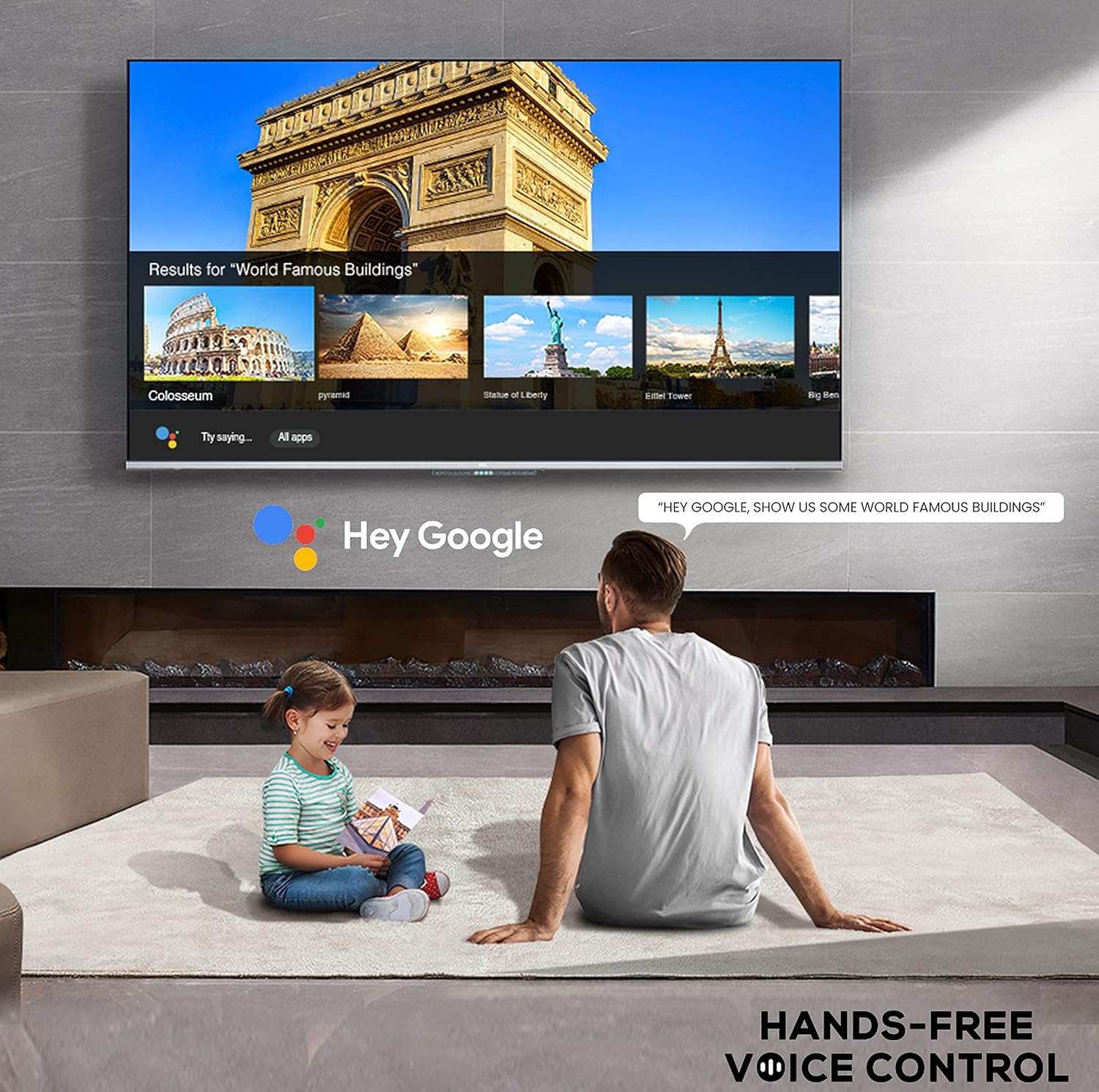
Image: A user interacting with the iFFALCON 43K71 using hands-free voice control, demonstrating the Google Assistant feature.
Bağlantı
Televizyon, harici cihazları bağlamak için çeşitli bağlantı noktaları sunmaktadır:
- HDMI Bağlantı Noktaları (2): Connect set-top boxes, Blu-ray players, gaming consoles, etc.
- USB Bağlantı Noktası (1): Medya oynatımı için sabit diskleri ve USB flash sürücüleri bağlayın.
- Bluetooth: Kablosuz kulaklıkları, ses çubuklarını veya Bluetooth özellikli diğer aksesuarları bağlayın.
- Wifi: İnternet erişimi için evinizin kablosuz ağına bağlanın.
- Ses kablosu: For external audio connections.
Resim ve Ses Ayarları
Görüntü ve ses ayarlarını optimize etmek için düzenleyin. viewDeneyim.
- Resim Modları: Select from various preset picture modes (e.g., Standard, Dynamic, Movie, Sport) or customize settings like brightness, contrast, color, and sharpness.
- 4K Ultra HD & HDR 10: Experience stunning detail and vibrant colors with 4K resolution and High Dynamic Range (HDR 10) support.
- Mikro Karartma: Video içeriğini yüzlerce ayrı bölgede analiz ederek ve parlaklık ile karanlığı bağımsız olarak ayarlayarak kontrastı artırır.
- Ses Modları: Choose from preset sound modes (e.g., Standard, Music, Movie, Clear Voice) or adjust equalizer settings.
- Dolby Ses: Enjoy immersive audio with Dolby Audio processing, delivering rich, clear, and powerful sound from the 30 Watts speakers.
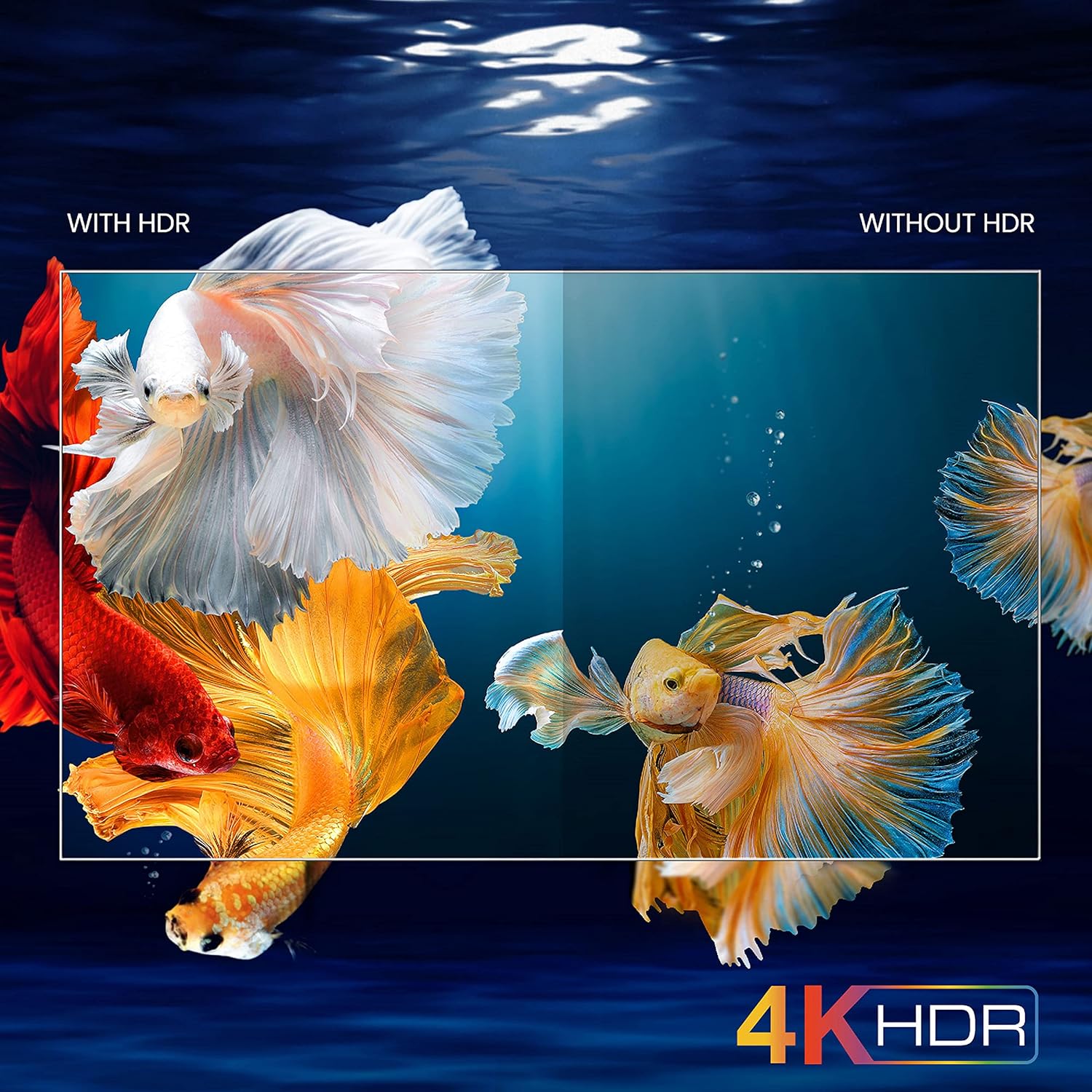
Image: A visual comparison demonstrating the enhanced color and contrast with 4K HDR enabled versus disabled on the iFFALCON 43K71 TV.
Bakım
Temizlik
- Televizyonu temizlemeden önce mutlaka fişini çekin.
- Ekranı ve kasayı silmek için yumuşak, kuru bir bez kullanın. İnatçı lekeler için hafifçe silin.ampBezi su veya aşındırıcı olmayan yumuşak bir ekran temizleyicisiyle silin.
- Alkol, benzen, tiner veya diğer uçucu maddeler kullanmayın.
Yazılım Güncellemeleri
The TV may receive software updates periodically to improve performance and add new features. Ensure your TV is connected to the internet to receive these updates automatically or check for them manually in the settings menu.
Sorun giderme
Sorunlarla karşılaşırsanız, destek ekibiyle iletişime geçmeden önce aşağıdaki yaygın çözümlere göz atın:
| Sorun | Olası Çözüm |
|---|---|
| TV açılmıyor. | Check if the power cord is securely plugged into the TV and the power outlet. Ensure the power outlet is working. Try pressing the power button on the TV itself. |
| Görüntü yok, ancak ses var. | Giriş kaynağını kontrol edin. Harici cihazların doğru şekilde bağlandığından ve açık olduğundan emin olun. Televizyonu yeniden başlatmayı deneyin. |
| Ses yok, ancak görüntü mevcut. | Check the volume level and ensure the TV is not muted. Verify audio output settings. If using external speakers, check their connections and power. |
| Uzaktan kumanda çalışmıyor. | Pilleri değiştirin (2 adet AAA). Uzaktan kumanda ile TV'nin kızılötesi sensörü arasında herhangi bir engel olmadığından emin olun. |
| Wi-Fi'ye bağlanılamıyor. | Check your router and modem. Restart them if necessary. Ensure you are entering the correct Wi-Fi password. Try moving the TV closer to the router or using an Ethernet cable. |
| Yavaş performans veya uygulama çökmeleri. | Close unused applications. Clear cache for problematic apps. Restart the TV. Consider a factory reset as a last resort (this will erase all data and settings). |
Özellikler
Key technical specifications for the iFFALCON 43K71 TV:
| Özellik | Detay |
|---|---|
| Örnek | 43K71 |
| Ekran Boyutu | 43 inç (108 cm) |
| Çözünürlük | 4K Ultra HD (3840 x 2160 piksel) |
| Yenileme Hızı | 60 Hz |
| İşletim Sistemi | Android 9.0 |
| Veri deposu | 2 GB |
| Depolamak | 16 GB |
| Ses Çıkışı | 30 Watts (Dolby Audio Power Speakers) |
| HDMI Bağlantı Noktaları | 2 |
| USB Bağlantı Noktaları | 1 |
| Bağlantı | Wi-Fi, Bluetooth |
| Boyutlar (UxGxY) | 96 x 4.1 x 55.8 cm (standsız) |
| Ürün Ağırlığı | 6.9 kilo |

Image: Diagram showing the physical dimensions of the iFFALCON 43K71 TV in centimeters and inches.
Garanti
The iFFALCON 43K71 TV comes with a 1 yıllık garanti provided by the manufacturer from the date of purchase. Please retain your purchase receipt for warranty claims. For detailed terms and conditions, refer to the included Warranty Card.
Destek
For further assistance, technical support, or service requests, please contact iFFALCON customer service. Contact details can typically be found on the manufacturer's official websitede veya garanti belgesinde yer almaktadır.
Ürün Bittiview Video
Video: Kısa bir ön izlemeview video gösterisiasing key features and visual enhancements of the iFFALCON 43K71 4K Ultra HD Smart Android LED TV, including 4K HDR, dynamic tone mapping, color enhancement, Android TV interface, and hands-free voice control.


