1. Giriş
This manual provides instructions for the safe and efficient operation of your Lepro PR210002-US LED Table Lamp. Bu çok yönlü lamp offers a range of lighting options, including tunable white light, RGB color changing, dimming capabilities, and an auto-off timer. Please read this manual thoroughly before use and retain it for future reference.

Figure 1: Lepro PR210002-US LED Table Lamp.
2. Paket İçeriği
Before proceeding with setup, please ensure all components are present:
- 1 x Lepro PR210002-US LED Table Lamp
- 1 x US Güç Adaptörü
- 1 x Tip C USB Kablosu
- 1 x Kullanım Kılavuzu (bu belge)
3. Kurulum
Follow these steps to set up your LED Table Lamp:
- Paketi aç: Tüm bileşenleri dikkatlice ambalajından çıkarın.
- Gücü bağlayın: Insert the Type C USB cable into the lamp's charging port. Connect the other end of the USB cable to the provided US power adapter, then plug the adapter into a standard wall outlet.

Figure 2: Connecting the lamp to power. The lamp measures 3.9 inches in diameter and 7.1 inches in height, with a 4.9 ft cable.
4. Kullanım Talimatları
The Lepro LED Table Lamp features intuitive touch controls located on the top surface and the base.

Figure 3: Touch Control Overview.
4.1. Güç Açma/Kapatma
- Kısa Basış: Lightly tap the top touch area (power symbol) to turn the lamp açık veya kapalı.
4.2. Adjusting White Light (Tunable White Mode)
Lamp offers three white light temperatures: 2700K (Warm White), 4000K (Neutral White), and 5700K (Cool White).
- Sıcaklığı Değiştir: Press the 'M' button on the lamp's base to cycle through the white light temperatures (2700K → 4000K → 5700K).
- Parlaklığı Ayarla: While in any white light mode, Uzun Basış the top touch area to continuously adjust the brightness from 5% to 100%. Release when desired brightness is reached.

Figure 4: Tunable White Light Options (2700K, 4000K, 5700K).
4.3. RGB Color Changing Modes
Lamp features 7 static RGB colors and an auto-color changing mode.
- Access RGB Modes: Press the 'M' button repeatedly until the lamp enters RGB mode.
- Select Static Color: While in RGB mode, Uzun Basış the top touch area to cycle through the 7 available colors. Release when your desired color is displayed.
- Otomatik Renk Değiştirme: Continue pressing the 'M' button after the static RGB colors to activate the auto-color changing mode.
- Adjust Speed (Auto Mode): While in auto-color changing mode, Uzun Basış the top touch area to adjust the speed of the color transitions (3-level speed).

Figure 5: RGB Color Changing Mood Light.
4.4. Otomatik Kapanma Zamanlayıcısı
Lamp includes a convenient auto-off timer function for 30 or 60 minutes.
- Zamanlayıcıyı Etkinleştir: Press the timer button (clock symbol) on the lampüssü.
- 30 Dakika Zamanlayıcı: One press activates the 30-minute timer (indicated by one green LED on the base).
- 60 Dakika Zamanlayıcı: A second press activates the 60-minute timer (indicated by two green LEDs on the base).
- Zamanlayıcıyı Devre Dışı Bırak: A third press will turn off the timer function (no green LEDs).
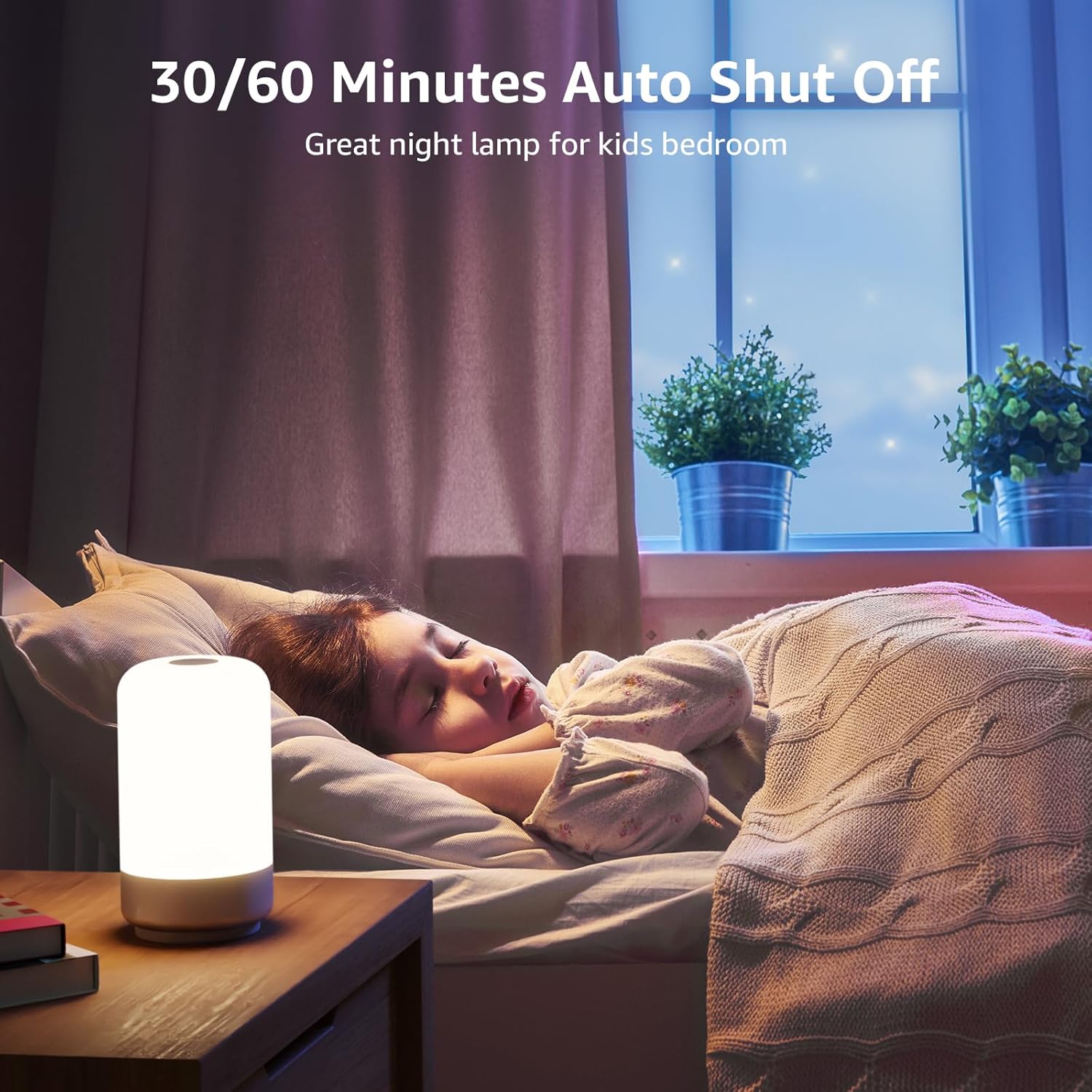
Figure 6: Auto-Off Timer Function.
4.5. Hafıza İşlevi
Lamp retains the last used brightness and color setting when turned off and on again, ensuring a consistent experience.
5. Bakım
Ürününüzün uzun ömürlü olmasını ve en iyi performansı göstermesini sağlamak içinamp, şu bakım yönergelerini izleyin:
- Temizlik: l'yi ayırınamp Temizlemeden önce güç kablosunu prizden çekin. Yumuşak ve kuru bir bezle silin.amp's surface. Do not use abrasive cleaners, solvents, or harsh chemicals, as these can damage the finish.
- İşleme: L'yi idare etamp Dikkatli kullanın. Düşürmekten veya sert darbelere maruz bırakmaktan kaçının.
- Depolamak: L'yi saklıyorsanızamp for an extended period, ensure it is clean and dry. Store it in a cool, dry place away from direct sunlight.
6. Sorun Giderme
If you encounter issues with your Lepro LED Table Lamp, aşağıdaki yaygın sorunlara ve çözümlere bakın:
| Sorun | Olası Neden | Çözüm |
|---|---|---|
| Lamp açılmıyor. | Güç bağlantısı yok. | Ensure the power adapter is securely plugged into a working outlet and the USB-C cable is firmly connected to the lamp. |
| Brightness adjustment is not smooth or lamp turns off when dimming. | Incorrect operation of touch control. | Ensure you are performing a Uzun Basış on the top touch area to adjust brightness. A short press will turn the lamp off. Release your finger when the desired brightness is achieved. |
| Colors are not changing or cycling. | Not in RGB mode or incorrect operation. | Press the 'M' button to cycle through modes until RGB mode is active. For static colors, Uzun Basış the top touch area. For auto-changing, ensure auto-color changing mode is selected via the 'M' button, then Uzun Basış the top touch area to adjust speed. |
| Zamanlayıcı fonksiyonu çalışmıyor. | Timer not activated or incorrectly set. | Press the timer button on the base. One green LED indicates 30-minute timer, two green LEDs indicate 60-minute timer. Ensure the correct timer setting is active. |
7. Özellikler
| Özellik | Detay |
|---|---|
| Model Numarası | PR210002-ABD |
| Marka | Cüzzam |
| Ürün Boyutları | 3.9"D x 3.9"G x 7.1"Y |
| Ürün Ağırlığı | 0.85 Pound (13.6 ons) |
| Malzeme | Plastik |
| Işık Kaynağı Türü | NEDEN OLMUŞ |
| Parlaklık | 350 Lümen |
| Netage | 7 watt |
| Cilttage | 120 Volt (AC) |
| Açık Renk Seçenekleri | 7 Colors + 3 White Light Temperatures (2700K-4000K-5700K) |
| Kontrol Yöntemi | Dokunmak |
| Güç Kaynağı | Kablolu Elektrik |
| Kablo Uzunluğu | 4 Ayak |
| İç/Dış Mekan Kullanımı | Sadece iç mekanda kullanılabilir |
| Su Direnç Seviyesi | Suya dayanıklı değil |
8. Garanti ve Destek
For warranty information or technical support, please contact Lepro customer service through their official website or the retailer where the product was purchased. Please have your model number (PR210002-US) and purchase details ready when contacting support.


