giriiş
This manual provides instructions for the MARVO GT-80 Wireless Gamepad. It covers setup, operation, maintenance, and troubleshooting for optimal use with compatible devices including PlayStation 4, PC, Android, and iOS.
Paket İçeriği
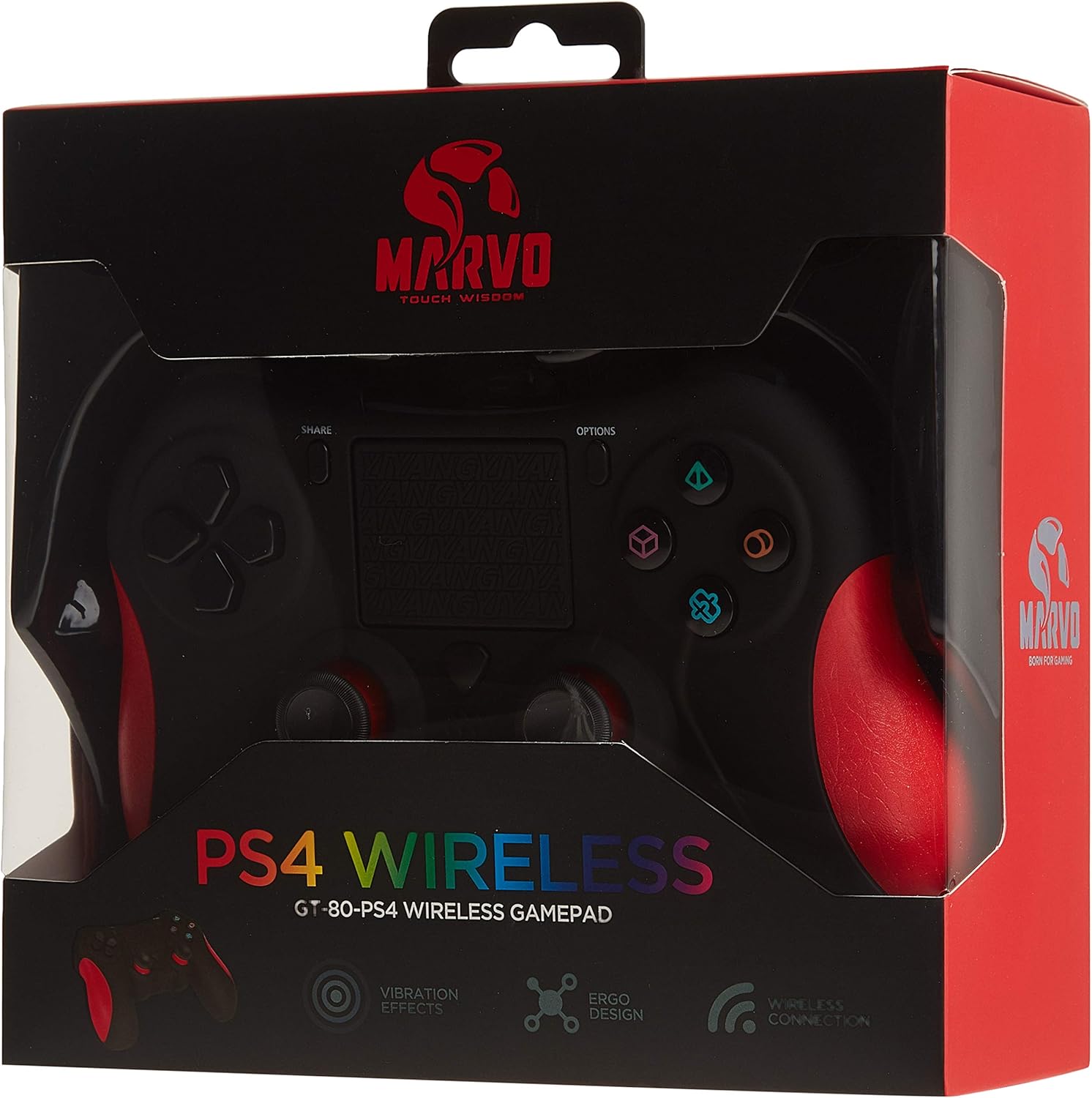
Image: The MARVO GT-80 Wireless Gamepad in its retail packaging.
- MARVO GT-80 Kablosuz Oyun Kumandası
- USB Charging Cable (80 cm)
- Kullanım Kılavuzu (bu belge)
Ürün Özellikleri
- Wireless connectivity via Bluetooth V4.2
- Wired connectivity via USB cable
- Built-in rechargeable battery (600 mAh capacity)
- Double vibration feedback for immersive gaming
- Integrated 6-axis sensor (3D-Sensor + G-Sensor)
- Large LED light bar
- Built-in loudspeaker function
- 3.5 mm stereo kulaklık girişi desteği
- Dokunmatik yüzey kontrolü
- 19 programlanabilir düğme
Kurmak
1. Gamepad'i Şarj Etme
Before first use, fully charge the gamepad. Connect the supplied USB cable to the Micro USB port on the gamepad and the other end to a USB power source (e.g., console, PC, USB wall adapter).

Image: The MARVO GT-80 Gamepad connected to its USB charging cable.
The LED light bar will indicate charging status. A full charge typically takes approximately 2-3 hours.
2. Connecting to PlayStation 4 (PS4)
- PS4 konsolunuzu açın.
- Connect the gamepad to the PS4 console using the USB cable.
- Press the "PS" button on the gamepad. The gamepad will pair with the console.
- Eşleştirme tamamlandıktan sonra, kablosuz oyun için USB kablosunu çıkarabilirsiniz.
3. Connecting to PC (Windows)
The gamepad supports both D-input and X-input modes for PC.
Kablolu Bağlantı:
Connect the gamepad to your PC using the USB cable. The PC should automatically detect and install the necessary drivers. The gamepad will operate in D-input mode by default. Some games may require X-input mode, which can often be toggled via specific button combinations or software.
Bluetooth Bağlantısı:
- Bilgisayarınızda Bluetooth özelliğinin etkinleştirildiğinden emin olun.
- Put the gamepad into pairing mode (specific button combination, usually "SHARE" + "PS" button until LED flashes rapidly).
- Bilgisayarınızda Bluetooth ayarlarına gidin ve yeni cihazları arayın.
- Select "Wireless Controller" or "GT-80" from the list of available devices to pair.
4. Connecting to Android/iOS Devices
- Android veya iOS cihazınızda Bluetooth'un etkinleştirildiğinden emin olun.
- Put the gamepad into pairing mode (specific button combination, usually "SHARE" + "PS" button until LED flashes rapidly).
- On your mobile device, go to Bluetooth settings and search for new devices.
- Select "Wireless Controller" or "GT-80" from the list of available devices to pair.
Kullanım Talimatları
Düğme Düzeni ve İşlevleri

Resim: Ön view of the MARVO GT-80 Wireless Gamepad.

Resim: Arka view of the MARVO GT-80 Wireless Gamepad, highlighting the M-buttons.
- Direction Buttons (D-Pad): Used for directional input.
- Analog Çubuklar: Two analog sticks for precise 3D movement and camera control.
- Eylem Düğmeleri (Üçgen, Daire, Çarpı, Kare): Birincil işlem düğmeleri.
- PAYLAŞ düğmesi: Used for sharing gameplay content (PS4).
- SEÇENEKLER düğmesi: Access in-game menus or system options.
- PS Düğmesi: Power on/off the gamepad, access PS4 system menu.
- L1/R1 Düğmeleri: Omuz düğmeleri.
- L2/R2 Tetikleyicileri: Analog tetikleyiciler.
- Dokunmatik yüzey: Multi-touch input surface.
- M1, M2, M3, M4 Buttons: Programmable back buttons (refer to device-specific instructions for programming).
Özel Fonksiyonlar
- Double Vibration: Oyun sırasında dokunsal geri bildirim sağlar.
- 6-Axis Sensor: Includes a 3D-Sensor and G-Sensor for motion-controlled gameplay.
- hoparlör: Integrated speaker for enhanced audio effects (PS4).
- Kulaklık Fonksiyonu: Connect a 3.5mm stereo headset for audio output and microphone input (PS4).
Bakım
Temizlik
Wipe the gamepad with a soft, dry cloth. Do not use harsh chemicals or abrasive cleaners. Avoid getting moisture into openings.
Depolamak
Store the gamepad in a cool, dry place away from direct sunlight and extreme temperatures. Avoid placing heavy objects on the gamepad.
Sorun giderme
Gamepad Does Not Power On
- Ensure the gamepad is fully charged. Connect it to a power source using the USB cable.
- Press the PS button to attempt to power it on.
Bağlantı Sorunları
- Kablosuz: Ensure Bluetooth is enabled on your device and the gamepad is in pairing mode. Try re-pairing the device.
- Kablolu: Ensure the USB cable is securely connected to both the gamepad and the device. Try a different USB port or cable.
- PS4: If issues persist, try resetting the gamepad (a small reset button is usually located on the back, requiring a pin to press).
Buttons or Joysticks Unresponsive
- Oyun kumandasının doğru şekilde bağlı ve açık olduğundan emin olun.
- Test the gamepad with another game or application to rule out software issues.
- If possible, try resetting the gamepad.
Titreşim Çalışmıyor
- Oyun içi ayarlardan titreşim geri bildiriminin etkinleştirildiğinden emin olun.
- Gamepad'in tam şarjlı olduğundan emin olun.
Özellikler

Image: Technical specifications as printed on the product packaging.
| Özellik | Detay |
|---|---|
| Örnek | GT-80 |
| Bağlantı | Wireless (Bluetooth V4.2), Wired (USB cable) |
| Düğmeler | 19 |
| Pil Kapasitesi | 600mA |
| Konuşmacı | 6/8Ω-1W |
| Arayüz | EXT desteği, 3.5 mm jak |
| Uyumluluk | PS4, PC (D-input & X-input), Android, iOS |
| Hareket Sensörü | 3D-Sensor + G-Sensor |
| Mikro USB Kablo Uzunluğu | 80 cm |
| Boyutlar | 40.49x9.5x9.5 cm |
| Ağırlık | 310 gr |
Garanti ve Destek
For warranty information and technical support, please refer to the documentation provided with your purchase or contact MARVO customer service directly. Keep your proof of purchase for warranty claims.