1. Ürün Bittiview
This manual provides instructions for the Transformers Generations War for Cybertron Earthrise WFC-E26 Voyager Class Decepticon Thrust action figure. Decepticon Thrust is a 7-inch scale figure capable of converting between robot mode and jet mode in 23 steps. The figure includes two blaster accessories that can be mounted in both modes.
Warning: Choking Hazard - Small parts. Not for children under 3 years. Recommended for ages 8 and up.

Image 1.1: Decepticon Thrust in Robot Mode with Blasters

Image 1.2: Decepticon Thrust in Jet Mode
2. Kurulum ve Montaj
2.1 Kutudan Çıkarma
- Figürü ve aksesuarlarını dikkatlice ambalajından çıkarın.
- Ambalajı ileride başvurmak veya saklamak üzere muhafaza edin.
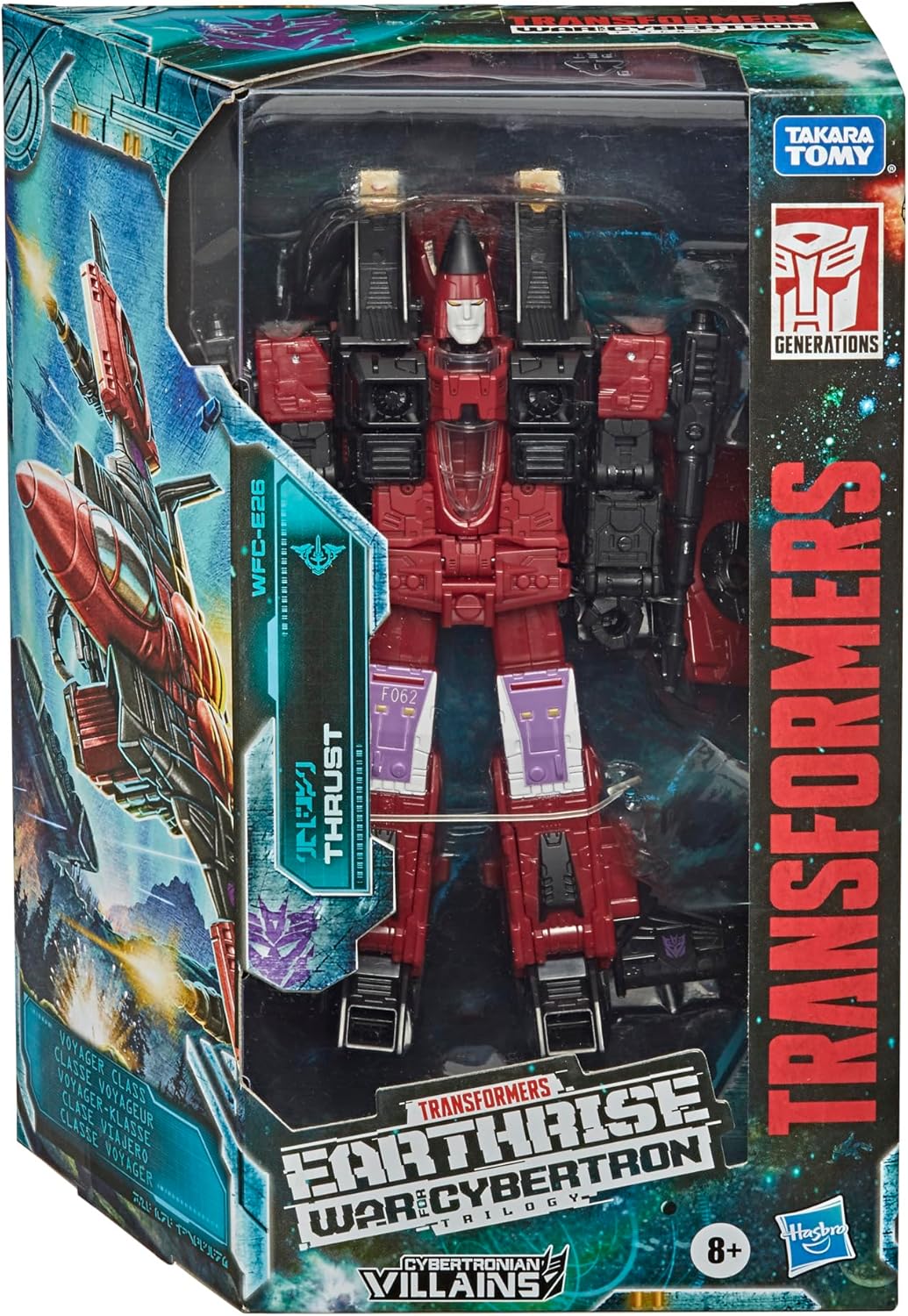
Image 2.1: Packaged Decepticon Thrust Figure
2.2 Aksesuarların Takılması
The Decepticon Thrust figure comes with two blaster accessories. These can be attached in various configurations depending on the figure's mode.
- In Robot Mode: The blasters can be mounted on the figure's hands or on designated ports on its back or arms.
- In Jet Mode: The blasters can be mounted on the wings of the jet.

Image 2.2: Blaster Accessory Attachment Point
3. Operating the Figure: Transformation
Decepticon Thrust transforms between robot mode and jet mode in 23 distinct steps. Refer to the detailed visual instructions provided on the product packaging or the included instruction sheet for precise guidance.
3.1 Transformation from Robot to Jet Mode
- Robot modundaki figürle başlayın.
- Carefully manipulate the limbs, torso, and wing sections according to the numbered steps in the visual guide.
- Ensure all parts are securely tabbed or locked into place to form the complete jet mode.
3.2 Transformation from Jet to Robot Mode
- Begin with the figure in jet mode.
- Reverse the transformation steps, carefully unfolding and repositioning parts to achieve the robot mode.
- Ensure all joints are correctly aligned and the figure stands stably.

Image 3.1: Transformation Guide (Refer to packaging for full details)
4. Bakım
4.1 Temizlik
- To clean the figure, gently wipe with a dry, soft cloth.
- İnatçı kirler için, hafifçeamp bez kullanılabilir ve hemen kurutulabilir.
- Avoid using harsh chemicals, abrasive cleaners, or excessive water, as these can damage the paint or plastic.
4.2 Depolama
- Figürü serin, kuru ve doğrudan güneş ışığından ve aşırı sıcaklıklardan uzak bir yerde saklayın.
- Keep small accessories in a secure container to prevent loss.
5. Sorun Giderme
5.1 Sert Eklem
If joints feel stiff, gently work them back and forth. Avoid forcing movement, as this can cause breakage. Applying a very small amount of silicone shock oil (specifically designed for plastic) to the joint pivot may help, but use sparingly and test in an inconspicuous area first.
5.2 Dönüşüm Zorluğu
If you encounter difficulty during transformation, refer to the visual instruction guide. Ensure each step is followed precisely. Sometimes, parts need to be aligned in a specific order for subsequent steps to proceed smoothly. Do not apply excessive force.
5.3 Gevşek Parçalar
If a part feels loose, check if it is fully tabbed or connected. For persistently loose joints, a very thin layer of clear nail polish or a specialized joint tightening fluid can be applied to the ball joint or peg, allowed to dry, and then reassembled. This should be done with caution.
6. Özellikler
- Model Numarası: WFC-E26 (Item Model Number: E78445L0)
- Figure Scale: 7 inç
- Ürün Ölçüleri: 3.19 x 6.75 x 9.5 inç
- Ürün Ağırlığı: 9.6 ons
- Üretici: Hasbro
- Önerilen Yaş: 8 yaş ve üzeri
- ASIN: B08PS4ZFL1
7. Garanti Bilgileri
This product is manufactured by Hasbro. For specific warranty details, please refer to the information provided on the product packaging or contact Hasbro customer service directly. Warranty terms typically cover manufacturing defects under normal use.
8. Destek
For further assistance, questions, or to report any issues with your Transformers Generations War for Cybertron Earthrise WFC-E26 Decepticon Thrust figure, please contact the manufacturer, Hasbro, through their official customer support channels. Contact information can usually be found on the product packaging or their official webalan.


