1. Giriş
Thank you for choosing the Greadio Retro Bluetooth Speaker and FM Radio. This device combines vintage design with modern audio technology, offering versatile playback options including Bluetooth, FM radio, TF card, and AUX input. This manual provides essential information for safe and optimal use of your speaker.
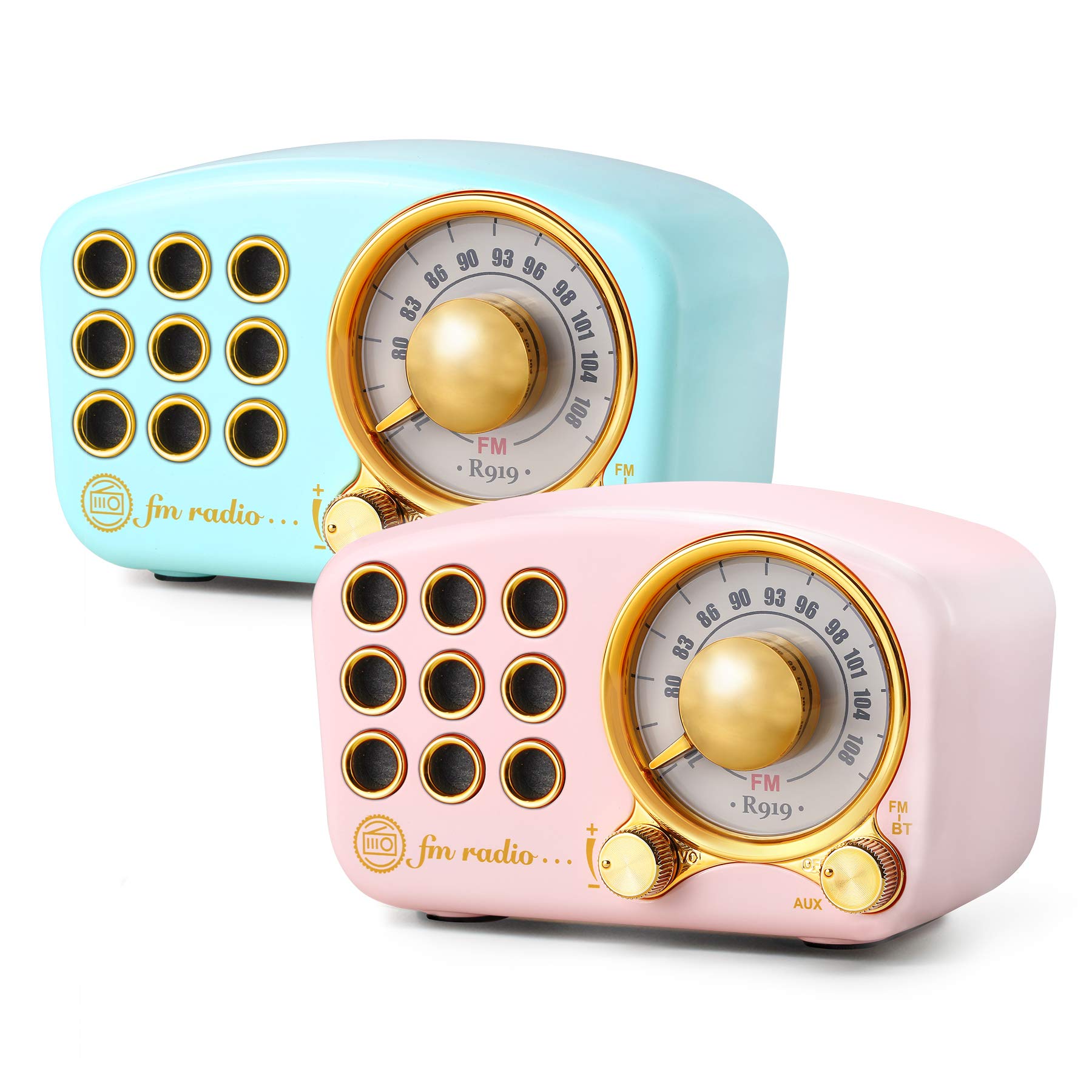
Image: The Greadio Retro Bluetooth Speaker, showcasing its compact size and retro design.
2. Paket İçeriği
Lütfen paketi aşağıdaki öğeler açısından kontrol edin:
- Greadio Retro Bluetooth Speaker (Main Unit)
- AUX Kablosu
- Kullanıcı Kılavuzu (Bu Belge)
3. Cihaz Düzeni
Familiarize yourself with the buttons and ports on your speaker.

Image: Front panel of the speaker, highlighting the tuning dial, mode switch, and control buttons.
Note: Specific button functions are detailed in the "Operating Instructions" section.
4. Kurulum
4.1 Hoparlörü Şarj Etme
The speaker is equipped with a built-in 1100mAh rechargeable battery. Before first use, fully charge the speaker.
- Connect the provided charging cable (not explicitly listed as included, but implied for rechargeable battery) to the speaker's charging port.
- Şarj kablosunun diğer ucunu bir USB güç adaptörüne (dahil değildir) veya bilgisayarın USB portuna bağlayın.
- Şarj gösterge ışığı yanacaktır. Şarj tamamlandığında ışık sönecek veya rengi değişecektir.
A full charge typically provides up to 9 hours of playback time, depending on volume and usage.
4.2 Açma/Kapatma
- To power on: Rotate the volume knob clockwise or press and hold the power button (refer to device layout for exact control).
- To power off: Rotate the volume knob counter-clockwise until it clicks, or press and hold the power button.
5. Kullanım Talimatları
5.1 Bluetooth Modu
The speaker uses Bluetooth 4.2 for wireless connection.
- Hoparlörü açın. Yanıp sönen LED ışığıyla belirtildiği gibi otomatik olarak Bluetooth eşleştirme moduna girecektir.
- Mobil cihazınızda (akıllı telefon, tablet vb.) Bluetooth'u etkinleştirin ve kullanılabilir cihazları arayın.
- Select "Greadio Speaker" (or similar name) from the list of devices.
- Once connected, the LED indicator will stop flashing and remain solid. You can now play audio from your device through the speaker.

Image: Speaker connected via Bluetooth to a smartphone, demonstrating wireless audio playback.
5.2 FM Radyo Modu
Enjoy FM radio broadcasts with the built-in tuner.
- Hoparlörü açın.
- Switch the mode selector to "FM" (or press the Mode button until FM is selected).
- Use the tuning dial to scan for radio stations. Rotate the dial slowly to find clear signals.
- Ses düğmesini kullanarak sesi ayarlayın.
Tip: For better FM reception, extend the antenna if available, or reposition the speaker.
5.3 TF Kart Oynatma
MP3 ses çal files directly from a TF (MicroSD) card.
- Insert a TF card (up to 32GB, formatted to FAT32) with MP3 fileTF kart yuvasına takın.
- Power on the speaker. The speaker should automatically switch to TF card mode or you may need to select it using the Mode button.
- Playback will begin automatically. Use the control buttons (e.g., Play/Pause, Next/Previous) to manage playback.
5.4 AUX Giriş Modu
Connect external audio devices using the provided AUX cord.
- Connect one end of the AUX cord to the speaker's AUX input port.
- Connect the other end of the AUX cord to the headphone jack or audio output of your external device (e.g., MP3 player, computer).
- Switch the speaker's mode selector to "AUX" (or press the Mode button until AUX is selected).
- Play audio from your external device. Adjust volume on both the speaker and the external device.
6. Bakım
- Temizlik: Use a soft, dry cloth to clean the speaker's surface. Do not use abrasive cleaners, alcohol, or solvents.
- Depolamak: Hoparlörü serin, kuru ve doğrudan güneş ışığından ve aşırı sıcaklıklardan uzak bir yerde saklayın.
- Pil Bakım: Pil ömrünü uzatmak için pili sık sık tamamen boşaltmaktan kaçının. Hoparlörü, uzun süre kullanılmasa bile düzenli olarak şarj edin.
- Suya Maruz Kalma: Bu hoparlör su geçirmez değildir. Suya veya yüksek neme maruz bırakmaktan kaçının.
7. Sorun Giderme
| Sorun | Olası Neden | Çözüm |
|---|---|---|
| Hoparlör açılmıyor. | Pil bitmiş. | Hoparlörü tam olarak şarj edin. |
| Ses yok. | Ses seviyesi çok düşük; yanlış mod seçildi; cihaz düzgün bağlanmamış. | Increase volume; ensure correct mode (Bluetooth, FM, TF, AUX) is selected; re-pair Bluetooth or re-connect AUX cable. |
| Bluetooth bağlantısı başarısız oluyor. | Speaker is too far from device; speaker not in pairing mode; interference. | Ensure speaker is within 10 meters of device; restart speaker and device; try pairing again. |
| FM radyo alımı zayıf. | Zayıf sinyal; çevresel parazit. | Reposition the speaker; extend the antenna if applicable. |
8. Özellikler
- Model Numarası: 5acc8bb8-96b8-41bc-9445-b84cbdcaadb7
- Marka: greadyo
- Boyutlar (U x G x Y): 4.4" x 2.7" x 2"
- Bağlantı: Bluetooth 4.2, Yardımcı Giriş (AUX)
- Özellik: Şarj edilebilir
- Ayarlayıcı Teknolojisi: FM
- Güç Kaynağı: Pille Çalışır (Dahili 1100mAh şarj edilebilir pil)
- Desteklenen Radyo Bantları: FM
- Ses Çıkışı: 5 watt ampcankurtaran
- Oynatma Süresi: Up to 9 hours (varies with volume and usage)
- Dahil Bileşenler: AUX Kablosu
9. Garanti ve Destek
The Greadio Retro Bluetooth Speaker comes with a 1-year money-back warranty. Greadio also provides lifetime customer service for this product (excluding wear and tear).
For technical support, warranty claims, or any inquiries, please contact Greadio customer service through the retailer's platform or the official Greadio webalan.