1. Giriş
This manual provides detailed instructions for the KOSPET Max S Android Smart Watch. Please read this manual thoroughly before using the device to ensure proper operation and to maximize its features. Keep this manual for future reference.
2. Güvenlik Bilgileri
- Cihazı sökmeye, tamir etmeye veya değiştirmeye çalışmayın. Yetkisiz değişiklikler garantiyi geçersiz kılabilir ve hasara neden olabilir.
- Cihazı aşırı sıcaklıklardan, doğrudan güneş ışığından ve aşındırıcı maddelerden uzak tutun.
- Use only the provided charging cable and adapter. Using incompatible accessories may cause damage or fire.
- The device is IP67 waterproof. Avoid prolonged immersion in water or exposure to high-pressure water jets. Ensure the SIM card tray is properly sealed to maintain water resistance.
- Consult a medical professional before using the device if you have a pacemaker or other medical implants.
3. Paket İçeriği
Ürün paketinizde tüm öğelerin mevcut olduğunu doğrulayın:
- KOSPET Max S Smart Watch
- Şarj Kablosu/Dock
- Watch Band/Strap
- Kullanım Kılavuzu (bu belge)
- SIM Card Tray Ejector Tool (or small screwdriver)
4. Ürün Bittiview
Familiarize yourself with the components of your KOSPET Max S Smart Watch.

Figure 4.1: KOSPET Max S Smart Watch front view showing the display with time, date, network, battery status, and app icons.

Figure 4.2: Close-up of the KOSPET Max S 2.4-inch Super Retina Display, showcasinberraklığı ve canlı renkleri.
Şekil 4.3: Yan view of the KOSPET Max S Smart Watch, highlighting the integrated side camera and physical buttons.
Temel Bileşenler:
- Görüntülemek: 2.4-inch high-definition touchscreen.
- Yan Kamera: 8-megapixel camera for photos and video.
- Ön Kamera: 2-megapixel camera for video calls and face unlock.
- SIM Kart Yuvası: Supports Nano SIM for 4G LTE connectivity.
- Mikrofon ve Hoparlör: Aramalar ve sesli komutlar için.
- Kalp Atış Hızı Sensörü: Located on the back for fitness tracking.
5. Kurulum
5.1. Cihazın Şarj Edilmesi
Before initial use, fully charge your KOSPET Max S Smart Watch. Connect the charging cable to the watch's charging port and plug the other end into a USB power adapter (not included) or a computer's USB port. The screen will indicate charging status.

Figure 5.1: Diagram illustrating the KOSPET Max S battery life under typical usage (40 hours) and light usage (60 hours) with its 2000mAh battery.
5.2. SIM Kart Kurulumu
The KOSPET Max S supports 4G LTE connectivity via a Nano SIM card. To install:
- Saati kapatın.
- Saatin yan tarafında bulunan SIM kart yuvasını bulun.
- Use the provided ejector tool (or a small screwdriver) to open the SIM card tray.
- Nano SIM kartı, altın renkli kontakları aşağı bakacak şekilde dikkatlice tepsiye yerleştirin.
- Insert the tray back into the watch until it clicks into place. Ensure it is flush with the watch body to maintain water resistance.
Note: Some users have reported difficulty with the provided screwdriver. If necessary, use a suitable alternative tool for SIM tray access.
5.3. İlk Güç Açma
Press and hold the power button (usually on the side) until the KOSPET logo appears. Follow the on-screen prompts to complete the initial setup, including language selection, time zone, and Wi-Fi connection.
5.4. Akıllı Telefonla Eşleştirme
To fully utilize all features, pair your KOSPET Max S with a compatible smartphone. The recommended application is WiiWatch 2. Download it from the Google Play Store or Apple App Store.
- Enable Bluetooth on your smartphone and the KOSPET Max S.
- Open the WiiWatch 2 app on your smartphone and follow the instructions to search for and connect to your watch.
Note: Some users have experienced unstable Bluetooth connections with WiiWatch 2. Alternatives like "Watch Droid Phone" (for smartphone) and "Watch Droid Assistant" (for watch) may offer a more stable connection.
6. Kullanım Talimatları
6.1. Temel Gezinme
- Dokunmatik ekran: Menüler ve ekranlar arasında gezinmek için sola/sağa, yukarı/aşağı kaydırın. Seçmek için dokunun.
- Güç Düğmesi: Ekranı uyandırmak/uyku moduna geçirmek için basın. Açmak/kapatmak veya yeniden başlatmak için basılı tutun.
- Geri Düğmesi: (If present) Returns to the previous screen.
6.2. 4G LTE Network and Calls
With a Nano SIM card installed, your KOSPET Max S can function as a standalone phone. It supports 5 network modes and global 4G/3G/2G bands.
- Arama Yapma: Use the dialer app on the watch to make calls directly.
- Çağrı Alma: Answer or decline incoming calls directly from the watch.
- Mesajlaşma: Send and receive SMS messages.
6.3. Applications and Google Play Store
Running on Android 10.1, the KOSPET Max S allows you to download and install applications from the Google Play Store. This includes social media, navigation, and productivity apps.
6.4. Kamera İşlevselliği
The watch features dual cameras:

Şekil 6.1: Patlatılmış view illustrating the KOSPET Max S dual camera setup, featuring an 8MP side camera and a 2MP front camera for versatile photography and video calls.
- Side Camera (8MP): Ideal for capturing photos and videos in a traditional camera orientation.
- Ön Kamera (2MP): Primarily used for video calls and the Face Unlock feature.
Access the camera app from the main menu to take pictures or record videos.
6.5. GPS Navigasyonu
The KOSPET Max S integrates multi-satellite positioning, supporting GPS, GLONASS, and A-GPS signals for accurate location tracking and navigation.
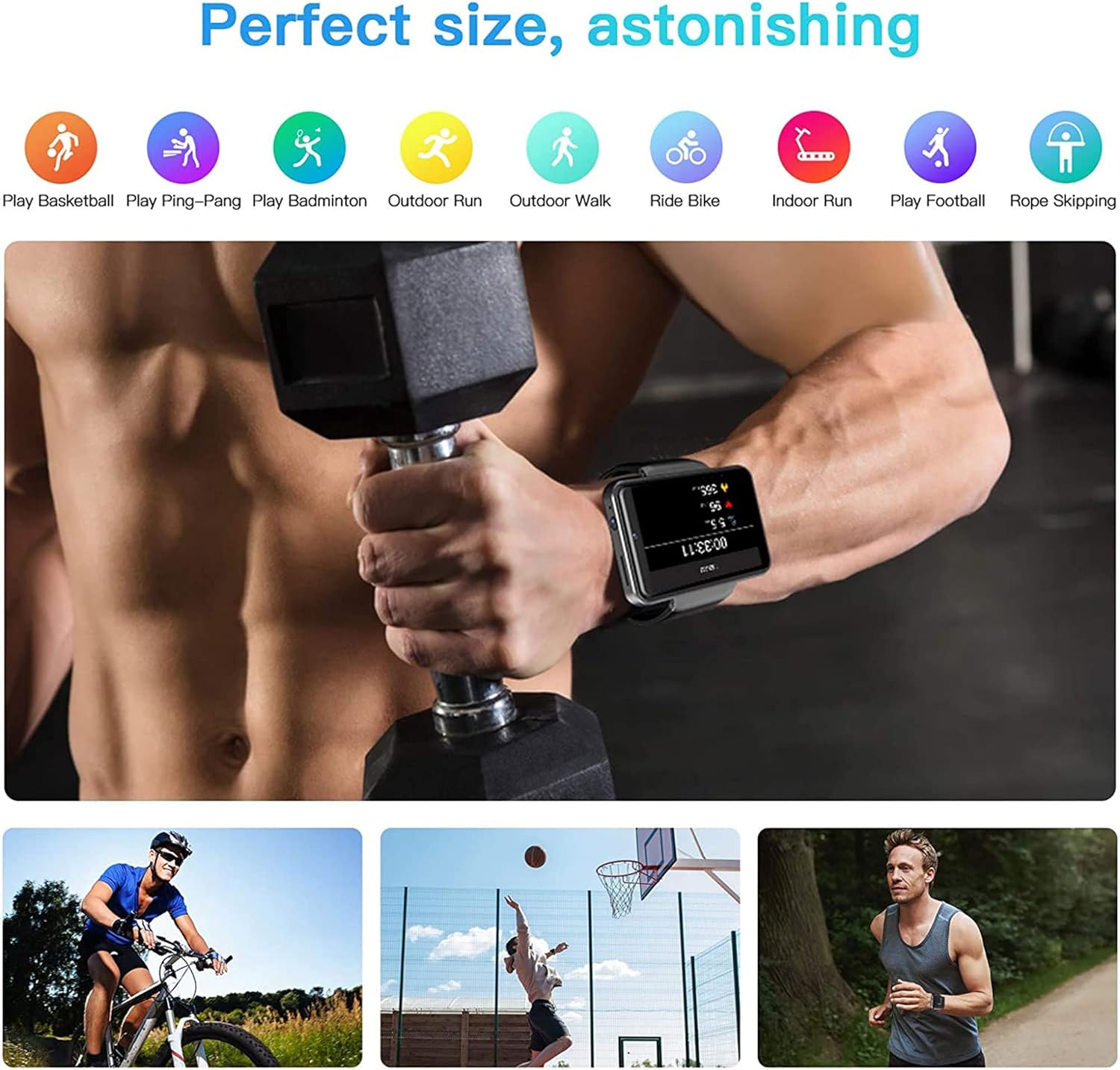
Figure 6.2: KOSPET Max S Smart Watch displaying a map with GPS navigation, indicating multi-satellite positioning support (GPS, A-GPS, GLONASS) for precise location tracking.
Önceden yüklenmiş harita uygulamalarını kullanın veya Google Play Store'dan tercih ettiğiniz navigasyon uygulamasını indirin.
6.6. Face Unlock and Security
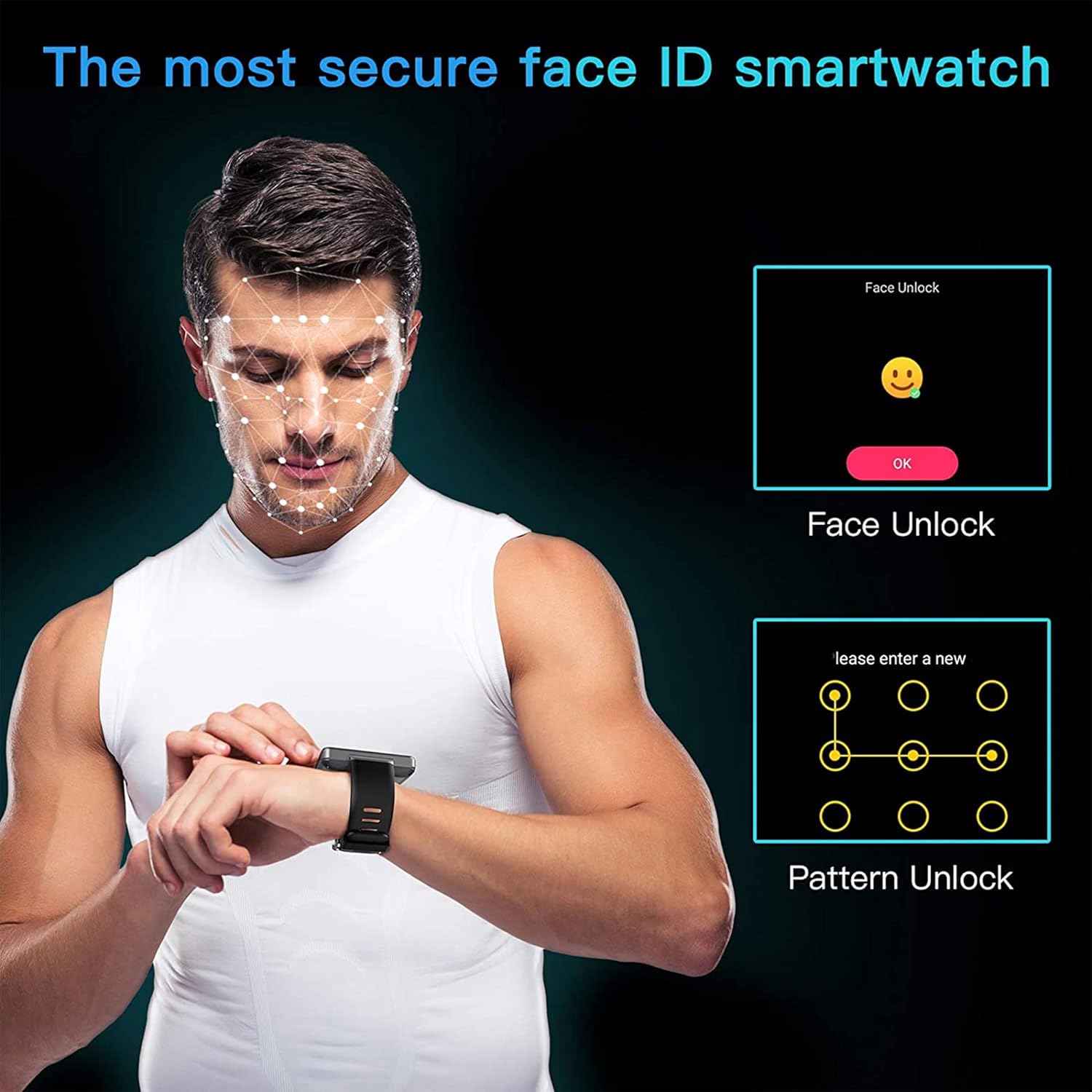
Enhance the security of your watch with Face Unlock. This feature uses the front camera to recognize your face for quick and secure access.

Figure 6.3: Illustration of the KOSPET Max S Face Unlock feature, showing facial recognition in action, alongside the option for pattern unlock.
To set up Face Unlock, navigate to the security settings in your watch and follow the on-screen instructions to register your face. You can also set up a pattern or PIN as a backup.
6.7. Fitness Takibi
The KOSPET Max S includes features for tracking your physical activity.

Figure 6.4: KOSPET Max S Smart Watch displaying various fitness tracking modes, including basketball, ping-pong, badminton, outdoor run, outdoor walk, ride bike, indoor run, play football, and rope skipping.
- Adım Sayacı: Automatically tracks your daily steps.
- Kalp Atış Hızı Monitörü: Gün boyunca kalp atış hızınızı ölçer.
- Spor Modları: Select from various sports modes (e.g., running, cycling) for more accurate tracking of specific activities.
Access fitness data through the dedicated fitness app on your watch.
7. Bakım
7.1. Temizlik
Saati ve kayışı düzenli olarak yumuşak bir bezle silin.amp Kumaşa zarar verebilecek sert kimyasallar veya aşındırıcı malzemeler kullanmaktan kaçının.
7.2. Suya Dayanıklılık (IP67)
The KOSPET Max S is rated IP67 waterproof, meaning it is resistant to dust and can withstand immersion in water up to 1 meter for 30 minutes. However, it is not suitable for swimming, diving, or exposure to high-pressure water. Always ensure the SIM card tray is securely closed to maintain water resistance.
8. Sorun Giderme
- Saat açılmıyor: Ensure the watch is fully charged. If the issue persists, try a hard reset by holding the power button for an extended period (e.g., 15-20 seconds).
- SIM card not detected or no network:
- Verify the SIM card is correctly inserted and the tray is fully closed.
- Ensure your SIM card is active and has a valid data plan.
- Check network settings on the watch to ensure mobile data is enabled.
- Confirm compatibility with your network provider's bands.
- Bluetooth bağlantısı kararsız:
- Hem saati hem de akıllı telefonunuzu yeniden başlatın.
- Ensure both devices are within Bluetooth range.
- Consider using alternative pairing applications like "Watch Droid Phone" and "Watch Droid Assistant" if WiiWatch 2 is problematic.
- Apps are slow or unresponsive:
- Belleği boşaltmak için arka planda çalışan uygulamaları kapatın.
- Clear the cache of the problematic app.
- Saatin yazılımının güncel olduğundan emin olun.
- GPS sinyal alamıyor:
- Açık bir alanda olduğunuzdan emin olun ve view gökyüzünün.
- Check that location services are enabled in the watch settings.
9. Özellikler
| Özellik | Şartname |
|---|---|
| Marka | KOSPET |
| Örnek | Maksimum S |
| İşletim Sistemi | Android 10.1 |
| Görüntülemek | 2.4 Inches LCD, 400 x 400 resolution |
| İşlemci | MediaTek MT6739 (1.25GHz max clock speed, 570MHz graphics processor) |
| Bellek Depolama Kapasitesi | 3 GB RAM (implied from 3GB+32GB feature bullet) |
| Dahili Depolama | 32 GB (implied from 3GB+32GB feature bullet) |
| Bağlantı | 4G LTE (Cellular), GPS (Built-in GPS, GLONASS, A-GPS), 802.11ac Wireless |
| Kameralar | 8MP Side Camera, 2MP Front Camera |
| Pil Kapasitesi | 2000 mAh |
| Suya Dayanıklılık | IP67 |
| Ürün Ağırlığı | 259 gr |
| Öğe Şekli | Kare |
10. Garanti ve Destek
Warranty information for the KOSPET Max S Smart Watch is typically provided with your purchase documentation or can be found on the official KOSPET webSite. Garanti kapsamı, şartlar ve koşullar hakkında ayrıntılı bilgi için lütfen bu kaynaklara bakın.
For technical support, troubleshooting assistance beyond this manual, or warranty claims, please contact KOSPET customer service through their official webSite veya ürününüzle birlikte verilen iletişim bilgileri.


