1. Giriş
This manual provides detailed instructions for the Delton 10X Bluetooth Computer Headset. This wireless headset is designed for clear communication and extended use, featuring Bluetooth 5.0 connectivity, a noise-canceling microphone, and a USB dongle for versatile compatibility. Please read this manual thoroughly to ensure proper setup and operation of your device.

Resim 1.1: The Delton 10X Bluetooth Computer Headset and its accompanying USB dongle. This image displays the headset's over-the-head design, single ear cup, adjustable microphone boom, and the compact USB dongle.
2. Paket İçeriği
Paketinizde tüm öğelerin mevcut olduğundan emin olun:
- Delton 10X Bluetooth Headset
- USB Dongle
- Şarj kablosu
- Kullanım Kılavuzu (bu belge)
3. Ürün Özellikleri
The Delton 10X headset offers a range of features designed for optimal performance and user comfort:
- Bluetooth 5.0 Bağlantısı: Ensures stable and efficient wireless connection up to 30 feet.
- Gürültü Önleyici Mikrofon: Arka plandaki gürültüyü azaltarak net ses iletimi sağlar.
- 270° Döndürülebilir Mikrofon: Allows for flexible positioning and use on either ear.
- Uzun Pil Ömrü: Up to 15 hours talk time, 18 hours play time, and 160 hours standby time.
- Hızlı Şarj: Yaklaşık 1.5 saatte tamamen şarj olur.
- Adjustable Headband & Plush Ear Cushion: Provides comfort for prolonged wear.
- Ear Gripper T-Pad: Ensures secure fit during movement.
- Evrensel Uyumluluk: Works with smartphones, tablets, desktop PCs, laptops, and supports iOS and Windows platforms.

Resim 3.1: A visual summary of the Delton 10X headset's key features, including 15 hours talk time, Bluetooth 5.0, adjustable headband, high fidelity sound, noise-canceling mic, rotatable mic, long battery backup, voice assistant support, and plush cushions.
3.1 Pil Performansı
The Delton 10X headset is equipped with a long-lasting battery to support your daily communication needs.
- Konuşma Süresi: 15 saate kadar
- Oyun Zamanı: 18 saate kadar
- Bekleme Süresi: 160 saate kadar
- Şarj Süresi: Yaklaşık 1.5 saat
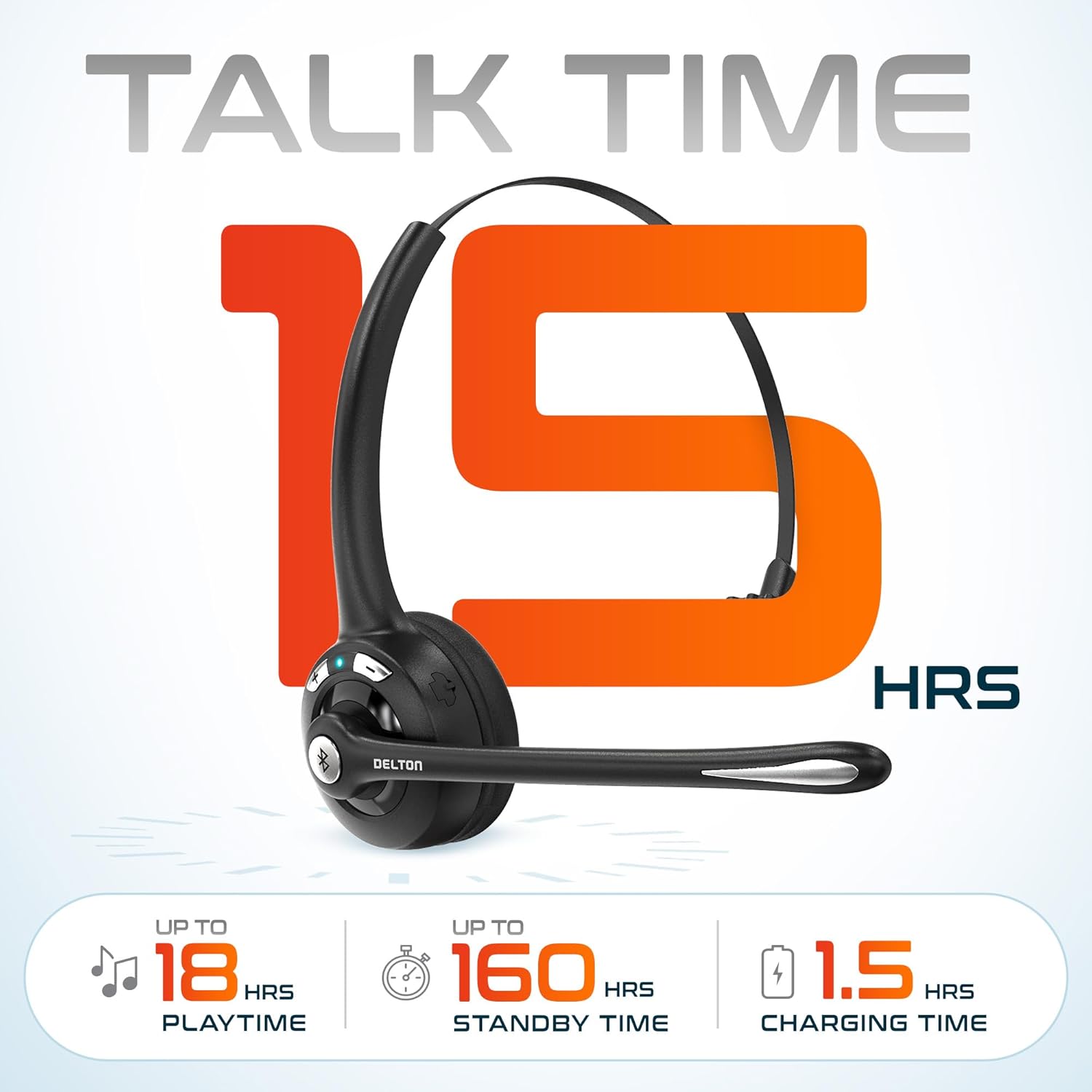
Resim 3.2: An infographic detailing the battery performance of the Delton 10X headset, highlighting 15 hours of talk time, 18 hours of play time, 160 hours of standby time, and a 1.5-hour charging time.
3.2 Gelişmiş Teknoloji
The headset incorporates an advanced chipset for seamless connectivity and improved power efficiency.

Resim 3.3: Yakın çekim view of the headset's internal components, illustrating the advanced Bluetooth 5.0 chipset. This image emphasizes the technology that reduces outside noise, improves power efficiency, and provides seamless connectivity up to 30 feet.
4. Kurulum
4.1 Kulaklığın Şarj Edilmesi
- Kutu içeriğinde bulunan şarj kablosunu kulaklığın şarj portuna takın.
- Kablo ucunu bir USB güç kaynağına takın (örneğin, bilgisayarın USB portuna, duvar adaptörüne).
- LED göstergesi şarj durumunu gösterecektir. Tam şarj yaklaşık 1.5 saat sürer.
4.2 Güç Açma/Kapatma
- Açmak İçin: Press and hold the Multi-Function Button (MFB) until the LED indicator flashes blue.
- Kapatmak İçin: Press and hold the MFB until the LED indicator flashes red and then turns off.
4.3 Bluetooth Pairing (Direct)
To connect the headset directly to a Bluetooth-enabled device (e.g., smartphone, tablet):
- Kulaklığın kapalı olduğundan emin olun.
- Press and hold the MFB for approximately 5-7 seconds until the LED indicator flashes red and blue alternately, indicating pairing mode.
- Cihazınızda Bluetooth'u etkinleştirin ve kullanılabilir cihazları arayın.
- Select "Delton 10X" from the list of found devices.
- Bağlantı kurulduktan sonra, kulaklıktaki LED göstergesi yavaşça mavi renkte yanıp sönecektir.
4.4 USB Dongle Connection
For computers without native Bluetooth or for a more stable connection, use the included USB dongle. The dongle provides instant auto-pairing.
- Plug the USB dongle into an available USB port on your computer. The dongle's LED will blink.
- Power on your Delton 10X headset.
- The headset and dongle will automatically pair. The dongle's LED will turn solid blue, and the headset's LED will flash blue slowly once connected.
- Ensure the Delton 10X is selected as the audio input and output device in your computer's sound settings.

Resim 4.1: A visual representation of the USB dongle being inserted into a laptop's USB port. The image highlights the 'Auto-Pair USB Dongle' feature and 'Plug & Play' functionality, indicating no driver installation is required.
4.5 Uyumluluk
The Delton 10X headset is designed for broad compatibility:
- Cihazlar: Smartphones, Tablets, Desktop PCs, Laptops.
- İşletim Sistemleri: iOS, Windows, Linux, Mac.
- Uygulamalar: MS Teams, Zoom, Google Meet, Slack, Skype.

Resim 4.2: Bir illüstrasyon sergisiasing the wide compatibility of the Delton 10X headset with various devices, including phones, tablets, iOS & Windows laptops, and desktop computers/iMacs. This emphasizes its versatility across different platforms.
5. Kullanım Talimatları
5.1 Kulaklık Kontrolleri
Kulaklık, aramaları ve ses oynatımını yönetmek için sezgisel kontrollere sahiptir:
- Çok Fonksiyonlu Düğme (MFB):
- Press once to Answer/End Call.
- Press and hold for 2 seconds to Redial.
- Müziği oynatmak/durdurmak için bir kez basın.
- Sesi Açma (+) Düğmesi:
- Sesi artırmak için bir kez basın.
- Press and hold for 2 seconds for Next Track.
- Sesi Azaltma (-) Düğmesi:
- Sesi azaltmak için bir kez basın.
- Press and hold for 2 seconds for Previous Track.

Resim 5.1: A detailed diagram of the Delton 10X headset's controls, showing the Volume Down (-), Volume Up (+), and Multi-Function Button (MFB) with their respective functions for call management, track control, and power.
5.2 Mikrofon Kullanımı
The microphone is designed for clear voice pickup and can be adjusted for optimal positioning.
- Mikrofonu Ayarlama: The microphone boom can rotate 270 degrees. Position the microphone approximately 1-2 inches from your mouth for best voice clarity.
- Gürültü kesen: The integrated noise-canceling technology helps filter out ambient sounds, ensuring your voice is heard clearly by others.
5.3 Kulaklığın Takılması
The Delton 10X headset is designed for comfort and can be worn on either ear.
- Ayarlanabilir Kafa Bandı: Extend or retract the headband to fit your head size comfortably.
- Ear Gripper T-Pad: This feature helps secure the headset in place.
- Left or Right Ear: Rotate the microphone boom to position the ear cup on your preferred ear.

Resim 5.2: An image illustrating the comfort and adjustability features of the Delton 10X headset. It shows the adjustable headband, the Ear Gripper T-Pad, the plush ear cushion, and the 270° rotation of the flexible microphone, demonstrating its usability on both left and right ears.
6. Bakım
Doğru bakım kulaklığınızın uzun ömürlü olmasını ve optimum performans göstermesini sağlar.
- Temizlik: Kulaklığı temizlemek için yumuşak, kuru bir bez kullanın. Kulak yastıkları için ise hafifçe kuru bir bez yeterlidir.amp cloth can be used, but ensure they are completely dry before use. Avoid harsh chemicals or abrasive materials.
- Depolamak: Kulaklığınızı serin, kuru ve doğrudan güneş ışığından ve aşırı sıcaklıklardan uzak bir yerde saklayın.
- Pil Bakım: Pil ömrünü uzatmak için kulaklığı sık sık tamamen boşaltmaktan kaçının. Uzun süre kullanmasanız bile düzenli olarak şarj edin.
- Sudan Kaçının: The headset is not water-resistant. Avoid exposure to liquids.
7. Sorun Giderme
If you encounter issues with your Delton 10X headset, refer to the following common solutions:
| Sorun | Olası Neden | Çözüm |
|---|---|---|
| Kulaklık açılmıyor. | Pil şarjı düşük veya hiç yok. | Kulaklığı en az 1.5 saat şarj edin. |
| Cihazla eşleştirilemiyor. | Kulaklık eşleştirme modunda değil; cihazda Bluetooth kapalı; cihaz çok uzakta. | Ensure headset is in pairing mode (flashing red/blue). Turn on device Bluetooth. Move headset closer to device (within 30 feet). Try using the USB dongle. |
| Poor microphone audio quality (others cannot hear me clearly). | Microphone position; computer audio settings; environmental noise. | Adjust the microphone closer to your mouth (1-2 inches). Check your computer's sound settings to ensure the Delton 10X is selected as the input device and microphone volume is adequate. Ensure the noise-canceling mic is facing the correct direction. |
| No sound or low sound from headset. | Headset volume too low; device volume too low; incorrect audio output device. | Increase headset volume using the '+' button. Increase volume on your connected device. Verify that the Delton 10X is selected as the audio output device in your computer's sound settings. |
| Bağlantı sık sık kesiliyor. | Erişim alanı dışında; parazit. | Ensure you are within 30 feet of the connected device or USB dongle. Minimize obstacles between the headset and device. |
8. Özellikler
Detailed technical specifications for the Delton 10X Bluetooth Computer Headset:
| Özellik | Şartname |
|---|---|
| Model Adı | 10X Monoaural Headset + Dongle |
| Bağlantı Teknolojisi | Kablosuz (Bluetooth 5.0) |
| Bluetooth Menzili | 30 feet'e kadar |
| Gürültü Kontrolü | Sound Isolation (Noise-Canceling Mic) |
| Frekans Tepkisi | 20 Hz - 20,000 Hz |
| Pil Ömrü (Konuşma Süresi) | 15 Saate Kadar |
| Pil Ömrü (Çalma Süresi) | 18 Saate Kadar |
| Pil Ömrü (Bekleme) | 160 Saate Kadar |
| Şarj Süresi | 1.5 Saat |
| Kulaklık Girişi | USB (şarj için) |
| Kontrol Türü | Call Control, Volume Control, Track Control |
| Ürün Ağırlığı | 1.5 ons |
| Ürün Boyutları | 6 x 6 x 2 inç |
| Malzeme | Plastik |
| Kulak Yerleşimi | Over Ear (Monoaural) |
9. Garanti ve Destek
For warranty information or technical assistance, please contact Delton customer support. Details can typically be found on the official Delton website or through your purchase documentation. Please retain your proof of purchase for warranty claims.


