giriiş
This manual provides instructions for the setup, operation, and maintenance of your HP w200 HD Digital Webcam. Please read this manual thoroughly before using the device to ensure proper functionality and longevity.
The HP w200 webcam offers 720P HD video at 30 frames per second, a built-in microphone, and a wide-angle view, making it suitable for various video communication applications.
Paket İçeriği
- HP w200 HD Digital Webkam
Kurmak
The HP w200 webcam features a plug-and-play design, requiring no additional driver installation for most operating systems.
Sistem Gereksinimleri
- Operating Systems: Windows XP (SP2, SP3), Vista, 7, 8, 10; Mac OS X 10.6 or higher.
- Kullanılabilir USB bağlantı noktası.
Kurulum Adımları
- Konumlandırma Webkam:
Ekle webcam to your monitor or place it on a flat surface using its adjustable clip. The clip allows for secure placement and angle adjustment.

Image: The HP w200 webcam demonstrating its 720-degree wide view angle, 270-degree swivel adjustment, and up-down adjustment capabilities. The webcam is shown mounted on a surface, highlighting its flexible design.
- Connecting to your Computer:
Fişe takın webcam's USB cable into an available USB port on your computer. The device is plug-and-play, meaning your operating system should automatically detect and install the necessary drivers.
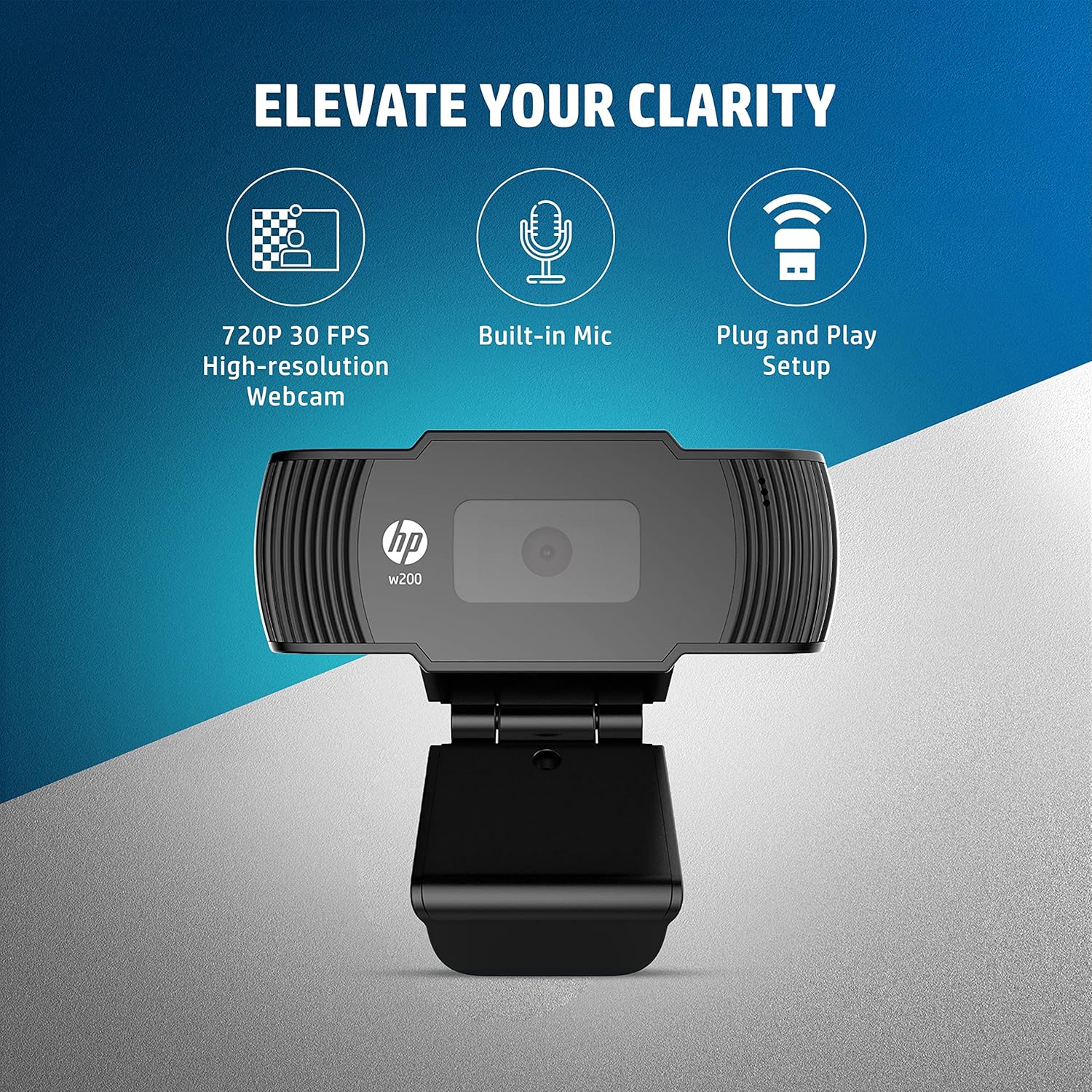
Image: A visual representation of the HP w200 webcam's key features: 720P 30 FPS high-resolution, built-in microphone, and plug-and-play setup. The image emphasizes the ease of use and core functionalities.
- Doğrulama:
After connecting, open a video conferencing application (e.g., Zoom, Skype, Microsoft Teams) or your operating system's camera application to verify that the webKamera tanındı ve doğru şekilde çalışıyor.
Kullanım Talimatları
The HP w200 webcam is designed for ease of use with various video communication platforms.
Kullanımı Webcam for Video Calls
- Uygulamayı Başlat: Open your preferred video calling application (e.g., Zoom, Skype, Microsoft Teams, Facebook Messenger, YouTube, WhatsApp, Google Hangouts, Line, Viber, WeChat).
- Cihaz seç: In the application's settings, navigate to the audio and video input options. Select "HP w200 Webcam" as your video device and "HP w200 Microphone" (or similar) as your audio input device.
- Konumu Ayarla: Ayarla webcam's position and angle using its 270-degree swivel and up-down adjustment to achieve the desired view.
- Start Communication: Begin your video call or recording. The webcam will provide 720P HD video at 30 frames per second.
Mikrofon Kullanımı
The webcam includes a single digital microphone for audio input. Ensure it is selected as the default microphone in your application settings for clear communication.
Bakım
To ensure optimal performance and longevity of your HP w200 webKamera için şu bakım yönergelerini izleyin:
- Lensin Temizlenmesi: Nazikçe silin webcam lens with a soft, lint-free cloth. Avoid using harsh chemicals or abrasive materials that could scratch the lens.
- Depolamak: Kullanılmadığı zaman, saklayın webcam in a clean, dry environment away from extreme temperatures and direct sunlight.
- Kablo Bakımı: İç hasar oluşmasını önlemek için USB kablosunu aşırı derecede bükmekten veya döndürmekten kaçının.
Sorun giderme
| Sorun | Olası Çözüm |
|---|---|
| WebKamera bilgisayar tarafından algılanmadı. |
|
| No video output in application. |
|
| No audio input from microphone. |
|
| Kötü video kalitesi. |
|
Özellikler
| Özellik | Detay |
|---|---|
| Model Numarası | W200 |
| Video Çözünürlüğü | Max. 1280 x 720P |
| Kare Hızı | Max. 30 FPS |
| Odak Türü | Sabit |
| Mikrofon | Single Digital Mic |
| Ayarlanabilirlik | Swivel 270°, Up-Down Adjustable Clip |
| Bağlantı | USB |
| Boyutlar (U x G x Y) | 1.14 x 3.15 x 0.94 inç (yaklaşık 29 x 80 x 24 mm) |
| Ağırlık | 3.81 ons (yaklaşık 108 gram) |
| Renk | Siyah |
| Fotoğraf Sensörü Teknolojisi | CMOS |
| Video Yakalama Formatı | MP4 |

Image: The HP w200 webcam with its physical dimensions and weight indicated. The image shows the length as 80 mm, height as 32.9 mm, and weight as 108g, providing a clear understanding of its compact size.
Garanti Bilgileri
This HP w200 webkamera şunlarla birlikte gelir: 1 yıllık üretici garantisi Satın alma tarihinden itibaren geçerlidir. Lütfen garanti talepleriniz için satın alma belgenizi saklayın. Garanti, normal kullanım koşullarında malzeme ve işçilik kusurlarını kapsar.
Destek
For further assistance or technical support, please visit the official HP support website or contact HP customer service. Refer to your product packaging or the HP webBölgenizdeki belirli iletişim bilgileri için siteyi ziyaret edin.