1. Giriş
Thank you for choosing the HOTT C204 Basic Portable CD Player. This manual provides essential information for the safe and efficient use of your device. The HOTT C204 is designed for portable audio playback, offering features such as anti-skip protection, multiple EQ modes, and versatile power options. Please read this manual thoroughly before use and retain it for future reference.
2. Kutuda Neler Var?
Kutuyu açtığınızda tüm ürünlerin mevcut olduğundan emin olun:
- 1 X HOTT CD204 CD Player
- 1 X Tip C Şarj Kablosu
- 1 X 3.5mm Jack Audio Cable
- 1 X 3.5mm Jack Earphone
- 1 X HOTT CD204 User's Manual

Image: The HOTT C204 CD player and its accessories, including earphones, USB-C charging cable, AUX cable, and user manual, neatly arranged in the product packaging.
3. Ürün Bittiview
Familiarize yourself with the components and controls of your HOTT C204 CD player.

Image: A detailed diagram of the HOTT C204 CD player, labeling its various buttons and ports for easy identification.
- EQ/DIR Mode Button: Press to cycle through equalizer presets (Jazz, Rock, Pop, Classic, BBS) and directory mode.
- Playback/Lock or Unlock Switch: Slide to lock/unlock buttons during playback.
- Sesi Kısma Düğmesi (-): Oynatma ses düzeyini azaltın.
- Sesi Açma Düğmesi (+): Oynatma sesini artırın.
- Previous Song/Fast Rewind Button: Press to go to the previous track; hold to fast rewind.
- Oynat/Duraklat Düğmesi: Oynatmayı oynatmak veya duraklatmak için basın.
- Next Song/Fast Forward Button: Press to go to the next track; hold to fast forward.
- Turn On/Turn Off Button: Cihazı açmak veya kapatmak için basılı tutun.
- USB Şarj Noktası: Connect the Type-C charging cable here for power supply.
- Earphone/Aux Jack: Connect headphones or an AUX cable here.
- AÇIK Düğmesi: Slide to open the CD compartment cover.
- Batarya kapağı: Access the AA battery compartment.
4. Kurulum
4.1 Güç Kaynağı
The HOTT C204 offers flexible power options:
- AA Piller: Insert 2 x AA batteries (not supplied) into the battery compartment located on the bottom of the player. Ensure correct polarity.
- USB-C Kablosu: Connect the supplied Type-C cable to the USB Charging Port on the player and to a compatible USB power source (e.g., wall adapter, car charger, power bank).

Image: The HOTT C204 CD player highlighting its dual power options: 2x AA batteries and a USB-C cable connection.
4.2 Connecting Audio Output
Connect your preferred audio device to the player:
- Kulaklıklar: Plug the supplied 3.5mm earphones into the Earphone/Aux Jack.
- External Speakers/Car Audio: Use the supplied 3.5mm Jack Audio Cable to connect the player's Earphone/Aux Jack to your external speaker system or car's AUX input.
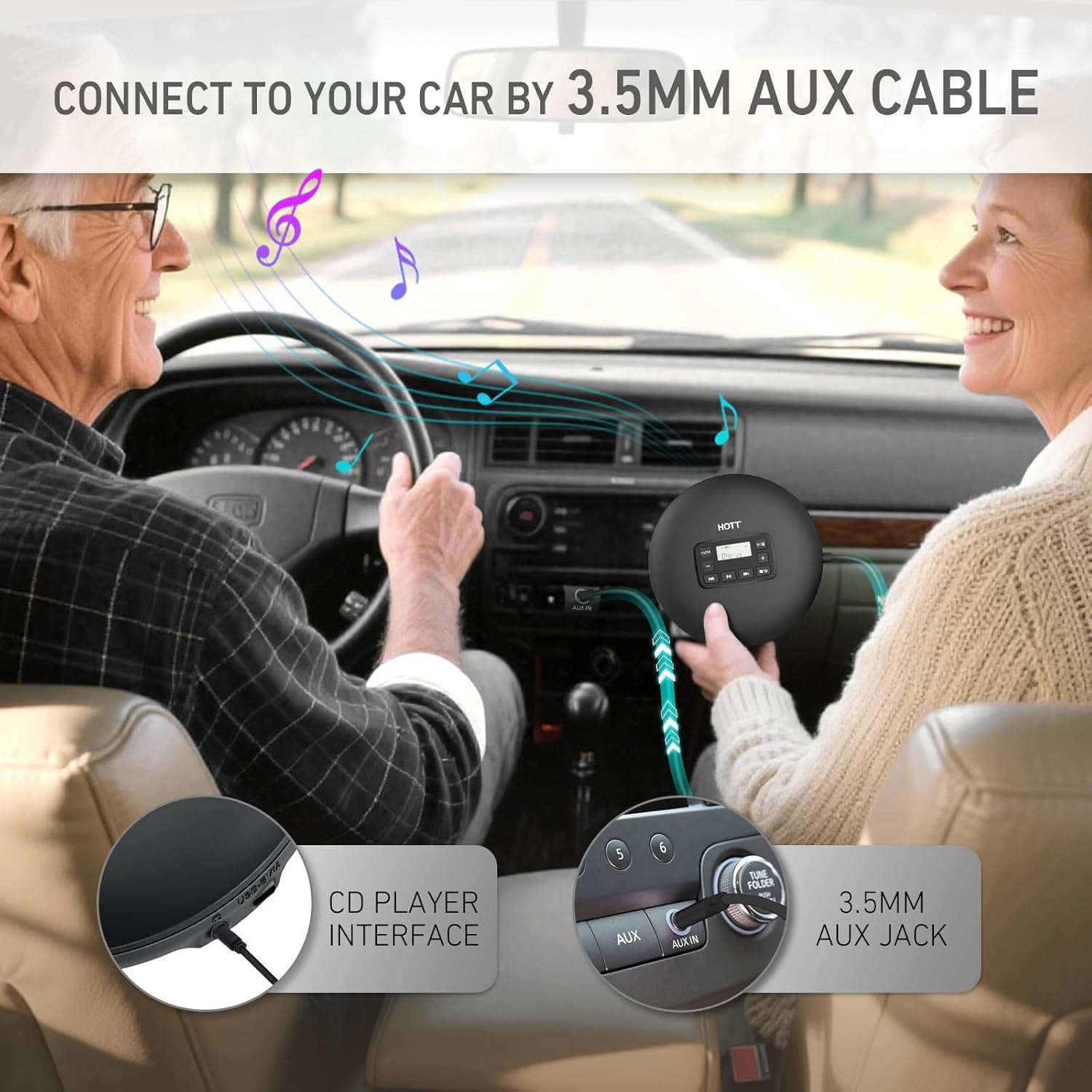
Image: A HOTT C204 CD player connected to a car's audio system via a 3.5mm AUX cable, demonstrating its use for in-car entertainment.
4.3 CD Takma
To insert a CD:
- Kaydırın AÇ Düğmesi to release the CD compartment cover.
- Gently place the CD onto the central spindle, ensuring it clicks into place.
- Close the CD compartment cover firmly until it clicks shut.
5. Kullanım Talimatları
5.1 Temel Oynatma
- Güç Açık: Basılı tutun Açma/Kapatma Düğmesi for a few seconds until the screen lights up.
- Oynamak: Once a CD is inserted and the device is powered on, press the Oynat/Duraklat Düğmesi oynatmaya başlamak için
- Duraklama: Oynatma sırasında, Oynat/Duraklat Düğmesi once to pause. Press again to resume.
- Parçayı Atla: Basın Önceki Şarkı/Hızlı Geri Sarma Düğmesi or Sonraki Şarkı/Hızlı İleri Sarma Düğmesi Parçaları atlamak için.
- Hızlı İleri/Geri Sarma: Basılı tutun Önceki Şarkı/Hızlı Geri Sarma Düğmesi or Sonraki Şarkı/Hızlı İleri Sarma Düğmesi to fast forward or rewind within a track.
- Ses Kontrolü: Kullanın Sesi Açma Düğmesi (+) Ve Sesi Kısma Düğmesi (-) to adjust the audio level.
- Kapat: Basılı tutun Açma/Kapatma Düğmesi for a few seconds until the screen turns off.
5.2 Play Modes and EQ Settings
The HOTT C204 offers various playback and equalizer options:
- EQ Modları: Basın EQ/DIR Mode Button repeatedly to cycle through sound effects: Jazz (warm vocals), Rock (crisp highs), Pop (balanced), Classic (acoustic), BBS (deep bass).
- Oyun Modları: The player supports various playback modes including Play in Order, Repeat One, Repeat All (ALL), Random Play (SHUF), and Preview Play (INTRO). Refer to the user manual for specific button presses to activate these modes.
- Anti-Skip Protection (ASP): The player features ASP technology, buffering up to 45 seconds for CDs and 120 seconds for MP3s, ensuring stable playback even with minor bumps. (Note: Not recommended for jogging or intense movement).
- Kilit Fonksiyonu: Slide the Playback/Lock switch to the 'Lock' position to prevent accidental button presses during portable use.

Image: The HOTT C204 CD player's control panel displaying the available play modes (Repeat One, Repeat All, Shuffle Play, Preview, Play in Order) and EQ sound effects (Classic, BBS, Pop, Jazz, Rock).
Video: This video demonstrates connecting the HOTT C204 CD player to a car's audio system via an AUX cable and shows a family enjoying music during a car trip, highlighting its portability and ease of use in a vehicle.
Video: This video provides an unboxing and overview of the HOTT C204 CD player, demonstrating how to open the CD compartment, insert batteries, connect cables, and use the basic playback controls and EQ settings.
6. Bakım
To ensure the longevity and optimal performance of your HOTT C204 CD player, follow these maintenance guidelines:
- Temizlik: Use a soft, dry cloth to clean the exterior of the player. For the lens, use a specialized CD lens cleaner. Avoid abrasive cleaners or solvents.
- CD Kullanımı: Always handle CDs by their edges. Store them in cases to prevent scratches, dust, and fingerprints, which can affect playback quality.
- Depolamak: Oynatıcıyı serin, kuru bir yerde, doğrudan güneş ışığından, yüksek sıcaklıklardan ve nemden uzakta saklayın.
- Pil Bakım: If not using the player for an extended period, remove the AA batteries to prevent leakage and damage.
7. Sorun Giderme
If you encounter issues with your HOTT C204, refer to the common problems and solutions below:
- Sorun: The CD player does not turn on.
Çözüm:- Ensure the power adapter (if used) is functioning correctly and connected securely.
- If using AA batteries, check that they are inserted with correct polarity and are not depleted. Replace with new batteries if necessary.
- Sadece hızlı bir basış olmadığından emin olmak için güç düğmesine birkaç saniye basılı tutun.
- Sorun: Ses yok veya bozuk.
Çözüm:- Check that headphones or AUX cable are securely plugged into the Earphone/Aux Jack.
- Ses seviyesini Ses Açma/Kısma düğmelerini kullanarak ayarlayın.
- Ensure the CD is clean and free from scratches or damage. Try another CD to verify.
- Verify that the external speaker or car audio system is functioning correctly.
- Sorun: CD skips frequently.
Çözüm:- Ensure the CD is clean and free from scratches.
- Avoid excessive movement or strong vibrations during playback.
- The Anti-Skip Protection (ASP) buffers music, but extreme impacts can still cause skips.
- Sorun: Düğmeler yanıt vermiyor.
Çözüm:- Check if the Playback/Lock switch is in the 'Lock' position. Slide it to 'Unlock' to enable button functionality.
- If the device is frozen, try powering it off and on again.
8. Özellikler
| Özellik | Detay |
|---|---|
| Model Adı | CD204 |
| Disc Format Support | CD, CD-R, CD-RW, MP3 |
| Güç Kaynağı | 2 x AA Batteries (not supplied) or Type-C USB (5V/1A) |
| Atlamayı Önleyici Koruma | 45 saniye (CD), 120 saniye (MP3) |
| Ses Çıkışı | 3.5mm Headphone Jack / AUX Output |
| EQ Ön Ayarları | Jazz, Rock, Pop, Classic, BBS |
| Ürün Ağırlığı | 13.4 ons |
| Paket Boyutları | 6.81 x 6.81 x 1.73 inç |
9. Garanti ve Destek
HOTT provides a standard manufacturer's warranty for this product. For detailed warranty terms, conditions, and to register your product, please refer to the warranty card included in your packaging or visit the official HOTT website. If you encounter any issues or require technical assistance, please contact HOTT customer support. Our dedicated team is ready to assist you promptly and thoroughly.


