1. Giriş
The boAt Airdopes 441 Pro are True Wireless Stereo (TWS) earbuds designed for an immersive audio experience. Featuring advanced technology and a durable design, these earbuds are suitable for various activities, from daily commutes to intense workouts.
This manual provides detailed instructions on how to set up, operate, and maintain your Airdopes 441 Pro earbuds to ensure optimal performance and longevity.
2. Kutuda Neler Var?
- boAt Airdopes 441 Pro TWS Kulaklıklar
- Şarj Kutusu
- Additional Earbuds (various sizes)
- C Tipi Şarj Kablosu
- Kullanıcı Kılavuzu
- Garanti Kartı

Image: The boAt Airdopes 441 Pro earbuds, charging case, extra ear tips, and Type-C charging cable are included in the package.
3. Ürün Bittiview
Temel Özellikler
- IWP (Insta Wake N’ Pair) Technology: Automatic power-on and connection upon opening the charging case lid.
- Bluetooth v5.0: Ensures seamless and instant wireless connectivity.
- 6mm Dinamik Sürücüler: Delivers immersive audio with signature boAt sound.
- IPX7 Suya Dayanıklılık: Provides protection against sweat and splashes, ideal for workouts and outdoor use.
- Capacitive Touch Controls: Intuitive touch controls for managing music, calls, and voice assistant.
- Sesli Asistan Desteği: Access your device's voice assistant with a single touch.
- Stereo Calling: Enjoy clear and smooth conversations during calls.
- Güç Bankası İşlevi: The 2600mAh charging case can also be used to charge other devices in emergencies.
- Uzun Süreli Oynatma: Up to 5 hours of playback per charge, with an additional 150 hours using the charging case.
Tasarım ve Konfor
The Airdopes 441 Pro features a secure sports fit with premium grade silicone ear tips and ear wings, ensuring they stay comfortably in place during physical activities. The earbuds are crafted from durable plastic material and come in a stylish red and black color scheme.

Image: The earbuds are IPX7 rated, making them resistant to water and sweat.

Image: The earbuds feature a premium grade silicone design for a secure and comfortable fit.
4. Kurulum ve Eşleştirme
First-Time Use & Power On
- Open the lid of the charging case. The earbuds will automatically power on and enter connection mode.
- Ensure Bluetooth is enabled on your phone/media device.
- Scan for available devices and select "Airdopes 441P" to pair.
Video: A visual guide demonstrating the initial power-on and pairing process for the boAt Airdopes 441 Pro earbuds.
Instant Wake N’ Pair (IWP)
After initial pairing, the IWP Technology allows the earbuds to automatically power on and connect to the previously paired device simply by opening the charging case lid.
Tek Kulaklık Kullanımı (Mono Mod)
Both earbuds can be used independently in mono mode. To use a single earbud, simply take one out of the charging case. It will automatically connect if previously paired. Alternatively, you can manually power on the desired earbud.
5. Kullanım Talimatları
Kapasitif Dokunmatik Kontroller
- Müziği Oynat/Duraklat: Single tap the capacitive touch control on either earbud.
- Sonraki Parça: Double tap the right earbud's capacitive touch control.
- Önceki parça: Double tap the left earbud's capacitive touch control.
- Aramayı Cevaplama/Kapatma: Single tap the capacitive touch control on either earbud.
- Çağrıyı Reddet: Long touch the capacitive touch control on either earbud for 2 seconds.
- Voice Assistant'ı etkinleştirin: Long touch the capacitive touch control on either earbud for 2 seconds.
Video: This video demonstrates various touch controls for calls, music playback, and voice assistant activation.
Manuel Güç Kapatma
To manually power off the earbuds, long touch the capacitive touch control (CTC) on either earbud for 5 seconds until the green indicator LED blinks before the earbuds turn off.
6. Şarj Etme
Kulaklıkları Şarj Etme
Place both earbuds back inside the charging case in the correct orientation. A green LED will indicate that the earbuds are being charged. Once fully charged, the LED turns into a steady blue light.
Davayı Şarj Etme
To charge the case, plug one end of the Type-C cable into the case's charging port and connect the other end to a computer or a wall adapter. The charging time for the case is approximately 1.5 hours.
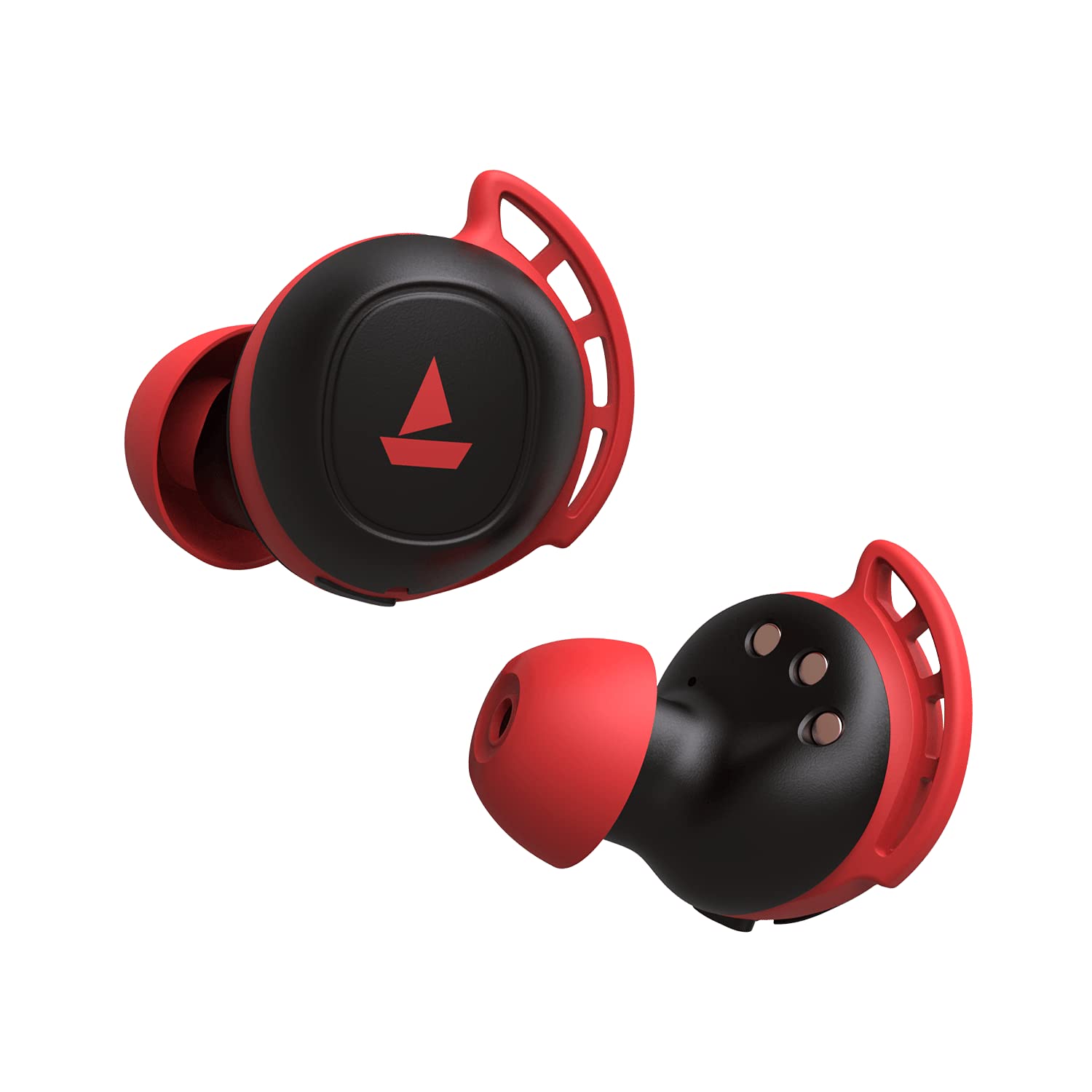
Image: The charging case with earbuds inside, indicating charging status.
7. Power Bank Fonksiyonu
The boAt Airdopes 441 Pro charging case features a 2600mAh battery, which can double as a power bank. In case of emergency, if your phone runs out of battery, you may utilize the charging case to provide a temporary charge to your device via its USB-A output port.
Image: The charging case can act as a power bank to charge other devices.
8. Bakım ve Koruma
- Kulaklıkları ve şarj kutusunu temiz ve kuru tutun.
- Cihazı aşırı sıcaklıklara maruz bırakmaktan kaçının.
- Temizlik için yumuşak, kuru bir bez kullanın. Sert kimyasallar kullanmayın.
- Kullanmadığınız zaman serin ve kuru bir yerde saklayınız.
- Ensure earbud tips fit snugly for optimal sound quality and comfort. Replace with additional ear tips if needed.
9. Sorun Giderme
Ses yok/Ses kalitesi düşük
- Ensure earbuds are properly seated in your ears. Try different sized ear tips.
- Check if the earbuds are correctly paired with your device.
- Verify the volume level on both the earbuds and your connected device.
Bağlantı Sorunları
- Ensure Bluetooth is enabled on your device and the earbuds are within the 10-meter operating range.
- Kulaklıklarınızı cihazınızla eşleştirmeyi kaldırıp yeniden eşleştirmeyi deneyin.
- Perform a factory reset if issues persist.
Fabrika Ayarlarına Sıfırlama
Fabrika ayarlarına sıfırlama yapmak için:
- Place both earbuds back into the charging case in the correct orientation.
- Triple tap the capacitive touch control on both earbuds.
- Once done, it is indicated by alternate green and blue LED flashes.
- Shut the lid of the charging case and then re-open it again. The earbuds will automatically restart, and the reset is complete.
Video: This video demonstrates the steps to perform a factory reset on the boAt Airdopes 441 Pro earbuds.
10. Özellikler
| Özellik | Şartname |
|---|---|
| Model Adı | Airdopes 441 Pro |
| Bağlantı Teknolojisi | Bluetooth 5.0 |
| Kablosuz İletişim Teknolojisi | Gerçekten Kablosuz |
| Ses Sürücüsü Türü | Dinamik Sürücü (6 mm) |
| Gürültü Kontrolü | Ses Yalıtımı |
| Su Direnç Seviyesi | IPX7 (Suya Dayanıklı) |
| Pil Ömrü (Kulaklıklar) | Şarj başına 5 saat |
| Toplam Oynatma (Kılıf Dahil) | 150 Saate Kadar |
| Şarj Arayüzü | Tip-C |
| Şarj Süresi | 1.5 Saat |
| Kontrol Yöntemi | Dokunmatik, Ses Kontrolü |
| Maksimum Çalışma Mesafesi | 10 Metre |
| Ürün Ağırlığı | 190 Gram |
11. Garanti ve Destek
The boAt Airdopes 441 Pro comes with a 1 yıllık garanti Satın alma tarihinden itibaren geçerlidir. Ayrıntılı şartlar ve koşullar için lütfen ürünle birlikte verilen Garanti Kartına bakın.
For any support or service-related queries, please contact boAt customer service or visit their official webalan.


