giriiş
Thank you for choosing the Celebrat A18 Extra Bass Wireless Headphones. This manual provides essential information for the safe and efficient use of your new headphones. Please read it thoroughly before use and retain it for future reference.
Ürün Bittiview
The Celebrat A18 headphones offer high-quality wireless audio with extra bass, featuring a built-in high-definition microphone for clear calls. Their scalable design ensures comfort, and the 3.5mm audio interface allows for both wireless and wired connectivity.
Kulaklık Bileşenleri
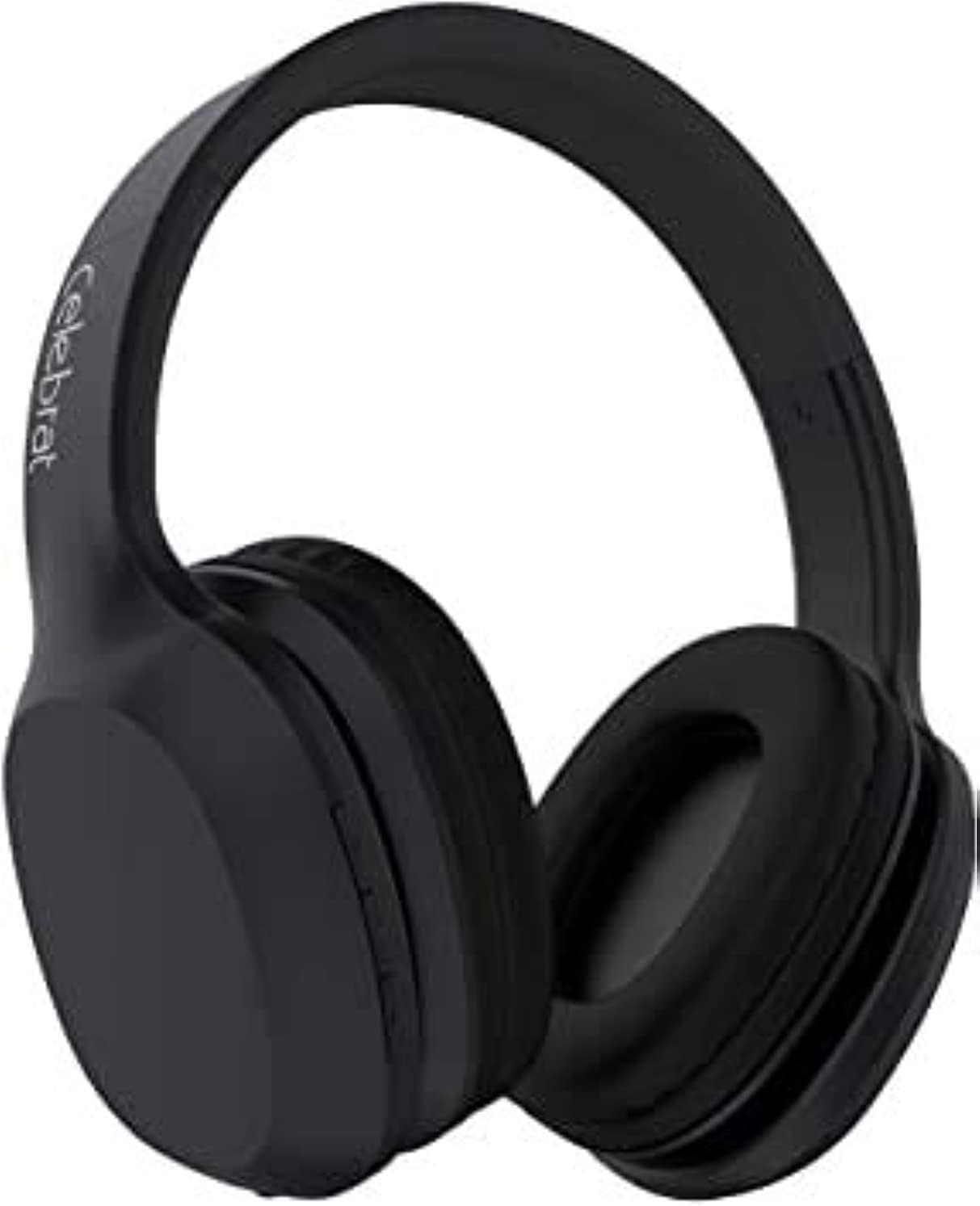
Şekil 1: Ön taraf view of the Celebrat A18 Wireless Headphones, showcasingenel tasarım ve kulaklık kapakları.

Şekil 2: Taraf view of the Celebrat A18 Wireless Headphones, highlighting the control buttons located on the earcup.

Şekil 3: View of the Celebrat A18 Wireless Headphones, illustrating the adjustable headband mechanism for a comfortable fit.
Kontrol Fonksiyonları
- Güç Düğmesi: Used to power the headphones on/off and for Bluetooth pairing.
- Sesi Aç/Sonraki Parça: Kısa basışla sesi açabilir, uzun basışla bir sonraki parçaya geçebilirsin.
- Sesi Kısma/Önceki Parça: Kısa basışta ses kısılır, uzun basışta önceki parçaya geçilir.
- Çok Fonksiyonlu Düğme (MFB): Müzik çalma/duraklatma, çağrı cevaplama/sonlandırma.
- Mikrofon: Eller serbest görüşme özelliği entegre edilmiştir.
- 3.5 mm Ses Jakı: Kablolu bağlantı için.
- Şarj Portu: Dahili bataryayı şarj etmek için.
Kurmak
Kulaklıkları Şarj Etme
Before first use, fully charge the headphones. The battery capacity is 300mAh.
- Şarj kablosunu kulaklıktaki şarj portuna bağlayın.
- Kablonun diğer ucunu bir USB güç kaynağına (örneğin, bilgisayarın USB portu, USB duvar adaptörü) bağlayın.
- Şarj işlemi sırasında gösterge ışığı yanacaktır.
- Şarj işlemi genellikle 2-3 saat sürer. Şarj tamamlandığında gösterge ışığı değişir veya söner.
Bluetooth Eşleştirme
Kulaklığınızı kablosuz olarak bir cihaza bağlamak için:
- Kulaklığın tam şarjlı olduğundan emin olun.
- Press and hold the Power Button until the indicator light flashes, indicating pairing mode.
- Cihazınızda (akıllı telefon, tablet, bilgisayar) Bluetooth’u etkinleştirin.
- Arama available Bluetooth devices. The headphones should appear as "Celebrat A18" or similar.
- Select the headphones from the list to connect.
- Once successfully paired, the indicator light will typically stop flashing or change color.
The Bluetooth version is v5.0, offering a wireless range of up to 10 meters.
Kullanım Talimatları
Güç Açık/Kapalı
- Güç Açık: Güç düğmesini yaklaşık 3 saniye basılı tutun.
- Kapat: Press and hold the Power Button for approximately 3-5 seconds.
Müzik Çalma
- Oynat/Duraklat: Çok Fonksiyonlu Düğmeye bir kez basın.
- Sonraki Parça: Sesi Açma tuşuna uzun basın.
- Önceki parça: Sesi Azaltma düğmesine uzun basın.
- Sesi aç: Sesi Açma tuşuna kısa basın.
- Sesi kıs: Sesi Azaltma düğmesine kısa basın.
Music playback time is approximately 8 hours on a full charge.
Yönetim Çağrı
- Cevap Çağrısı: Çok Fonksiyonlu Düğmeye bir kez basın.
- Çağrı Sonu: Görüşme sırasında Çok Fonksiyonlu Düğmeye bir kez basın.
- Çağrıyı Reddet: Çok İşlevli Düğmeyi 2 saniye basılı tutun.
- Son Numarayı Tekrar Ara: Çok Fonksiyonlu Düğmeye iki kez basın.
Talk time is approximately 6 hours on a full charge.
Kablolu Mod
The headphones can be used with a 3.5mm audio cable when the battery is depleted or for devices without Bluetooth connectivity.
- Connect one end of the 3.5mm audio cable to the headphone's 3.5mm audio jack.
- Kabloyu diğer ucundan ses cihazınızın 3.5 mm ses çıkışına bağlayın.
- In wired mode, the headphone's battery and Bluetooth functions are bypassed.
Bakım ve Özen
- Temizlik: Kulaklığınızı temizlemek için yumuşak ve kuru bir bez kullanın. Aşındırıcı temizleyiciler veya çözücüler kullanmayın.
- Depolamak: Kulaklığınızı serin, kuru ve doğrudan güneş ışığından ve aşırı sıcaklıklardan uzak bir yerde saklayın.
- Suya Maruz Kalma: Kulaklıkları suya veya aşırı neme maruz bırakmaktan kaçının.
- Pil Bakım: Pil ömrünü uzatmak için pili sık sık tamamen boşaltmaktan kaçının. Uzun süre kullanılmasa bile düzenli olarak şarj edin.
- İşleme: Kulaklıkları düşürmeyin, sökmeyin veya kendiniz tamir etmeye çalışmayın. Bu durum garantiyi geçersiz kılabilir ve hasara neden olabilir.
Sorun giderme
| Sorun | Olası Çözüm |
|---|---|
| Kulaklık açılmıyor. | Kulaklıkların şarjının dolu olduğundan emin olun. Bir güç kaynağına bağlayın ve birkaç dakika sonra tekrar deneyin. |
| Cihazla eşleştirme yapılamıyor. | Ensure headphones are in pairing mode (flashing indicator light). Turn off and on Bluetooth on your device. Move closer to the device. Clear previous Bluetooth connections on your device. |
| Ses yok veya ses seviyesi düşük. | Check headphone and device volume levels. Ensure headphones are properly paired. Try playing different audio. If in wired mode, check cable connection. |
| Kötü ses kalitesi. | Move closer to the paired device to reduce interference. Ensure no obstacles are between the headphones and the device. Check audio source quality. |
| Mikrofon çalışmıyor. | Ensure headphones are properly connected. Check microphone settings on your device. |
Özellikler
| Özellik | Detay |
|---|---|
| Model Adı | A18 |
| Marka | Kutlamak |
| Bağlantı Teknolojisi | Wired, Wireless (Bluetooth v5.0) |
| kablosuz Menzil | 10 metre |
| Pil Kapasitesi | 300mAh |
| Şarj Süresi | 2-3 saat |
| Müzik Zamanı | 8 saate kadar |
| Konuşma Zamanı | 6 saate kadar |
| Kulaklık Form Faktörü | Kulakta |
| Kulaklık Girişi | 3.5 mm Jak |
| Dahil Bileşenler | Kulak Yastıkları, Kafa Bandı |
| Renk | Yeşil (ürün çeşidine göre) |
| Paket Boyutları | 20.4x18.2x8 cm |
| Ürün Ağırlığı | 496 gr |
Garanti ve Destek
The Celebrat A18 Extra Bass Wireless Headphones are designed and tested for safe use. For specific warranty details, please refer to the warranty card included with your product or contact your point of purchase. Keep your proof of purchase for any warranty claims.
For technical support or further assistance, please contact Celebrat customer service through their official webÜrün ambalajınızda bulunan site veya iletişim bilgileri.


