giriiş
Thank you for choosing the Misby Bladeless Desk Fan. This innovative fan is designed to provide a comfortable and quiet airflow, featuring a bladeless design for enhanced safety and easy cleaning. Its portable nature, touch controls, and integrated LED lighting make it a versatile addition to any bedroom, home office, or living space.
Güvenlik Talimatları
- Devrilmeyi önlemek için vantilatörün sabit ve düz bir yüzeye yerleştirildiğinden emin olun.
- Do not insert fingers or any objects into the air outlet or inlet. The bladeless design minimizes risk, but caution is always advised.
- Use only the provided USB cable and a standard 2A output power adapter for charging. Using an incompatible adapter may damage the device.
- Vantilatörü sudan veya diğer sıvılardan uzak tutun.
- Fanı kendiniz sökmeyin veya onarmaya çalışmayın. Yardım için müşteri hizmetleriyle iletişime geçin.
- Keep out of reach of small children and pets, despite the bladeless design.
Paket İçeriği
- Misby Bladeless Desk Fan ×1
- Rechargeable Battery ×1 (pre-installed)
- USB Kablosu ×1
- Kullanıcı Kılavuzu ×1
Ürün Bittiview
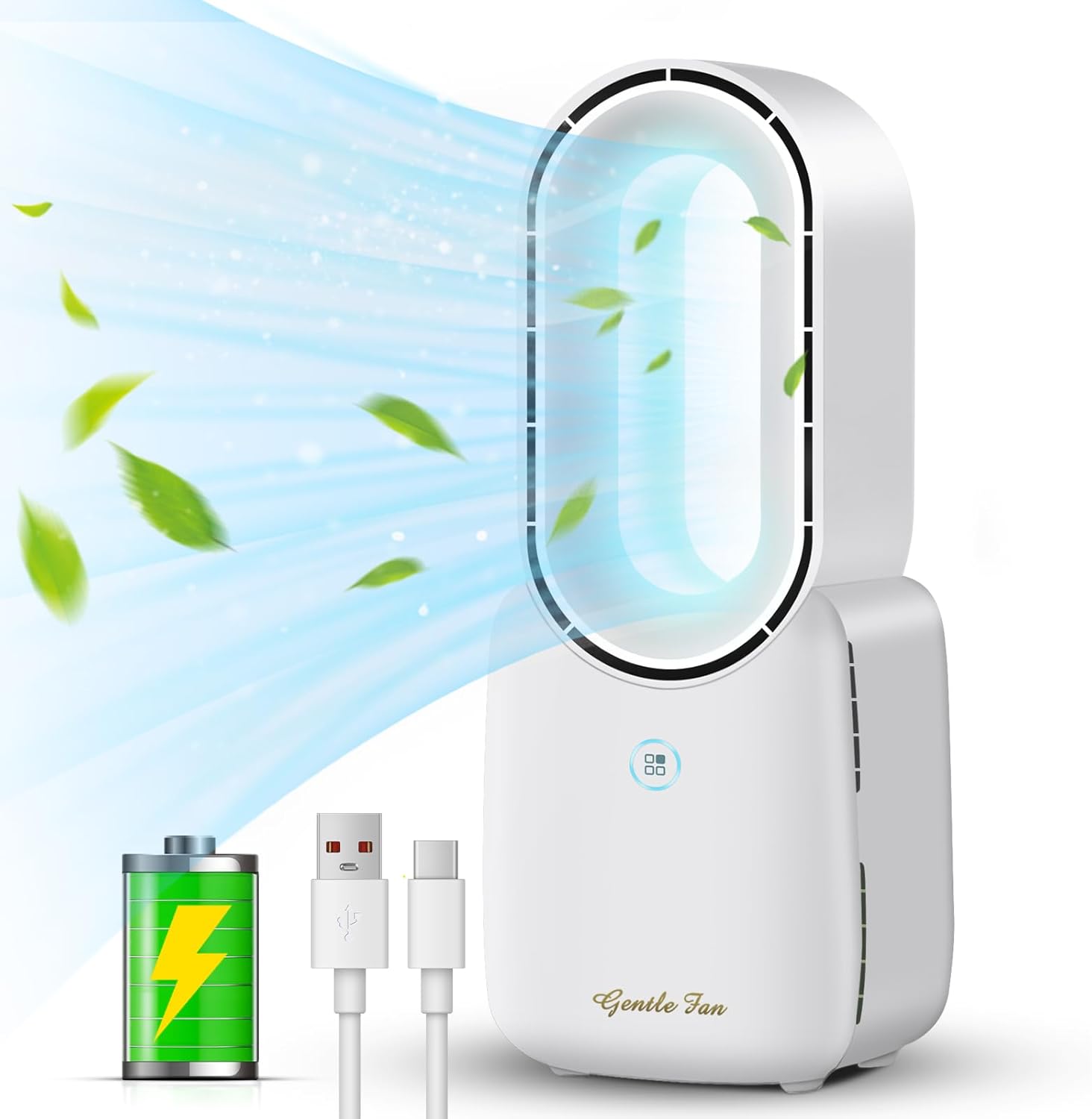
Figure 1: Misby Bladeless Desk Fan with its core components.
The Misby Bladeless Desk Fan features a sleek, modern design. The main unit houses the internal fan mechanism, while the oval-shaped top provides smooth, consistent airflow. The base includes touch-sensitive controls for power, fan speed, and LED lighting.

Şekil 2: Ayrıntılı view of the touch control switch for fan speed settings.
Kurmak
İlk Şarj
Before first use, fully charge the fan. Connect the provided USB cable to the USB-C port on the back of the fan and plug the other end into a standard 2A output power adapter (not included) or a compatible USB port on a computer or power bank. The LED indicator will show charging status.

Figure 3: Multiple recharging options for the fan.
Kullanım Talimatları
Power On/Off and Fan Speed Control
- To turn on the fan, lightly touch the power/speed control button on the front of the base. The fan will start at Low speed.
- Tap the button again to cycle through the speeds: Medium, High.
- To activate Natural Wind mode, tap the button a fourth time. This mode simulates natural breezes by varying the fan speed.
- To turn off the fan, tap the button a fifth time after Natural Wind mode, or press and hold the button for 3 seconds from any speed setting.
LED Işık Kontrolü
The fan features a 5-color LED light function to create a warm atmosphere. The light control button is located next to the power/speed button.
- To turn on the LED light, lightly touch the light control button. It will cycle through the available colors.
- Continue tapping the button to change between the 5 different colors.
- To turn off the LED light, tap the button until the light turns off, or press and hold the button for 3 seconds.

Figure 4: The fan's 5-color LED light function in use.
Ürün Tanıtım Videosu
Video 1: A demonstration of the Misby Bladeless Fan's features, including its bladeless design and decorative LED light. This video is provided by the seller, Misby Direct.
Bakım ve Temizlik
The bladeless design of this fan makes cleaning simple and efficient. Regularly wipe the exterior surfaces with a soft, dry cloth. For dust accumulation within the air outlet, use a soft brush or compressed air to gently clear it. Do not use abrasive cleaners or immerse the fan in water.
Sorun giderme
| Sorun | Olası Neden | Çözüm |
|---|---|---|
| Fan çalışmıyor. | Pil zayıf veya şarj edilmemiş. | Connect the fan to a power source using the USB cable and charge fully. |
| Zayıf hava akışı. | Fan speed set too low; air inlet/outlet blocked. | Increase fan speed using the touch control. Check and clear any obstructions from the air inlets/outlets. |
| LED ışığı çalışmıyor. | Aydınlatma fonksiyonu kapalı; pil seviyesi düşük. | Tap the light control button to turn it on. Ensure the fan is charged. |
| Vantilatör alışılmadık bir ses çıkarıyor. | Foreign object inside; fan not on a stable surface. | Turn off and unplug the fan. Carefully check for any foreign objects. Ensure it's on a stable surface. If noise persists, contact support. |
Özellikler
| Özellik | Detay |
|---|---|
| Model Adı | F1 |
| Marka | Misby |
| Boyutlar (D x G x Y) | 3.3"D x 4.9"G x 11.8"Y |
| Ağırlık | 1.6 Pound |
| Güç Kaynağı | Battery Powered/Corded Electric (USB Type C) |
| Anma Güç Kaynağı | 5V-1A |
| Anma Gücü | 10W (maksimum) |
| Pil Kapasitesi | 2200 mAh Lityum İyon |
| Pil Ömrü | 4-8 saat (hıza bağlı olarak) |
| Gürültü Seviyesi | 30 dB |
| Fan Hızları | 4 (Low, Medium, High, Natural Wind) |
| LED Işık | 5 renkli gradyan |
| Kontrol Yöntemi | Dokunmak |
Garanti ve Destek
Misby strives to provide high-quality products. If you encounter any issues or have questions regarding your Misby Bladeless Desk Fan, please contact our customer support team. We offer a 12-month replacement policy for product defects. For further assistance, please refer to the contact information provided on our official website veya satın alma fişiniz.


