1. Giriş
The AMBITFUL Teleprompter Kit is designed to assist with video recording for both mobile phones and DSLR cameras, providing a clear reflection of text for presenters. This kit enhances recording quality by allowing direct eye contact with the camera while reading scripts.
Temel Özellikler:
- Versatile for various recording scenarios.
- Ensures clear text display with high-definition reflection.
- Supports mobile phone recording in both horizontal and vertical orientations.
- Compatible with DSLR cameras using included adapter rings.
- Includes a Bluetooth remote control for convenient operation.
- Utilizes a dedicated iOS/Android application for script management.
2. Ürün Bileşenleri
Before assembly, please ensure all components listed below are present in your package.

Resim 2.1: All components included in the AMBITFUL Teleprompter Kit. This image displays the teleprompter unit, mobile phone expansion board, various camera adapter rings, Bluetooth remote control, cell phone clip, and cell phone lens shading panel.
- Teleprompter Unit
- Mobile Phone Expansion Board
- Camera Adapter Rings (various sizes)
- Bluetooth Uzaktan Kumanda
- Cep Telefonu Klipsi
- Cell Phone Lens Shading Panel
3. Kurulum Talimatları
3.1. Teleprompter Assembly
- Attach the teleprompter unit to a tripod using the 1/4-inch screw mount at its base. Ensure it is securely fastened.
- Slide the mobile phone expansion board into the designated slots on the teleprompter unit.
- If using a mobile phone for recording, attach the cell phone clip to the camera mounting area of the teleprompter.
- If using a DSLR, select the appropriate camera adapter ring for your lens and screw it onto the front of your DSLR lens. Then, attach the DSLR with the adapter ring to the teleprompter unit.

Resim 3.1: The AMBITFUL Teleprompter Kit fully assembled with a mobile phone and tripod, ready for use.
3.2. Cihazınızı Monte Etme
For Mobile Phone Recording:
- Place your mobile phone into the cell phone clip. Adjust the clip to hold the phone securely.
- Position the phone on the expansion board. The teleprompter supports both horizontal and vertical phone orientations. Adjust the bracket position as needed for your desired shot.

Resim 3.2: Demonstrates how to set up a mobile phone for both horizontal and vertical recording within the teleprompter.
For DSLR Recording:
- Ensure your DSLR camera is mounted on a tripod.
- Screw the appropriate camera adapter ring onto your DSLR lens.
- Attach the DSLR camera, with the adapter ring, to the teleprompter unit. Ensure the lens is centered within the teleprompter's opening.
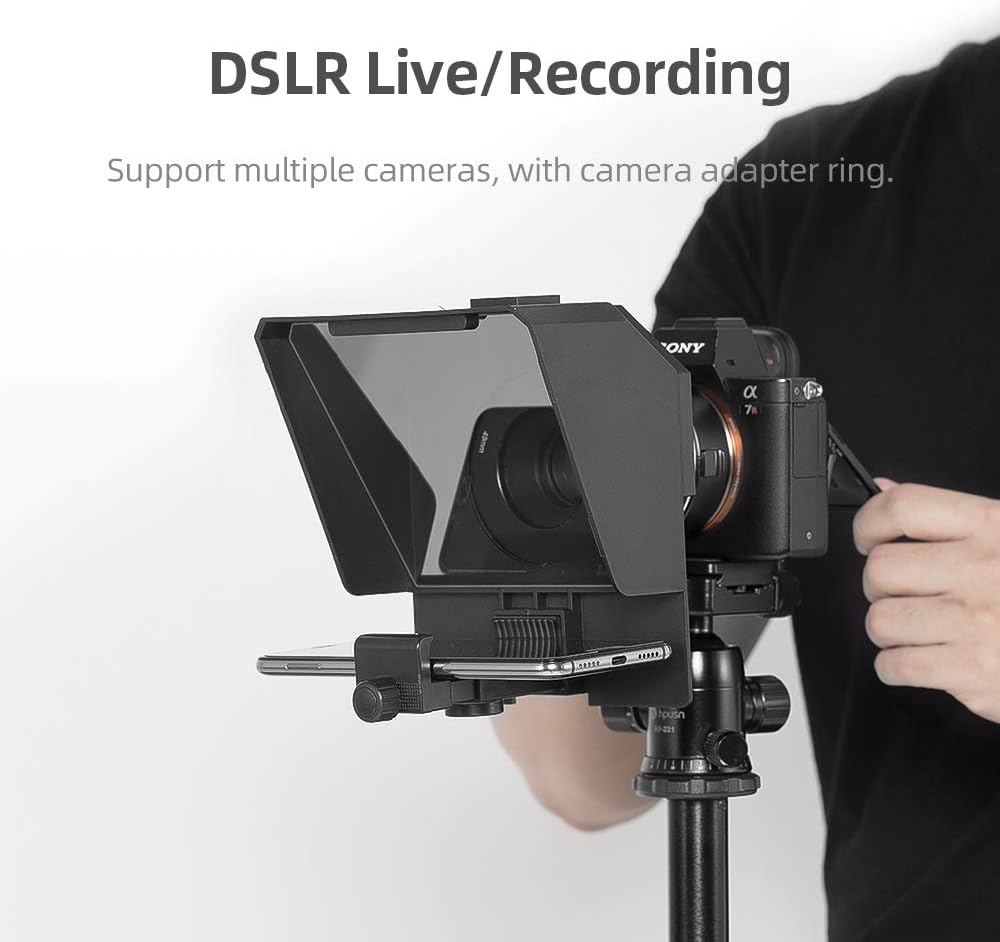
Resim 3.3: A DSLR camera mounted with the teleprompter, illustrating the setup for professional recording.
3.3. Script Device Placement
- Place the mobile phone or tablet (used for displaying the script) onto the mobile phone expansion board. Ensure the screen is facing upwards towards the teleprompter glass.
- Adjust the position of the script device to ensure the text is clearly reflected on the teleprompter glass and visible to the presenter.
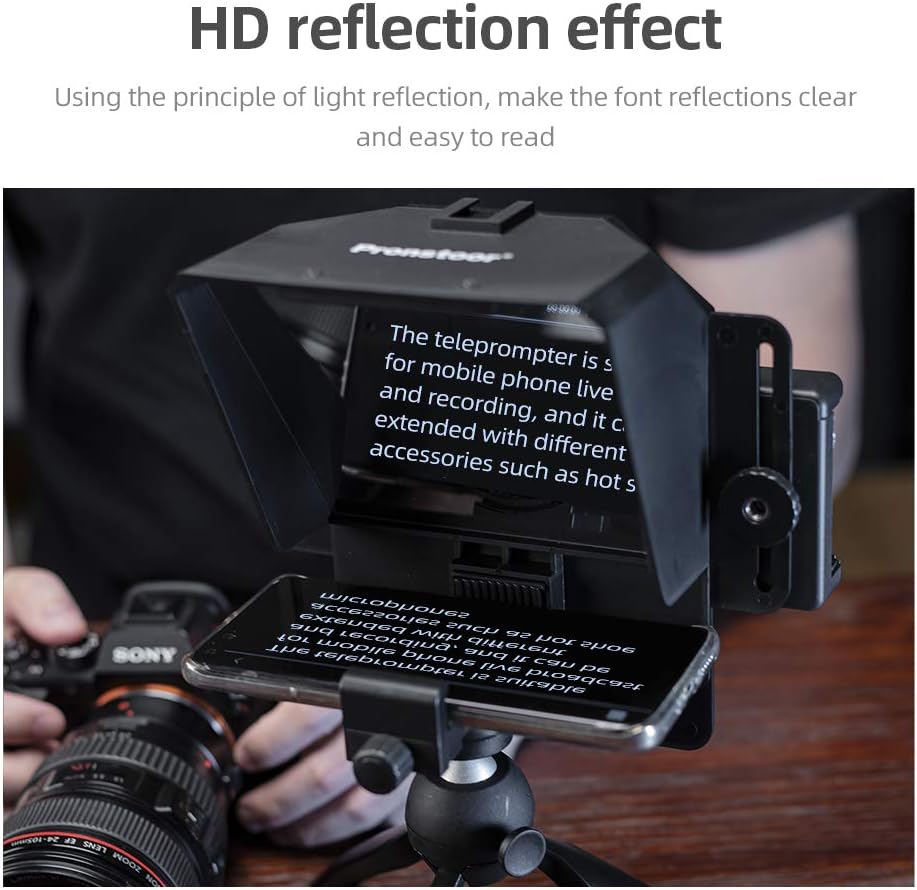
Resim 3.4: Yakın çekim view of the teleprompter in action, showing the clear reflection of text from a smartphone onto the glass.
4. Kullanım Talimatları
4.1. Uygulama Kurulumu ve Bağlantısı
- Download the recommended teleprompter application from your device's app store (iOS or Android). Refer to the product packaging or manufacturer's website for the specific app name.
- Open the app and load your script. Ensure the text is mirrored horizontally within the app settings so it appears correctly when reflected by the teleprompter glass.
4.2. Bluetooth Uzaktan Kumanda
- Eşleştirme: Turn on the Bluetooth remote control. On your script device (phone/tablet), go to Bluetooth settings and pair with the remote control.
- İşlevsellik: The remote control allows you to start/pause scrolling, adjust scrolling speed, and change font size within the teleprompter app. Familiarize yourself with the button functions as per the app's interface.
4.3. Recording Tips
- Adjust the brightness of your script device for optimal reflection without glare.
- Ensure the camera lens is clean to avoid image artifacts.
- Practice reading your script with the teleprompter to achieve a natural delivery.
5. Bakım
5.1. Temizlik
- Bardak: Use a soft, lint-free microfiber cloth specifically designed for optical surfaces. Lightly dampen the cloth with a small amount of lens cleaning solution if necessary. Avoid harsh chemicals or abrasive materials.
- Vücut: Wipe the teleprompter body with a dry or slightly damp soft cloth. Do not immerse the unit in water.
5.2. Depolama
- Store the teleprompter kit in a dry, cool place away from direct sunlight and extreme temperatures.
- Disassemble the unit and store components in their original packaging or a protective case to prevent damage.
6. Sorun Giderme
| Sorun | Olası Neden | Çözüm |
|---|---|---|
| Text reflection is unclear or blurry. | Dirty teleprompter glass; incorrect script device positioning; script device screen brightness too low/high. | Clean the teleprompter glass with a microfiber cloth. Adjust the script device's position and screen brightness for optimal clarity. |
| Bluetooth remote control not connecting. | Remote control battery low; not in pairing mode; Bluetooth disabled on script device. | Ensure remote control has power and is in pairing mode. Enable Bluetooth on your script device and attempt to pair again. |
| Script text appears reversed on the teleprompter. | Mirroring function not enabled in the teleprompter app. | Access the settings within your teleprompter app and enable the horizontal mirroring or flip function. |
| Kamera view is obstructed by the phone holder (when recording vertically with a phone). | Phone holder position not optimized for vertical recording with specific phone models. | Adjust the phone holder's position or consider using an external mounting solution if the built-in holder cannot be positioned clear of the camera's field of view. Ensure the phone is centered and securely held. |
7. Özellikler
- Marka: hırslı
- Modeli: Teleprompter Kiti
- Ürün Ağırlığı: 2.23 pound (yaklaşık 1.01 kg)
- Renk: Siyah
- Uyumlu Cihazlar: Mobile Phones (iOS/Android), DSLR Cameras
- Üretici: KEAYISOFINE-001
- İlk Mevcut Tarih: 8 Mayıs 2020
8. Garanti ve Destek
For warranty information or technical support, please refer to the documentation included with your purchase or contact AMBITFUL customer service directly. Contact details can typically be found on the manufacturer's official websitenizden veya perakendeciniz aracılığıyla.


