1. Giriş
This manual provides essential information for the safe and effective use of your Paladone PP7335MAN The Mandalorian Child Grogu Desktop Light. Please read these instructions carefully before operating the product and retain them for future reference.
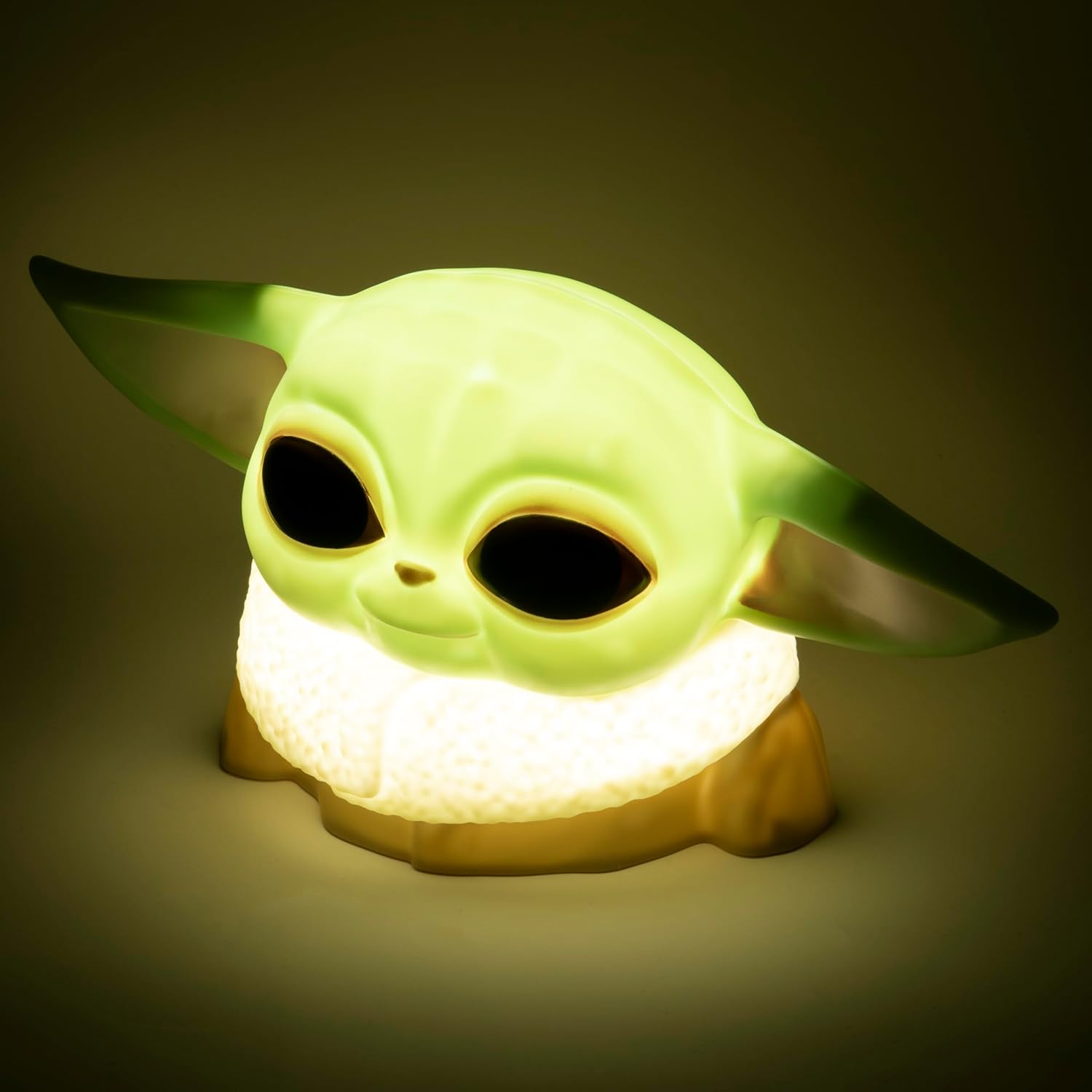
Image 1.1: The Paladone The Mandalorian Child Grogu Desktop Light, illuminated and ready for use.
2. Güvenlik Bilgileri
- Uyarı: Küçük parçalardan dolayı 36 aydan küçük çocuklar için uygun değildir. Boğulma tehlikesi.
- Bu ürün yalnızca iç mekanda kullanıma yöneliktir.
- Do not expose the product to water or excessive moisture.
- Ürünü sökmeye veya üzerinde değişiklik yapmaya çalışmayın. Bu, garantiyi geçersiz kılar.
- Kullanılmış pilleri yerel düzenlemelere uygun şekilde sorumlu bir şekilde atın.
3. Paket İçeriği
Lütfen paket içeriğini kontrol ederek tüm öğelerin mevcut olduğundan emin olun:
- 1 x Paladone PP7335MAN The Mandalorian Child Grogu Desktop Light
- 1 x Kullanım Kılavuzu (bu belge)
Not: 2x AAA batteries are required for operation and are dahil değil paketin içinde.

Image 3.1: The Paladone The Mandalorian Child Grogu Desktop Light shown in its retail box.
4. Kurulum
- Işığı Açığa Çıkarın: Carefully remove the Grogu Desktop Light from its packaging.
- Pilleri Takın: Locate the battery compartment on the underside of the light. Open the compartment cover. Insert 2x AAA batteries, ensuring correct polarity (+/-) as indicated inside the compartment. Close the battery compartment cover securely.
- Atama: Place the light on a stable, flat surface away from direct sunlight, heat sources, and moisture.

Image 4.1: The Paladone The Mandalorian Child Grogu Desktop Light in an unlit state, showing its detailed design.
5. Kullanım Talimatları
To operate your Grogu Desktop Light:
- Açılıyor: Locate the power switch, typically on the base or back of the figure. Press the switch to the 'ON' position to illuminate the light.
- Kapatma: To turn off the light, press the power switch to the 'OFF' position.

Image 5.1: The Paladone The Mandalorian Child Grogu Desktop Light displayed on a wooden shelf, demonstrating its decorative appeal.
6. Bakım
- Temizlik: To clean the light, gently wipe it with a dry, soft cloth. Do not use abrasive cleaners, solvents, or harsh chemicals, as these may damage the surface.
- Pil Değişimi: When the light begins to dim or stops working, it is time to replace the batteries. Follow the battery installation steps in Section 4.2.
- Depolamak: If storing the light for an extended period, remove the batteries to prevent leakage and corrosion. Store in a cool, dry place.
7. Sorun Giderme
| Sorun | Olası Neden | Çözüm |
|---|---|---|
| Işık açılmıyor. | Piller bitmiş veya yanlış takılmış. | Pilleri yeni AAA pillerle değiştirin ve kutupların doğru olmasına dikkat edin. |
| Işık loş. | Piller zayıf. | Pilleri yeni AAA pillerle değiştirin. |
| Işık titriyor. | Pil bağlantısı gevşek veya pil seviyesi düşük. | Pil yuvasının sağlam bir şekilde bağlı olup olmadığını kontrol edin. Gerekirse pilleri değiştirin. |
8. Özellikler
| Model Numarası | PP7335MAN |
| Ürün Boyutları | 14D x 21.7W x 12.5H cm (approx. 25 x 25 x 13 cm) |
| Ürün Ağırlığı | 130 Gram |
| Güç Kaynağı | 2 x AAA Piller (dahil değildir) |
| Malzeme | Plastik |
| Anahtar Türü | Basmalı Düğme |
| Hafif Tip | LED Masaüstü Işığı |
9. Garanti ve Destek
This product is covered by a manufacturer's warranty. For specific details regarding the warranty period and terms, please refer to the packaging or contact Paladone customer support.
If you encounter any issues not covered in the troubleshooting section or require further assistance, please contact Paladone customer support through their official website or the retailer from whom you purchased the product. Please have your model number (PP7335MAN) and proof of purchase ready.


