Ürün Bittiview
The full-size Logitech Wireless Mouse M510 provides enhanced control and comfort for laptop and PC users. Its ergonomic design with contoured shape and soft rubber grips ensures support for extended use. This mouse features three standard buttons, plus programmable Back/Forward buttons for efficient application switching and full-screen navigation. Side-to-side scrolling and zoom functionality allow for versatile horizontal and vertical navigation through various content types.
Temel Özellikler
- Uzun Pil Ömrü: Up to 2 years of battery life, with an On/Off switch and smart sleep mode to conserve power.
- Logitech Unifying Alıcı: A tiny USB receiver that stays in your laptop, allowing easy addition of compatible wireless mice or keyboards.
- Pil Gösterge Işığı: Top-mounted indicator to prevent unexpected power loss.
- Ergonomik Konfor: Contoured shape with soft rubber grips, gently curved sides, and a broad palm area for all-day support.
- Programlanabilir Kontroller: Three standard buttons plus customizable Back/Forward buttons for enhanced productivity, including application switching and full-screen mode.
- Versatile Scrolling: Side-to-side scrolling and zoom for horizontal and vertical navigation.
- Geniş Uyumluluk: Compatible with Windows 10, 11 or later, Linux, and Chrome OS.
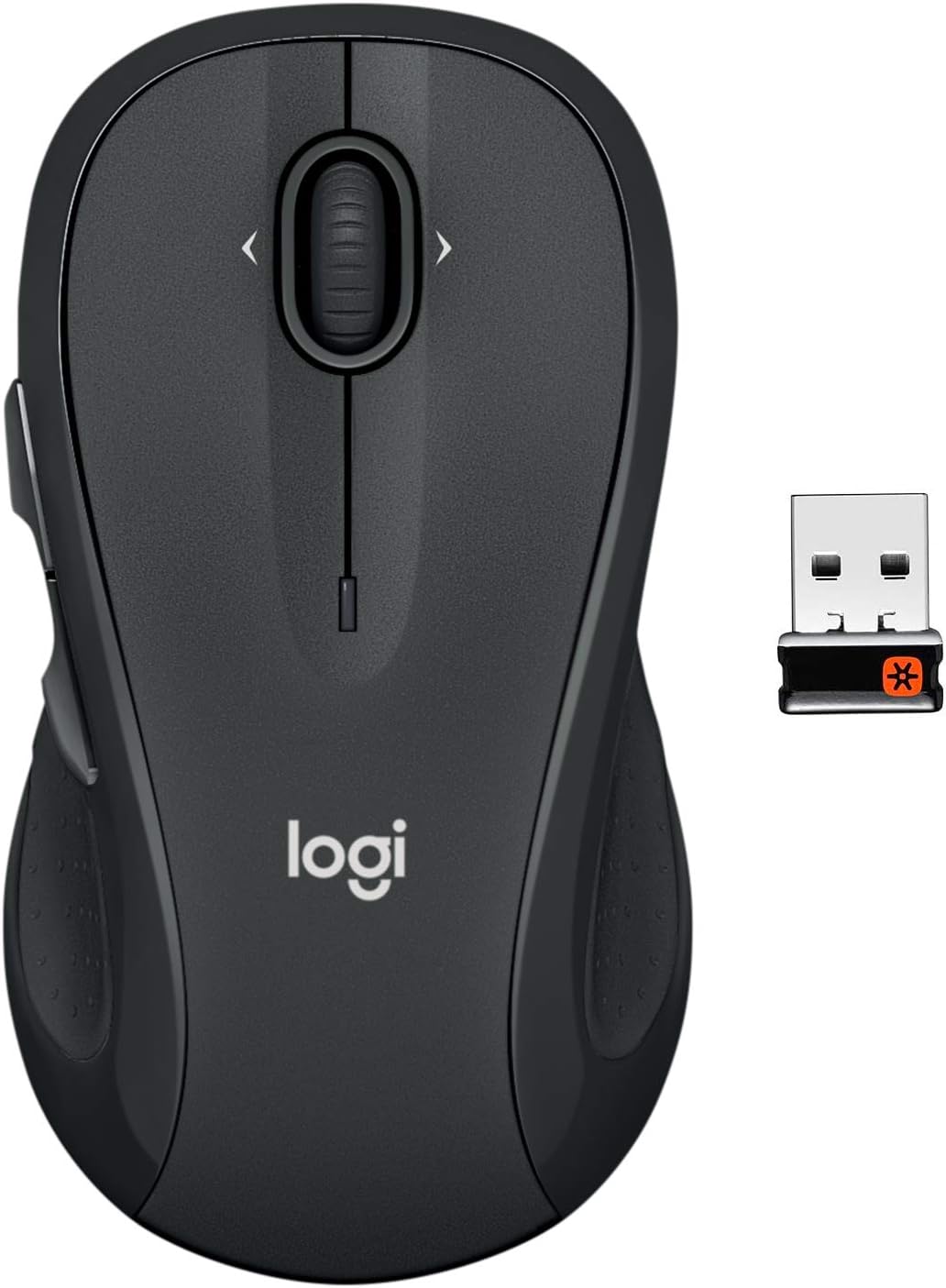
The Logitech M510 Wireless Mouse with its compact Unifying Receiver.
Kurmak
Paket İçeriği
- Logitech Unifying alıcı
- 2 adet AA pil
Pil Kurulumu
The Logitech M510 mouse comes with two AA batteries included. To install or replace batteries:
- Flip the mouse over to reveal the battery compartment on the underside.
- Pil bölmesi kapağını kaydırarak çıkarın.
- İki adet AA pili kutupların doğru olmasına dikkat ederek (+/-) yerleştirin.
- Pil bölmesi kapağını yerine takın.

Open the battery compartment to insert or replace AA batteries.
Connecting the Unifying Receiver
The tiny Logitech USB Unifying receiver allows for a reliable wireless connection. It is designed to stay plugged into your laptop without interference.
- Locate the Unifying receiver, typically stored inside the mouse's battery compartment.
- Unifying alıcısını bilgisayarınızdaki kullanılabilir bir USB bağlantı noktasına takın.
- Fareyi alt tarafında bulunan açma/kapama düğmesini kullanarak açın.
- Your computer should automatically detect and connect to the mouse.

Key features and components of the Logitech M510 mouse.
Operating Your Logitech M510 Mouse
Ergonomik Tasarım
The Logitech M510 is designed for comfort, allowing your hand to relax hour after hour. Its contoured shape with soft rubber grips and gently curved sides provides excellent support.

The ergonomic design ensures comfortable use for extended periods.
Düğme Fonksiyonları
The M510 features multiple buttons for enhanced control:
- Sol/Sağ Tıklama: Standart fare fonksiyonları.
- Kaydırma tekerleği: Dikey kaydırma için.
- Programmable Back/Forward Buttons: Located on the side, these buttons can be customized to switch applications, go full screen, or perform other functions.

The M510 offers customizable controls for increased productivity.
Side-to-Side Scrolling and Zoom
The scroll wheel also supports side-to-side scrolling and zoom functionality, allowing you to navigate horizontally through documents, web pages, and images with ease.

Soft rubber grips and a versatile scroll wheel enhance usability.
Resmi Ürün Videoları
There are no official
İlgili Belgeler - M510
 |
Logitech Kablosuz Fare M510 Kurulum Kılavuzu ve Özellikleri Logitech Wireless Mouse M510'unuzu kullanmaya başlayın. Bu kılavuz, adım adım kurulum talimatları, temel özellikler hakkında ayrıntılar ve en iyi performans için sorun giderme ipuçları sunmaktadır. Unifying alıcısı ve isteğe bağlı Logitech yazılımı hakkında bilgi edinin. |
 |
Logitech Kablosuz Fare M510: Başlangıç Kılavuzu Bu kılavuz, Logitech Wireless Mouse M510'un kurulumu ve kullanımı için talimatlar sunmaktadır. Unifying alıcısının nasıl bağlanacağını, isteğe bağlı yazılımla düğmelerin nasıl özelleştirileceğini ve sık karşılaşılan sorunların nasıl giderileceğini öğrenin. |
 |
Logitech Kablosuz Fare M510 Kurulum Kılavuzu Logitech Wireless Mouse M510 için kurulum, özellikler ve sorun giderme konularını kapsayan kapsamlı bir kurulum kılavuzu. |
 |
Logitech MX Vertical Gelişmiş Ergonomik Fare - Başlangıç Kılavuzu Logitech MX Vertical gelişmiş ergonomik fareyi kurma ve kullanma konusunda kapsamlı bir kılavuz; bağlantı yöntemleri, temel özellikler, güç yönetimi ve ek bilgiler içerir. |
 |
Logitech Marathon Mouse M705: Başlangıç Kılavuzu ve Özellikler Logitech Marathon Mouse M705'in kurulumu ve kullanımıyla ilgili kapsamlı kılavuz; özellikler, sorun giderme ve Unifying alıcı kurulumu dahil. |
 |
Logitech Kablosuz Fare M510 Kurulum Kılavuzu Logitech Wireless Mouse M510 için kurulum kılavuzu; birleştirici alıcının nasıl bağlanacağı, cihazın nasıl açılacağı ve gelişmiş özellikler için isteğe bağlı yazılım indirmeleri hakkında talimatlar içerir. |