1. Giriş
This manual provides detailed instructions for the safe and effective use of your Elecom LBT-TWS05BK True Wireless Bluetooth Earphones. Please read this manual thoroughly before using the product and retain it for future reference.
The Elecom LBT-TWS05BK earphones are designed for stable connectivity, superior comfort, and high usability, delivering rich audio performance. They feature an ergonomic design, advanced communication technology, and convenient smart features.
2. Güvenlik Bilgileri
Güvenli çalışmayı sağlamak ve hasarı önlemek için lütfen aşağıdaki önlemlere uyun:
- Kulaklıkları veya şarj kutusunu aşırı sıcaklıklara, neme veya sıvılara maruz bırakmayın.
- Cihazı düşürmekten veya güçlü darbelere maruz bırakmaktan kaçının.
- Ürünü sökmeye veya üzerinde değişiklik yapmaya çalışmayın. Bu, garantiyi geçersiz kılar.
- Çocukların ve evcil hayvanların erişemeyeceği yerde saklayınız.
- İşitme kaybını önlemek için orta ses seviyesinde dinleyin.
- Be aware of your surroundings when using the earphones, especially in traffic or dangerous situations.
3. Paket İçeriği
Ürün paketinizde tüm öğelerin mevcut olduğunu doğrulayın:
- Elecom LBT-TWS05BK True Wireless Bluetooth Earphones (Left and Right)
- Şarj Kutusu
- USB Şarj Kablosu (A Tipi - C Tipi)
- Ear Caps (XS, S, M, L sizes; M size pre-installed)
- Kullanım Kılavuzu
4. Ürün Bittiview
Familiarize yourself with the components of your Elecom LBT-TWS05BK earphones.

Resim: Yakın çekim view of the Elecom LBT-TWS05BK true wireless earbuds, showcasing their sleek black design and the ELECOM branding.

Image: The Elecom LBT-TWS05BK earbuds placed inside their compact charging case, ready for storage or charging.
The earphones feature a compact design with a 6.0mm diameter external magnetic dynamic driver for clear sound. The charging case is designed for single-handed operation with a push-button lid.
5. Kurulum
5.1. Kulaklık ve Kutunun Şarj Edilmesi
- Connect the supplied USB Type-A to Type-C cable to the charging case's USB Type-C port and a USB power source.
- The LED indicators on the charging case will show the charging status. Four LEDs indicate a full charge.
- Kulaklıkları şarj kutusuna yerleştirin. Otomatik olarak şarj olmaya başlayacaklardır.
- A 15-minute charge provides approximately 1 hour of music playback. A full charge of the earphones allows for about 5 hours of continuous music playback or 4.5 hours of talk time. The charging case can recharge the earphones up to 2.5 times, providing a total of about 17.5 hours of use.
5.2. İlk Eşleştirme
The Elecom LBT-TWS05BK supports auto-pairing and Google Fast Pair for compatible Android devices.

Image: An illustration demonstrating the Google Fast Pair feature, where simply opening the charging case near a compatible smartphone prompts a pairing notification. Also shows the one-push open mechanism of the case.
- Akıllı telefonunuzun Bluetooth özelliğinin etkin olduğundan emin olun.
- Şarj kutusunu açın. Kulaklıklar otomatik olarak eşleştirme moduna geçecektir.
- For Android devices with Google Fast Pair, a notification will appear on your screen. Tap to connect.
- For other devices, go to your device's Bluetooth settings and select "LBT-TWS05BK" from the list of available devices.
- Once paired, the earphones will automatically connect to the last paired device when removed from the case.
5.3. Kulaklıkların Takılması
The earphones feature an ergonomic design for optimal fit and stability.
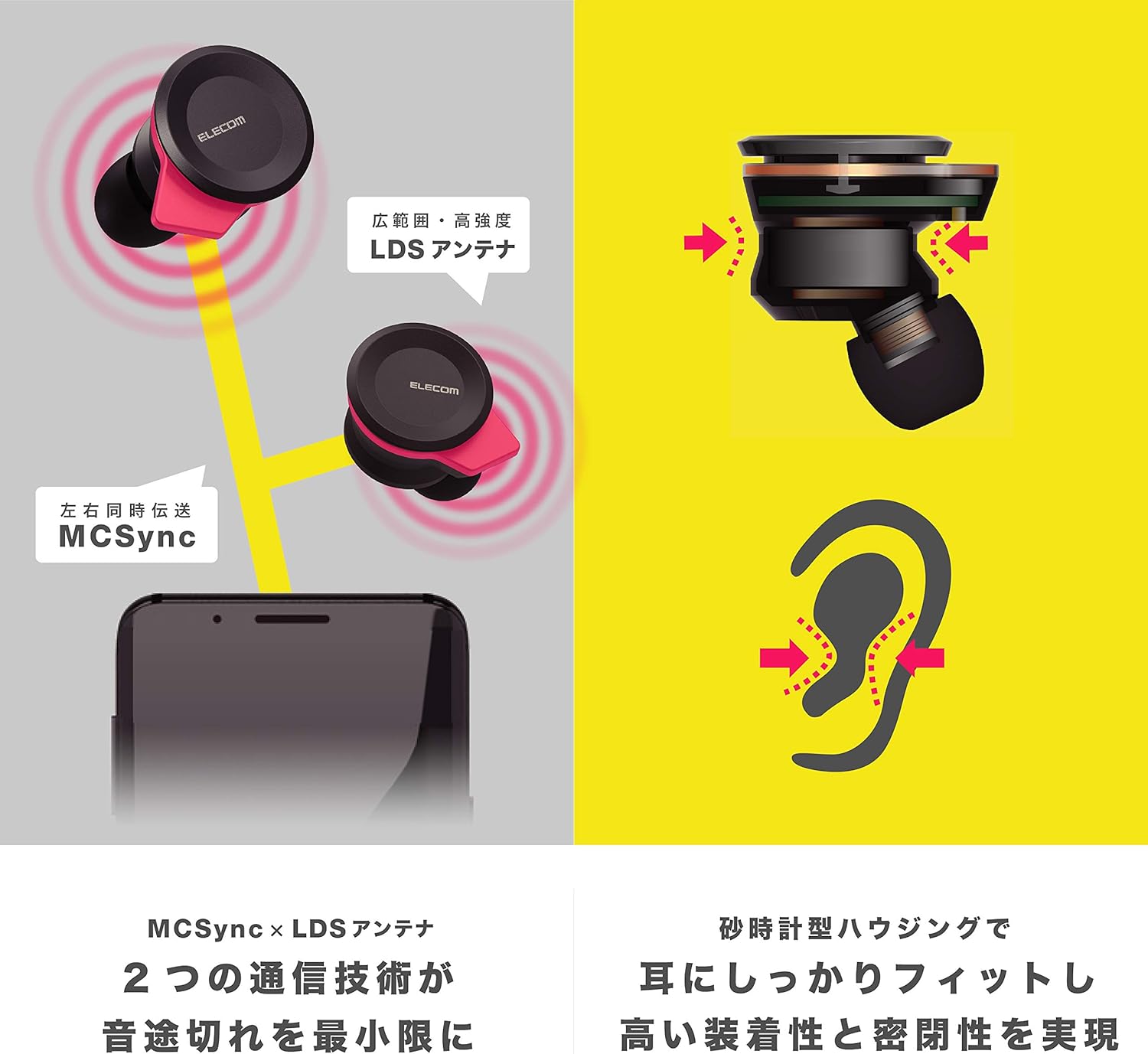
Image: An illustration showing the ergonomic hourglass shape of the earbud designed to fit securely in the ear, alongside a diagram explaining the MCSync and LDS antenna technologies for stable communication.
- Select the ear caps that provide the best seal and comfort from the four included sizes (XS, S, M, L). The M size is pre-installed.
- Kulaklığı kulak kanalınıza yavaşça yerleştirin.
- Adjust the earbud so that the hourglass shape is firmly seated between your ear tragus and anti-tragus for a stable fit.
6. Kullanım Talimatları
The Elecom LBT-TWS05BK earphones offer various functions for audio playback, calls, and smart assistant interaction.
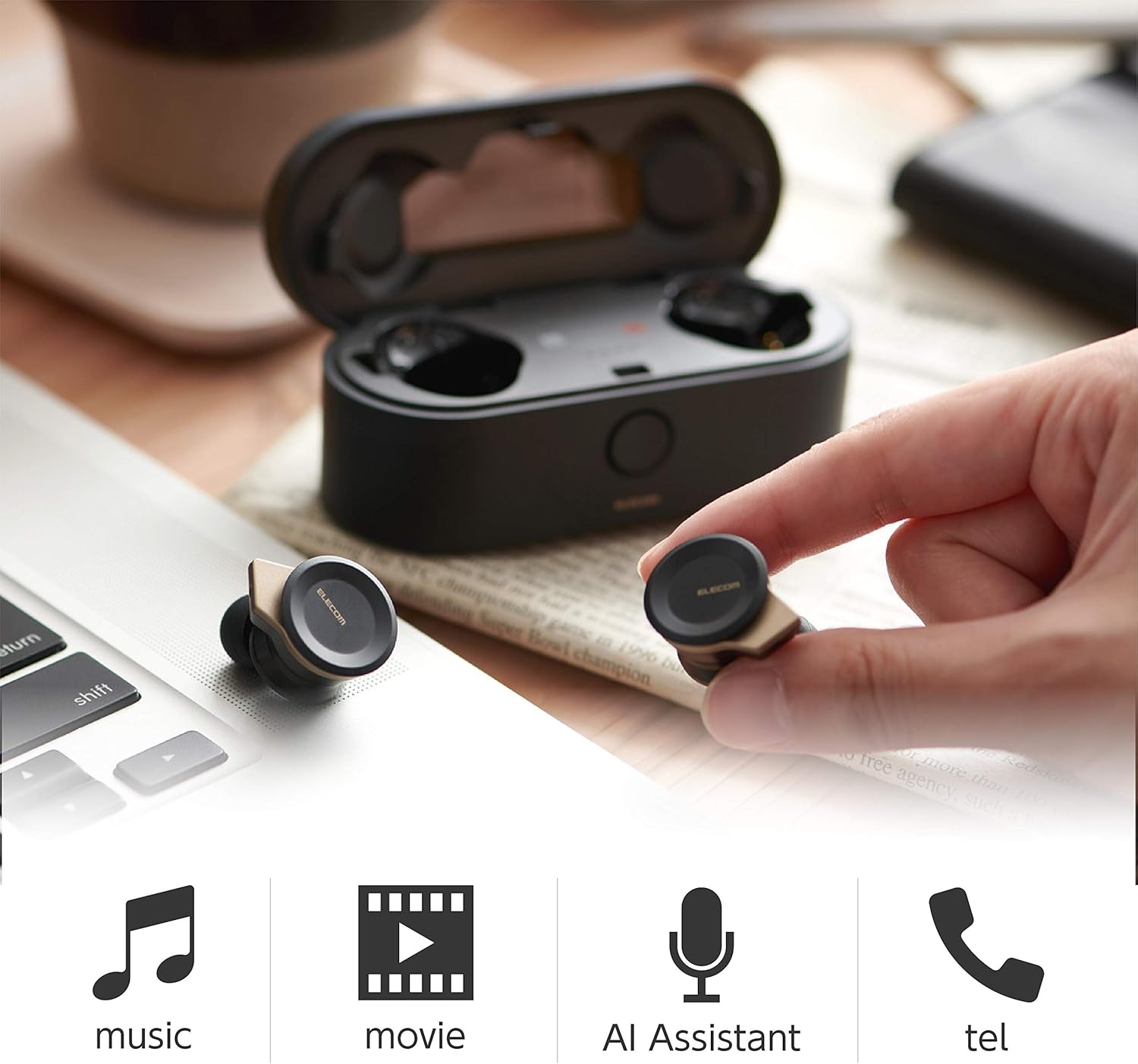
Image: The Elecom LBT-TWS05BK earbuds displayed with icons representing their versatile uses: music playback, movie watching, AI assistant activation, and phone calls.
6.1. Güç Açma/Kapatma
- Güç Açık: Kulaklıkları şarj kutusundan çıkarın. Otomatik olarak açılacaklardır.
- Kapat: Kulaklıkları şarj kutusuna geri koyun. Otomatik olarak kapanacaklardır.
6.2. Müzik Çalma
Use the buttons on the earphones to control music playback (specific button functions may vary, refer to quick start guide for exact mapping):
- Oynat/Duraklat: Kulaklıklardan birine tek basış.
- Sonraki Parça: Sağ kulaklığa iki kez basın.
- Önceki parça: Sol kulaklığa iki kez basın.
- Ses Kontrolü: Adjust via your connected device or voice assistant.
6.3. Çağrı Yönetimi
The right earbud supports calls and voice AI functions.
- Çağrıyı Cevapla/Sonlandır: Single press on the right earbud.
- Çağrıyı Reddet: Sağ kulaklığı 2 saniye basılı tutun.
6.4. Voice AI Activation
Compatible with voice AI assistants like Siri and Google Assistant.
- Activate Voice AI: Triple press on the right earbud.
6.5. External Sound Capture Function
This function allows you to hear surrounding sounds while wearing the earphones.
- Etkinleştir/Devre Dışı Bırak: Sol kulaklığı 2 saniye basılı tutun.
7. Bakım
Doğru bakım, kulaklıklarınızın uzun ömürlü olmasını ve performansını korumasını sağlar.
- Temizlik: Kulaklıkları ve şarj kutusunu temizlemek için yumuşak, kuru bir bez kullanın. Aşındırıcı temizleyiciler veya çözücüler kullanmayın.
- Kulak Kapakları: Remove and clean ear caps regularly with water and mild soap. Ensure they are completely dry before reattaching.
- Depolamak: Kullanmadığınız zamanlarda kulaklıklarınızı toz ve hasardan korumak için şarj kutusunda saklayın.
- Pil Bakım: Pilinizin sık sık tamamen boşalmasından kaçının. Pil sağlığını korumak için düzenli olarak şarj edin.
8. Sorun Giderme
If you encounter issues with your Elecom LBT-TWS05BK earphones, refer to the following common solutions:
- Ses/Bağlantı Sorunları Yok:
- Kulaklıkların şarjlı ve açık olduğundan emin olun.
- Cihazınızda Bluetooth'un etkin olup olmadığını kontrol edin.
- Kulaklığınızı cihazınızla yeniden eşleştirmeyi deneyin.
- Ensure earphones are within the 10m transmission distance.
- Kulaklıklar Şarj Olmuyor:
- Şarj kablosunun hem kasaya hem de güç kaynağına güvenli bir şekilde bağlandığından emin olun.
- Şarj kutusunun pilinin yeterli olup olmadığını kontrol edin.
- Kulaklıkların şarj kutusuna doğru şekilde yerleştirildiğinden emin olun.
- Kötü Ses Kalitesi:
- Ensure ear caps provide a good seal in your ear.
- Kulaklık başlıklarındaki kalıntıları temizleyin.
- Sinyal gücünü artırmak için bağlı cihazınıza yaklaşın.
- Voice AI/Calls Not Working on Left Earbud:
- Note that calls and voice AI functions are only compatible with the right earbud.
9. Özellikler
| Özellik | Şartname |
|---|---|
| Model Numarası | LBT-TWS05BK |
| İletişim Yöntemi | Bluetooth Standardı Sürüm 5.0 |
| Çıktı | Bluetooth Güç Sınıfı 1 |
| Maksimum İletim Mesafesi | Yaklaşık. 10m |
| Frekans Bandı | 2.4 GHz |
| Modülasyon Yöntemi | FHSS (Frekans Atlamalı Yayılı Spektrum) |
| Desteklenen Bluetooth Profiles | A2DP, AVRCP, HFP, HSP |
| A2DP Compatible Codec | SBC, AAC |
| A2DP Compatible Content Protection | SCMS-T |
| Maximum Registration Capacity | 8 cihaz |
| Multipoint (Simultaneous Standby) | Uyumlu değil |
| Sürücü Tipi | 6.0mm diameter external magnetic dynamic driver (ETEMDriver) |
| İletişim Teknolojileri | MCSync (MultiCast Synchronization), LDS Antenna |
| Mikrofon | High-quality MEMS microphone with HDVoice |
| Sürekli Konuşma Süresi | Yaklaşık 4.5 saat |
| Continuous Music Playback Time | Yaklaşık 5 saat |
| Toplam Oynatma Süresi (şarj kutusuyla birlikte) | Yaklaşık 17.5 saat |
| Şarj Portu | USB Tip-C |
| Hızlı Şarj | 15 min charge for 1 hour playback |
| Ağırlık | 61 gram (toplam paket ağırlığı) |
| Malzeme | Plastik |
| Su Direnç Seviyesi | Su geçirmez |
| Uyumlu Cihazlar | Smartphones, Tablets, iOS Devices, Android Devices |
10. Garanti ve Destek
For warranty information and customer support, please refer to the official ELECOM webSatın alma belgenizi saklayın veya yerel perakendecinizle iletişime geçin. Garanti talepleriniz için satın alma belgenizi saklayın.


